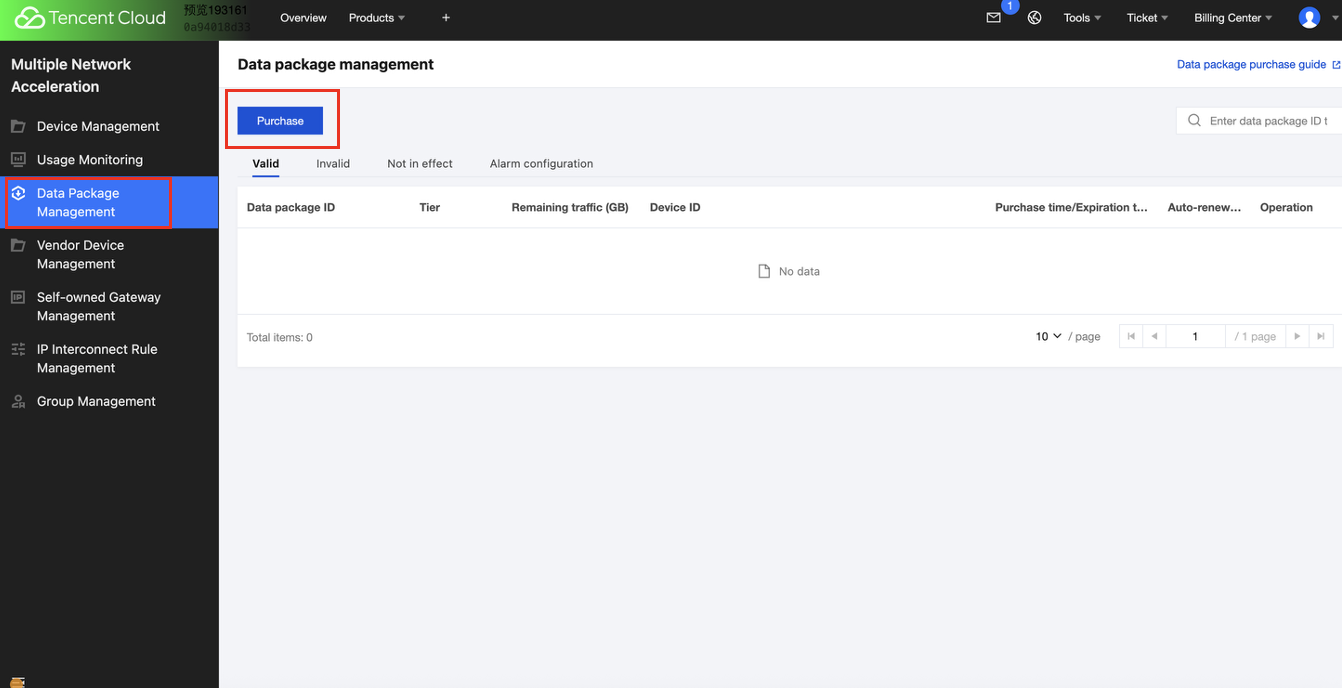
Multiple Network Acceleration provides products with a prepaid traffic package billing mode. The traffic package has a monthly valid period and can offset traffic generated by acceleration services. After purchasing a traffic package, you must bind a device to deduct traffic until the expiration of validity or the resources in the traffic package are exhausted.
You can learn about the prepaid traffic package of Multiple Network Acceleration by reading this document.
Applicable Scope
1. Stable high-traffic business, such as long video acceleration and online audio-video interaction acceleration scenarios.
2. The device quantity is relatively stable. Devices and traffic packages can be bound long-term.
Purchase
The data transfer plan supports purchase and binding via the support console, API, and port.
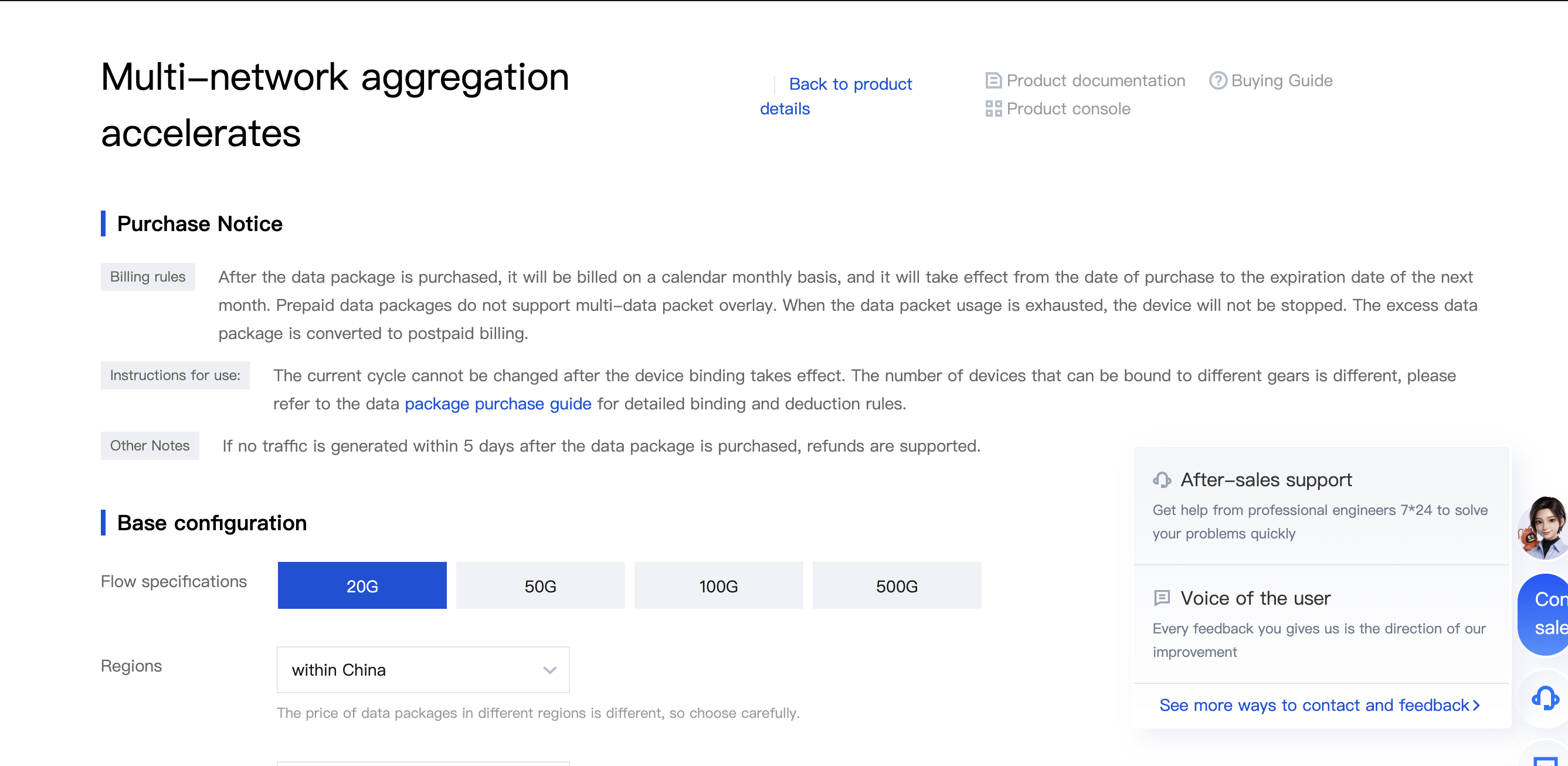
On the purchase page, you can select traffic packages of different specifications. Multiple Network Acceleration currently offers traffic packages in 20GB, 50GB, 100GB, and 500GB specifications.
Note:
Validity calculation rule: The data transfer plan is billed by calendar month after purchase, taking effect from the current day of purchase and expiring on the same day of the next month. The current prepaid traffic package does not support stacking multiple data transfer plans.
Traffic specification:
Note:
The data transfer plan needs to be bound to a device for deduction. After the device binding takes effect, the current cycle cannot be changed. Different gear selections of data transfer plans support different numbers of bound devices. For detailed binding rules, refer to the table below. If a data transfer plan is not bound to a device for deduction after purchase, the traffic generated by the device will be charged on a pay-as-you-go basis, and the data transfer plan will expire upon expiry. Please note to bind the data transfer plan.
Binding rules for different gear selections and the capacity limit of bound devices:
Tier
Maximum Number of Devices That Can Be Bound
20GB
1 device
50GB
2 devices
100GB
3 devices
500GB
5 devices
Region: Select according to the region where traffic is generated. If the acceleration gateway for business access is outside Chinese mainland (such as Europe or North America), select Silicon Valley. If the acceleration gateway is in Chinese mainland (such as Beijing or Shanghai), select Guangzhou. If no matching region is selected, traffic will not be able to be offset normally.
Bind a device: The data transfer plan needs to be bound to a device for deduction. Please bind the device before placing an order. The pull-down menu displays all device names not currently bound to a data transfer plan. To create a new device, please click the [Create Device] button on the right and go to the console page. Once bound, the device cannot be changed during the validity period of the current data transfer plan.
Overage billing rule: If the validity period expires or the current data transfer plan is exhausted, the plan will become invalid. After invalidation, if the bound device continues to generate traffic, postpaid traffic bills will be generated.
Auto-renewal: If you select the auto-renewal tag during purchase, the system will automatically place an order to renew a data transfer plan with the same specification as the current one after the current plan expires or is exhausted, provided your account balance is sufficient. For auto-renewal rules and cancellation methods, see Auto-renewal Service Rules.
2.API Purchase
Purchase a traffic package through the API and bind a device for offset. For details, please refer to the API documentation.
Upgrading/Downgrading a Prepaid Traffic Package via API
After upgrading/downgrading a traffic package via the API, you must also bind a device for offset. For API documentation details, see Order a Data Transfer Plan.
Automatic Renewal and Cancel Automatic Renewal
Multi-network aggregation acceleration (Tencent Cloud JTNA) service support automatically renews a new data transfer plan and binds it for offset when the current traffic is exhausted or the valid period expires.