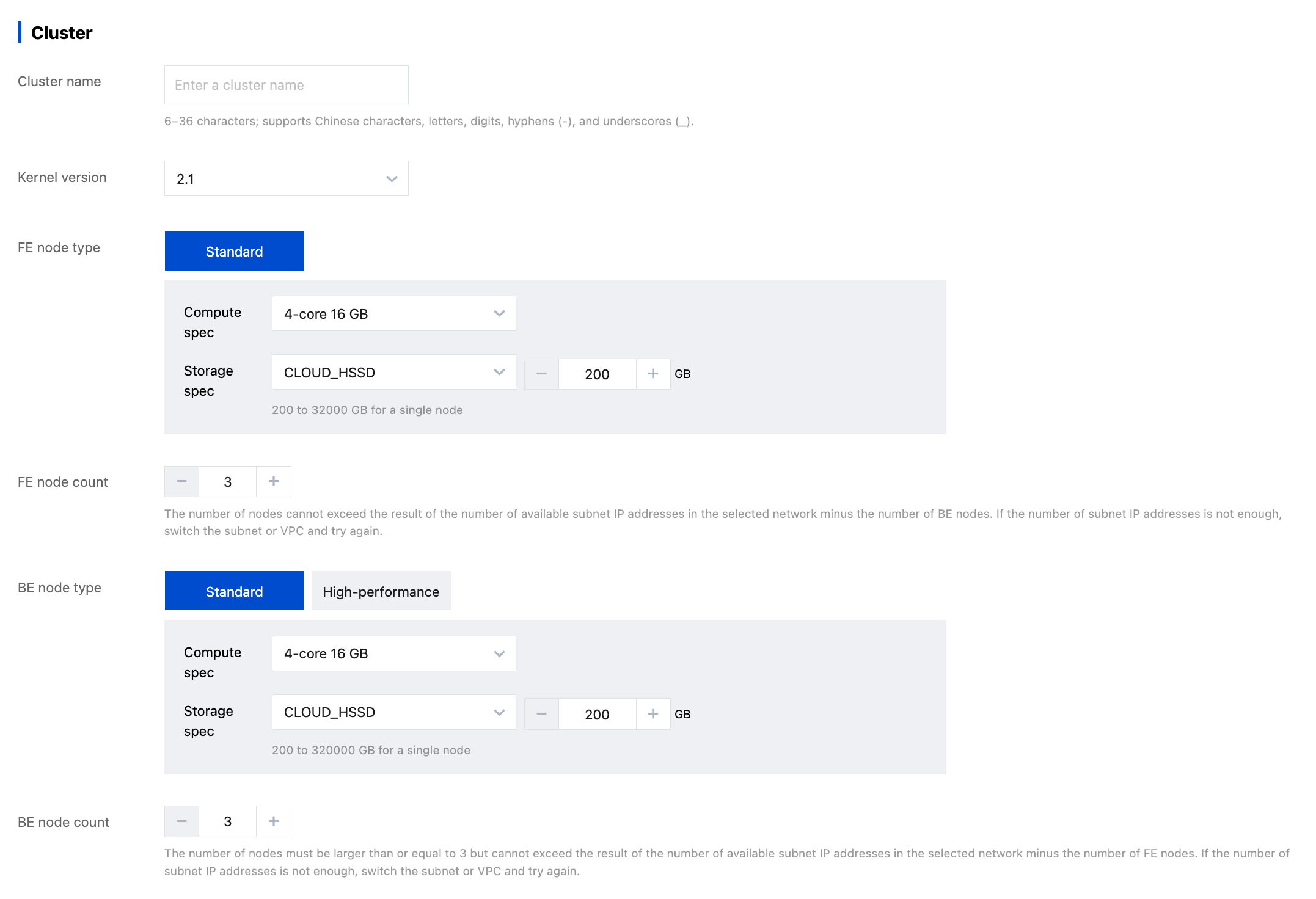
1. On the Tencent Cloud TCHouse-D page, click Buy Now, or log in to the Tencent Cloud TCHouse-D Console and click Create Cluster to proceed to the purchase page for configuration and purchase.
2. After completing the basic configuration, cluster configuration, and log configuration, the system will display the corresponding configuration costs. Click Buy now to create a cluster.
Configuration Item Description
Configuration Item
Description
Billing Mode
Yearly/monthly: Prepaid, i.e., you pay upfront when creating a cluster, then use the resources.
Pay-as-you-go: Postpaid. You can request resources on-demand, and an expense bill is generated every hour. Charges are based on actual resource usage upon settlement.
Region
Currently, Tencent Cloud TCHouse-D supports regions such as Beijing, Shanghai, Guangzhou, Chengdu, Chongqing, Nanjing, Hong Kong (China), Singapore, Frankfurt, Silicon Valley, and Tokyo. We recommend selecting a region closest to your business needs. Once a region is selected, it cannot be changed after purchase.
High Availability
You can choose to enable the high-availability read-write pattern:
In the non-high-availability pattern, only 1 FE will be deployed. It is not recommended for production environments, especially for online queries or real-time read-write scenarios
In the high-availability read pattern, at least 3 FEs will be deployed. One FE node is a follower, and the other FE nodes are observers (high availability read).
High-availability read-write: At least 5 FEs are deployed, of which 3 FE nodes are followers (high availability write), and the other FE nodes are observers (high availability read).
AZ Deployment Mode
(Cross-AZ high availability)
Single AZ: All BE/FE nodes are deployed in one AZ
Three AZs: It is optional when the number of availability zones in the current region ≥3.
It is recommended to select the "read/write high availability" mode: at least 5 FE nodes, ensuring at least 1 FE follower node in each AZ
BE nodes must be a multiple of 3, the replication_num of the table will be forcibly set to 3, and evenly distributed across each AZ to ensure data high availability
Network
A VPC is an isolated, highly secure, dedicated network environment. You can create a VPC network and a subnet or select an existing one.
AZ and subnet
Select AZs in different regions as needed on the purchase page.
For three-AZ deployment, select 3 AZs and configure subnets
Table name case can't be modified after configuration, and it provides three patterns:
Case Sensitivity
Case-insensitive, stored as specified and compared in lowercase
Case-insensitive, convert all table names to lowercase for storage
Cloud Disk Encryption
Cloud disk encryption is a free feature that effectively protects your data privacy, meets security compliance requirements, and requires no modification of your business code.
Encryption can only be set at the time of purchase and is only supported for cloud disks, not local disks.
There is no conversion between encrypted and non-encrypted cloud disks.
After cloud disk encryption, an estimated performance loss of 10%-20% is expected.
View Cluster Information
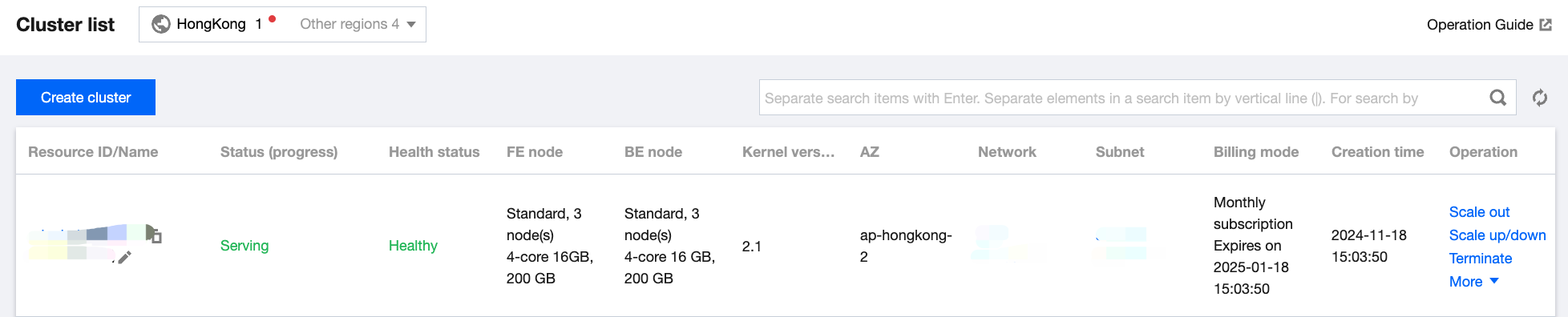
1. After the cluster is created, you can enter Tencent Cloud TCHouse-D Console, select the region where the cluster is located, and view the status information of all the clusters in this region from the cluster list.
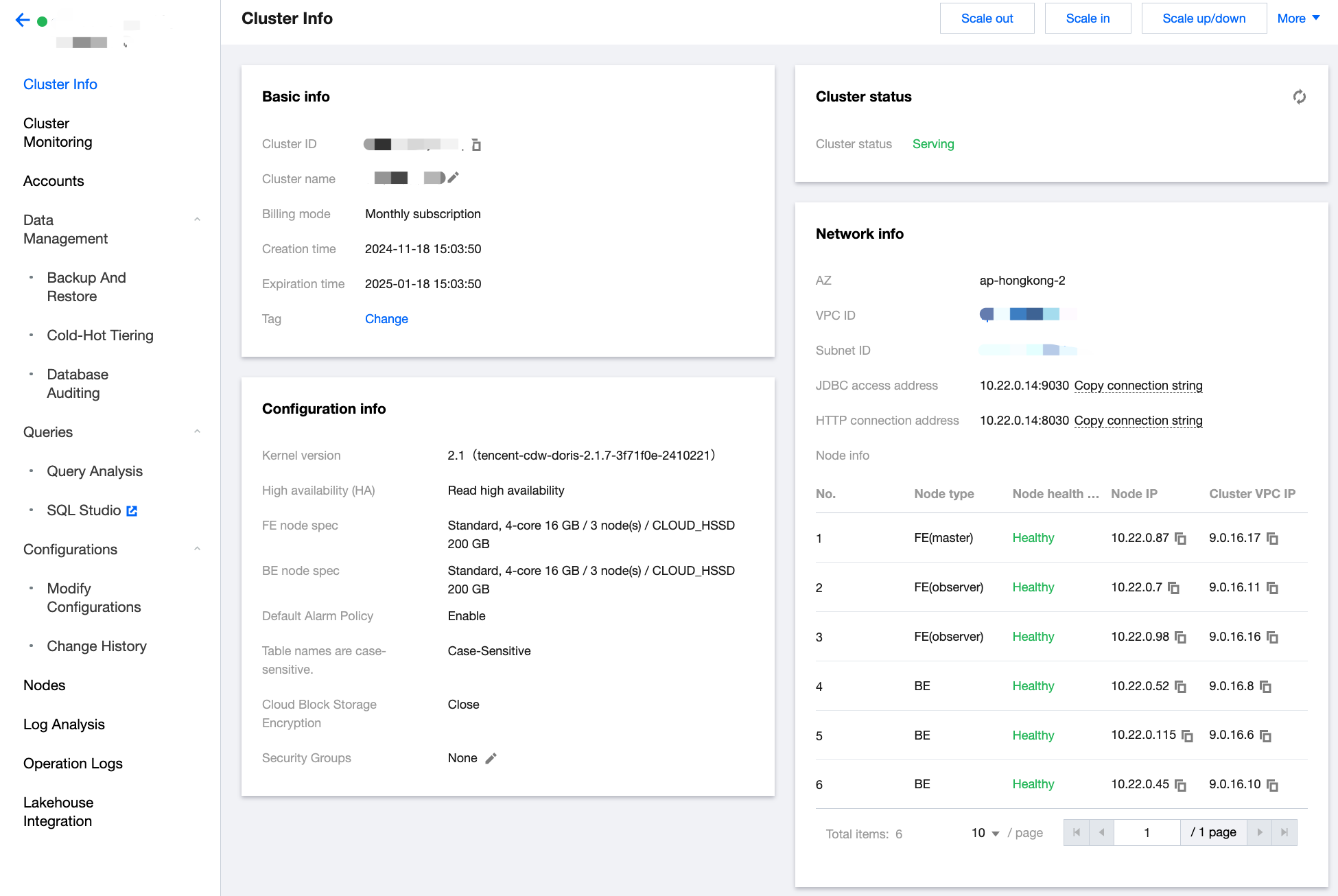
2. In the cluster list, click Cluster ID/Name to view specific details of the cluster and perform cluster-level operations.
In the cluster information page, you can view the basic information, cluster status, configuration information, and network information of the cluster.
You can modify the cluster name by clicking the edit icon next to Cluster Name.
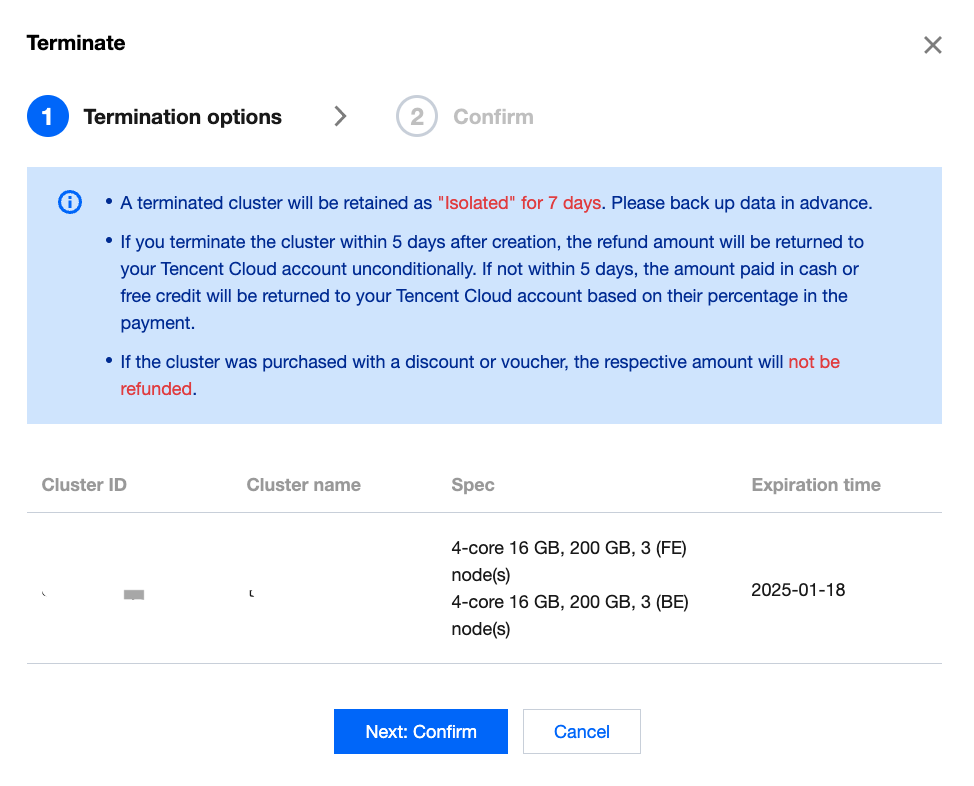
Terminating Cluster
Click Operation > Terminate in the cluster list to terminate a cluster as prompted. After termination, resources will be released and data will be cleared within 24 hours.