Prerequisite
This article will guide you through a few simple steps to make a call.
1. Create Cloud Contact Center application
Note:
Google Chrome is recommended for a better experience.
Step 1: Cloud Contact Center Agent Workstation
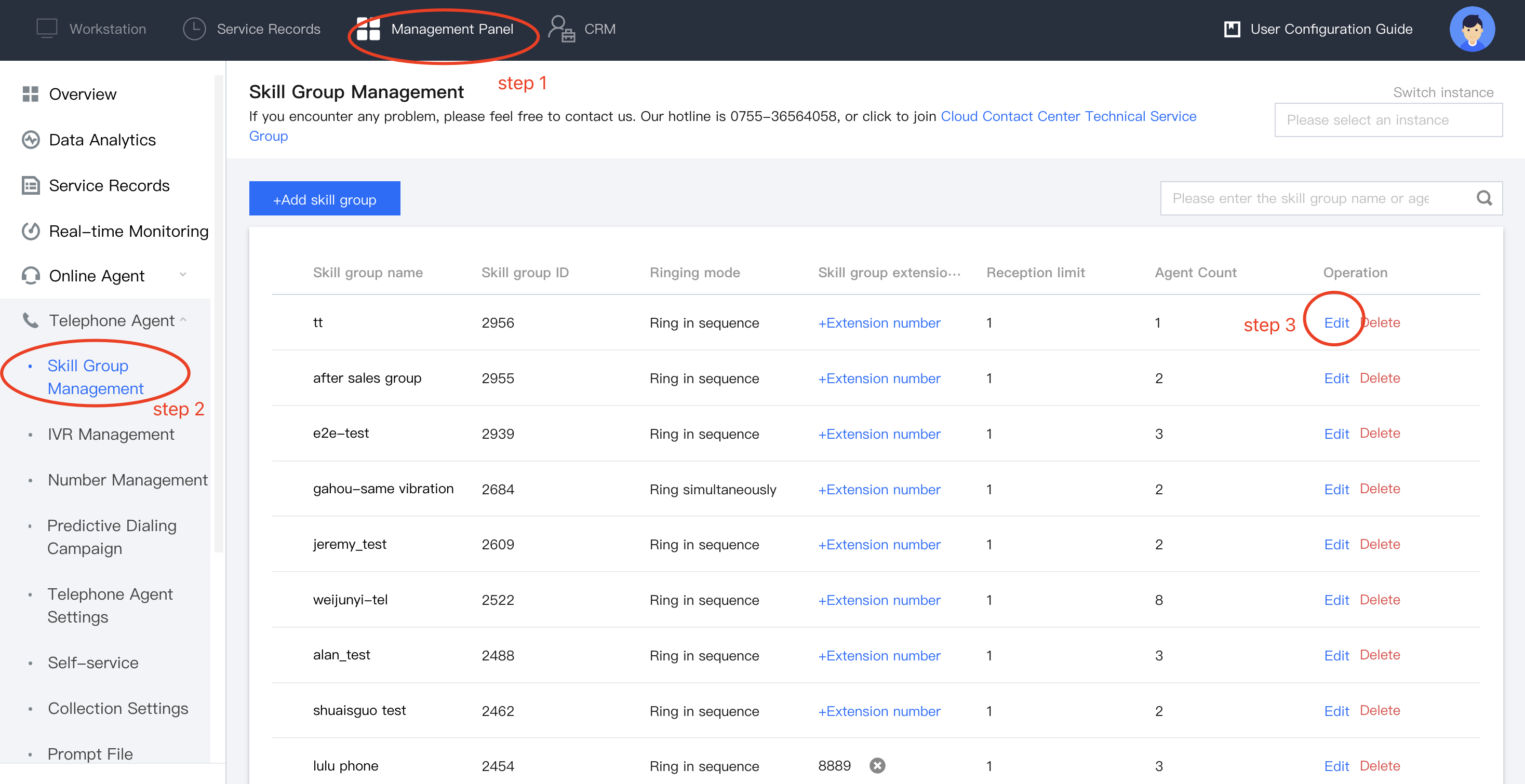
Step 2: Group Setup
In Management Panel -Voice Agent > Group Management
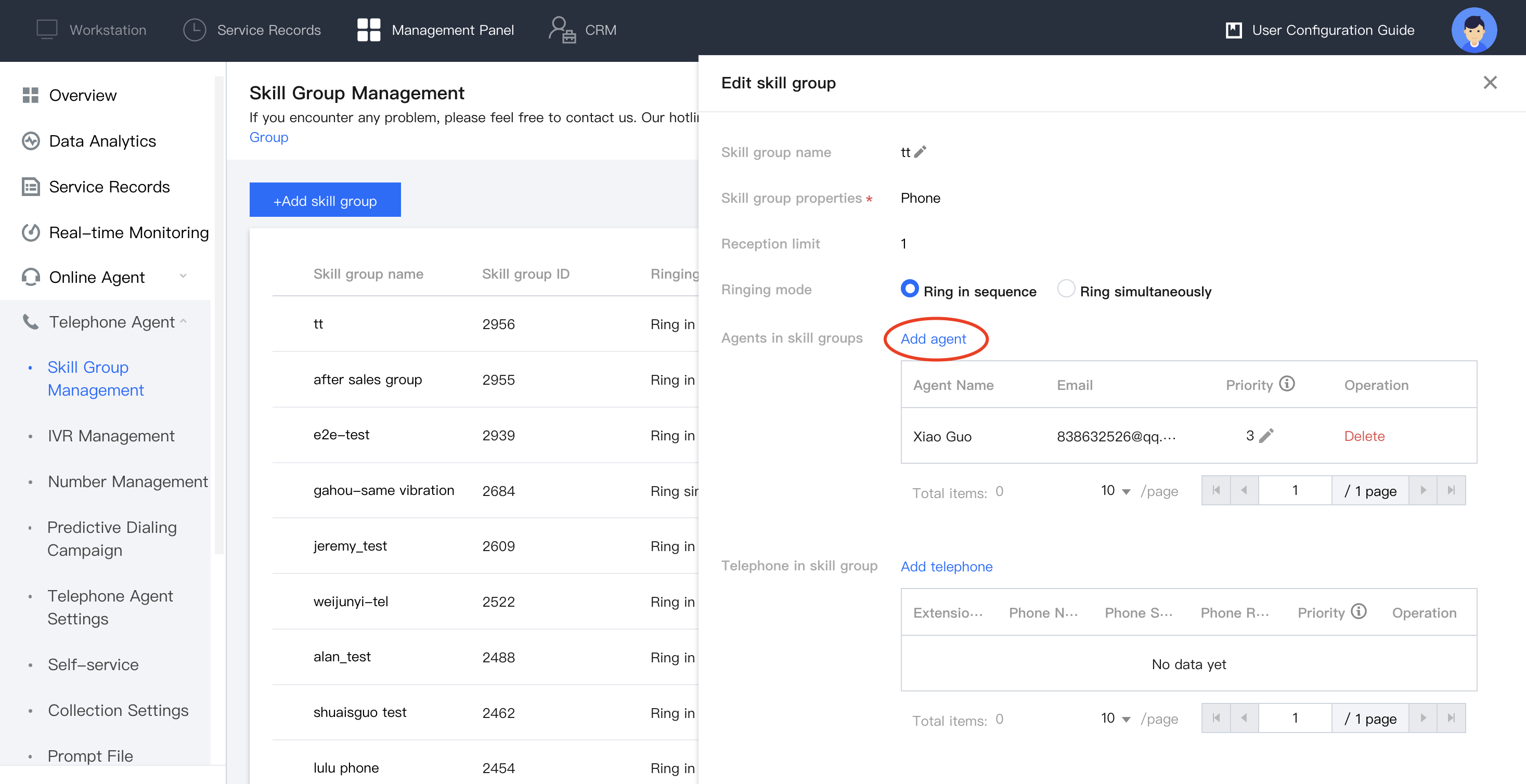
Click Edit , add your agents into groups.
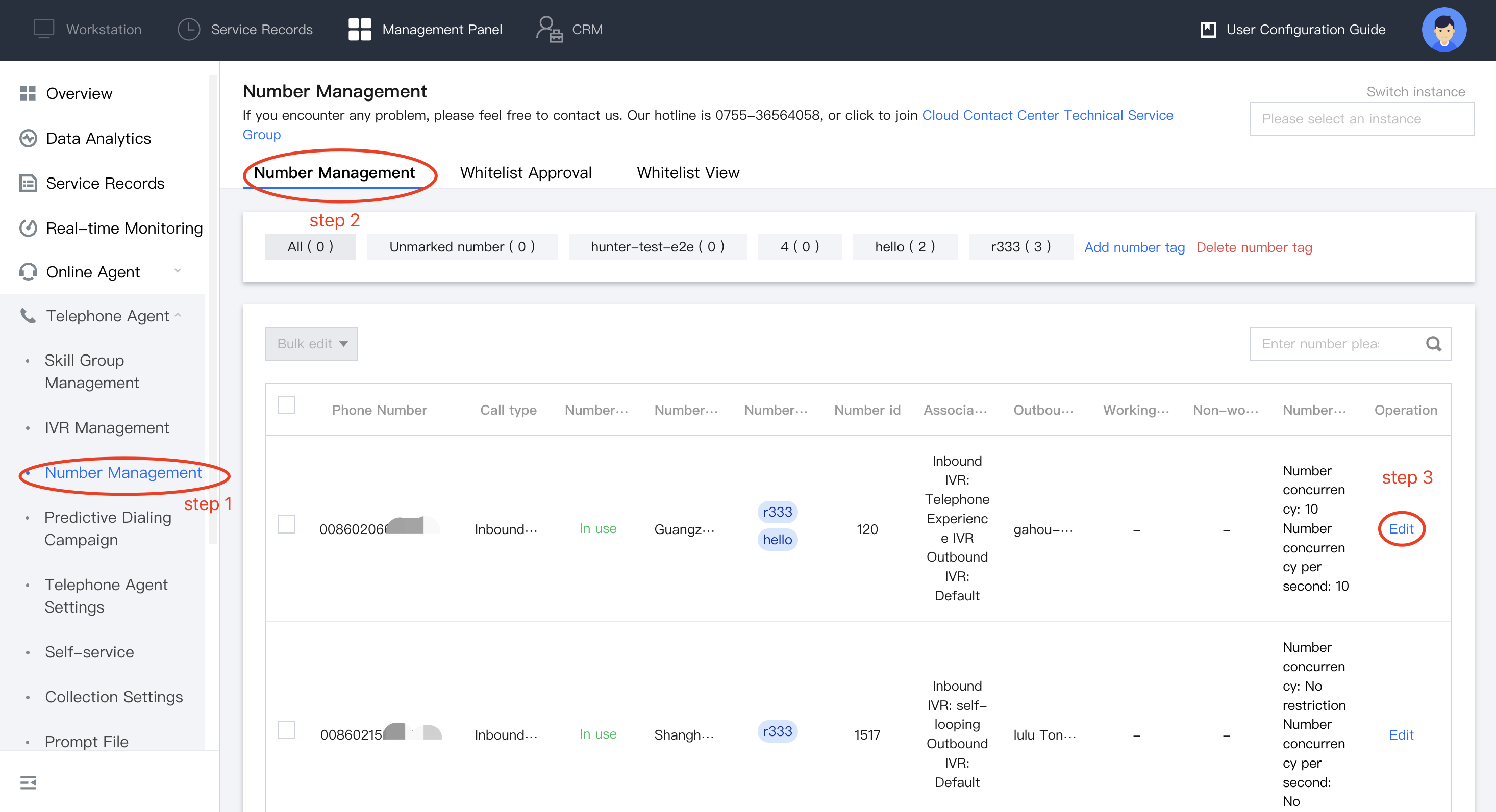
Step 3: Assign number to Groups
Note:
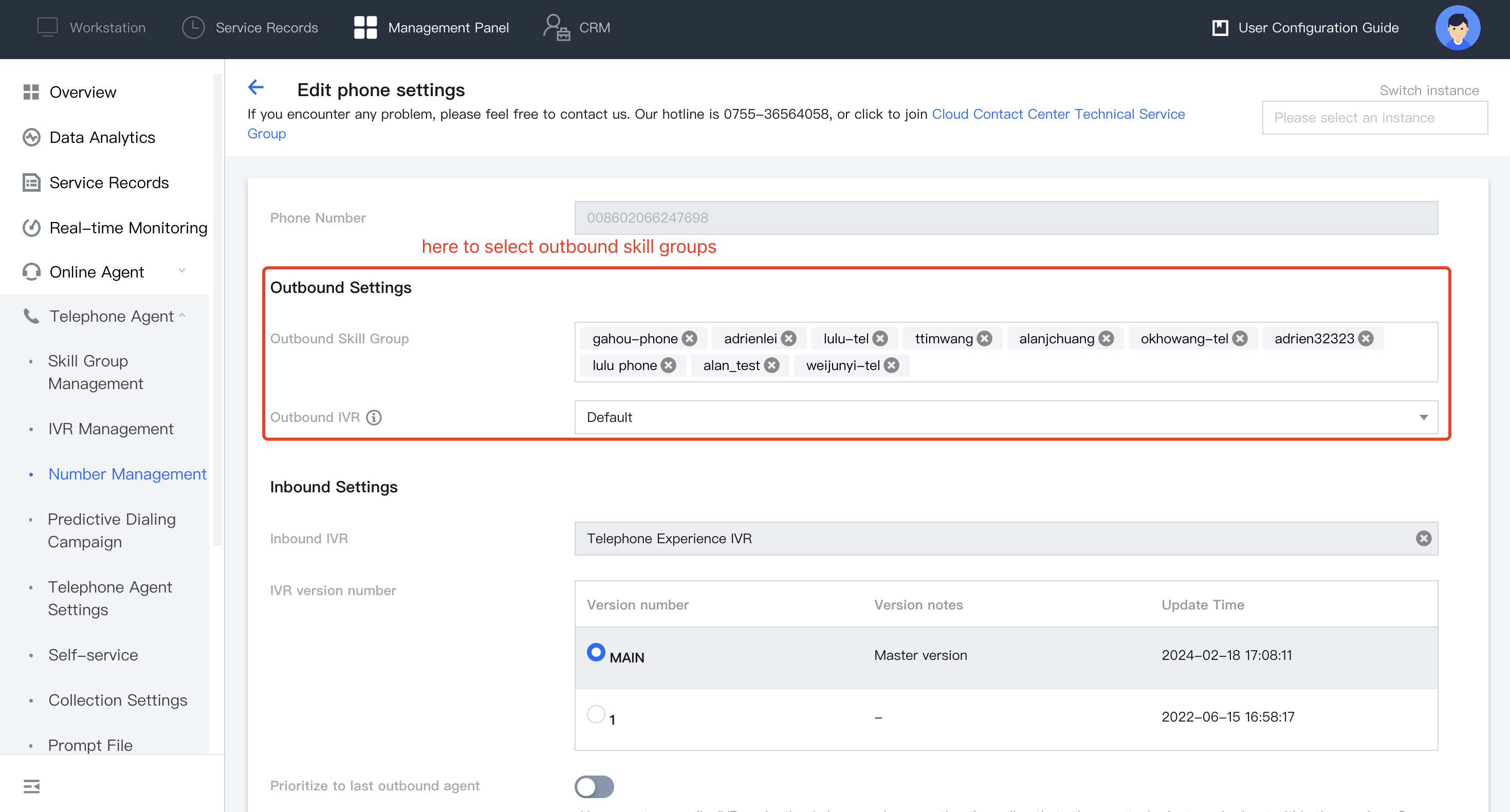
If Skill Group do not bind any number, caller number will be chosen at random for outbound. If you have multiple numbers, you can designate a specific number for a particular group.
Management Panel- Voice Agent-Number Management.
Once you've completed the configuration, select your skill groups. Agents in those skill groups will then be able to choose the designated number to make calls.
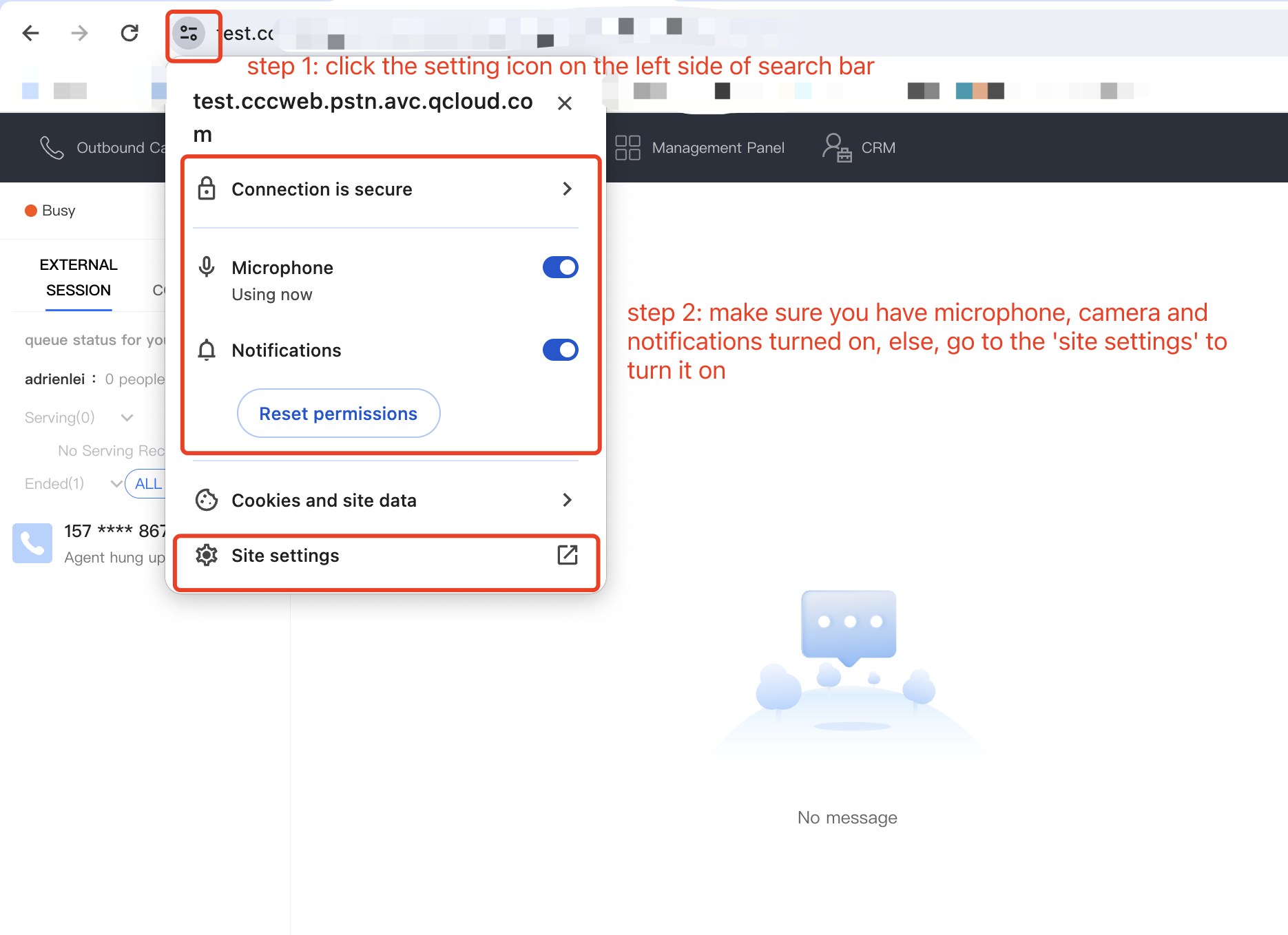
Step 4: Authorize Browser Microphone
Check whether your Microphone is turned on or not.
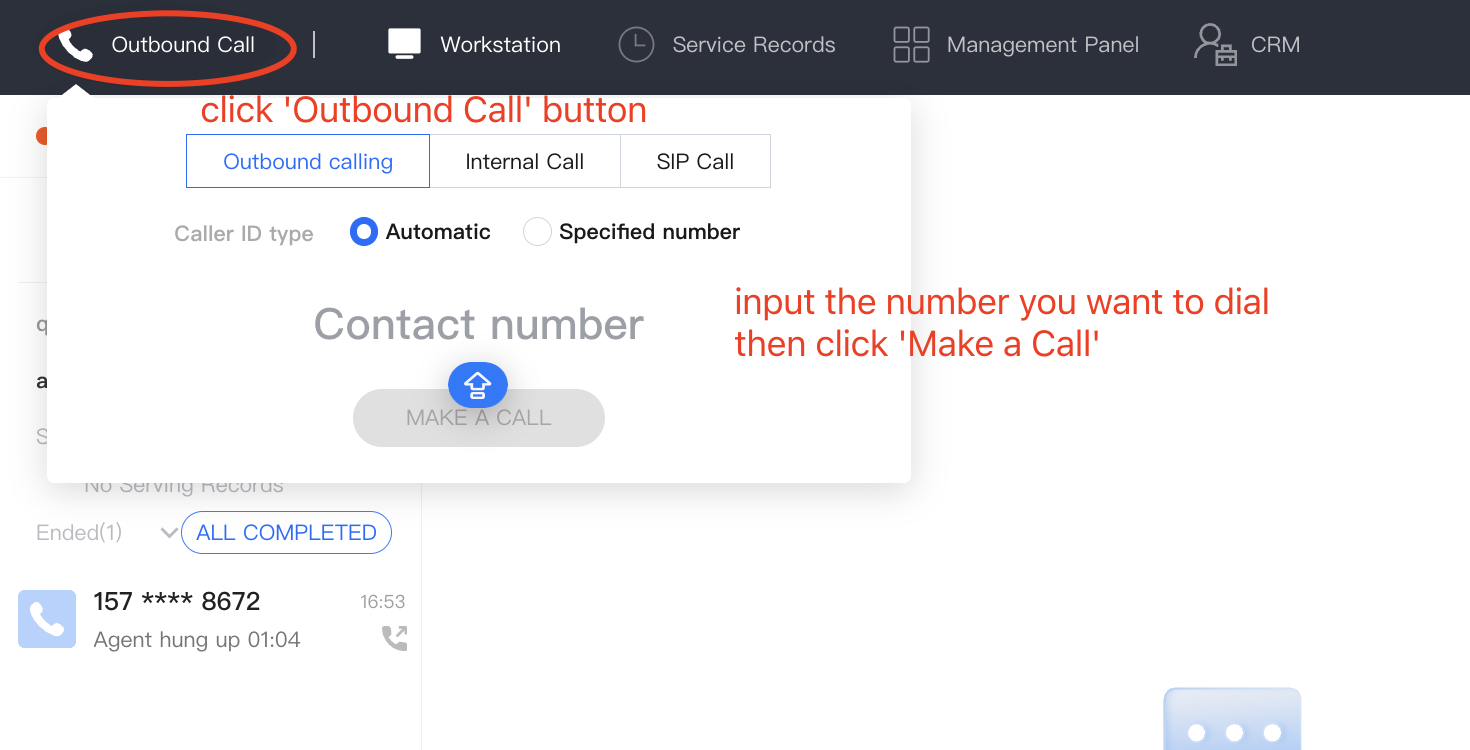
Step 5: Ready to Call
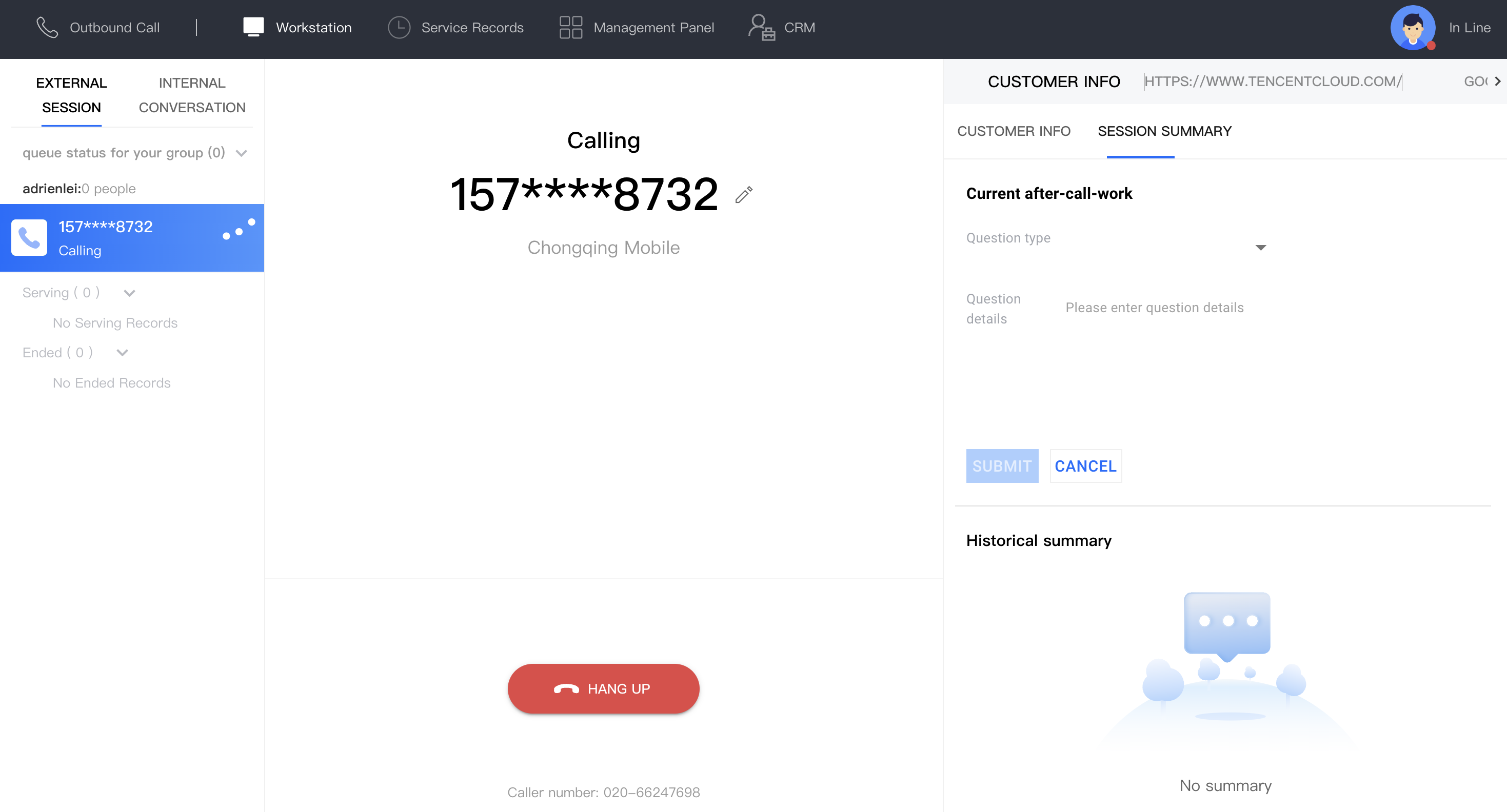
Input your Callee Number, let's try it!
Advanced Feature During a Call
Features:
More Ways to Make Outbound Calls
Cloud Contact Center offers various ways to make outbound calls. You can choose a suitable method based on your actual conditions:
Outbound Call on Dial Pad: You can directly enter the phone number to make an outbound call on Cloud Contact Center, using the configured outbound caller number to call. SDK Outbound Call: We provide an SDK for rapid integration, and developers can make outbound calls through the SDK API. API Dual Call: We also provide an HTTP method to use the outbound call API. In the scenario where SDK is not loaded in the frontend, you can trigger this API to make an outbound call from the backend. Currently, only mobile callbacks are supported (first connect to agent's mobile), and it has been confirmed that the outbound call whitelist has been applied and approved. SIP Phone Usage: Cloud Contact Center allows customers to connect the purchased SIP landline phones with the agents on Cloud Contact Center, so that the agents can make calls using the landline phone. You Might Want To Know
Service Record Storage and Access: Cloud Contact Center provides service records related to calls, stored for free for 3 months by default. Enterprises can use the interface to pull the records to the local storage or use the push feature to download the service records to the local storage. Recording Storage Download: TCCC offers dual-track recordings with free storage for 3 months. Business can transfer recordings to Tencent Cloud COS for cloud storage or use APIs to pull or push recordings for local storage. Customer Service Voice Survey: TCCC supports satisfaction ratings collection, where the system plays survey prompts during or after calls, allowing users to rate via keypress.