Outbound Number Rules
Download
Modo Foco
Tamanho da Fonte
Overview
Outbound number allocation rules determine the caller ID displayed on the user’s phone when an agent makes an outbound call. We support below three strategies:
Assign Number By Group: means add a number to a group. Any agent from that group makes an outbound call, system will use the linked number first.
Same Area Code Assignment: when agents make outbound call, call will be assigned to the calling number belonging to the same location as the called number preferentially. If none is available, it will be assigned randomly.
Allowing Agent to Choose Outbound Number: When you have multiple numbers and need agents to select numbers for outbound calls.
Detailed is as follows:
Assign Number by Group
A group-based number means add a number to a group. Any agent from that group makes an outbound call, system will use the linked number first.
Specific configuration operation steps are as follows:
1. Go Tencent Cloud Contact Center Management Panel, click Phone Number , Edit.
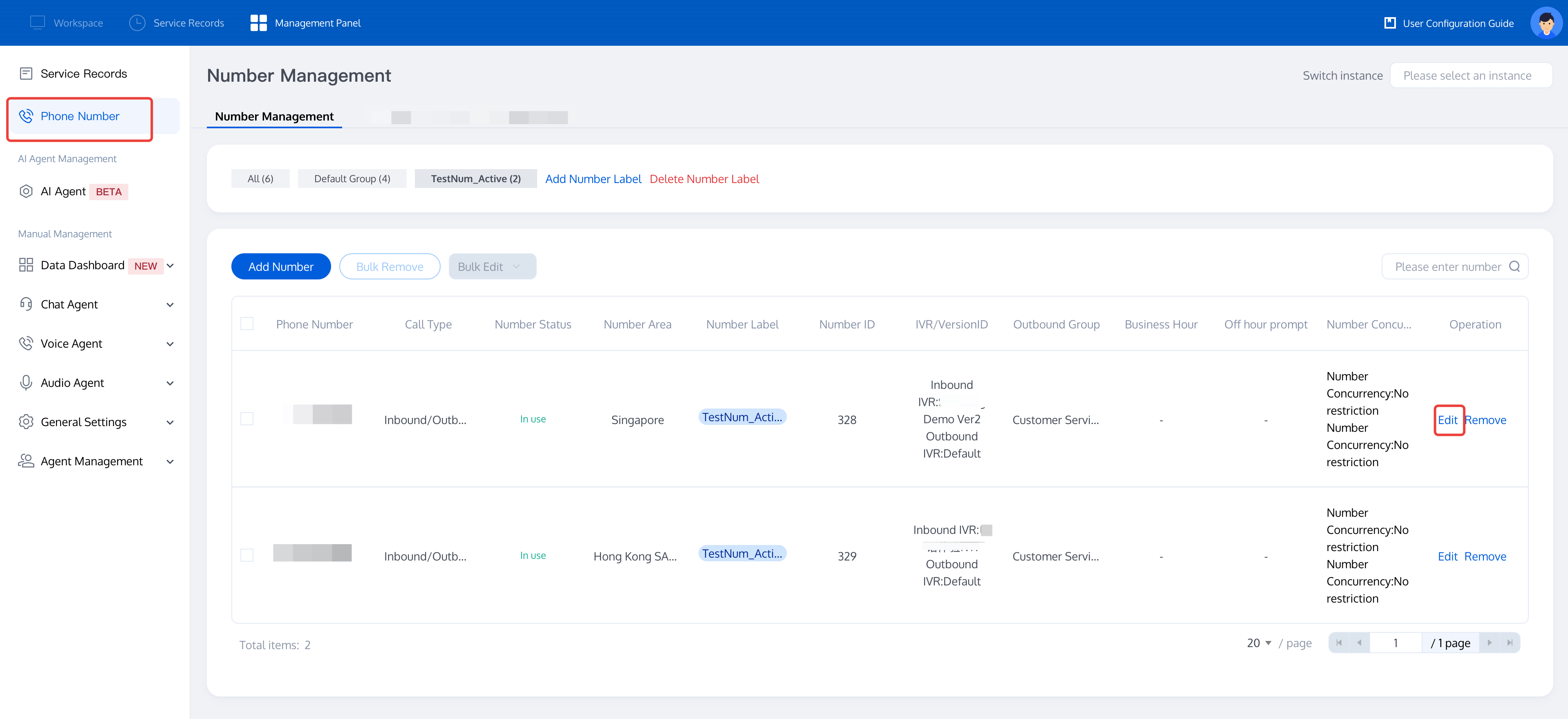
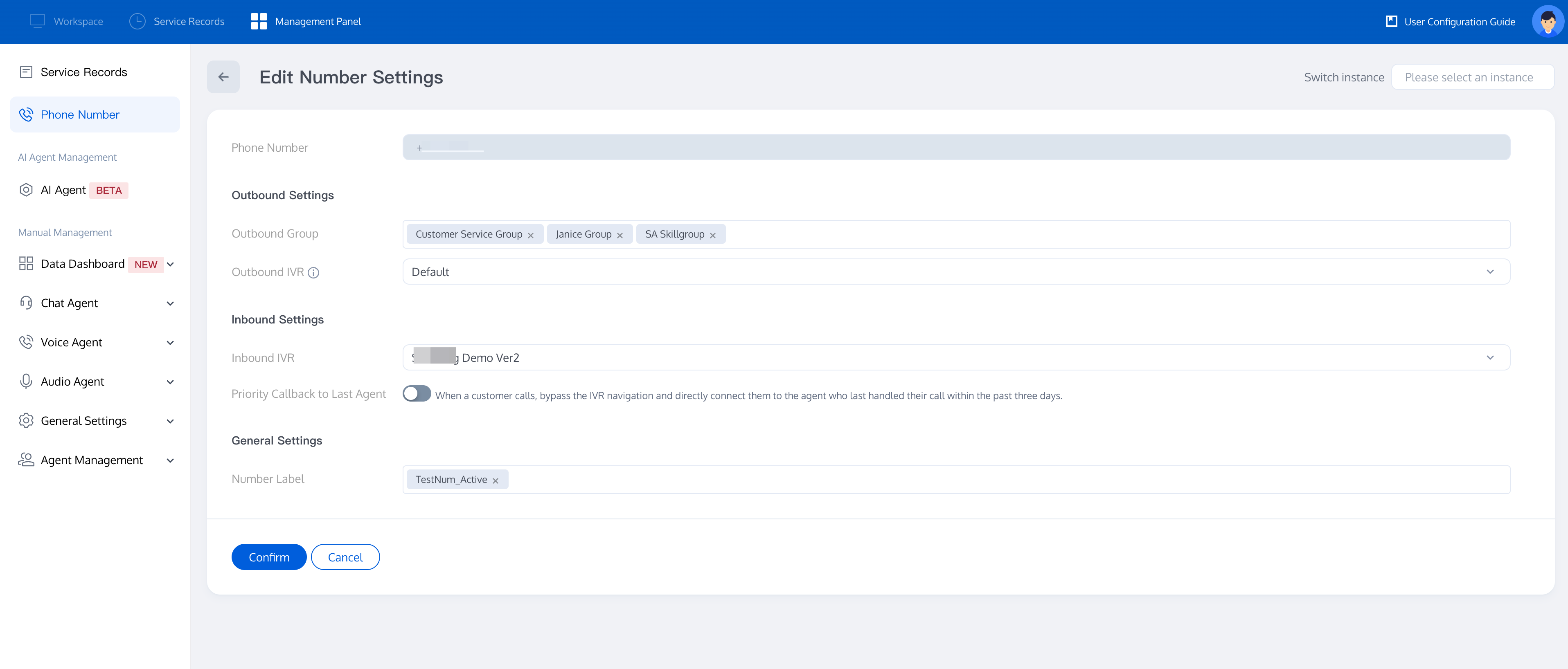
2. Outbound Settings > Outbound Group option, select the group that need to use this number to operate (if no skill group has been set, see Group Management to create one before binding). After the settings are completed, click the Confirm button below.
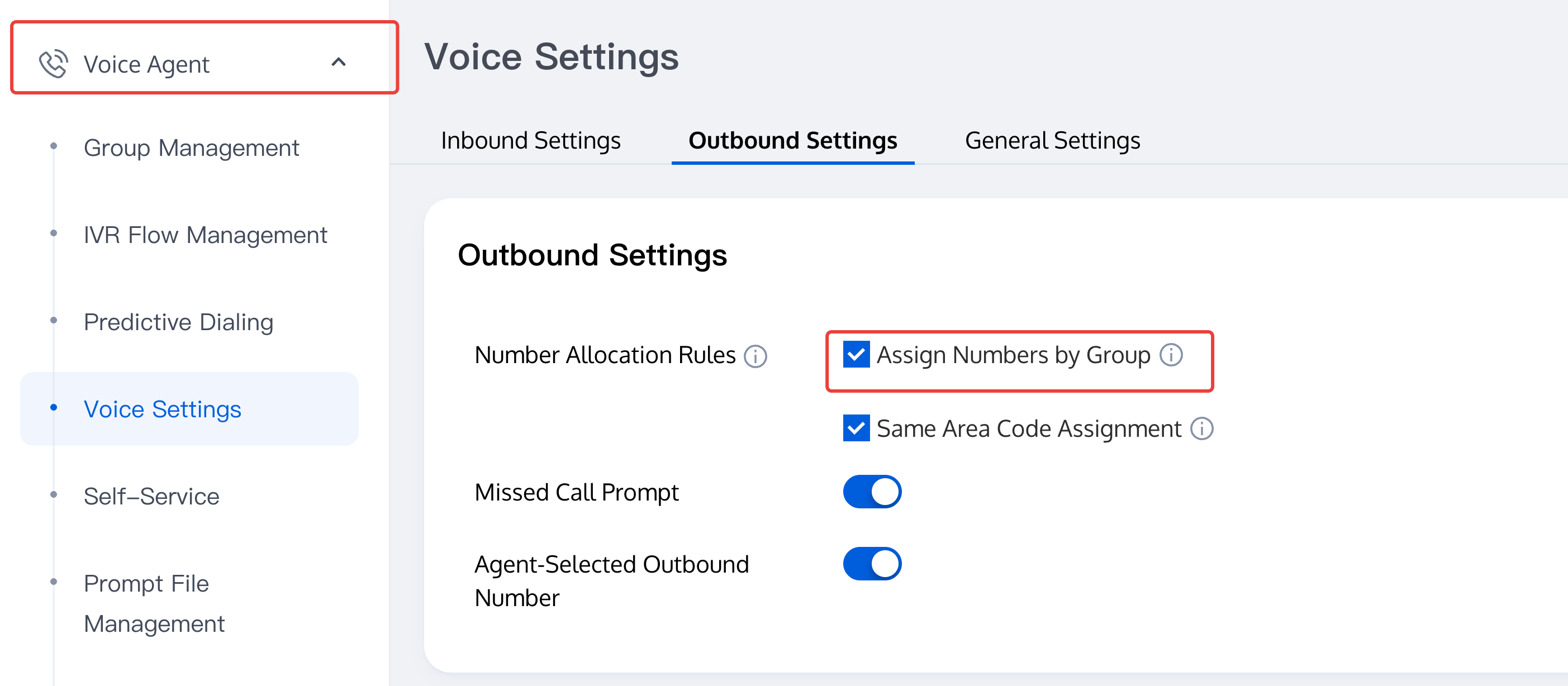
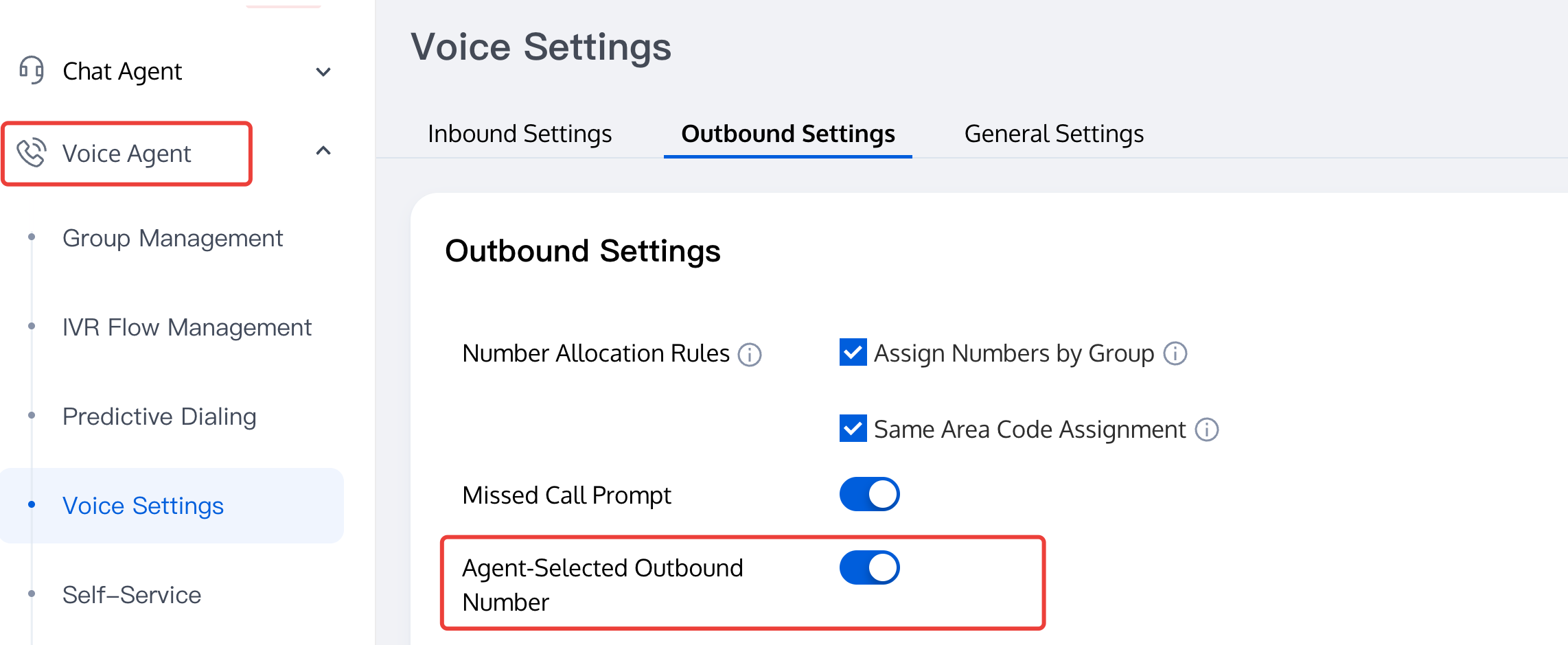
3. Go Voice Agent > Voice Settings > Outbound Settings, click Assign Numbers by Group.
Same Location Assignment
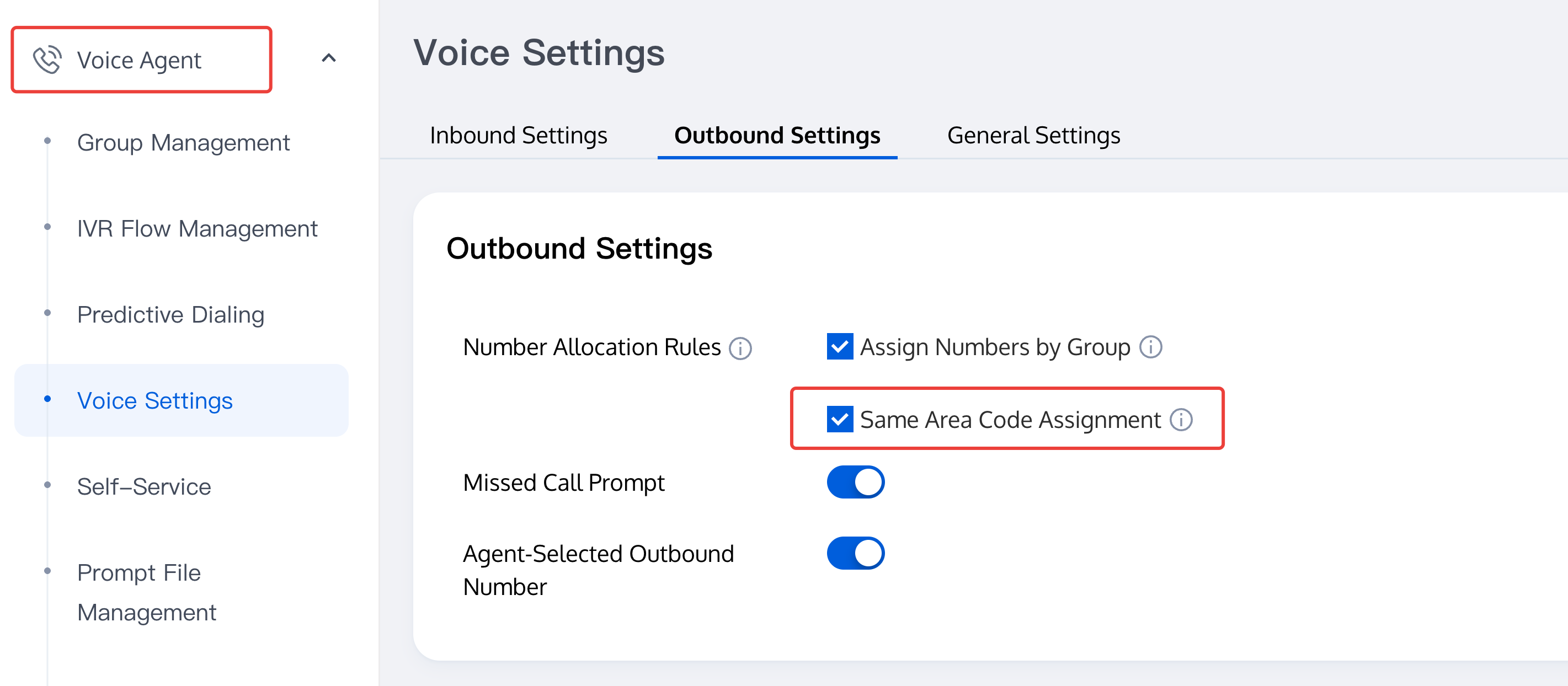
Same Area Code Assignment determines when agents make outbound call, call will be assigned to the calling number belonging to the same location as the called number preferentially. If none is available, it will be assigned randomly.
Go Tencent Cloud Contact Center Management Console, click Voice Agent > Voice Settings . Click Outbound Settings, and select Same Area Code Assignment.
Allowing Agent to Choose Outbound Number
When you have multiple numbers and need agents to select numbers for outbound calls.
Go Tencent Cloud Contact Center Management Console, click Voice Agent > Voice Settings > Outbound Call Settings in the Management Panel and enable the option to allow agents to specify outbound call number. After enabling, agents can select specified numbers for outbound calls in the workspace.
Ajuda e Suporte
Esta página foi útil?
Você também pode entrar em contato com a Equipe de vendas ou Enviar um tíquete em caso de ajuda.
comentários