tencent cloud

Cloud Contact Center

Announcement
What's New
Cloud Contact Center Terminology Update
What is Tencent Cloud Contact Center
Overview
Feature List
Terms Introduction
Handling Firewall Restrictions
AI Voicebot
Billing Guide
Voice Call Billing Overview
Desk Billing Overview
View Billing
Refund Policy
New User Guide
Voice Guide
Desk Guide
Use Case
Inbound: Customer Experience
Outbound: Telemarketing
Auto Dialer: Voice Notification
Integration Use Case (SDK)
Administrator Guide
Voice Guide
Desk Guide
Member Guide
Voice Guide
Desk Guide
AI Voice Agent Guide
Introducing AI Voice Agent
AI Voice Agent Practical Tutorial
Set Up Your AI Voice Agent
Activate AI Voice Agent Call
AI Voice Agent Call Logs
Developer Guide
SDK Development Guide
Data Push
Voice API Reference
History
Introduction
API Category
Making API Requests
Agent APIs
Skill Group APIs
Number APIs
Dual Call APIs
Predictive Outbound Call APIs
SIP Phone APIs
Call Service Record APIs
Billing APIs
Other APIs
Outbound Call APIs
Speech Intelligent Agent APIs
Data Types
Error Codes
Desk API Reference
API Reference
Callback Configuration
FAQs
Data Deletion Guide
Legal
Privacy Policy
Data Processing And Security Agreement
Service Level Agreements
TENCENT CLOUD CONTACT CENTRE TERMS OF USE
Glossary
Contact Us

Outbound Call on Dial Pad

PDF
Modo Foco
Tamanho da Fonte
Última atualização: 2024-03-28 20:05:03

Common Outbound Call

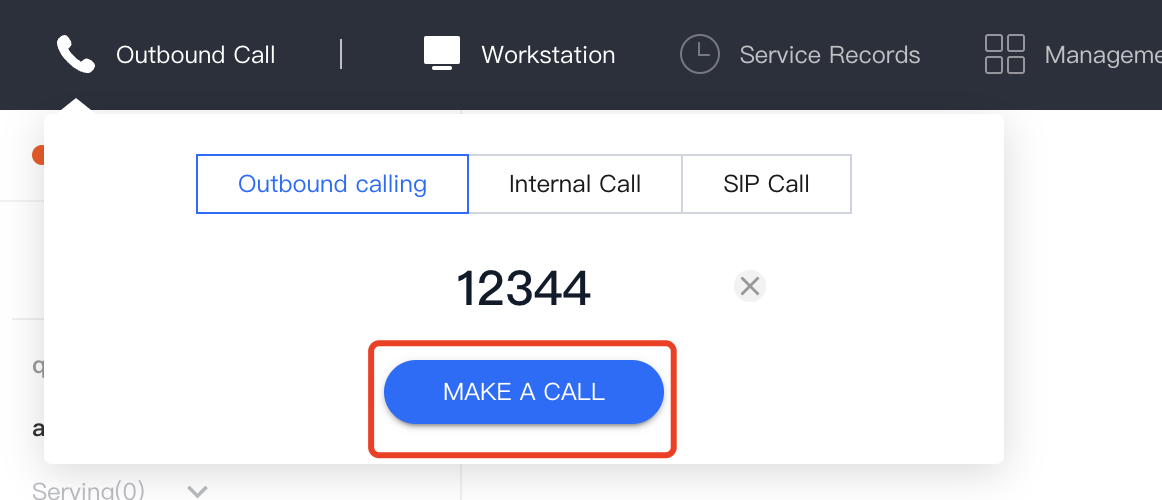
Agents can enter the dial-out number in the dial pad provided by the agent workstation, and click Make a Call to dial out. The system will select a number to make a call according to the administrator's configuration. Refer to Outgoing Number Allocation for detailed settings.


Outbound Call with Specified Number

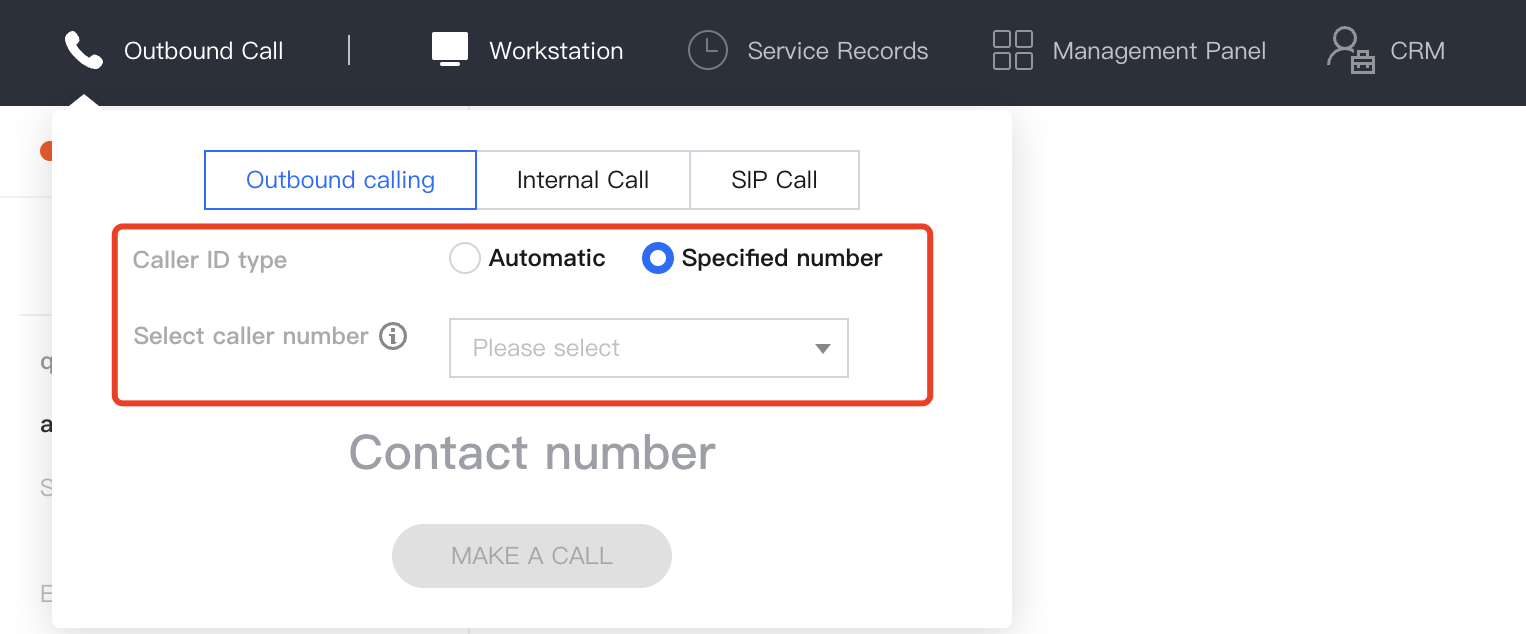
If the administrator has made related configurations for numbers on the Cloud Contact Center console, the agent can select the corresponding number to dial out in the dial pad in the workstation. The administrator can choose Telephone Agent > Telephone Agent Settings > Outbound Settings in the left navigation bar, and turn on the switch that allows agents to specify the dial-out number. Refer to Allow Agents to Specify the Dial-out Number for detailed settings.


Ajuda e Suporte

Esta página foi útil?

comentários