Staff Status
Download
Modo Foco
Tamanho da Fonte
Status Description
Staff Status | Status Description |
Available | During idle time, the system will assign inbound calls to the current staff. Staff can also proactively make outbound calls. |
Busy | When marked as busy, system will not assign new inbound call to the staff, but staff can manually make outbound calls. When marked as busy, staff may receive internal calls or call transfer requests. |
On break | When on break, staff can select a specific reason for the break. System will not assign new inbound call to the staff, but staff can manually make outbound calls. |
In line | When staff is in-line, the system does not assign inbound calls to the staff, meanwhile, staff cannot make any outbound calls. When staff is in a call, system will automatically switch to in line status, staff is unable to change it until call is over. |
After-call-work | When staff ends a call, the status will change from busy to after-call wrap-up(ACW) and ACW countdown turns on. After time is up, agent. status automatically update to idle. Before countdown ends, staff can click Back to Reception to switch back to idle, or click Continue After-Call Work to maintain this state. |
Offline | Once offline, the system does not assign new tasks to the staff, and staff is unable to make outbound calls manually. |
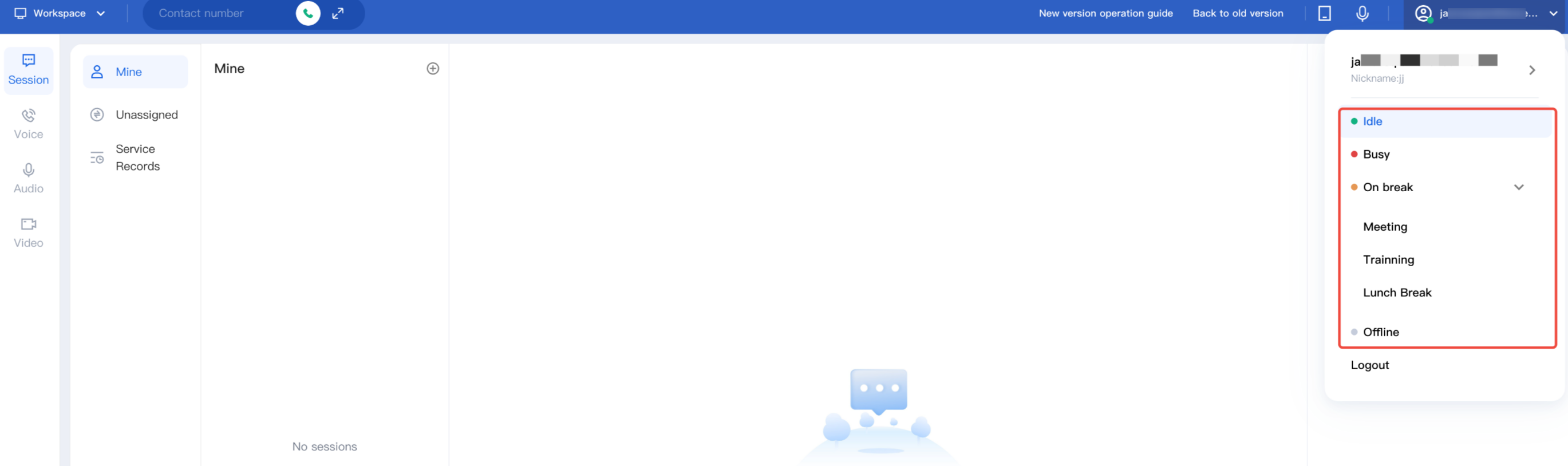
Staff can click avatar in the upper-right corner of the workspace to update new status.
Ajuda e Suporte
Esta página foi útil?
Você também pode entrar em contato com a Equipe de vendas ou Enviar um tíquete em caso de ajuda.
comentários