Manual Backup
It is recommended that a manual full backup be performed before significant changes are made to the database (such as modifying the database and table design).
Steps
1. Log in to the TDSQL Boundless Console, in the Instance List,click the Instance ID or Manage in the Operation column to go to the Instance Management page.
2. Go to the Backup and Restoration > Data Backup List tab, and click Manual Backup.

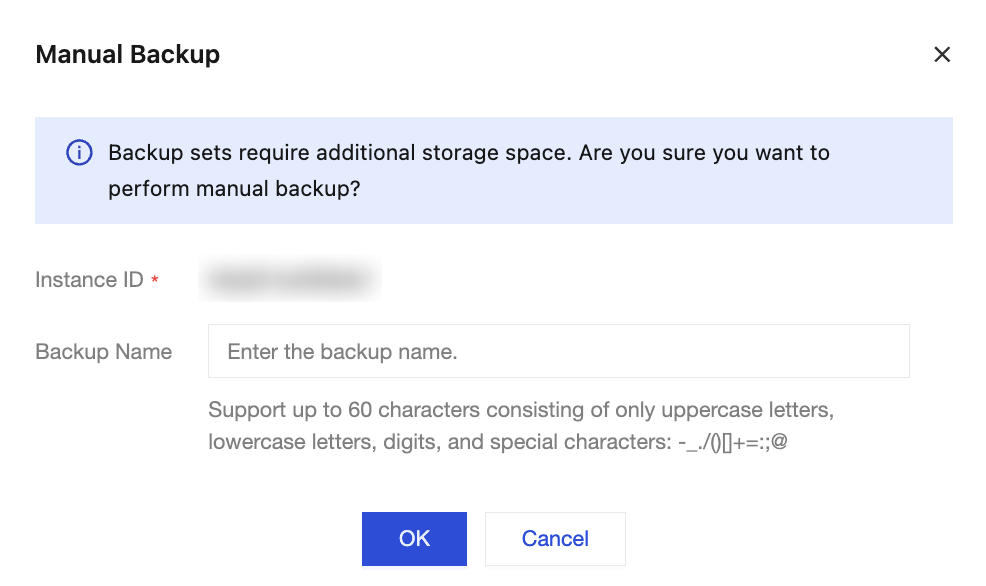
3. In the pop-up box, set the backup name according to your business needs, and click OK.
Note:
For backup sets manually backed up, the system will not automatically delete them. Users need to perform deletion operations themselves to remove the backup sets that are no longer needed.
4. Upon successful operation, you can view the manual backup set in the Data Backup List.
Related Documentation
Operation | Description |
Modify the remark name of a manual backup | On the Data Backup List page, click  |
Delete the manual backup set | The system only supports deleting manual backup sets. Note: Once a backup set is deleted, it will no longer be available for backup restoration. Please proceed with caution. To delete a single manual backup set: On the Data Backup List page, locate the row of the backup set to be deleted, and click Delete in the Operation column. Batch delete manual backup sets: 1.1 On the Data Backup List page, select the manual backup sets to be deleted, and click Delete at the top left of the page. 1.2 In the pop-up box, confirm the backup sets to be deleted, and click OK. |
Ajuda e Suporte
Esta página foi útil?
Você também pode entrar em contato com a Equipe de vendas ou Enviar um tíquete em caso de ajuda.
comentários