Report Download
The report download feature allows users to obtain security health check results in the form of reports, supports editing report templates, and enables on-demand customization.
1. Log in to the CSC console, click Report Download in the left navigation.
2. On the report download page, you can filter reports based on health check tasks. Support through health check task ID or health check task name to do fuzzy search and quickly locate the target report.
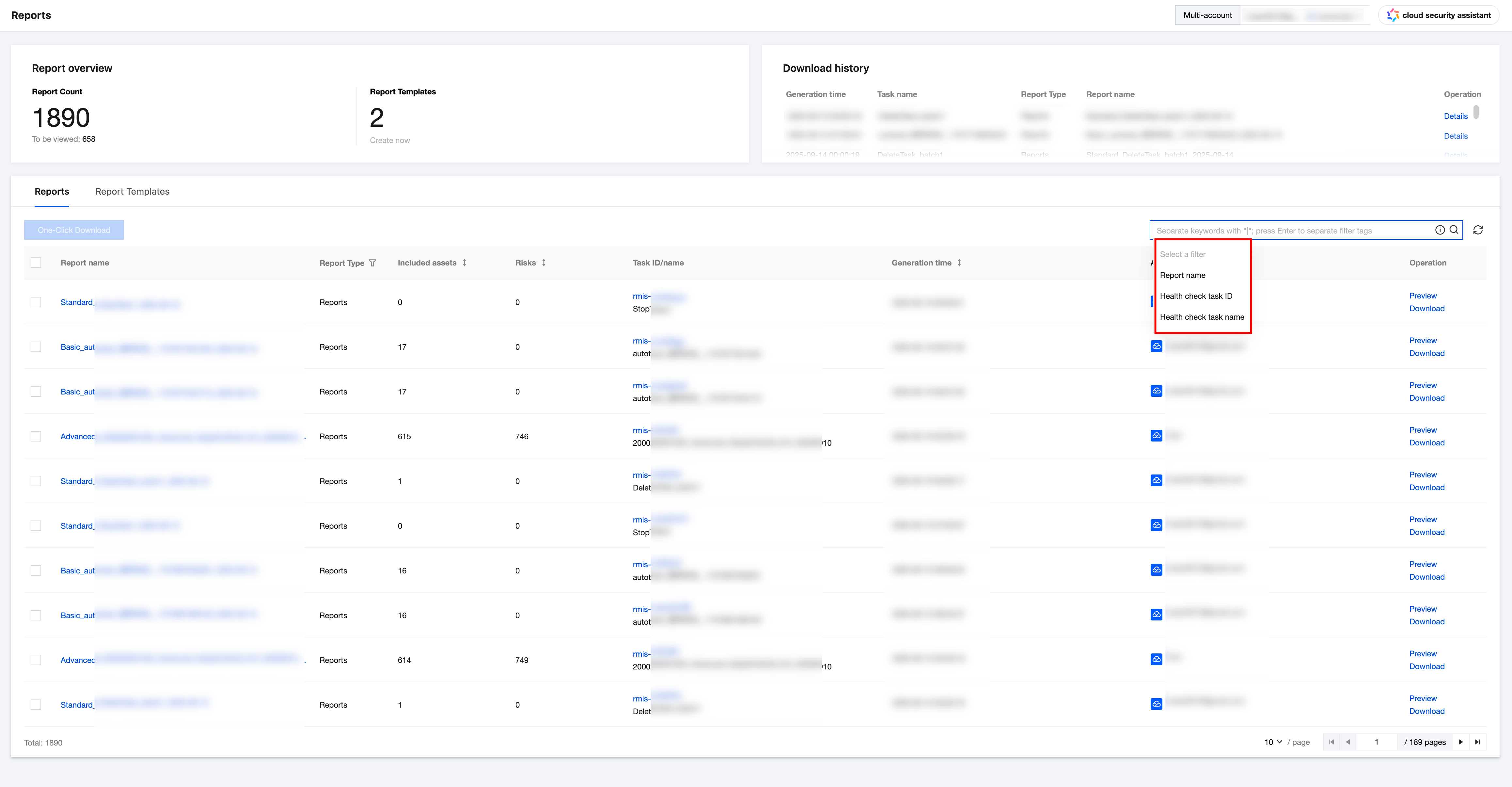
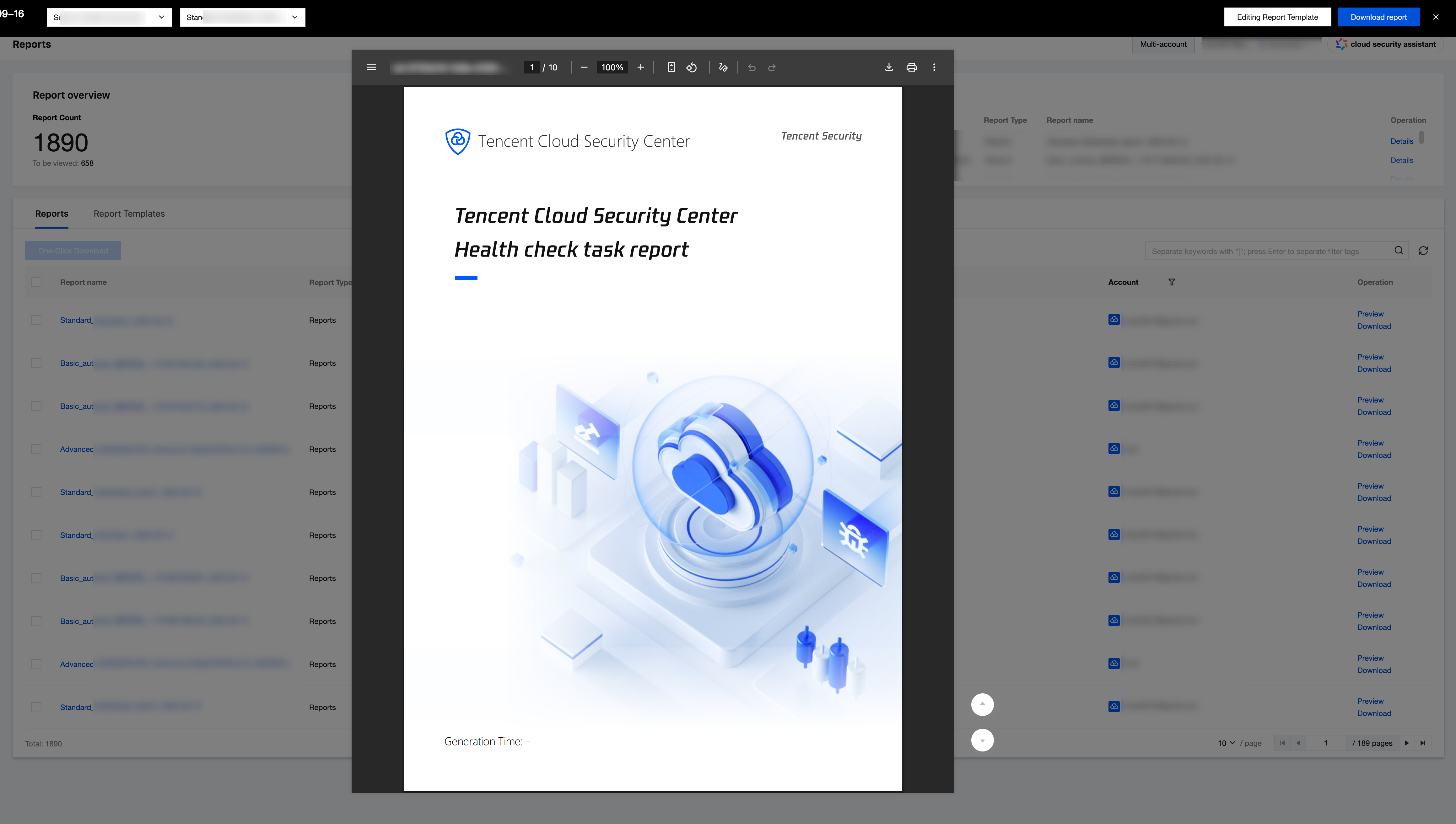
3. Click Preview in the operation column of the target report to view report content and confirm the result.
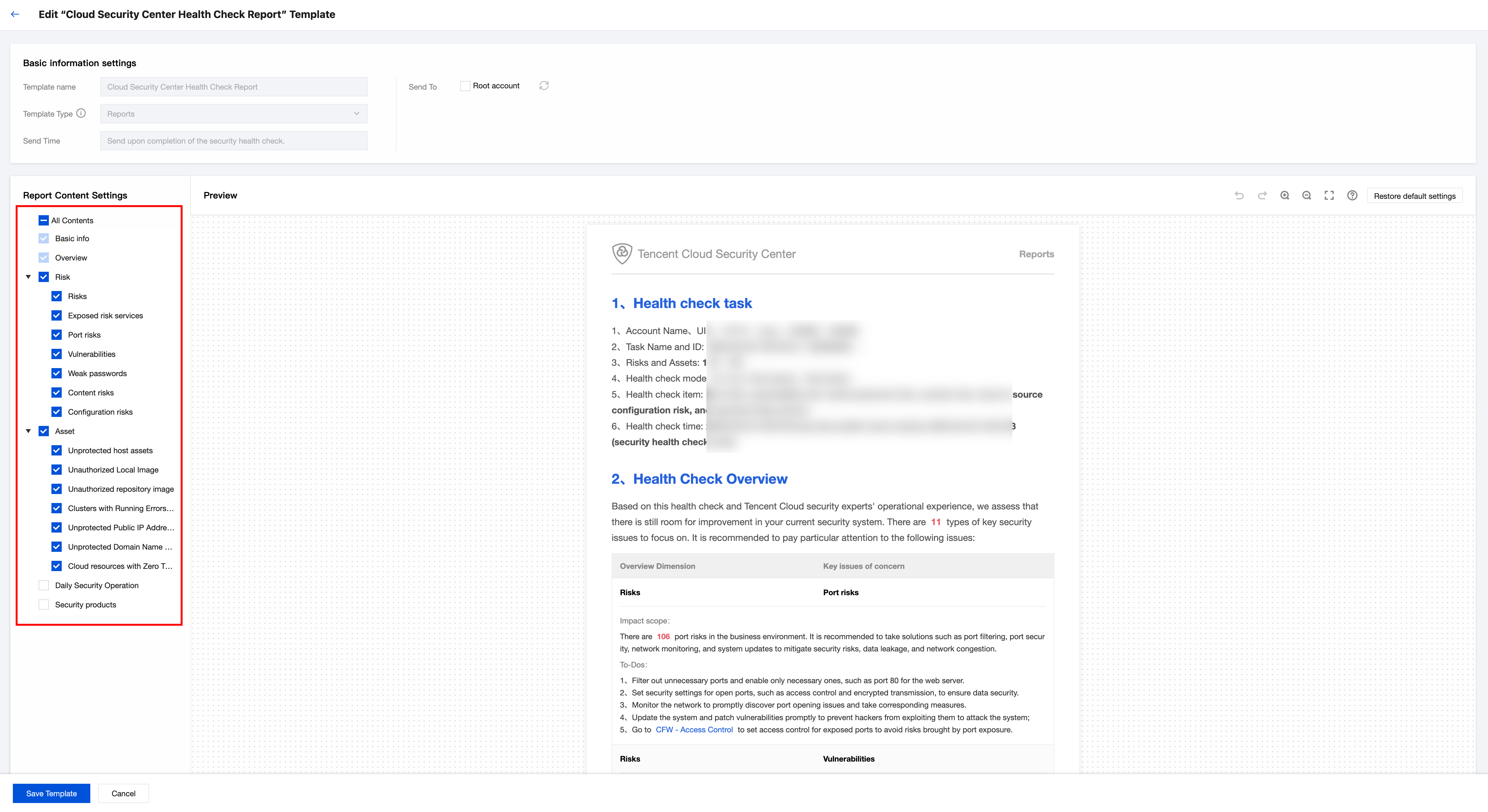
4. If you need to change the report content, click Edit Report Template to enter edit mode, set the report content, then click Save Template to take effect. Once it takes effect, this template will apply to ALL subsequent health check reports.
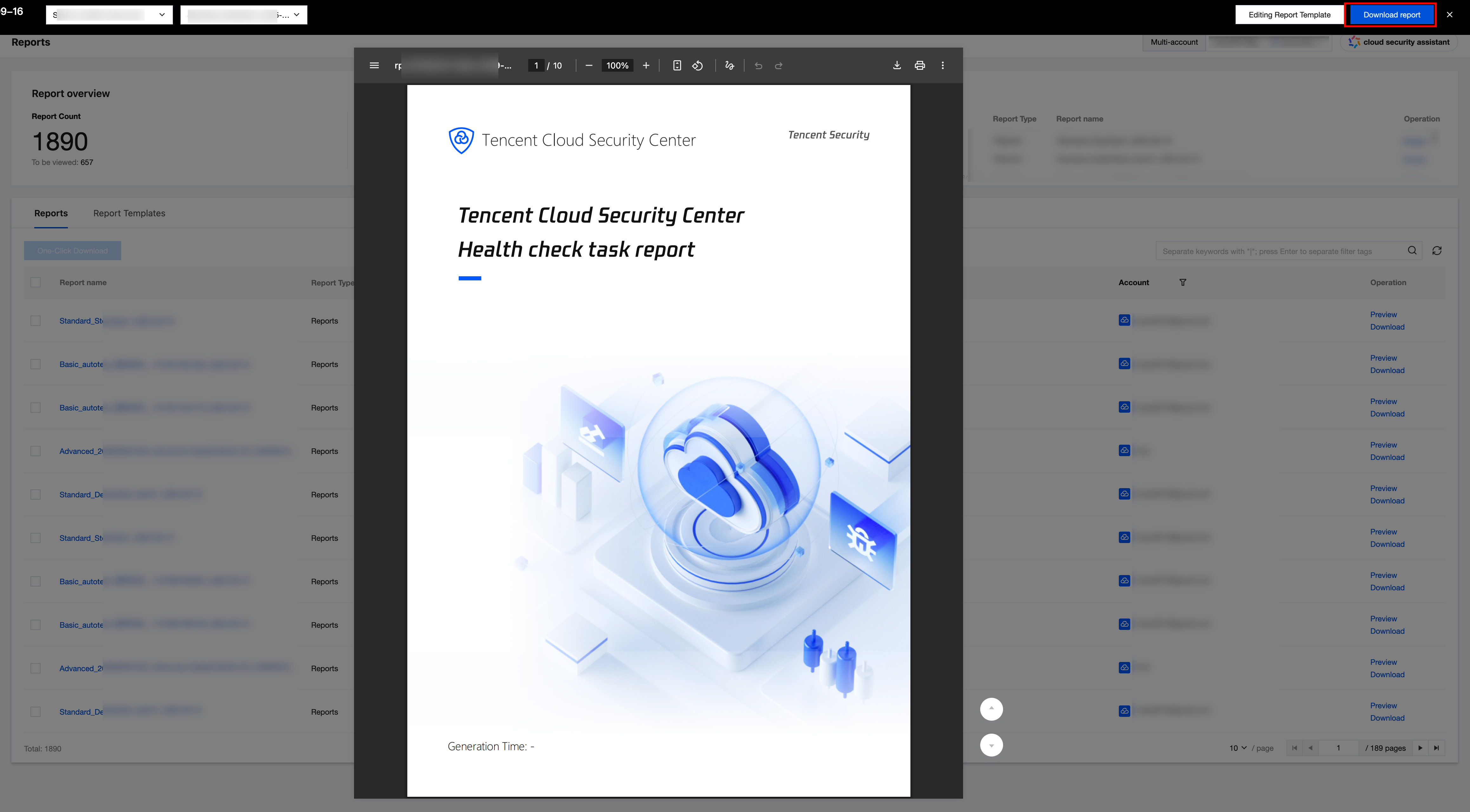
5. After confirming the report content is correct, click Download Report to export the report to your local system.
Help and Support
Was this page helpful?
You can also Contact sales or Submit a Ticket for help.
Help us improve! Rate your documentation experience in 5 mins.
Feedback