This document mainly introduces the method of use of the Tencent Gift AR Preview Tool in Gift AR. Through this document, you will learn how to use the Gift AR Preview Tool to quickly preview animation materials.
Download
You can download the Gift AR Preview Tool to your local system at TEP Preview. After download completion, decompress the TEP_Preview_Latest.zip package to get the Gift AR Preview Tool. Then double-click to experience its usage.
Note:
The Gift AR Preview Tool currently only supports MacOS system. Please use the corresponding system for subsequent installation and use.
Usage
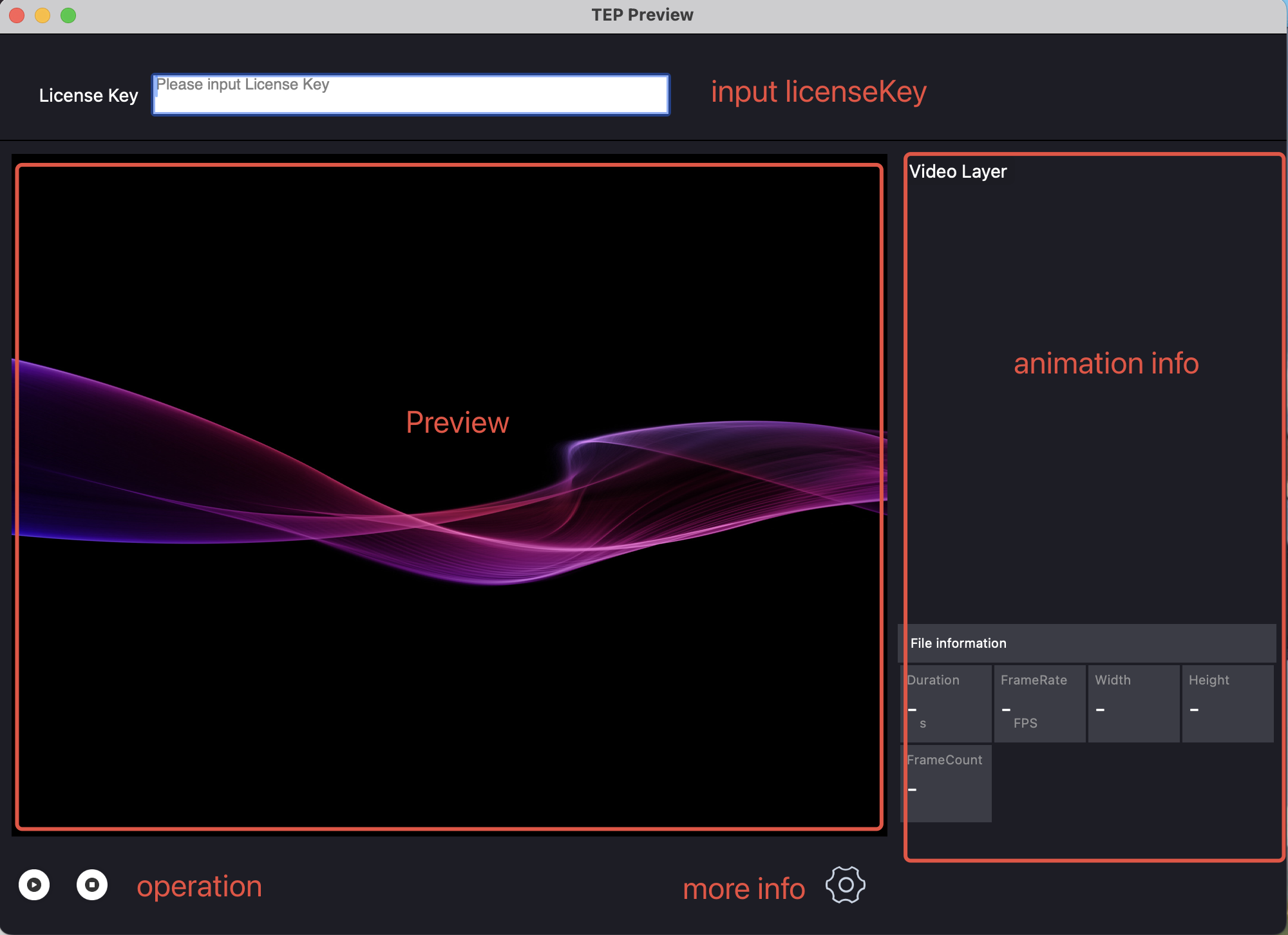
The operation indication of the internal panel of the Gift AR Preview Tool is flagged as follows in figure:
Preview Animation
1. Fill in the License Key information of the animation to be previewed in the License Key area at the top of the Gift AR Preview Tool panel to ensure subsequent normal preview.
2. Use the mouse to drag the animation file you want to preview to the animation preview area in the Gift AR Preview Tool panel, and then release the mouse to start the preview.
3. During the preview, you can click the feature button in the bottom left area to complete the pause and start of the animation.
View Detailed Animation Information
During the preview, you can click the area in the bottom right
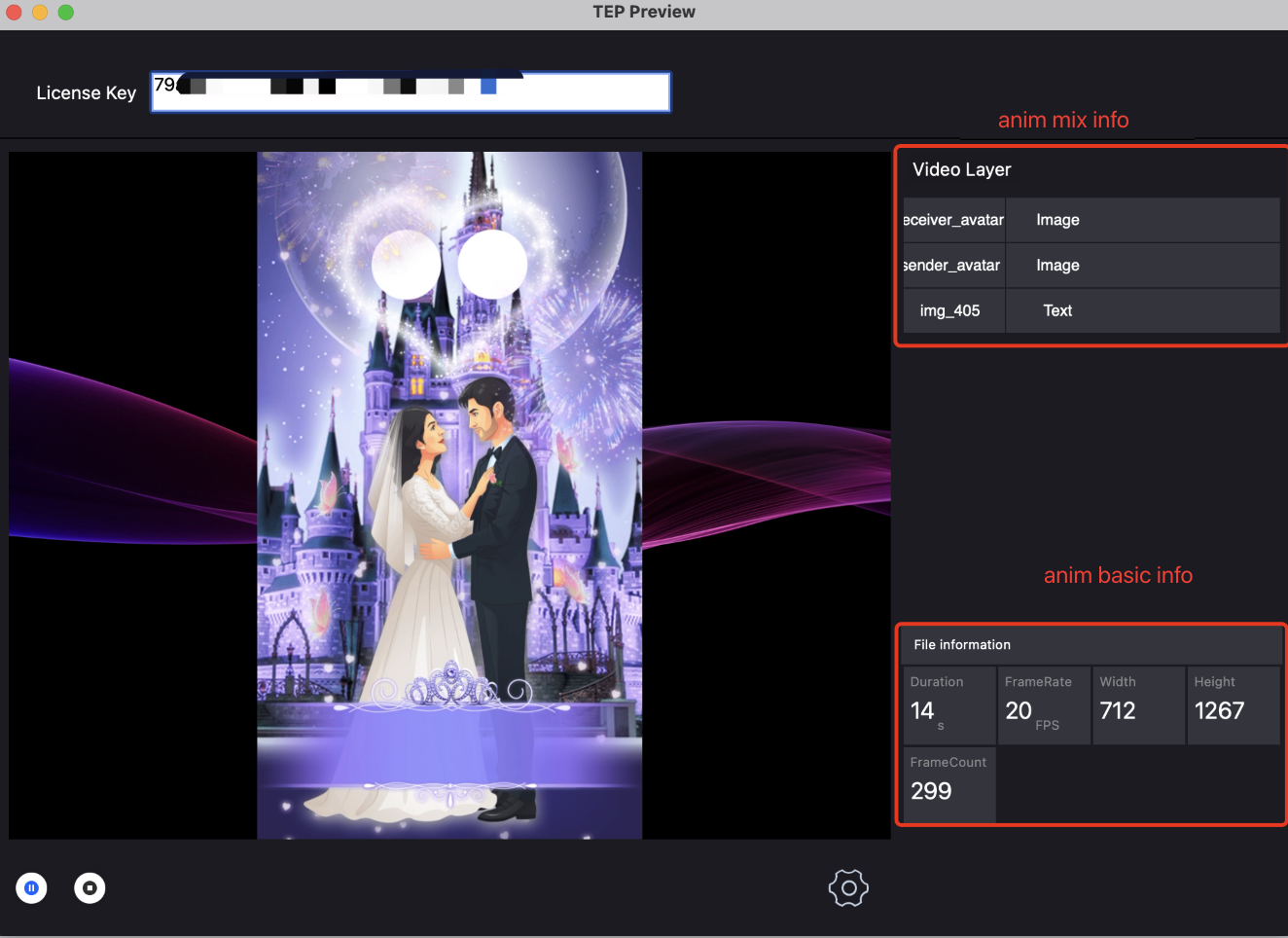
to view more information about the animation currently being previewed. The schematic diagram after clicking is as follows:
Take the above picture as an example. Display the fusion animation information of the animation currently being previewed in the top-right corner. Information related to this is introduced in the table below:
Tag Value
Fusion Animation Type
Description
receiver_avatar
Image type
Subsequently, you can replace this region with Image.
sender_avatar
Image type
Subsequently, this area can be replaced with Image.
img_405
Text type
Subsequently, this area can be replaced with text.
Meanwhile, display the detailed information of the animation currently being previewed in the bottom-right corner. Information related to this is introduced in the table below:
Type
Value
Description
Duration
14
The total duration of the animation in the current preview is 14 s.
FrameRate
20 fps
The frame rate of the animation in the current preview is 20 fps.
Width
712
The width of the animation in the current preview is 712 px.
Height
1267
The height of the animation in the current preview is 1267 px.
FrameCount
299
The total number of frames of the animation in the current preview is 299.