Task Set is a CNB project collaboration tool that provides visualization with task kanban to help teams manage Issues/PRs across organizations and repositories through centralized management.
Creating a Task Set
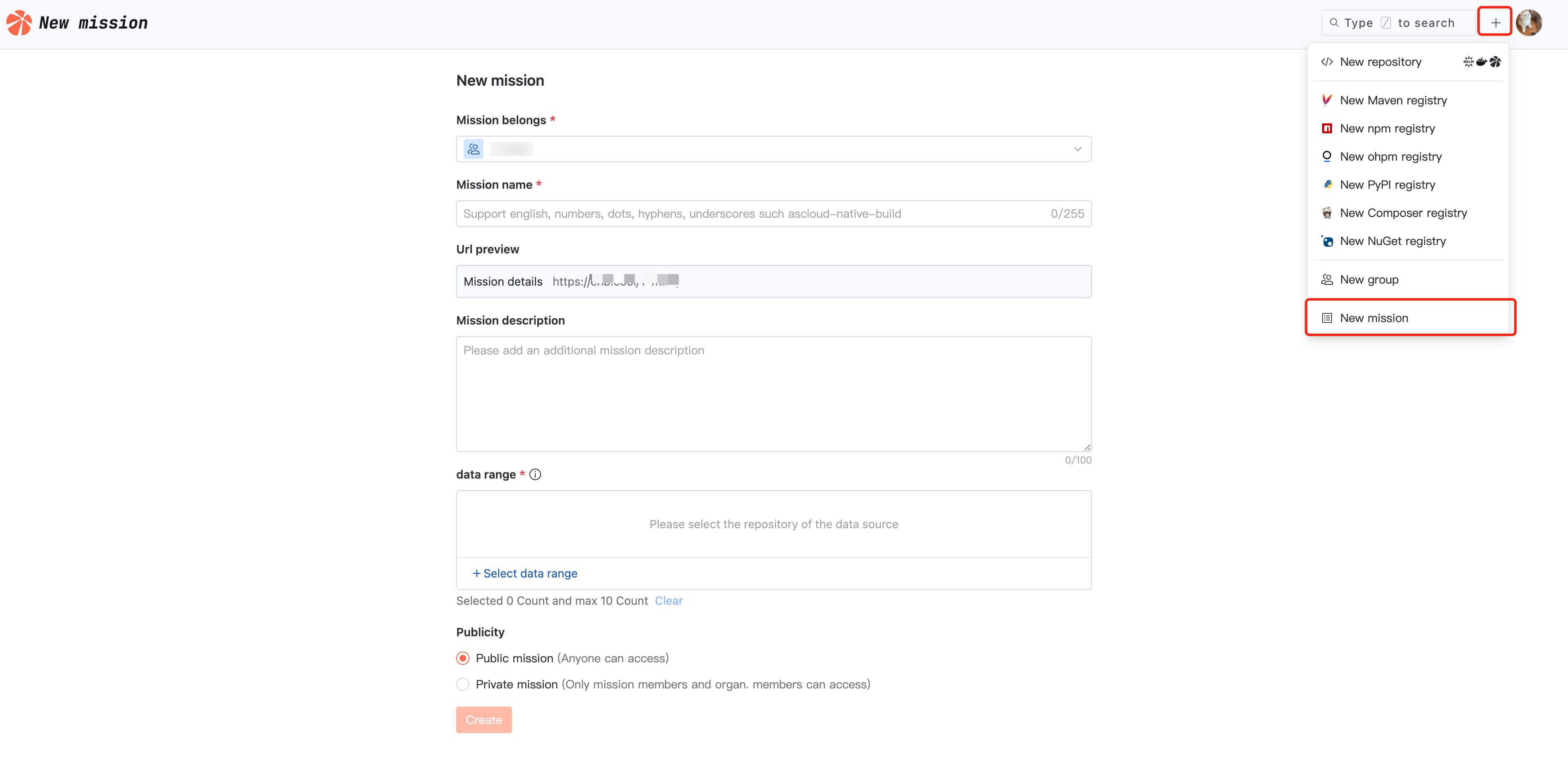
Enter CNB, click "+" in the upper right corner, and select New mission.
Task set name: the identification of a task set, which also makes up its access path.
Data scope: Select a repository, and the task set will automatically read the selected repository's Issues/PRs as the data source.
Task Set View
In a task set, you can:
Configuration view, the task set will automatically read the latest status of Issues/PRs.
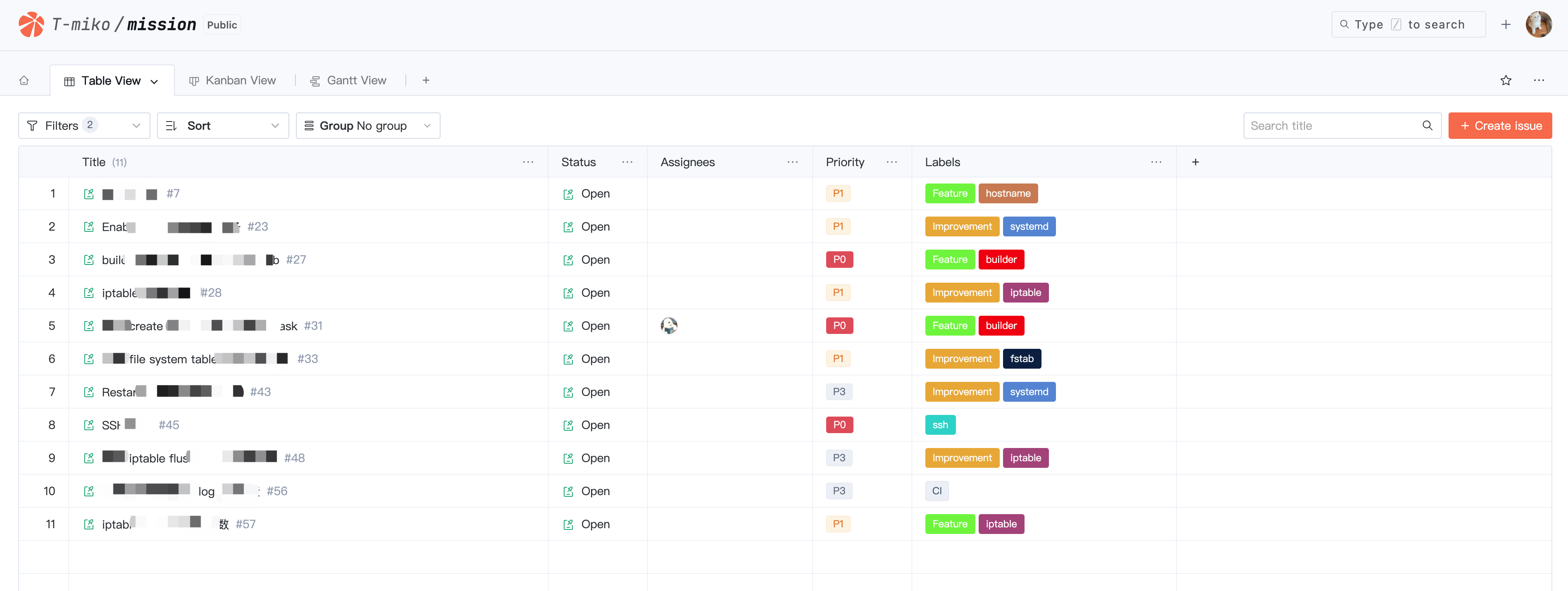
Custom configuration/switchover between table view, kanban view, and gantt view to manage Issues/PRs from different perspectives.
Filter, sort, and group to customize your view structure.
Quickly create an Issue in the designated repository.
Batch modify the attributes of Issues/PRs.
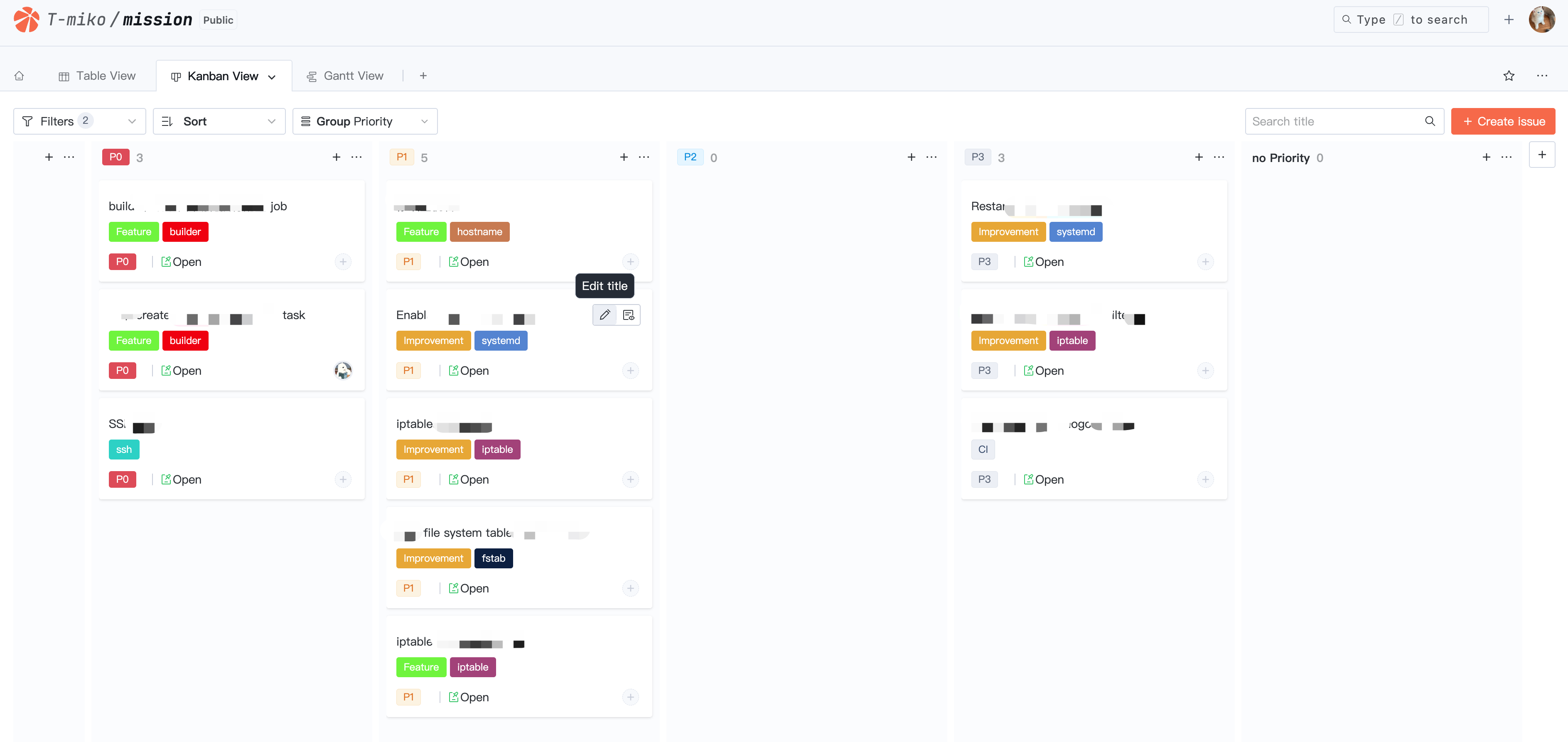
Enter the kanban view, drag and drop to quickly modify issue priority.
The table view effect is as follows:
The kanban view effect is as follows:
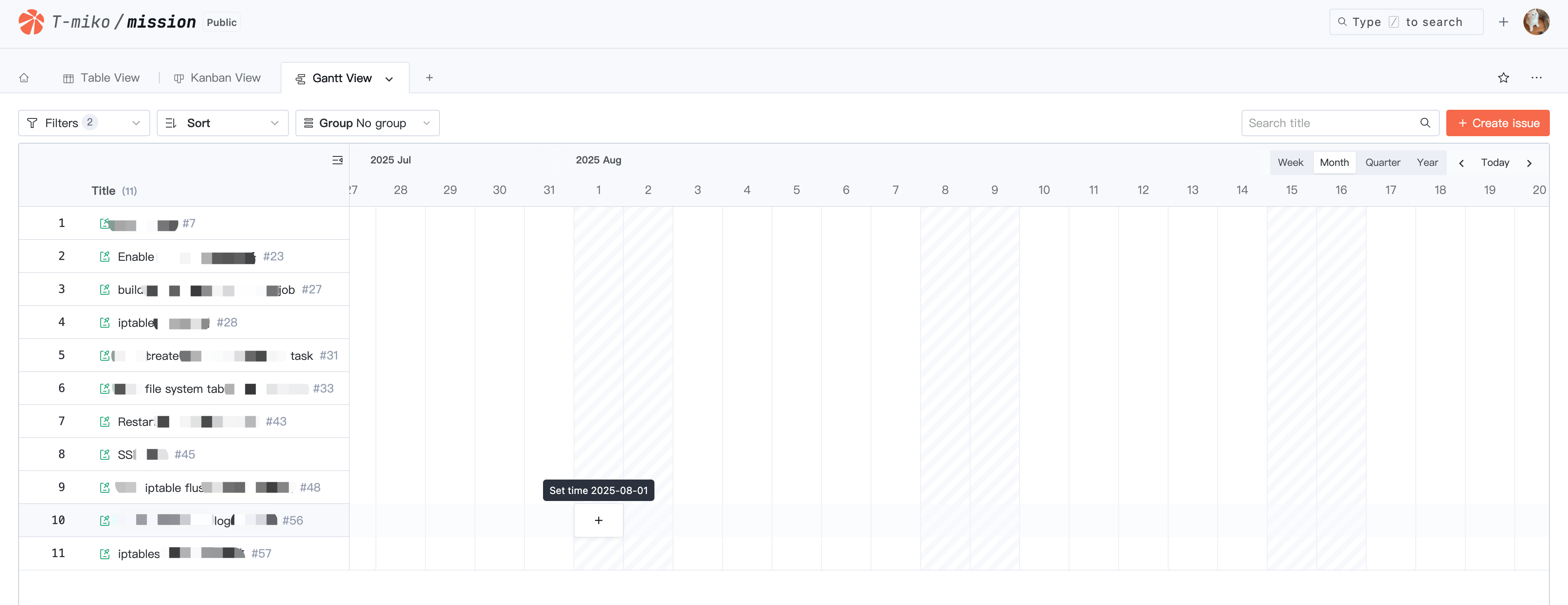
The Gantt view effect is as follows:
Task Set Settings
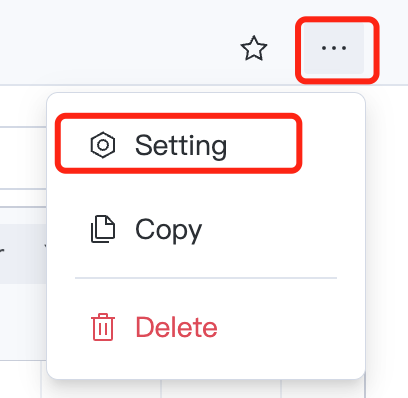
In the task set, click on the right
, and then select Settings to enter the task set settings page. You can configure basic settings, advanced settings, and manage task set members.
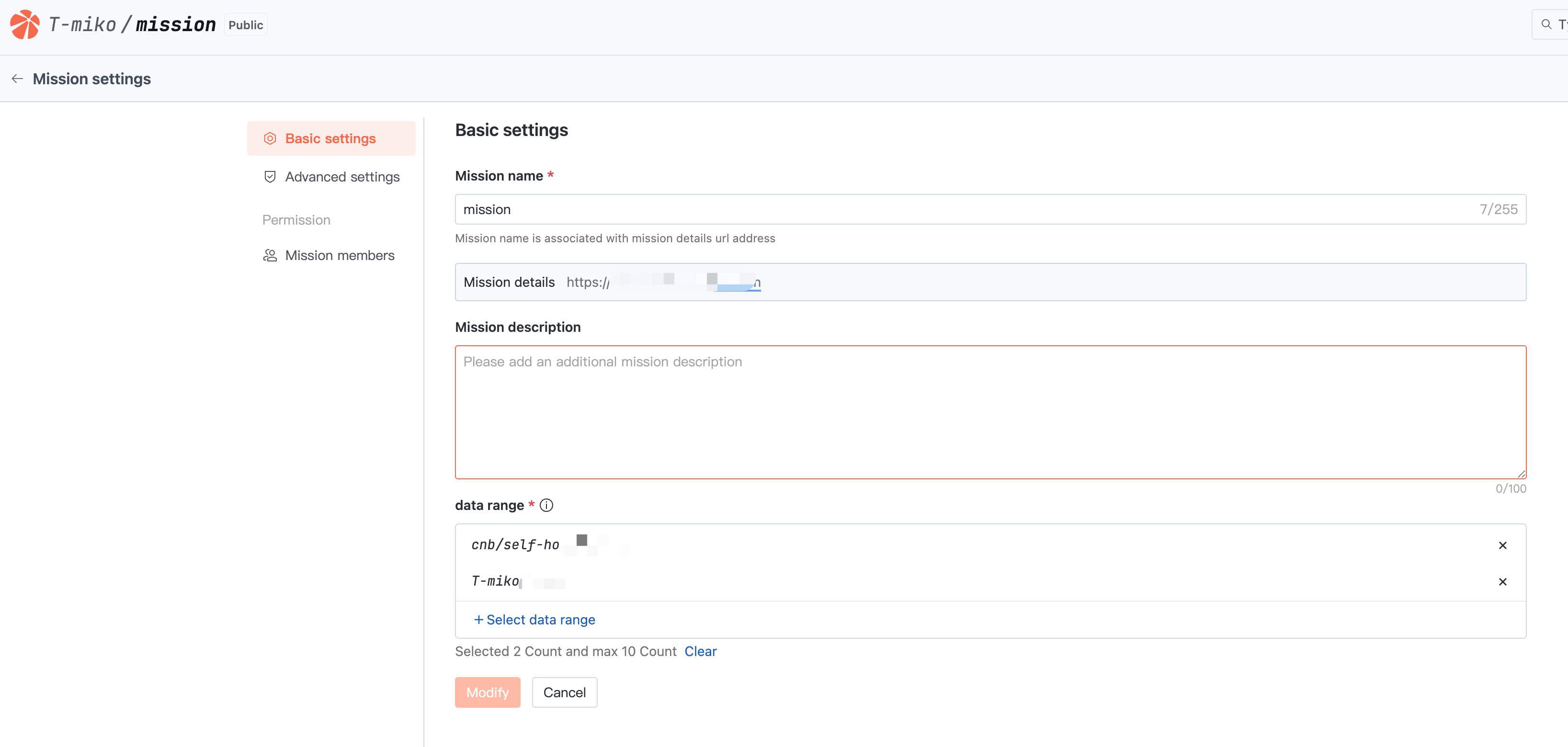
Basic Settings
Modifications are allowed for the task set name and data scope, as well as other basic information.
Note:
Warning: Modifying the task set name will change the task set access URL. Operate with caution.
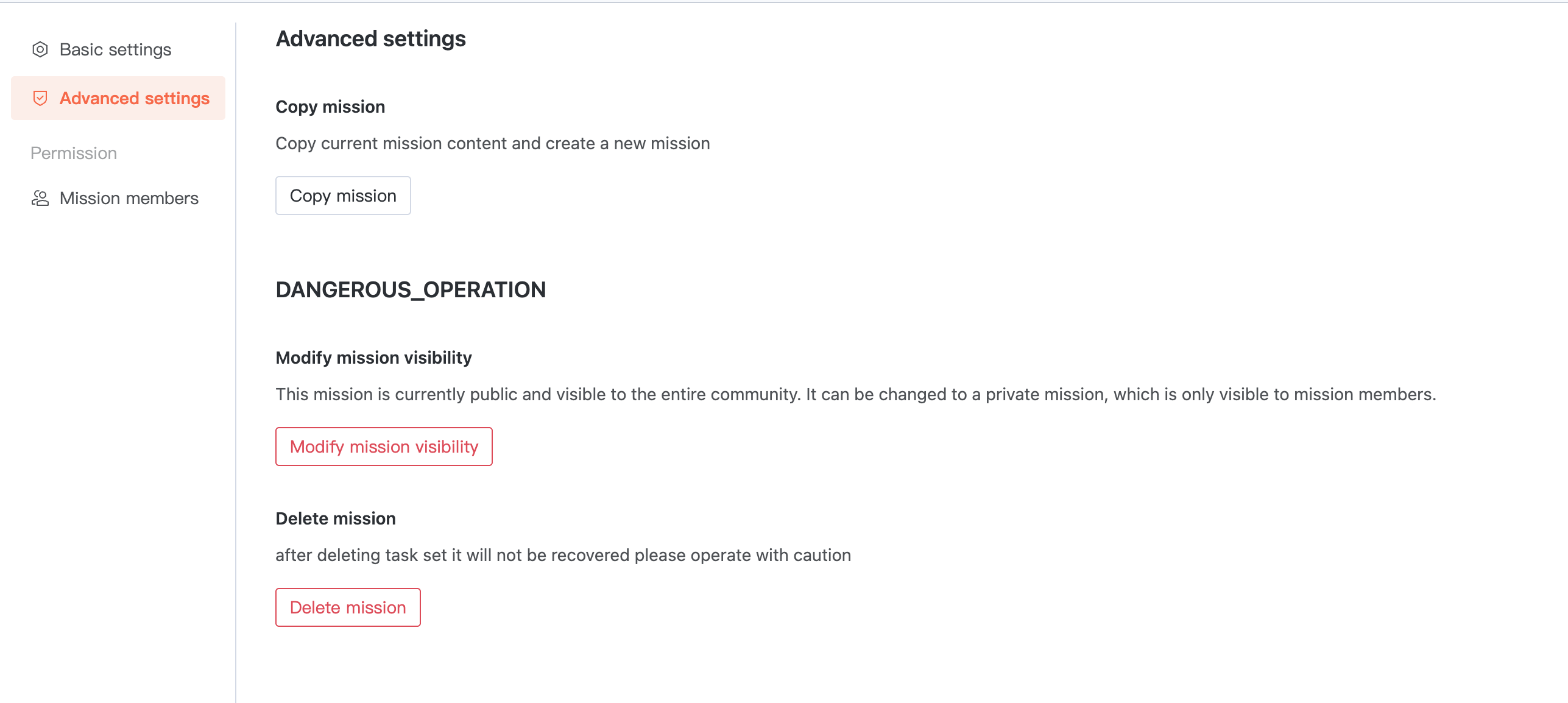
Advanced Settings
Copy task sets, modify task set visibility, and delete task sets.
Note:
Warning: Modifying task set visibility will impact the access scope. Data cannot be recovered after task set deletion. Operate with caution.
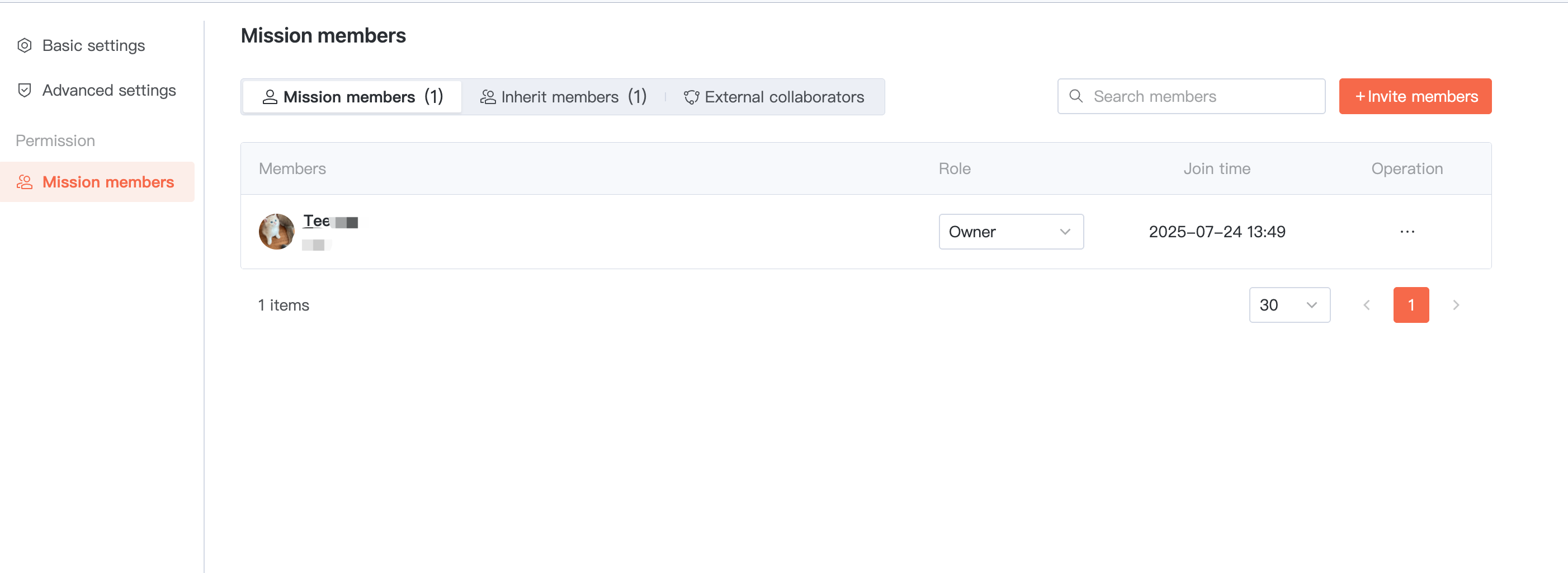
Task Set Members
Member permissions are inherited by default from the parent organization. In addition, you can Invite MemberS to directly join the current task set as "Task Set Members" or "external Collaborators". Among them, external Collaborators are suitable for users temporarily collaborating.