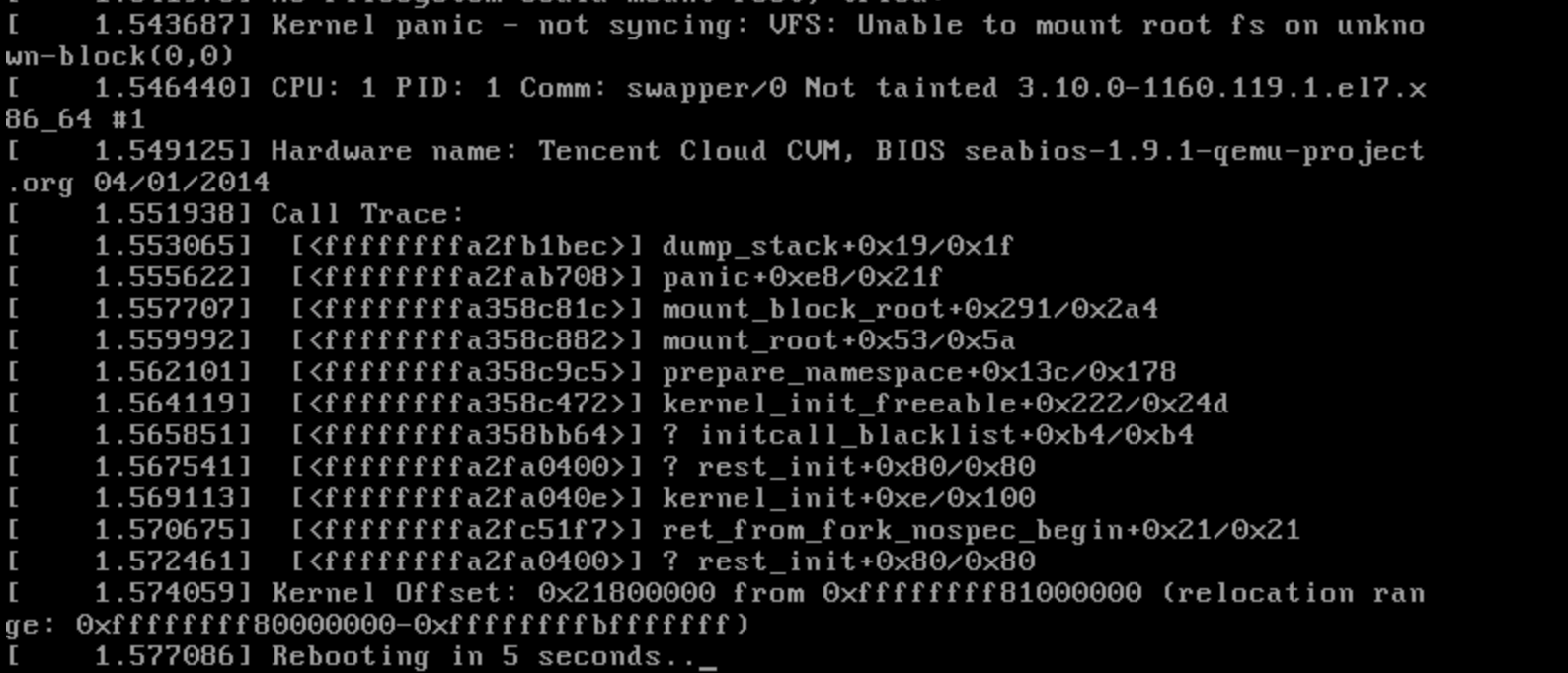
An error message appears during command execution or system startup. For example, VFS: Unable to mount root fs on unknown-block or error: file '/boot/initramfs-`uname -r`.img' not found .
Possible Causes
1. If system startup fails and VFS: Unable to mount root fs on unknown-block is output, initramfs or initrd may have problems, and regeneration of initramfs or initrd is required, as shown below:
2. If system startup fails and error: file '/boot/initramfs-`uname -r`.img' not found is output, the initramfs or initrd file in the /boot directory may be missing, as shown below:
Both scenarios above can cause a system startup failure. You can follow instructions in Troubleshooting to perform checks and regenerate initramfs or initrd.
If you encounter a domain name resolution failure, configure 169.254.0.3 mirrors.tencentyun.com in /etc/hosts to resolve the software repository. The added content is shown in the following figure.
The following output indicates that initramfs or initrd has been successfully generated.