FAQs
Download
Focus Mode
Font Size
Does Hybrid Cloud Have Version Requirements for CWPP?
Yes, only Pro Edition or Ultimate Edition supports hybrid cloud features.
How to Upgrade CWPP to Pro Edition or Ultimate Edition?
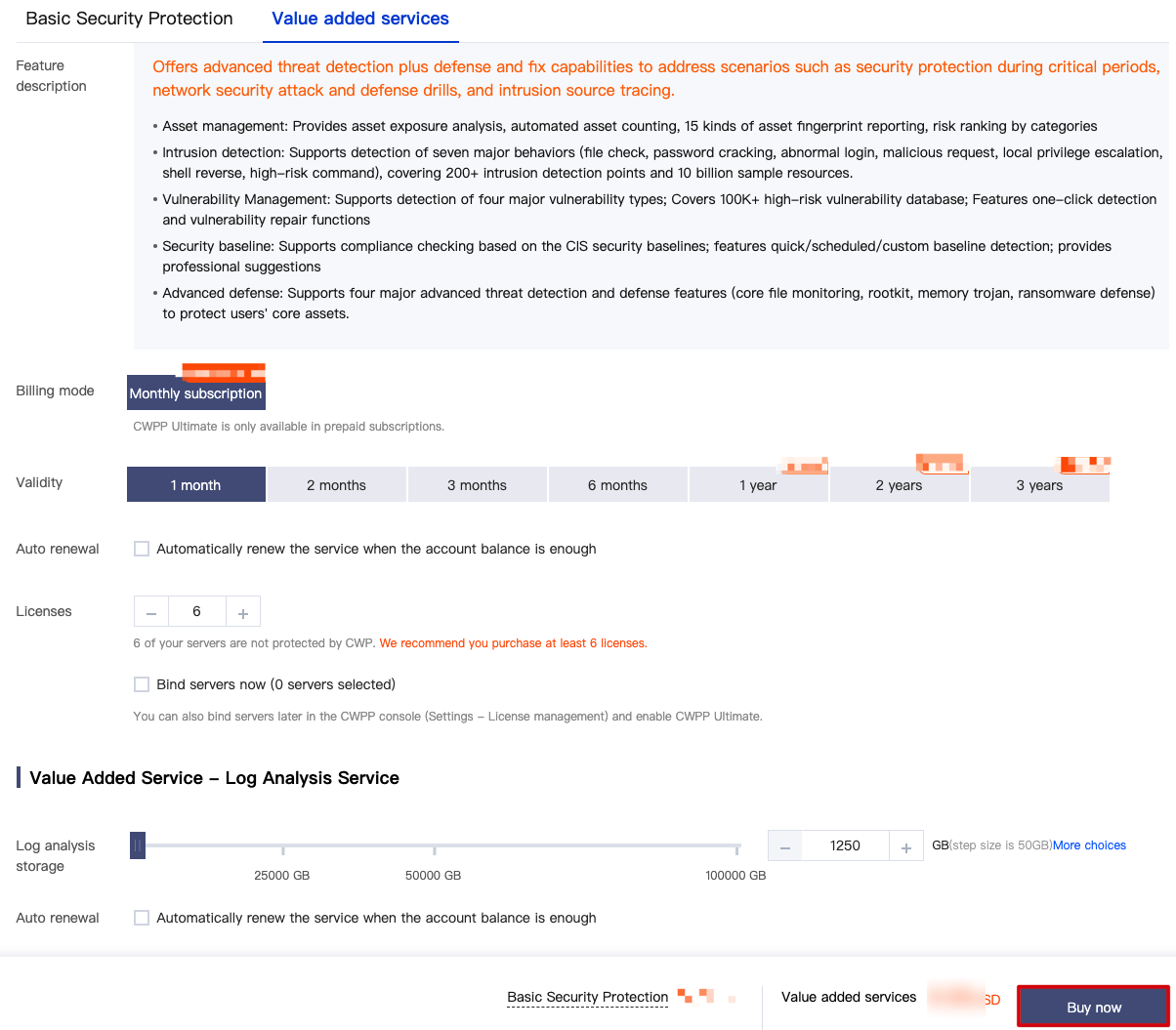
1. Log in to the CWPP console. In the left sidebar, choose License management > Purchase Cwpp license to enter the purchase page.
2. On the purchase page, you can enter the number of licenses to be purchased (Pro edition or Ultimate edition). After selection according to your needs, click Buy Now. Once the purchase is successful, go to the license management page to bind the licenses to the servers that need protection. For details on the license operations, see license management.
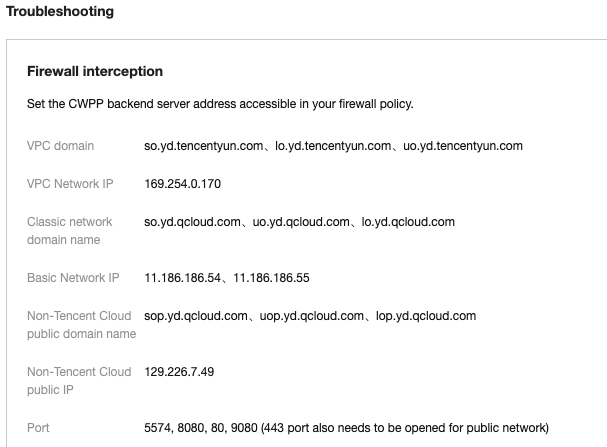
What Are the Target Address and Open Ports for the Cloud Connection over DC?
See the target address and open ports as shown below, and configure the firewall to allow traffic through.
Note:
The address and open ports do not change.
Is the Installation of Agents Supported in IDCs Outside Mainland China?
It is supported. As long as the machine can connect to the network and the system meets the requirements, you can install the CWPP agent.
When Will the Non-Tencent Cloud Instance Be Displayed in the Console After the Agent Is Installed?
Currently, it is displayed in seconds.
Do I Need to Purchase the Console if I Use a Non-Tencent Cloud Instance?
No. The management and billing take place in the public cloud console.
Network Port Access from IDC to the Cloud Is Needed to Open. What Are the Target IP and Ports?
The target IP is included in the installation command, and the ports are 5574, 80, 8080, and 9080.
Can I Use CWPP if the Private Network Machine Cannot Access the Public Network or There Is No DC?
Currently, no.
Does the Hybrid Cloud Client Conflict with the Zabbix Process?
We have not made any special configurations for Zabbix or performed injections. Check for other client installations or drivers on the instance.
Help and Support
Was this page helpful?
You can also Contact sales or Submit a Ticket for help.
Help us improve! Rate your documentation experience in 5 mins.
Feedback