Operation Guide
Setting quotas
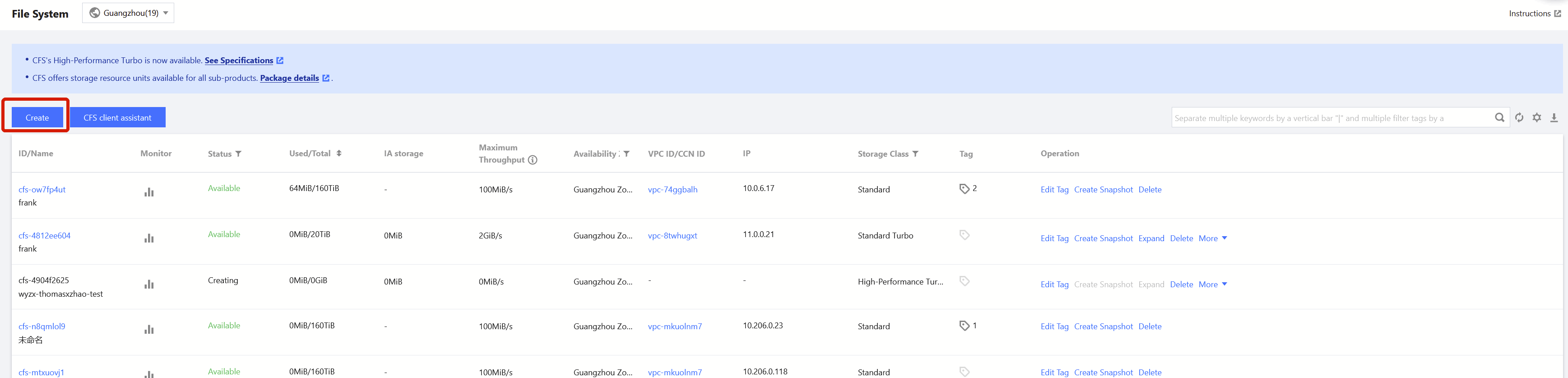
Step 1. Log in to the console
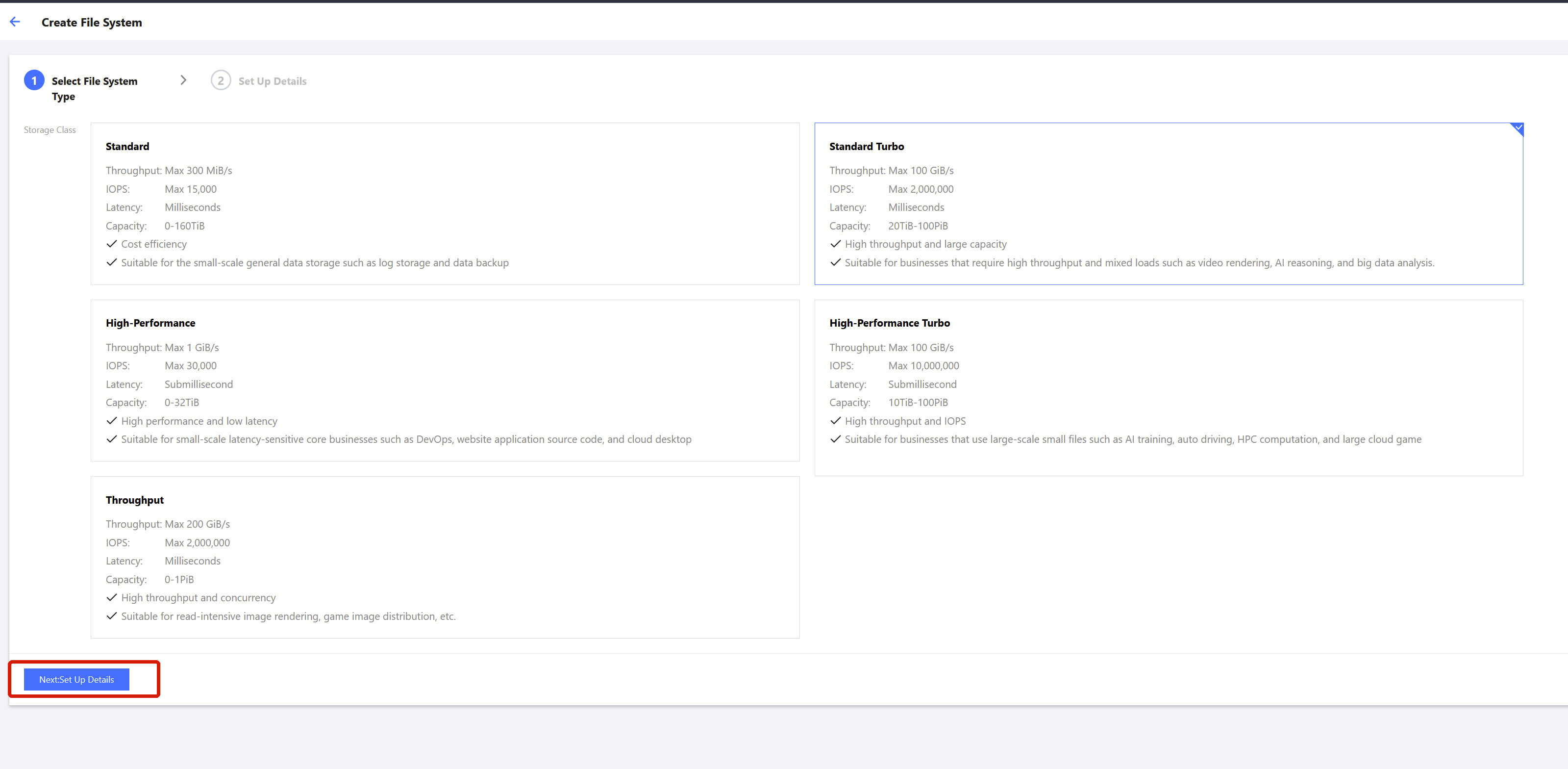
Step 2. Select the file system type (Turbo)
Select the Turbo file system, and click Next: Set up Details.
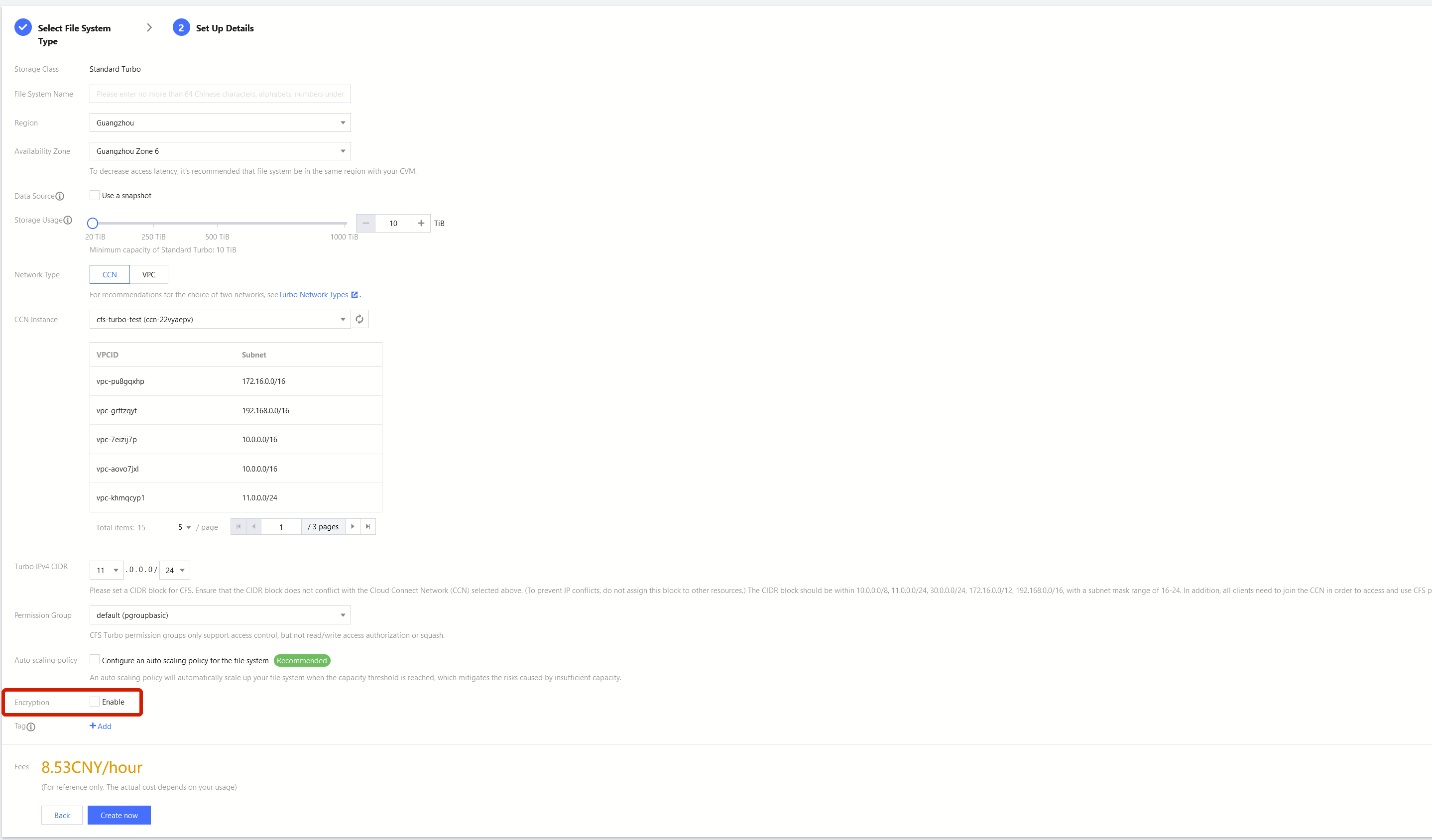
Step 3: Enable encryption
1. Enable encryption
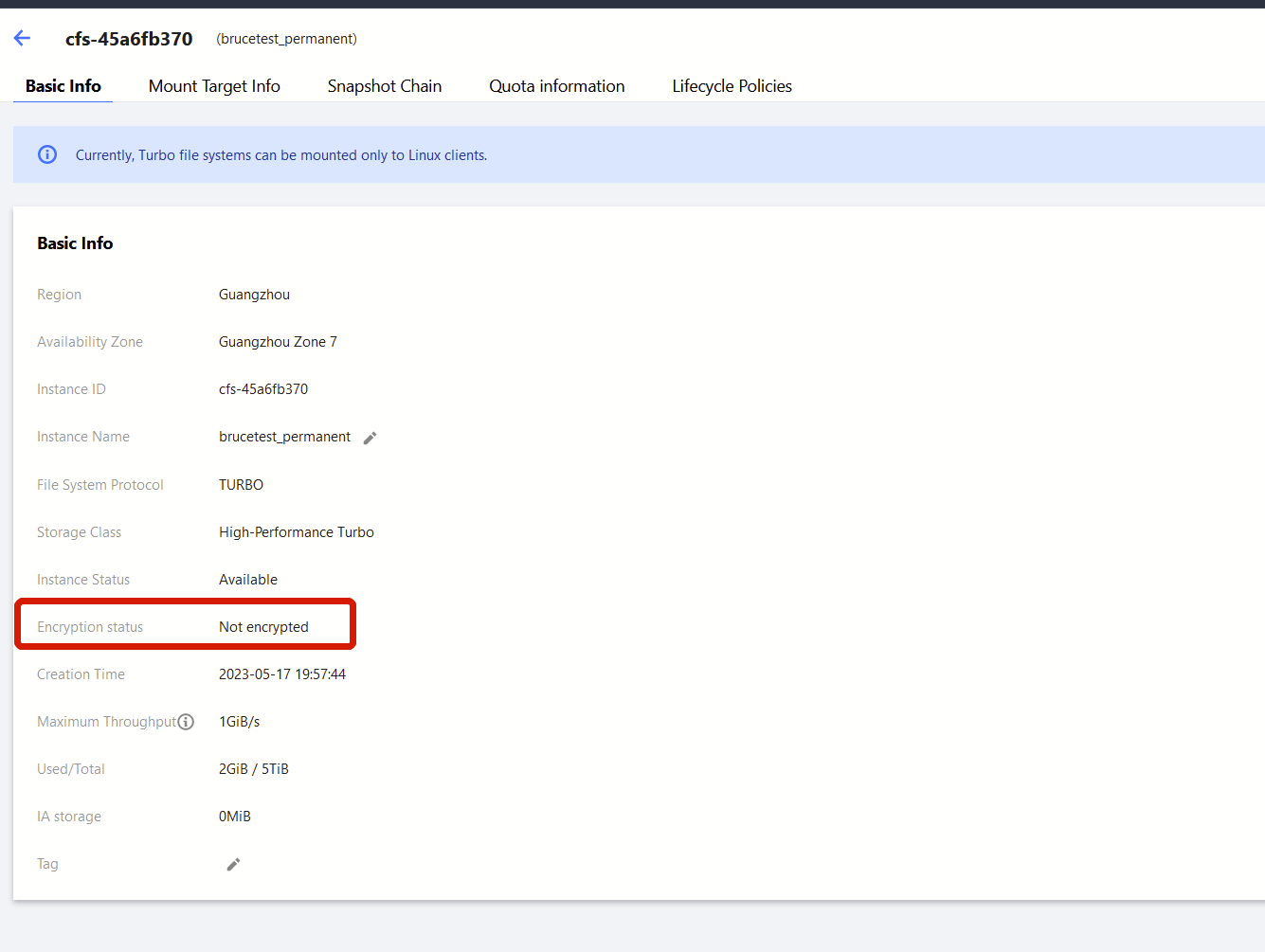
2. View encryption
You can view the encryption of a file system on its details page.
Help and Support
Was this page helpful?
You can also Contact sales or Submit a Ticket for help.
Help us improve! Rate your documentation experience in 5 mins.
Feedback