Creating a File
Download
Mode fokus
Ukuran font
Introduction
You can create an empty file through the COS console.
Note:
Character up (↑): CAN (24)
Character down (↓): EM (25)
Character right (→): SUB (26)
Character left (←): ESC (27)
Prerequisites
Operation Steps
1. Log in to the COS Console.
2. In the left sidebar, click Bucket List to go to the bucket list page.
3. Find the bucket where you need to create a file, click its bucket name, and enter the bucket management page.
4. In the left sidebar, select File List to go to the file list page.
5. Hover over "Create Folder" to automatically show a dropdown with "Create File". Click Create a file.

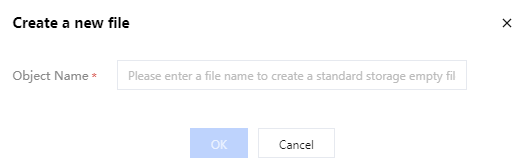
6. In the pop-up window, enter Folder Name and click OK.
Note:
Upon completion, COS creates an empty file with a size of 0 and a storage type of standard storage by default.
Bantuan dan Dukungan
Apakah halaman ini membantu?
Anda juga dapat Menghubungi Penjualan atau Mengirimkan Tiket untuk meminta bantuan.
masukan