This document describes how a distributor can bind and query second-level resellers that belong to them.
Prerequisites
Distributor identity already available.
Inviting a Reseller
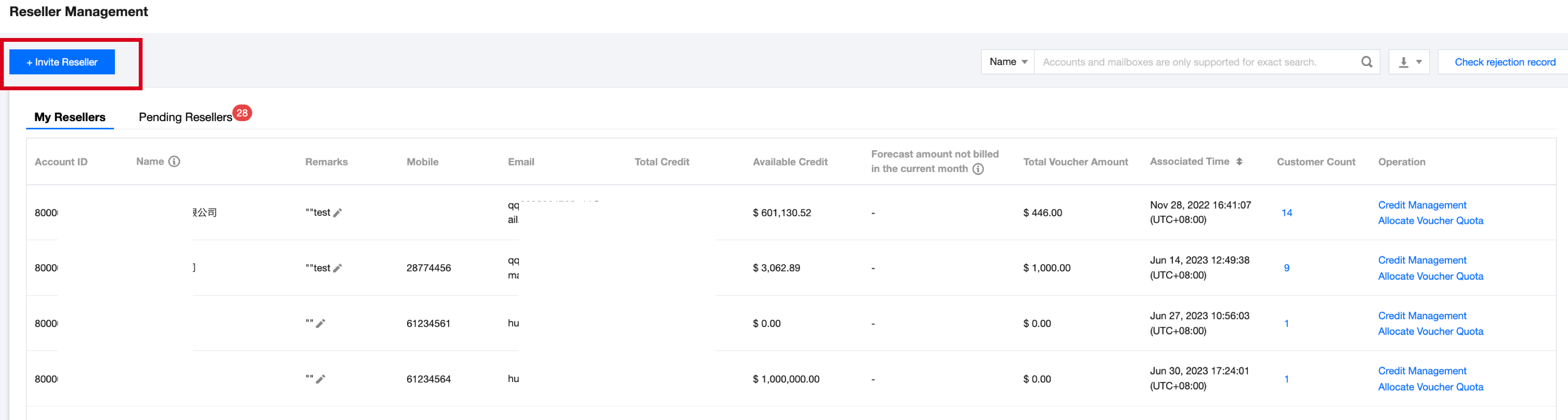
1. Log in to the Partner Center Console with a primary distributor account, and navigate to the Reseller > Reseller Management page.
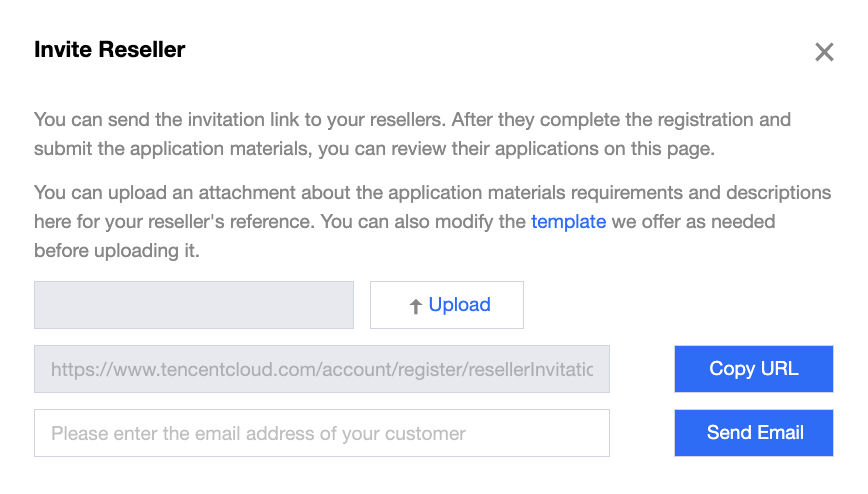
2. Click Invite Reseller, copy the invitation link and direct send it or enter the email address to send the invitation link to the second-level reseller via email.
Note:
Note: Only resellers can register new Tencent Cloud accounts. When applying to bind as a second-level reseller of distributor, the reseller's existing cloud account cannot conduct resale business.
Reviewing Second-Level Resellers
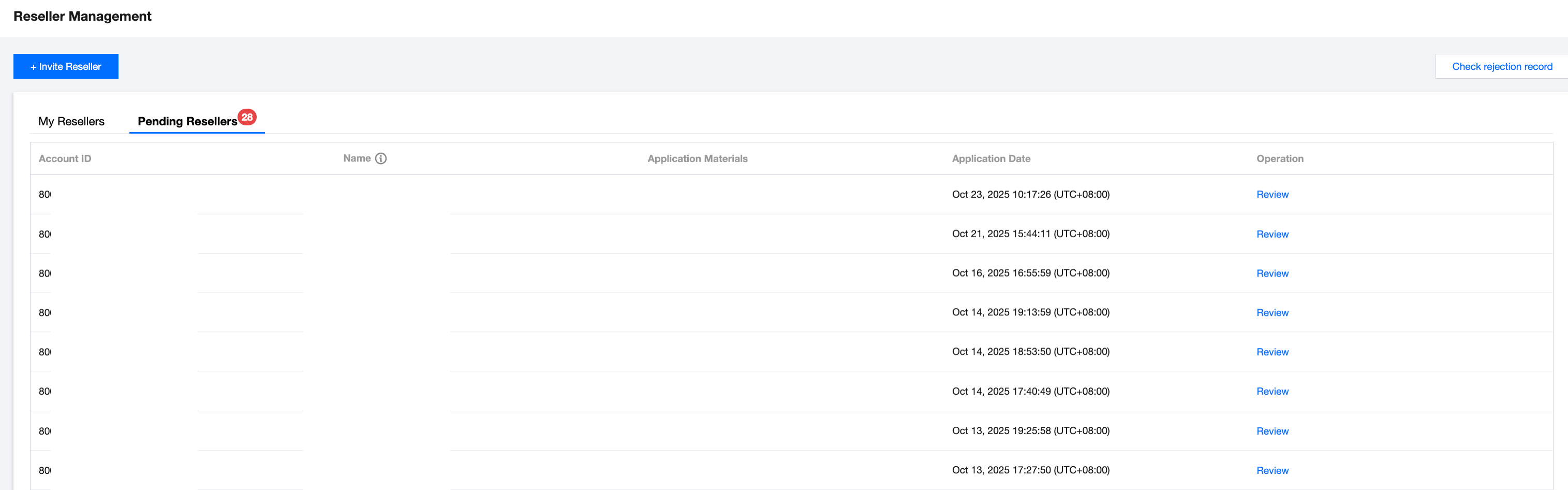
1. After the second-level reseller submits a binding request, the distributor needs to review it. The distributor can go to the Reseller Management > Pending Resellers page and click Review to confirm whether binding is allowed.
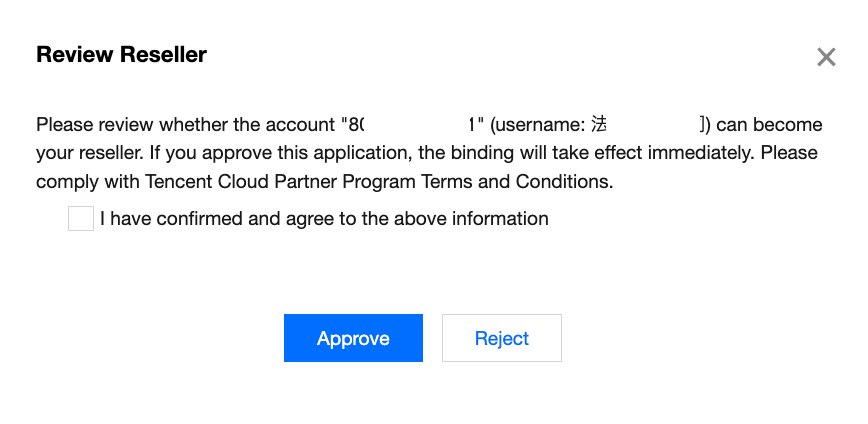
2. Enter the reseller review popup, then click Approve to grant the second-level reseller's binding request after confirming the information.
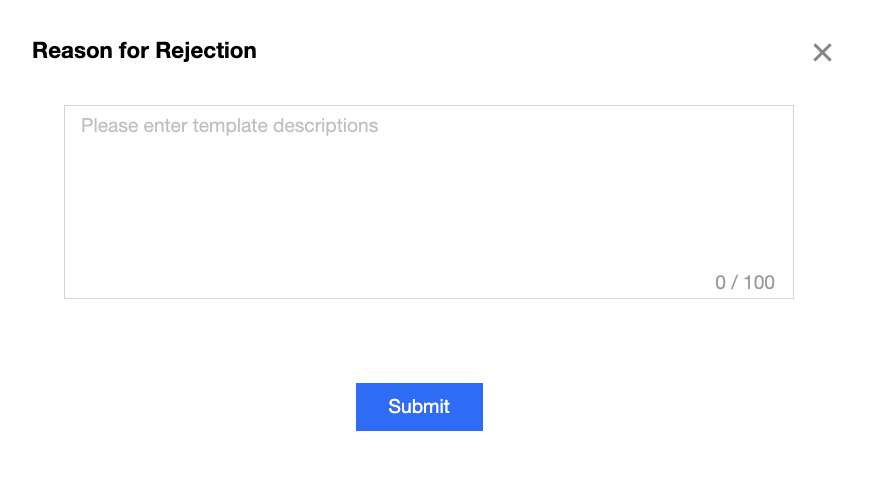
If you do not agree to this binding, click Reject, fill in the reason for rejection, and then click Submit to reject this binding application.
Viewing Rejected Records
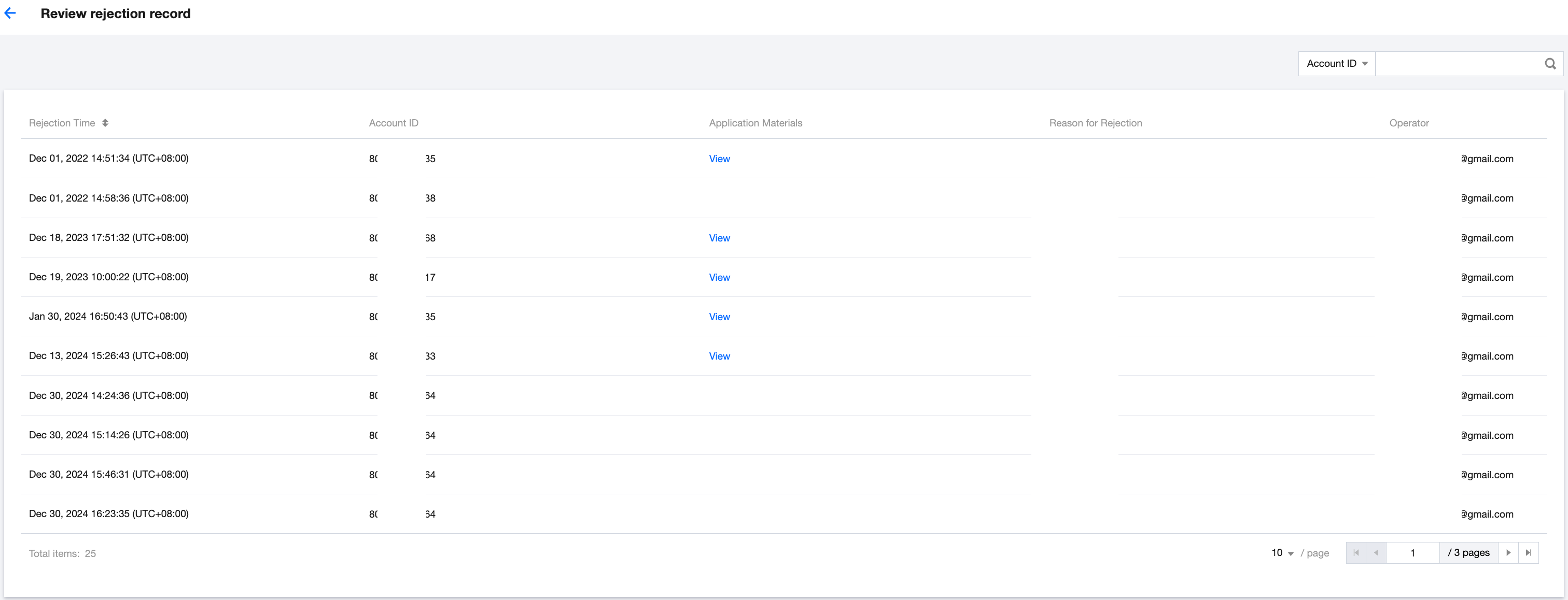
When a binding application submitted by a second-level reseller is rejected by a distributor, the distributor can click Check rejection record in the upper right corner of the Reseller Management webpage to view all rejection records.