Viewing Sub-Customer Information of Second-Level Resellers
Download
フォーカスモード
フォントサイズ
最終更新日: 2025-12-09 15:10:01
This document describes how distributors view and export end customer information of second-level resellers.
Prerequisites
Distributors should be on the allowlist before viewing indirect end customer information. If you cannot find the feature entrance, contact your channel manager to apply for enabling.
Querying Indirect End Customers
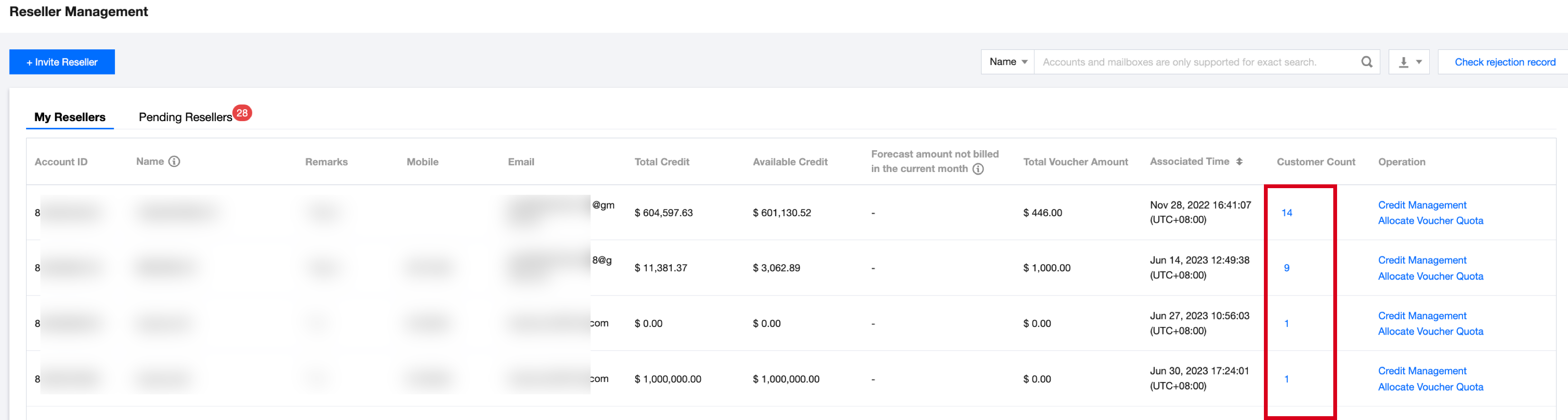
1. Log in to the console with a partner account and choose Partner Center, and enter the Reseller > Second-Level Reseller Management page.
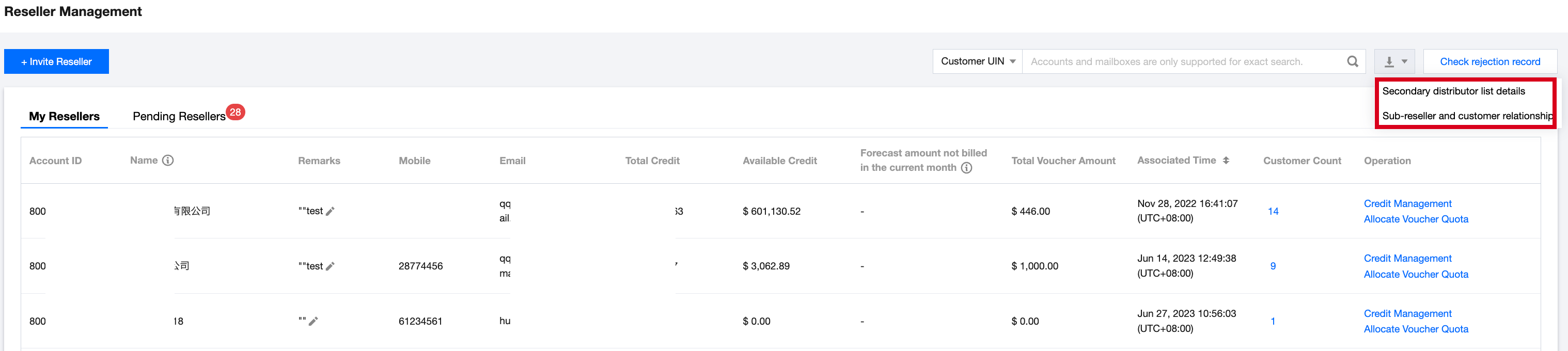
2. On the My Resellers page, you can quickly filter and view based on query conditions.
Query All End Customers of A Second-Level Reseller
Query Resellers Associated with An End Customer
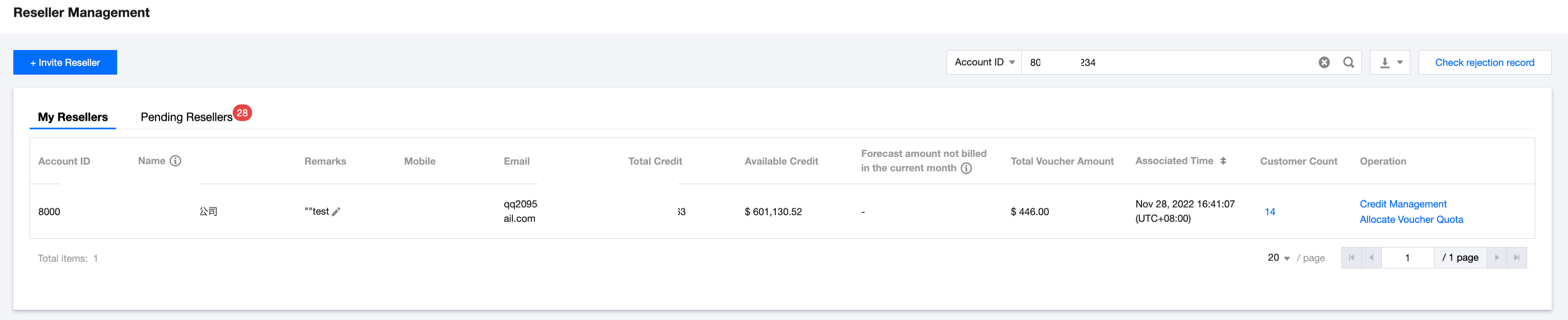
1. You can choose the query condition "Account ID", input and query the reseller account ID you want to query, and the reseller information will be returned in the list.
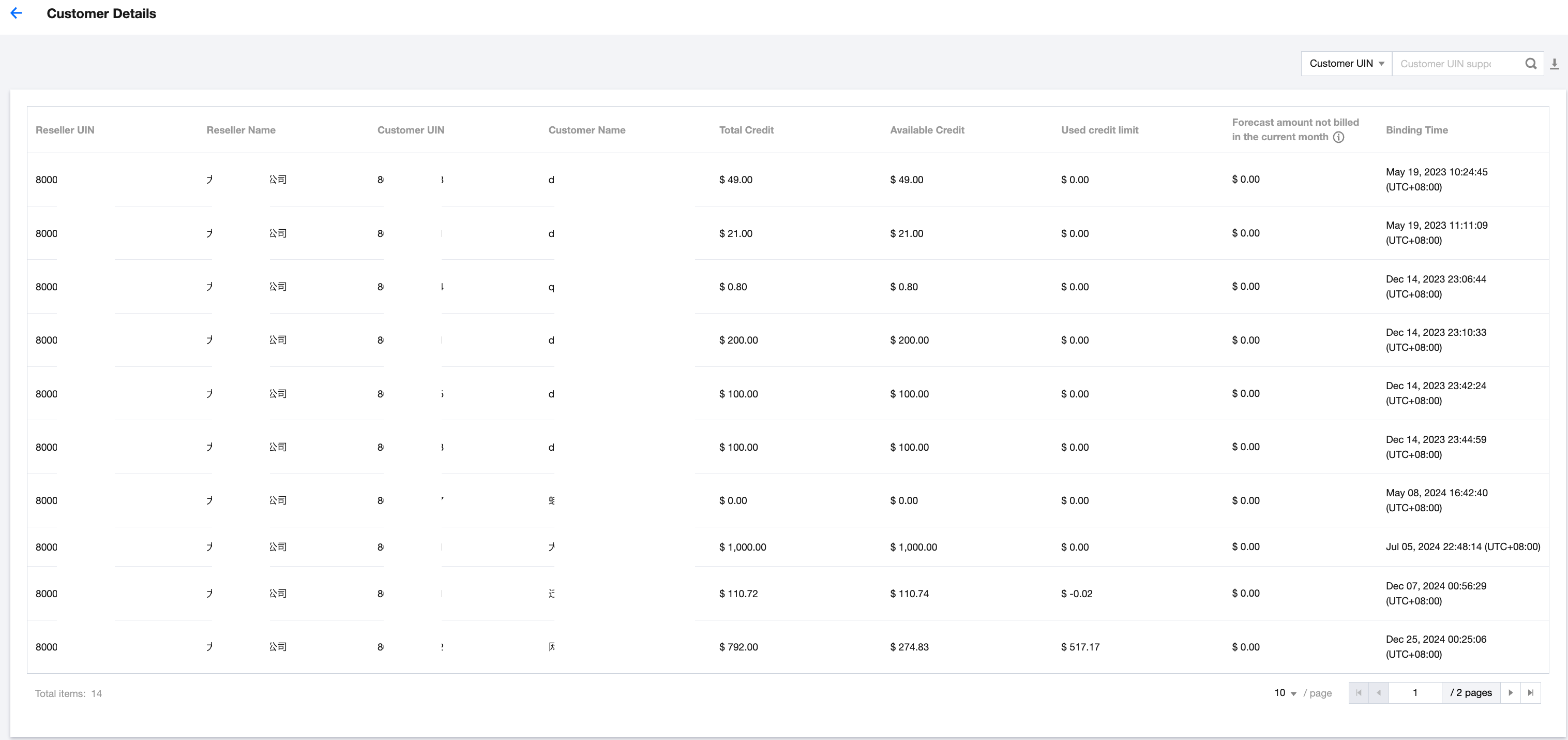
2. Click the end customer quantity to enter the details page of the second-level reseller, where all end customers will be displayed. Click
on the top right to export the end customer information of this second-level reseller.
Reseller UIN: The account ID of a second-level reseller.
Reseller name: The name of a second-level reseller.
Customer UIN: The account ID of an end customer.
Customer name: The name of an end customer.
You can select the query condition "Customer UIN", input and query the customer account ID you want to query. Second-Level resellers associated with this customer will be returned in the list.
Exporting Indirect End Customers
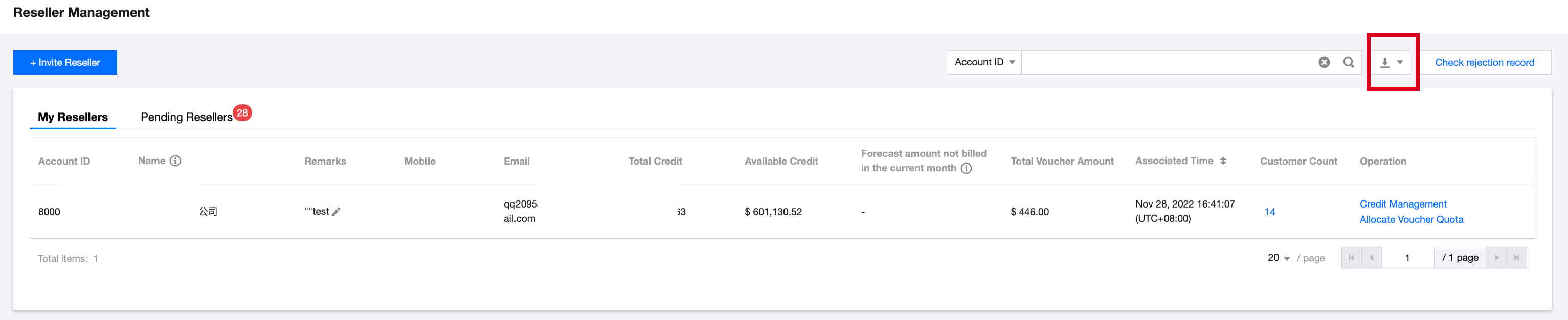
1. Log in to the console with a partner account and choose Partner Center , and enter the Distribution > Second-Level Reseller Management page. Click
on the top right.
2. Click Second-Level Reseller and Customer Relationship to export information of indirect end customers corresponding to all second-level resellers. If you only need to export all end customers of a specific second-level reseller, you can see Previous for export.