Unbilled Charges Forecast
Download
フォーカスモード
フォントサイズ
Overview
Unbilled charges serve as an alerting capability within the cost management system, enabling customers to obtain daily forecasted usage costs for postpaid monthly settlement products. This helps them better manage their cloud adoption plans.
To ensure timely awareness of cost fluctuations, an early warning notification mechanism has been implemented.
Monthly Settlement Forecast Alert Notifications
Alert Rules
Scope of Application: Customers
Trigger Condition: An alert notification will be sent when the following condition is met: (Current Available Credit Balance - Forecasted Amount) / Current Available Credit Balance < 50%.
Notification Frequency: Only one notification will be sent per natural day (00:00–24:00), ensuring no duplicate alerts within the same day.
Note:
The alert data has a one-day delay. For example, the unbilled charges summary data retrieved on June 5th reflects June 4th's forecasted figures. Therefore, the alert actually monitors the predicted usage from the previous day.
The alert notification will be sent when Current Available Credit Balance ≤ 0 and Forecasted Amount ≥0.
The forecasted data only covers a subset of products. For details, refer to Scope of Products Covered by Unbilled Charges Forecast.
Enable Product Alert Notifications
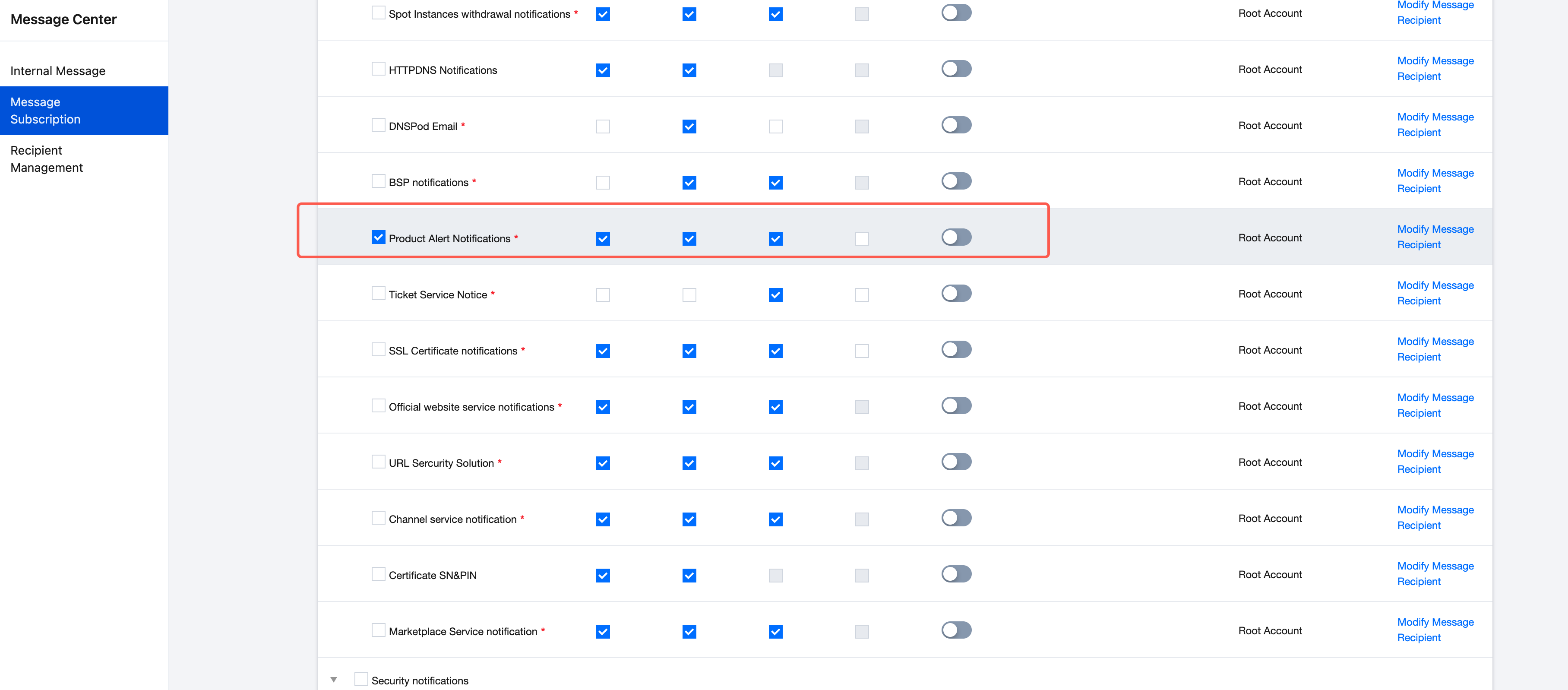
Navigate to Message Center > Message Subscription, select "Product Alert Notifications", and check the corresponding notification methods to subscribe.
Disable Product Alert Notifications
If you no longer wish to receive these alerts, simply uncheck the corresponding notification methods under "Product Alert Notifications".
Viewing Unbilled Charges
To view unbilled charges:
1. Log in to your Tencent Cloud Account.
2. Navigate to the Billing Center.
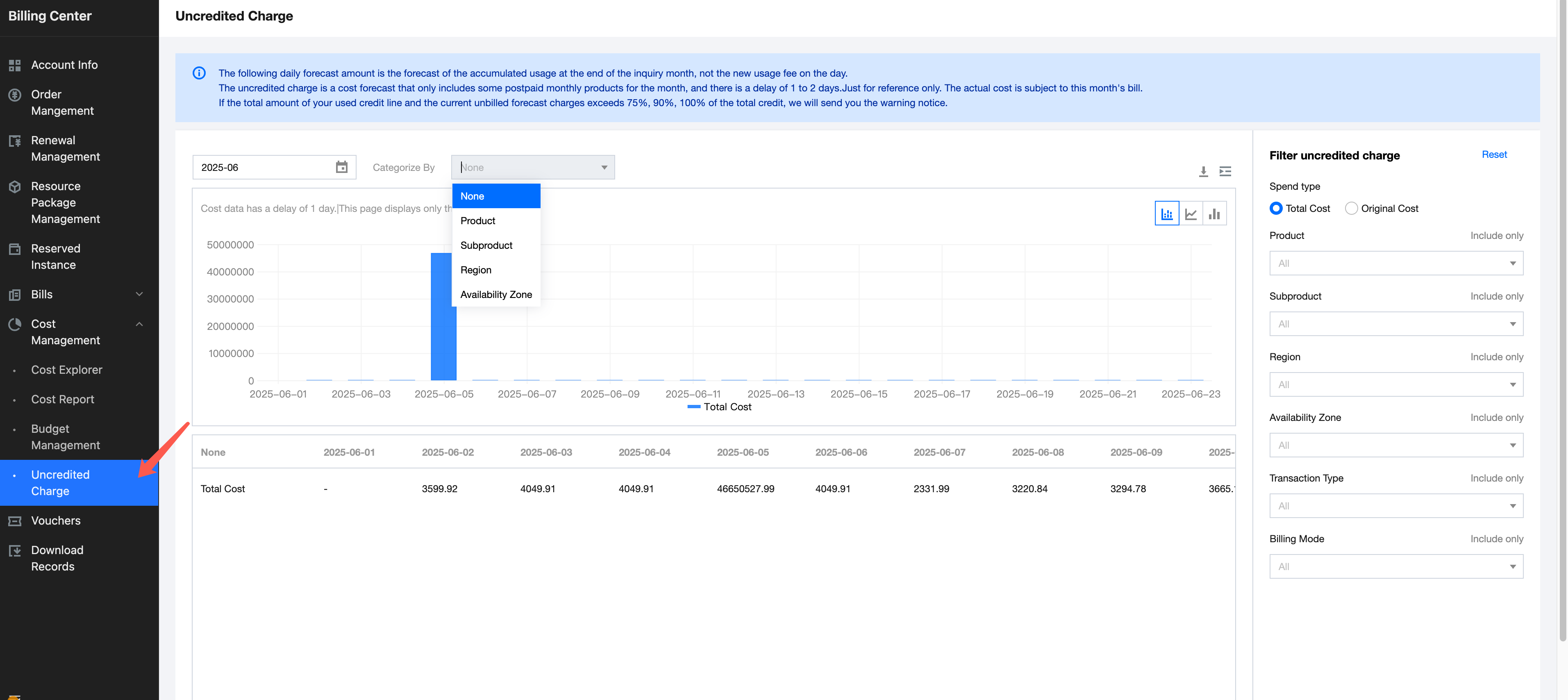
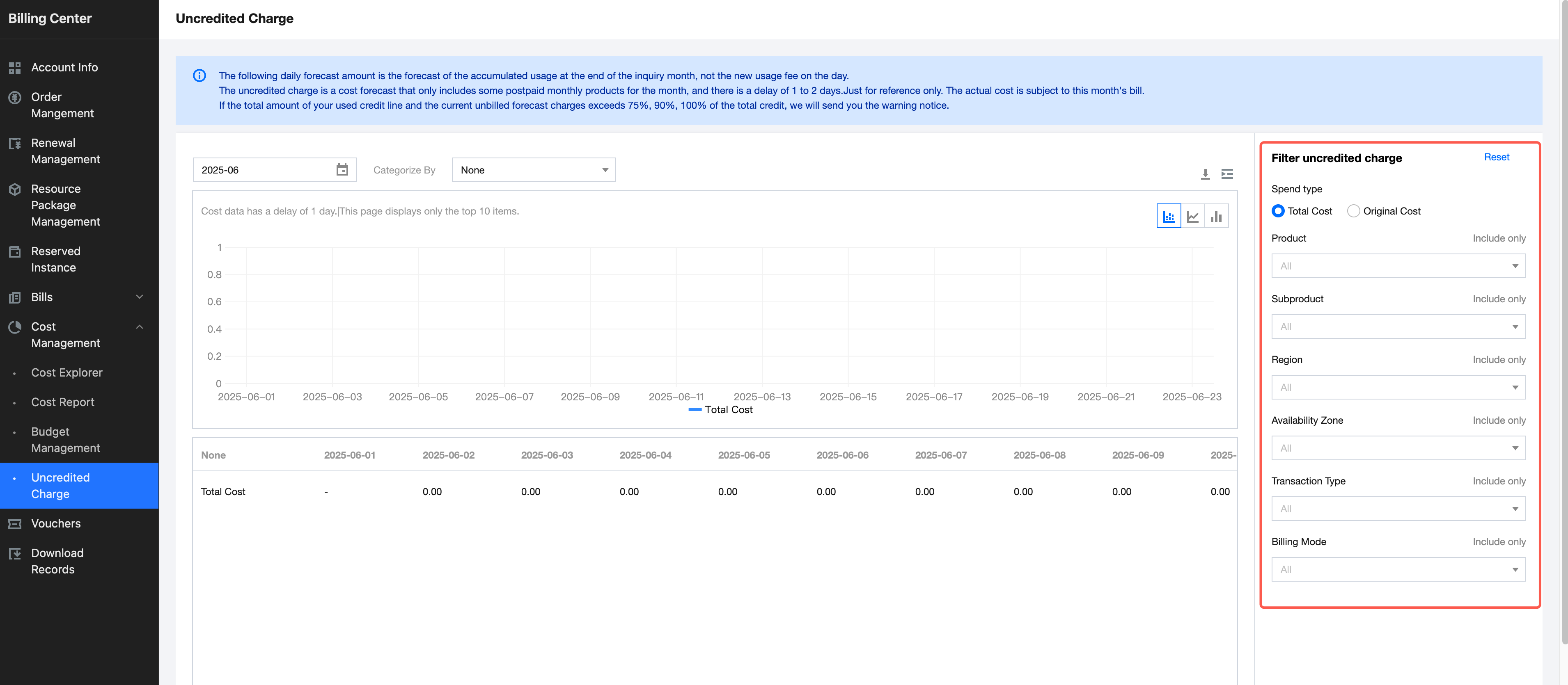
3. In the left-hand menu, click Cost Management > Uncredited Charge to access the unbilled charges page.
Viewing Method
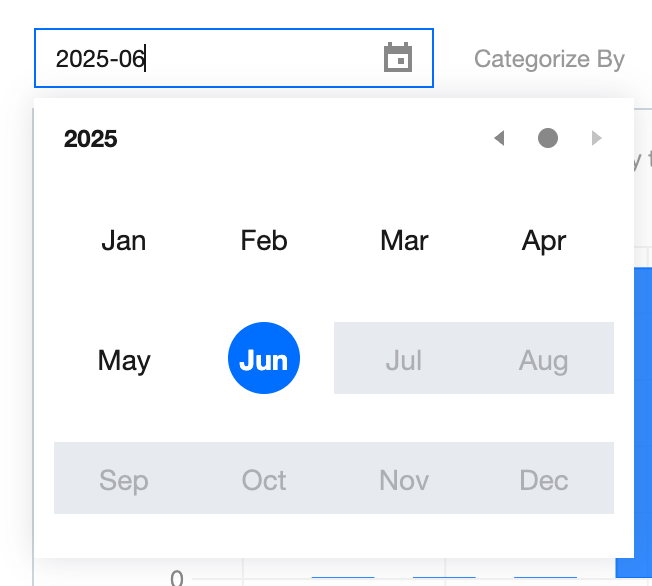
Time Window
The time window only supports monthly queries (one month at a time).
Classification Dimensions
Classification dimensions are primarily used to aggregate unbilled charge data within a specified scope, reflecting the distribution across these dimensions.
Supported Dimensions: Product, Subproduct, Region, Availability Zone.
Note:
The chart will only display the top 10 data entries for the selected dimension on the current day, with the remaining data hidden from view. The complete dataset will be fully presented in the table below, supporting pagination for browsing and download functionality.
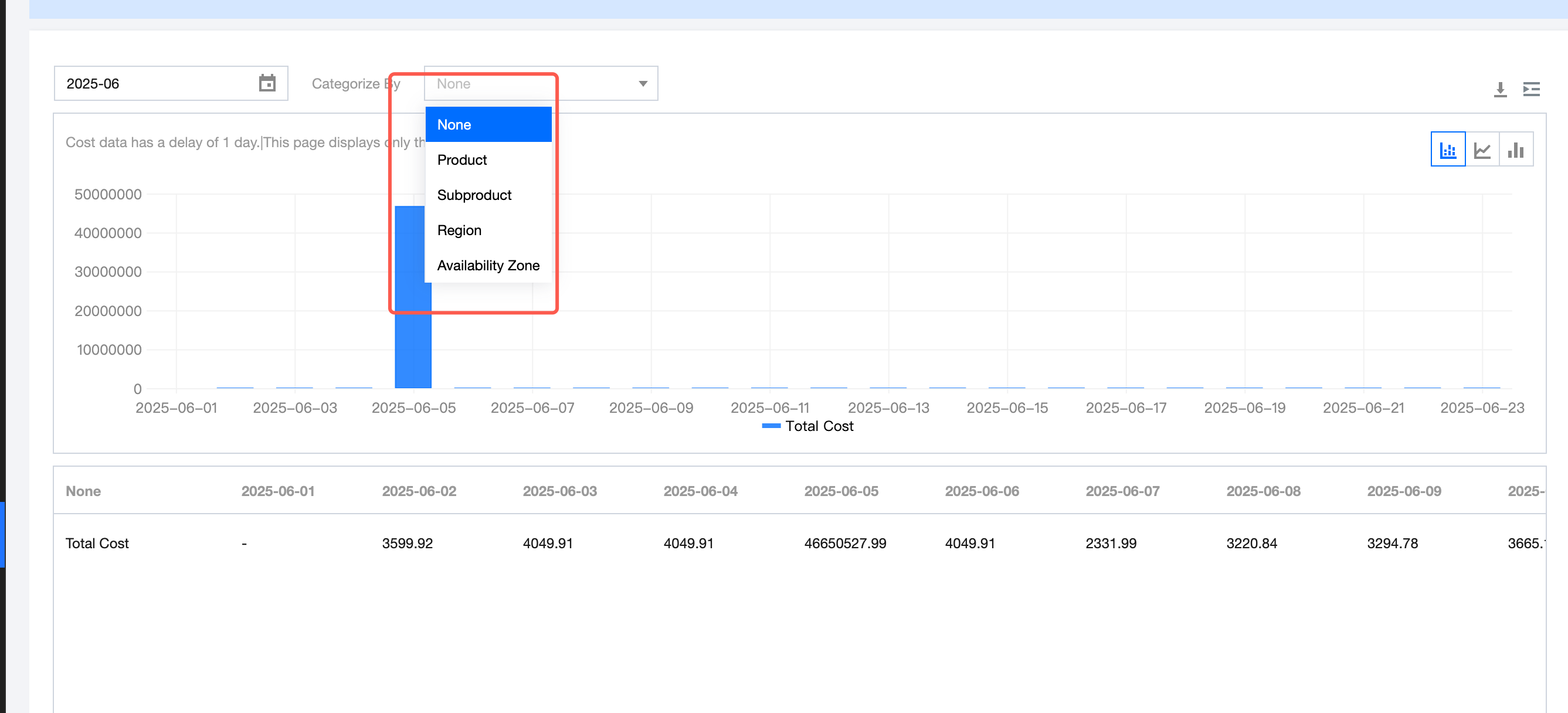
Chart Types
Unbilled charge data can be visualized in three formats: stacked chart, line chart, and bar chart.

Table Data
Unbilled charge data supports paginated browsing and download functionality. Click the Download button on the page to export the full dataset.

Unbilled Charges Filtering
The unbilled charges filtering function is designed to further refine data scope across multiple dimensions by allowing users to either include or exclude specific dimension values.
Supported Filter Criteria:
Spend Type: Total Cost (including sub-customer discounted price), Original Cost
Product
Subproduct
Region
Availability Zone
Transaction Type
Billing Mode
フィードバック