Configure Sub-customer Overdue Service Suspension Policy
Download
フォーカスモード
フォントサイズ
Tencent Cloud provides resellers with a more comprehensive and flexible service suspension management rules for customer. Resellers can configure the following service suspension rules to suit different tiers of customer and manage risks accordingly. The current feature is still in the grayscale stage and only applicable to some resellers. If necessary, contact the channel manager.
Applicable Objects
This document is suitable for resellers, distributors and second-level resellers to read. The copywriting uses "reseller" for description.
Prerequisites
The feature currently requires application for adding to allowlist to use. If needed, contact your channel manager.
Service Suspension Rules Classification
1. Delay Suspension by Product rules
When the sub-customer's available credit limit < 0
Account enters arrears status and is unable to purchase new resources.
Postpaid resources will be suspended after entering the grace period according to the overdue explanation on the product documentation.
Prepaid resources can be used till valid till.
Note:
Note: Due to our billing cycle, there might be cases where service is suspended but the corresponding quota is still deducted for one billing cycle.
2. Service Suspension
When the sub-customer's available credit limit < 0
The account enters arrears status and is unable to make new purchases.
Postpaid resources have no grace period and will be suspended immediately.
Prepaid resources can be used till valid till.
Note:
Due to our billing cycle, there might be cases where service is suspended but the corresponding quota is still deducted for one billing cycle.
Note: The current "Service Suspension" configuration still uses the allowlist feature. To enable Service Suspension, contact your channel manager to apply.
Resellers not on the allowlist will only see "Delay Service Suspension by Product rules" and "No Service Suspension" in the service suspension policy.
Resellers on the allowlist will only see "Service Suspension" and "No Service Suspension" in the service suspension policy, not "arrears delay suspension."
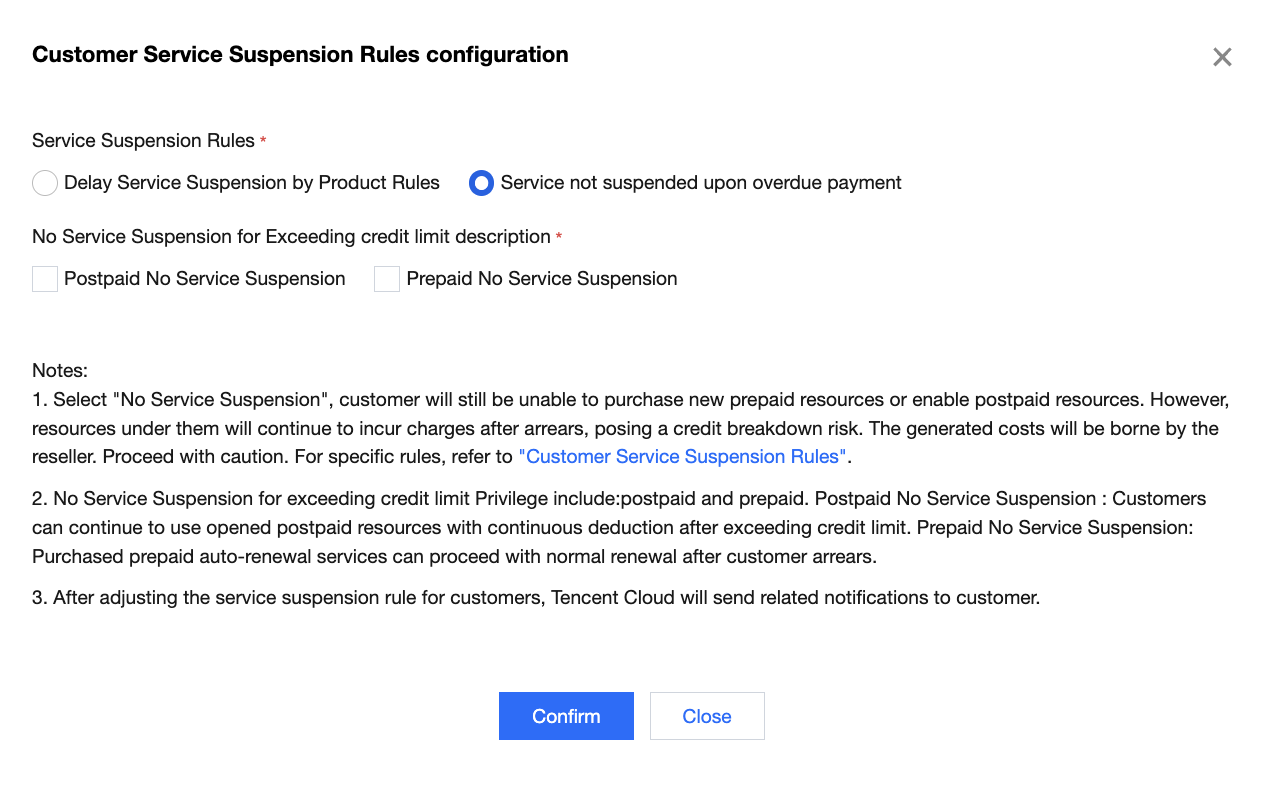
3. No Service Suspension (Postpaid, Prepaid)
When the sub-customer's available credit limit < 0
Account enters arrears status and is unable to purchase new resources.
If postpaid uninterrupted service during arrears is configured, customer will still be unable to enable new postpaid resources. However, resources under them will continue to incur charges after arrears, posing a credit breakdown risk. The generated costs will be borne by the reseller.Proceed with caution.
If prepaid uninterrupted service during arrears is configured, the purchased prepaid resources will be automatically renewed, and they can still be renewed normally after exceeding credit limit.
Service Suspension Rules Configuration
Note:
Service suspension policy will take effect after the customer enters arrears status.
Note: Some customer had contacted sales to configure the uninterrupted service privilege during arrears before the feature release. Therefore, these customer will show as "No Service Suspension" in your customer management service suspension policy. Contact the business manager if you have any questions.
1. Log in to the Tencent Cloud official website with a partner account and enter the partner center console.
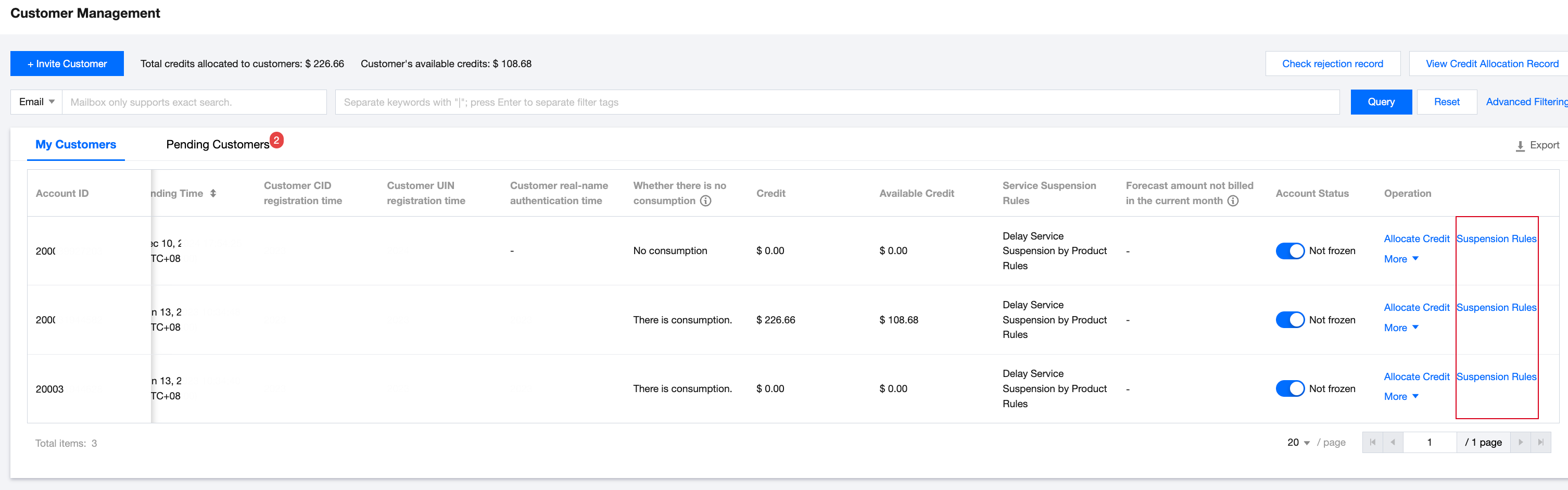
2. In the left sidebar select Customer > Customer Management, enter the My Customers webpage, and click Service Suspension Policy in the list operation column.
3. In the configuration pop-up window, you can update the service suspension policy.
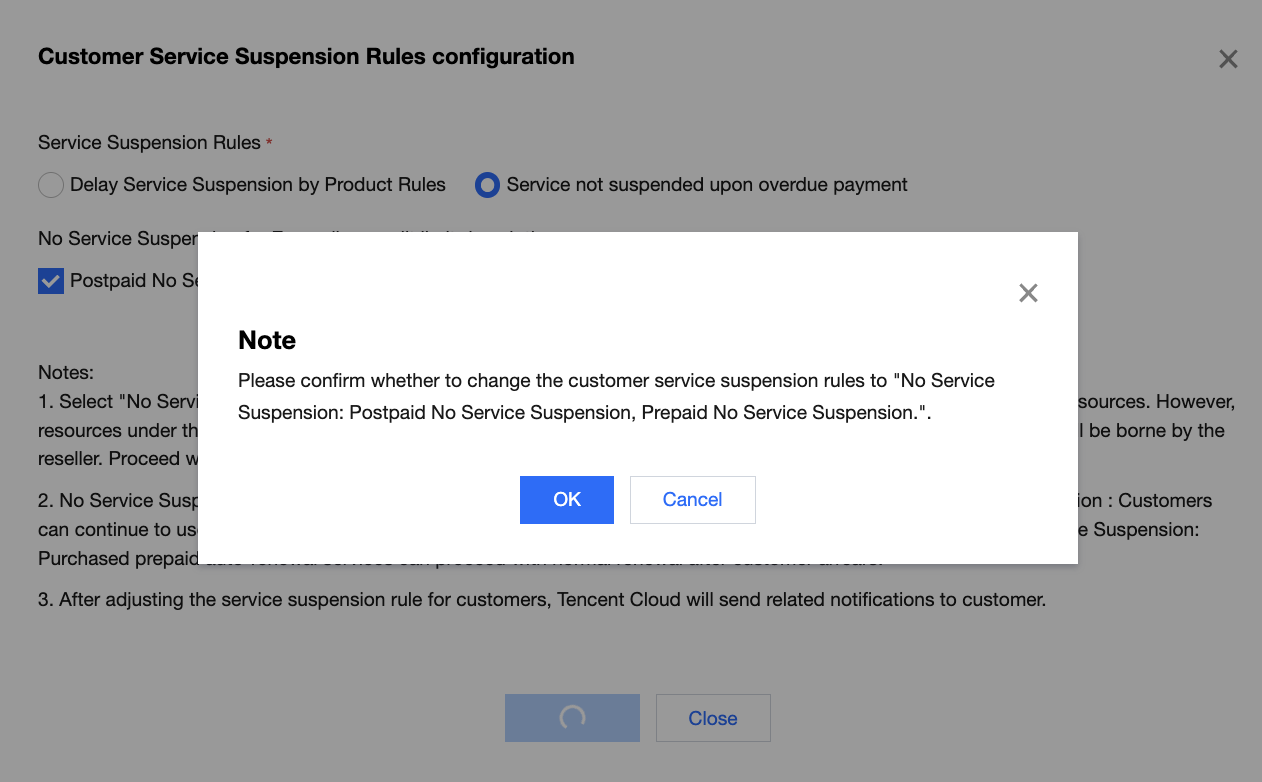
4. After configuration, click Confirm. The system will pop up a prompt again. Click Confirm to complete the configuration.
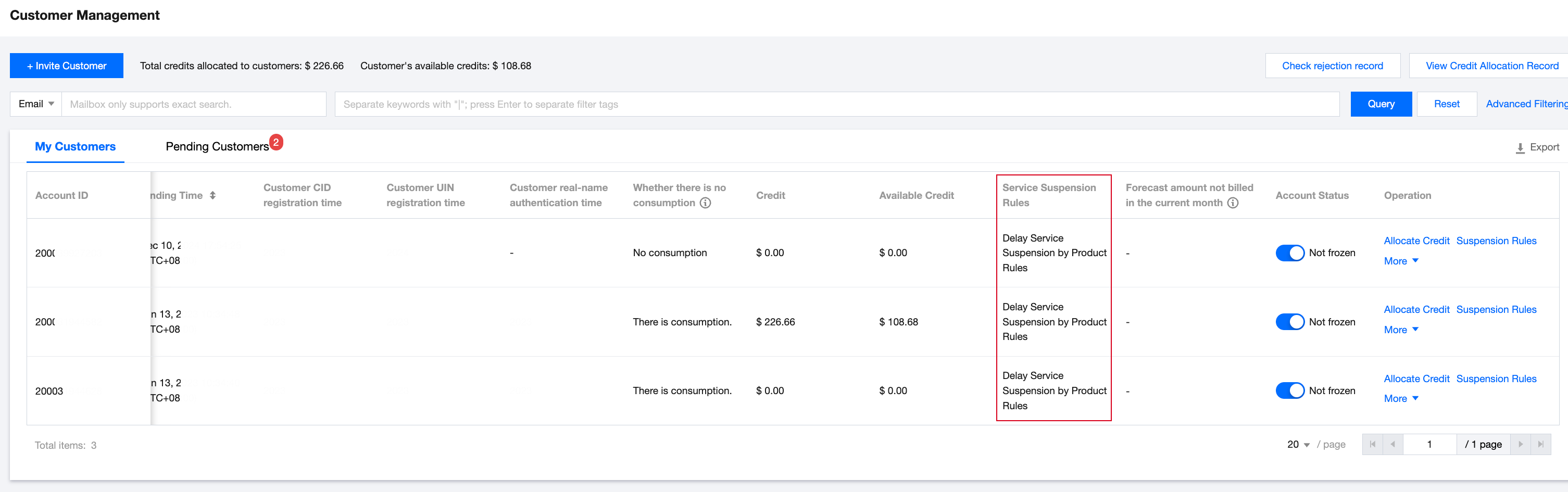
5. Upon completion, you can view your sub-customer's current configuration under "Overdue Service Suspension Policy" on the list page.
フィードバック