Viewing Consumption Details
Download
フォーカスモード
フォントサイズ
You can choose Billing Center > Bill Management to view the billing details of your TDMQ for RocketMQ clusters. This helps you understand their usage and billing information during a specific period.
Bill Reporting Cycles
Yearly/monthly subscription clusters:
After you complete the payment for a yearly/monthly subscription cluster, the system reports a bill to Billing Center in real time for settlement.
If the configuration of a subsequent yearly/monthly subscription cluster changes, the system also reports a bill to Billing Center in real time.
Postpaid by hour clusters:
After you purchase a pay-as-you-go cluster, the system allocates relevant cluster resources to you. Bills are generated on an hourly basis, regardless of whether you actually use the cluster and its resources.
Charges for pay-as-you-go clusters are calculated on an hourly basis, with usage under one hour billed as a full hour.
Fees are automatically deducted from your account balance on a daily basis. Specifically, the bill for each day's service usage is generated and pushed the next day, with the corresponding amount deducted from your account balance.
Viewing Bills
1. Log in to the TDMQ for RocketMQ console.
2. In the upper-right corner of the page, move the pointer over Billing Center and click Billings in the drop-down list to go to Billing Center.
3. Choose Billings > View bills > Bill Overview to view the consumption overview of all resources under your account.
4. Choose Billings > View bills to view the consumption records of each product under your account within their respective billing cycles. For more bill viewing operations, refer to the documentation guide.
Note:
Resource ID bills are generated on the first day of the following month. Data of resource ID bills may be delayed, and query results are for reference only. For real-time billing data, view detailed bills.
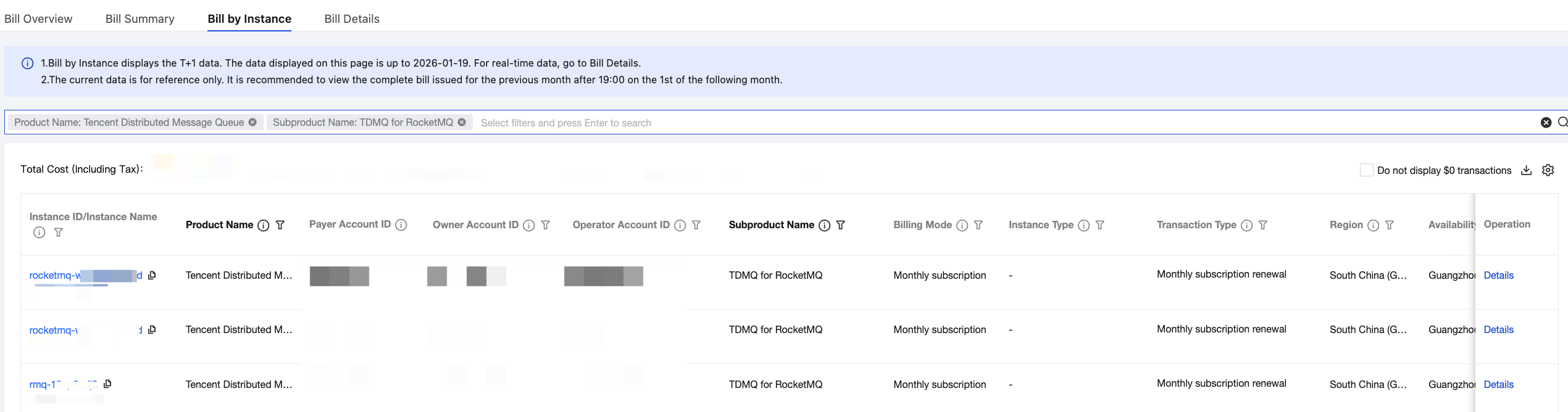
Bill by Instance: On the Bill Details page, select the Bill by Instance tab, select Tencent Distributed Message Queue for Product Name, and then select TDMQ for RocketMQ for Sub-product Name. Then, you can view the consumption details of each cluster. Click Details in the operation column to view detailed billing information for the cluster.
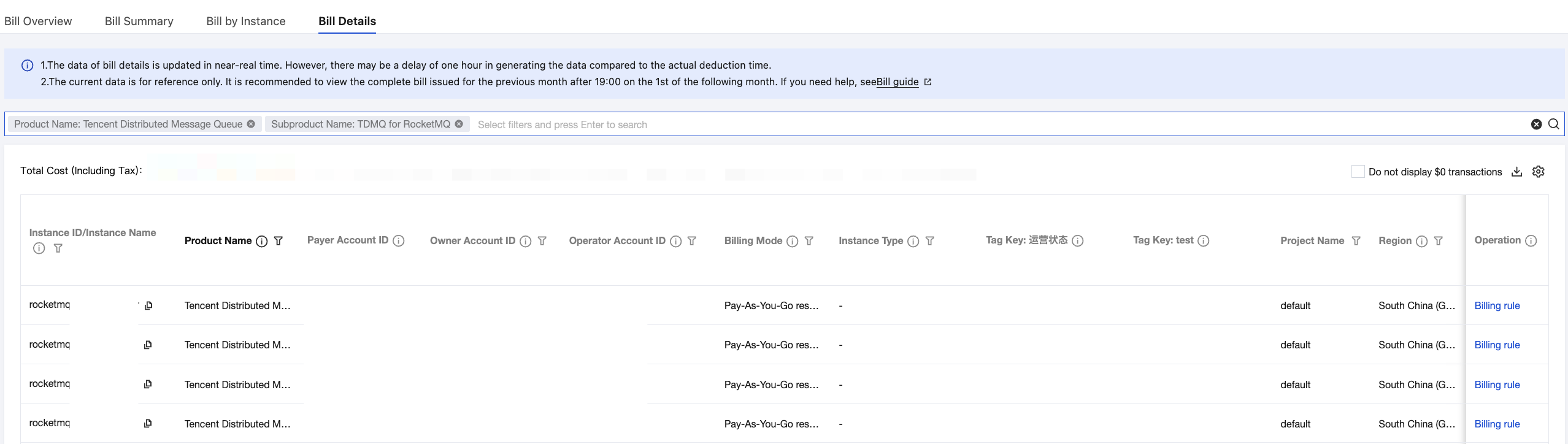
Bill Details: On the Bill Details page, select the Bill Details tab, select Tencent Distributed Message Queue for Product Name, and then select TDMQ for RocketMQ for Sub-product Name. Then, you can view the cost details for each billable item of each cluster during the billing cycle.
フィードバック