Sending verification codes through SMS is the most popular and securest way to verify user identities. Currently, SMS verification codes are widely used in various application scenarios such as user registration, password reset, login protection, identity verification, random password generation, and transaction confirmation.
This document uses developing a verification code-enabled login and signup service based on SCF as an example to describe how to implement the SMS verification code feature.
In addition to SCF, you can also use the SendSms API for this purpose.
Prepare SMS signature owner qualification certificates. For detailed file list and specifications, please see the signature review standards.
This document takes a business license as a qualification certificate for example.
After an SMS signature or body template is submitted, it will be reviewed within two hours generally. You can configure alarm contacts and set template/signature review notifications to receive review result notifications.
Your signup verification code is {1}. Please enter it within {2} minutes. If the signup was not initiated by you, please ignore this message.
4. Click OK.
Wait for body template review. The body template will be available only after its status changes to approved. Please note down the template ID.
Step 2. Set the SMS delivery rate limit (optional)
Note:
Individual users have no permission to modify the rate limit. To use this feature, change "Individual Identity" to "Organizational Identity". For detailed directions, see Identity Verification Change Guide.
To ensure business and channel security and minimize potential financial losses caused by malicious calls of SMS APIs, we recommend you set the SMS delivery rate limit.
This document uses the default SMS delivery rate limit policy as an example.
For SMS messages with the same content, a maximum of one such message can be sent to the same mobile number within 30 seconds.
A maximum of 10 messages can be sent to the same mobile number on a calender day.
Step 3. Configure the VPC and subnet
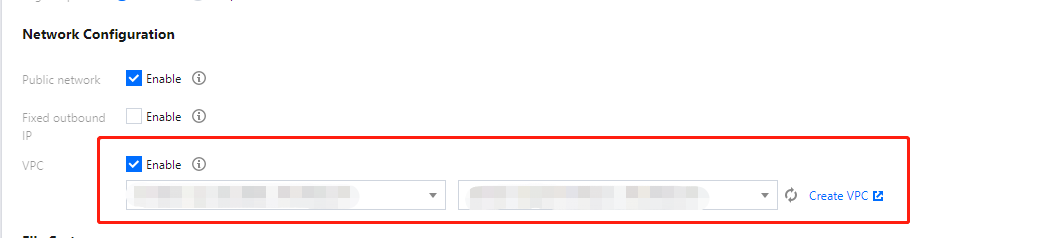
By default, SCF is deployed in the public network and can access public network only. If you need to access Tencent Cloud resources such as TencentDB instances, you need to build a VPC to ensure data and connection security.
SCF currently supports development in Python, Node.js, PHP, Java, and Go. This document uses Node.js as an example.
1. Create a function in the region of the VPC created in step 3. For detailed directions, please see Writing Function.
Parameter
Sample Value
Function name
Demo
Runtime environment
Node.js 8.9
Creation method
Template function: helloworld
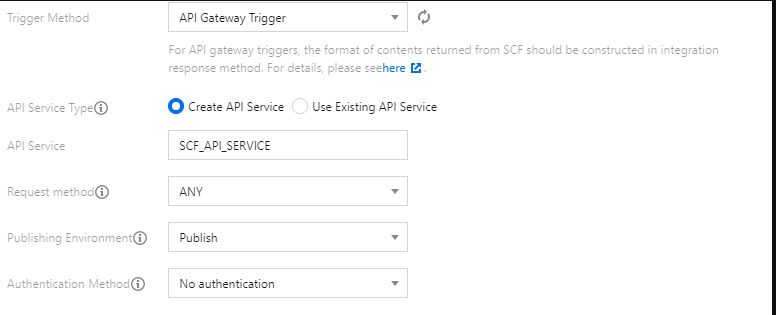
2. Deploy the function and set API Gateway Trigger as the trigger. For detailed directions, please see Deploying Function.
Step 6. Enable public network access (optional)
Functions deployed in a VPC before April 29, 2020 are isolated from the public network by default. If you want them to have access to both private network and public network, you can do so by enabling public network access.
Log in to the SCF console, select Function Service, click the name of the target function in the function list to enter the function configuration page. Click Edit, check Public Network Access, and click Save to save the configuration.
Functions deployed on or after April 29, 2020 have public network access enabled by default, and no additional operations are required.
Step 7. Deploy the SMS demo
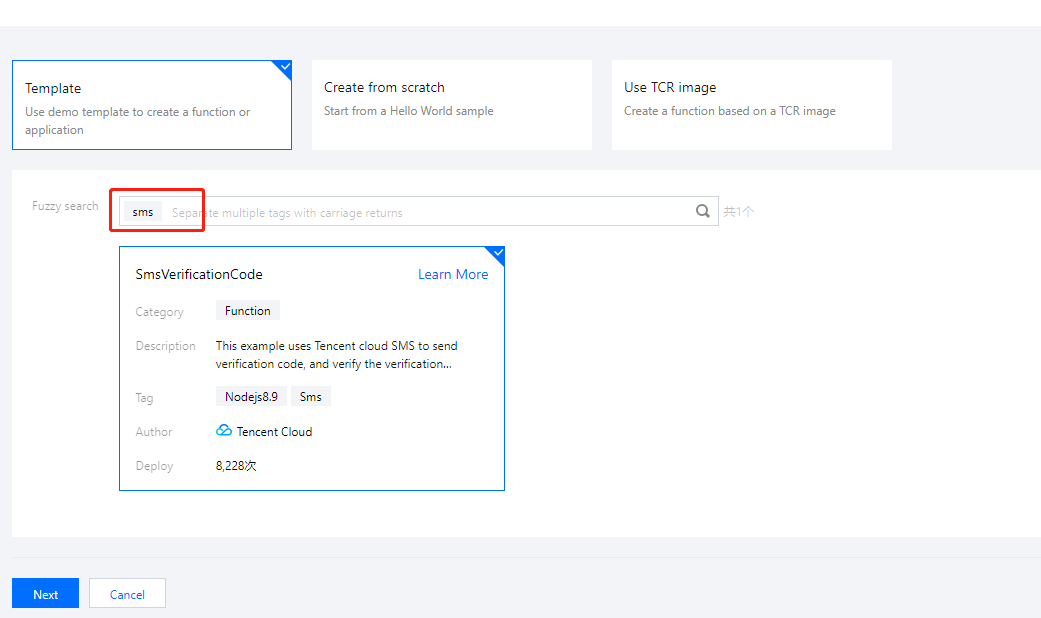
1. Go to the SCF console and select the SMS demo to deploy it.
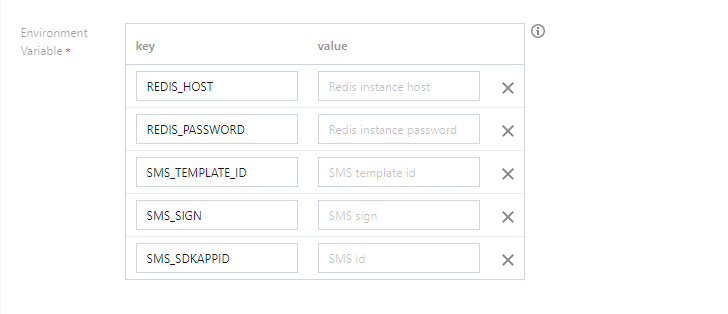
2. Set the environment variables of the demo in Advanced Configuration.
Field
Description
REDIS_HOST
Redis database address.
REDIS_PASSWORD
Redis database password.
SMS_TEMPLATE_ID
Template ID. You must enter the ID of an approved template, which can be viewed in the SMS console.
SMS_SIGN
Content of the SMS signature, which should be encoded in UTF-8. You must enter an approved signature, which can be viewed in the SMS console. Note: this parameter is required for Chinese Mainland SMS.
SMS_SDKAPPID
SMS SdkAppid actually generated after an application is added in the SMS console, such as 1400006666.
3. Set the same VPC environment as the Redis database in Advanced Configuration.
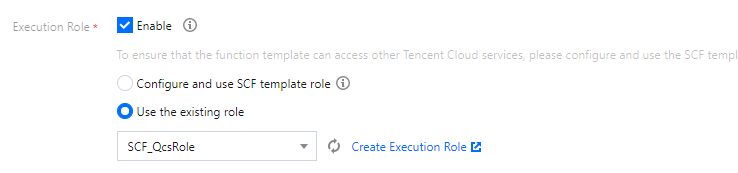
4. Set the permissions of SCF execution role in Advanced Configuration.
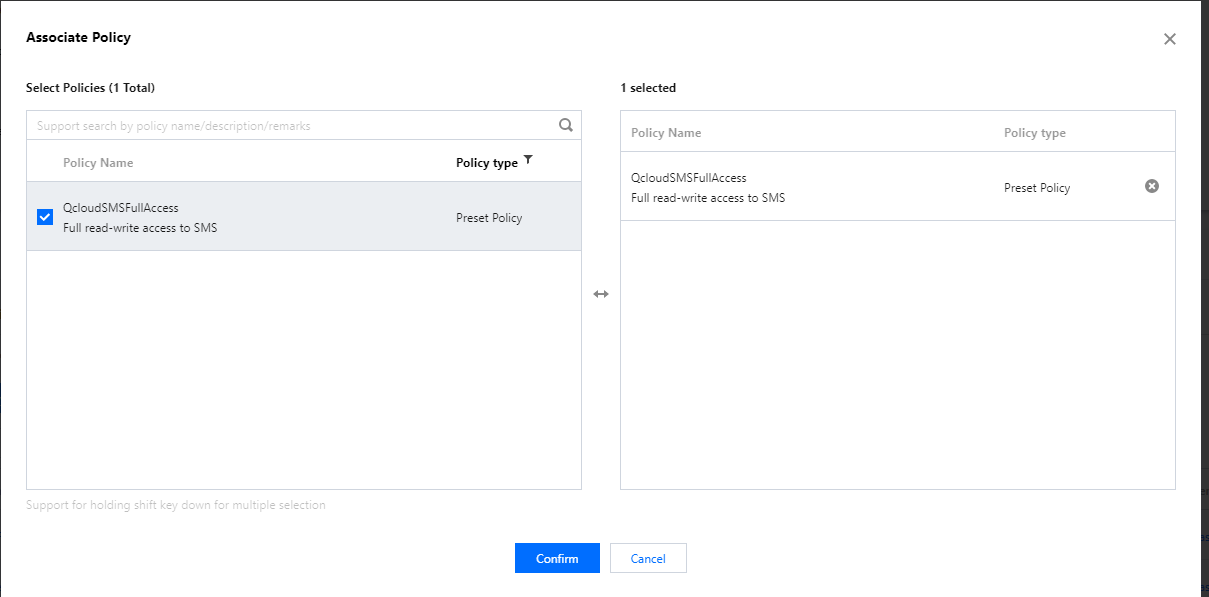
You need to associate the QcloudSMSFullAccess policy with the SCF_QcsRole role in the CAM console.
In this way, the ``TENCENTCLOUD_SECRETID, TENCENTCLOUD_SECRETKEY, and TENCENTCLOUD_SESSIONTOKEN` environment variables can be obtained in the code, which will be used by the SMS SDK.
5. Click Complete to deploy the function.
6. Create an SCF API Gateway trigger and request the trigger address to use SMS capabilities.
Step 8. Use the features
Verification codes have a high requirement for timeliness. You can store verification codes in the memory or TencentDB for Redis and use the mobile number as a key to store information such as sending time, verification code, number of verification attempts, and verification result.
Features
Sending SMS verification code
Request parameters:
Field
Type
Description
method
string
Request method, whose value is getSms
phone
string
Mobile number in the format of area code + mobile number, such as 86185662466**
Verifying verification code (login)
Request parameters:
Field
Type
Description
method
string
Request method, whose value is login
phone
string
Mobile number in the format of area code + mobile number, such as 86185662466**
code
string
6-digit verification code
Error codes
Field
Description
InValidParam
Missing parameter
MissingCode
Missing verification code parameter
CodeHasExpired
The verification code has expired
CodeHasValid
The verification code is invalid
CodeIsError
Please check whether the mobile number and verification code are correct
If you have any questions, contact SMS Helper for assistance.