OBS includes WHIP support, which allows you to do many interesting things by combining the powers of both OBS and WHIP.
WHIP is a standard protocol that lets you use HTML5 and different clients to publish and play live streams. Plus, you can use open-source tools to build your own live streaming platform.
You can also use TRTC (Tencent Real-Time Communication) cloud services with OBS WHIP support for a streaming platform. This is a great option if you don't want to build your own platform or need a more reliable and stable platform with dedicated support.
Additionally, TRTC (Tencent Real-Time Communication) provides a free trial that includes a specific amount of streaming time, making it super easy for you to try out.
If you need help or run into any problems, don't hesitate to contact us on Discord.
Prerequisites
Before you move forward, double-check that you've got these necessary items ready:
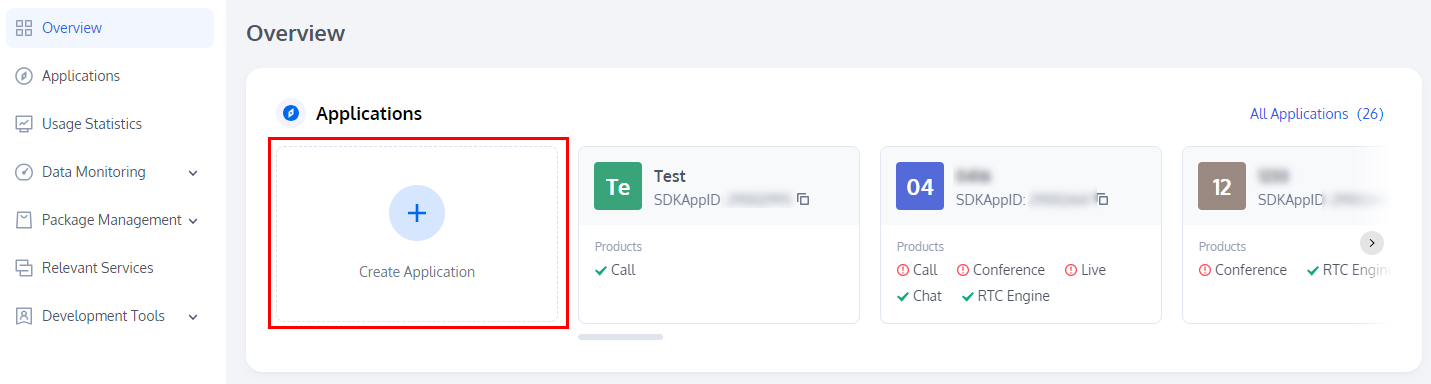
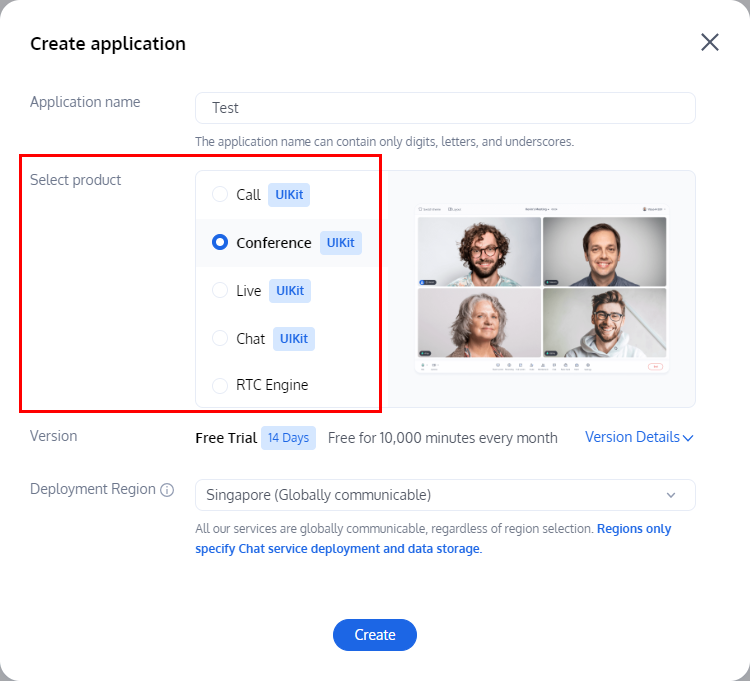
2. In the creation pop-up, based on the actual business needs, select a product and enter the application name, select the Data Storage Region, and click Create.
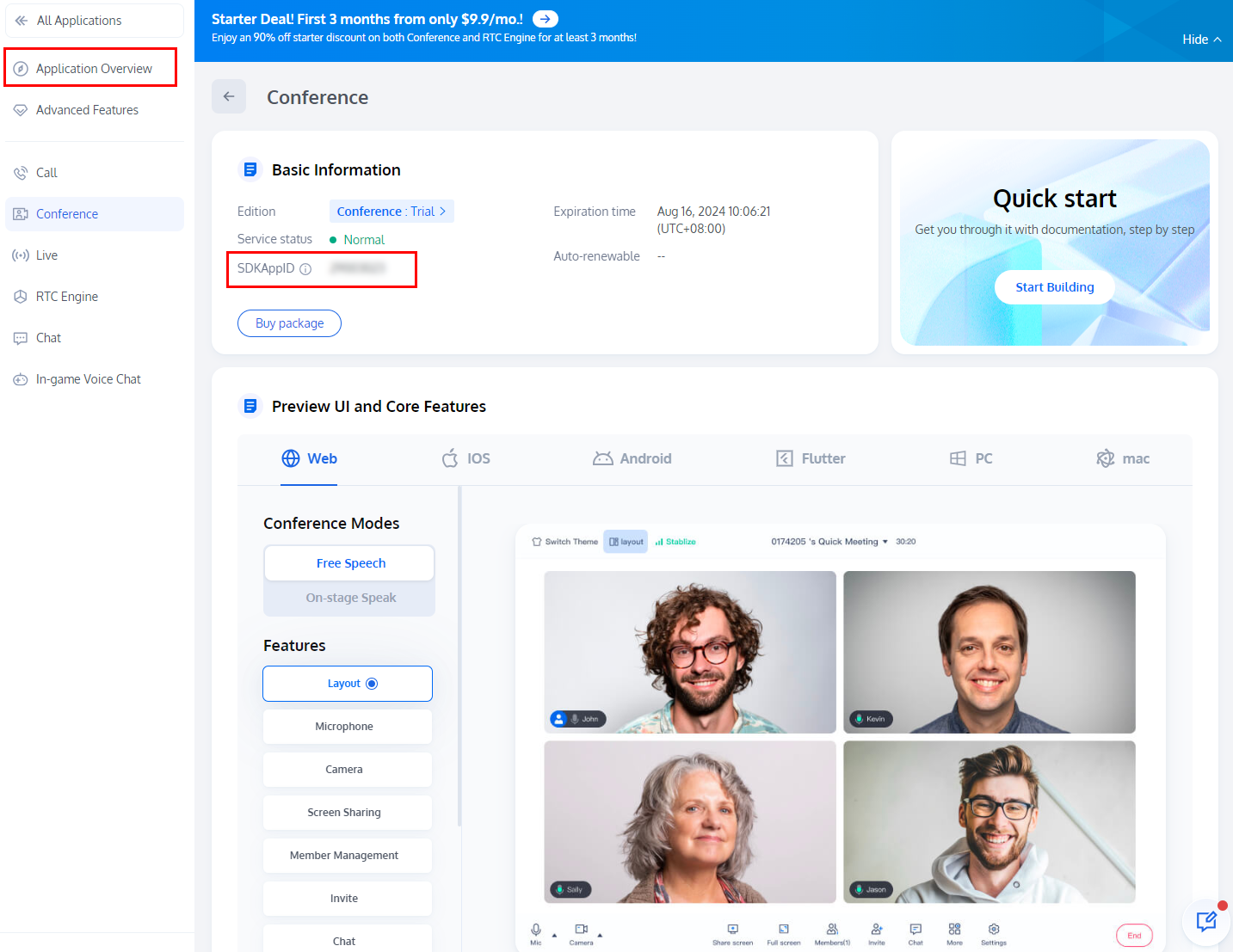
3. After completing the application creation, you will automatically enter the application details page of the selected product. You can view the SDKAppID and SDKSecretKey in the Application Overview, which will be used in subsequent steps.
Step 2: Create a Bearer Token for WHIP
Following that, you must generate a Bearer Token for WHIP, which will be utilized in OBS.
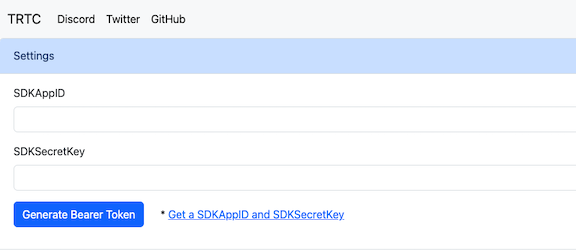
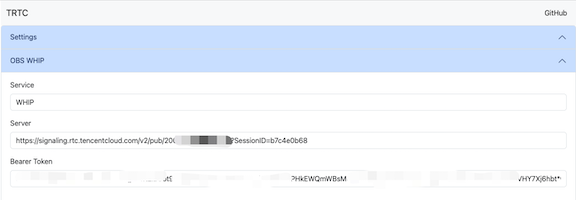
You can directly visit https://tencent-rtc.github.io/obs-trtc/bearer.html to create a WHIP Bearer Token. Ensure that use the AppID with your own SDKAppID and secret with your own SDKSecretKey, then click the Generate Bearer Token button.
Note:
You can also access the url https://tencent-rtc.github.io/obs-trtc/bearer.html?appid=2000xxx&secret=yyyyyy to setup the parameters.
Next, use the generated WHIP Bearer Token to configure OBS.
Step 3: Configure OBS
In the OBS WHIP section, you will find the generated WHIP Server and Bearer Token for configuring OBS.
Please follow the steps below to configure OBS:
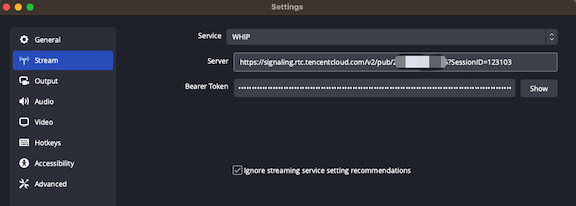
1. Open OBS and click Settings.
2. Click Stream on the left sidebar.
3. Select WHIP for Service.
4. Make sure to input the Server and Bearer Token accurately.
5. Click OK to save the settings.
6. Click Start Streaming to start.
At this point, the stream is streaming to the TRTC service.
Step 4: Play the stream
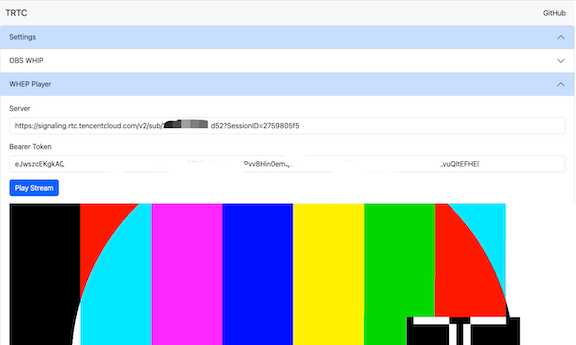
Open the previous webpage, go to the WHEP Player section, and click Play Stream to play the stream via WHEP.
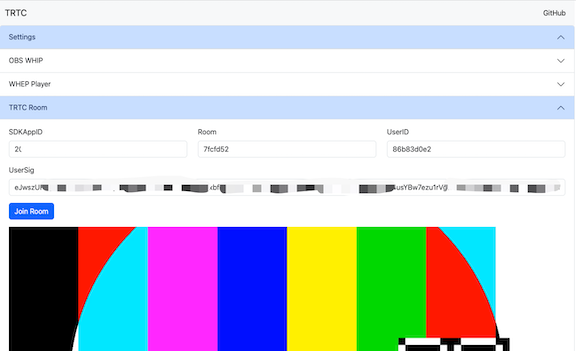
Another option is to go to the TRTC Room section, and click Join Room to access the TRTC room and watch the stream via TRTC, or you can utilize the TRTC mobile SDK to join the room and view the stream.
Since both WHIP and WHEP are standard protocols, you can utilize any client that supports them to play the stream.
Conclusion
We looked into using TRTC (Tencent Real-Time Communication) cloud services to make a stronger streaming platform and the steps needed to create a TRTC app with OBS WHIP help. These tools make it easier to organize and provide real-time live streaming experiences for different situations, with the power of OBS.
If you require assistance or encounter any difficulties, please feel free to reach out to us via Discord.