Live Gift Component(Web Vue3 Desktop Browser)
ダウンロード
フォーカスモード
フォントサイズ
This guide shows you how to integrate the LiveGift component from TUILiveKit into your React web application for desktop browsers.
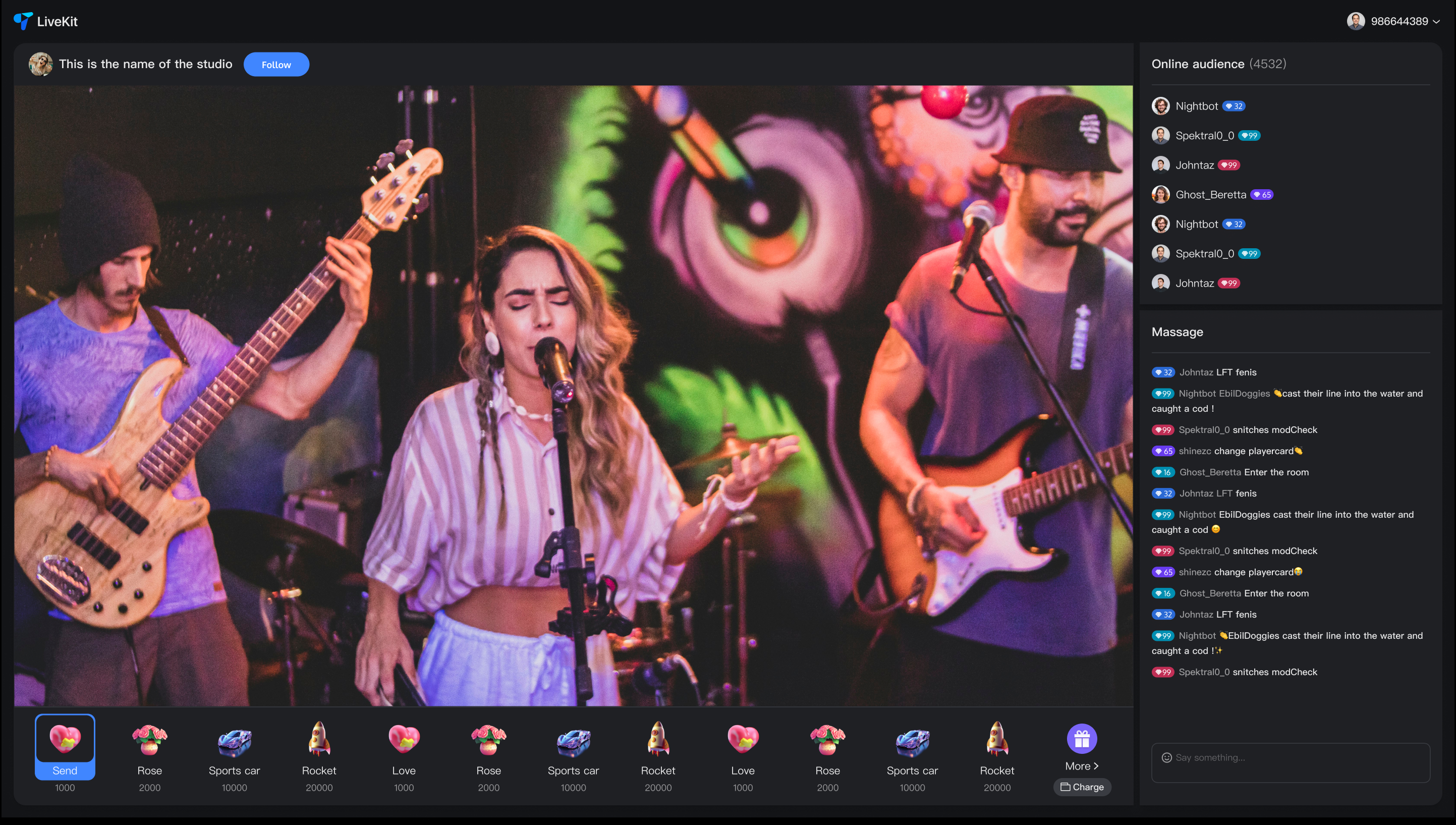
Core Features
Feature | Description |
Gift List | Displays your configured gift list. Click "More" to view the complete catalog. |
Gift Sending | Selects a gift from the list and click to send. Sent gifts appear as messages in the chat. |
Gift Playback | Supports SVG 2D, SVG 3D, and MP4 video formats. 3D gifts can play in full-screen mode. |
Integration Steps
Step 1: Prerequisites
Before integrating the LiveGift component, you need to refer to Preparation to complete TUILiveKit integration.
Note:
To use the gifting system, activate either the Free Trial, or Pro edition. The number of configurable gifts depends on the selected package. For details, see the Gift System section in Feature and Billing Description and choose the package that fits your needs.
Step 2: Install Dependencies
npm install tuikit-atomicx-vue3 @tencentcloud/uikit-base-component-vue3 --save
pnpm add tuikit-atomicx-vue3 @tencentcloud/uikit-base-component-vue3
yarn add tuikit-atomicx-vue3 @tencentcloud/uikit-base-component-vue3
Step 3: Integrate Live Gift Component
Import and use the LiveGift component in your project. The example below demonstrates how to implement the gift list, gift sending, and 3D gift playback features.
<template><div class="gift-panel"><LiveGift /></div></template><script setup lang="ts">import { LiveGift } from 'tuikit-atomicx-vue3';</script><style lang="scss" scoped>.gift-panel{padding: 6px 0;border-top: 1px solid var(--stroke-color-primary);background-color: var(--bg-color-operate);display: flex;&.disabled {pointer-events: none;opacity: 0.5;cursor: not-allowed;}}</style>
Next Steps
After completing the UI integration above, you've implemented the client-side gift display functionality. To build a complete commercial gift feature, refer to the Gift System Backend Integration and Advanced Features guide to implement the following core business logic:
Custom Gift Configuration: Upload custom gift icons and animation files via server-side API and set prices.
Gift Deduction Callback: Configure a callback URL to forward gift requests to your billing backend for balance verification and deduction.
PK Score Integration: In host PK scenarios, convert gift values to PK scores in real-time.
Analytics: Access gift-sending records, total values, and other operational data.
Upgrade Animation SDK: If SVGA doesn't meet your needs, integrate an advanced player that supports MP4/PAG and other high-definition transparent animations.
フィードバック