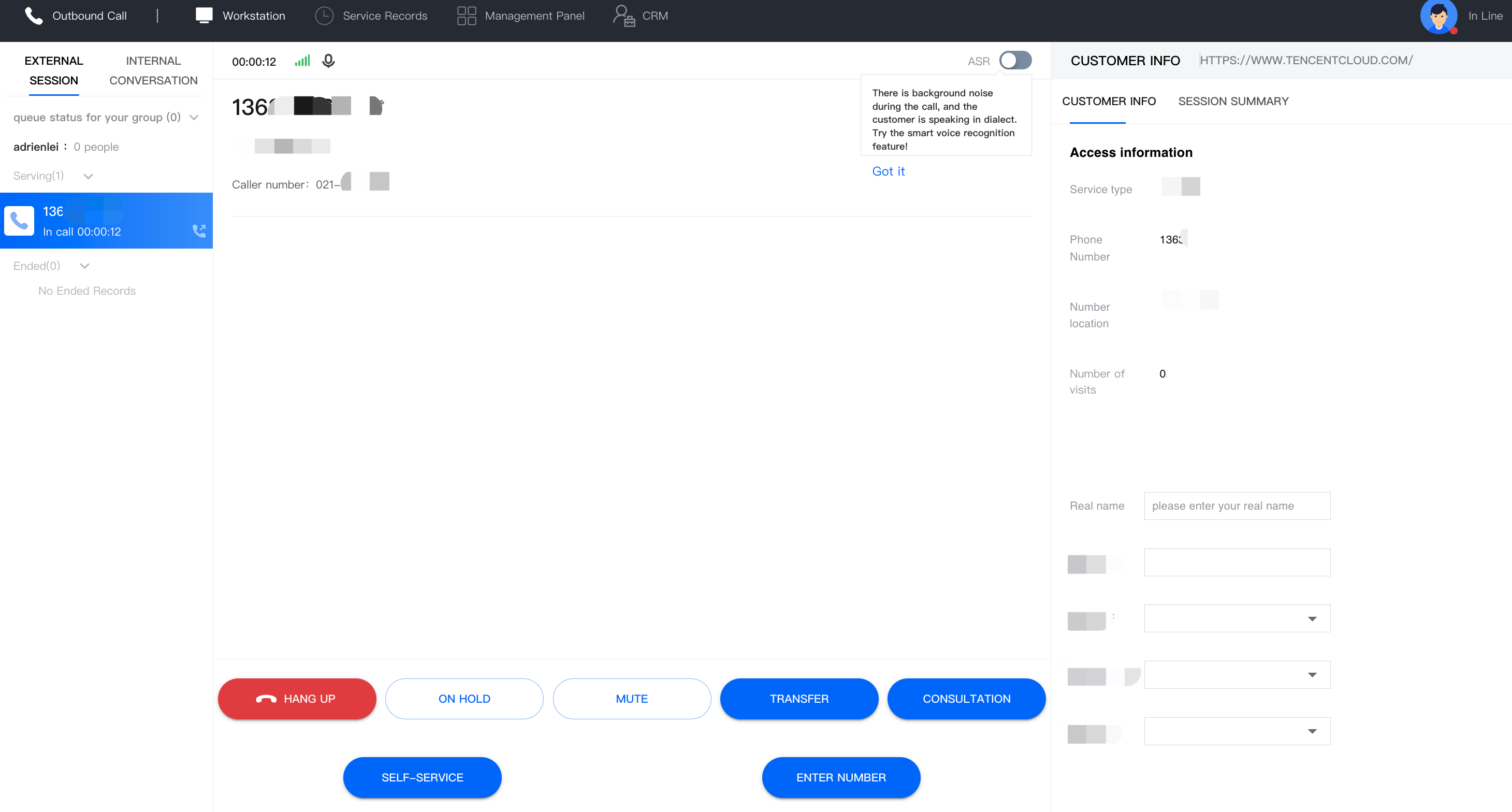
Cloud Contact Center offers a variety of call features that agents can use during a call.
Feature Name
Description
Hang Up
Hangs up the current call.
On Hold/Call Retrieval
Allows agents to click On Hold during the call with the user, causing the user to hear the hold prompt but not the agent's voice. Agents can click Call Retrieval to return to normal call.
You can set the On Hold feature in the management console.
Mute/Unmute
Allows agents to click Mute during the call with the user, so that the user cannot hear the voice of the agent. Click Unmute to return to normal call.
Transfer to Skill Group
Allows agents to click Transfer to Skill Group during the call to transfer the call to a specific skill group for answer. The corresponding call data and user information can be transferred with the call synchronously.
Transfer to Agent
Allows agents to click Transfer to Agent during the call to transfer the call to a specific agent for answer. The corresponding call data and user information can be transferred with the call synchronously.
DTMF Collection During Call
Allows agents to select the number collection template configured by the administrator during the call, play the prompt tone, and collect the number string entered by the user (such as ID card number, order number, etc.). After the number string is collected, it will be returned to the callback address specified by the enterprise in advance.
You can set the collection feature in the management console (premium feature).
Entering Extension Number
Allows agents to enter the extension number after making an outbound call.
Transfer to External Line
Allows agents to click Transfer to External Line during the call to transfer the call to a third-party number for answer. The corresponding call data and user information can be transferred with the call synchronously.
Self-Service
Allows agents to directly initiate the created self-service process during a call.
Administrators can create self-service in the management console (premium feature).
Callback Number
Allows agents to click Redial to make an outbound call to the user after the call is over. This is generally used in scenarios where the agent needs to contact the user again after the call ends when the contact number is protected.
Add to Blocklist
Allows agents to add a user to the blocklist after the call is over, so that subsequent calls from this user will not be answered. You can go to the management console to remove the user from the blocklist in General Settings - Blocklist.