This document will guide you on how to use the VOD Real-Time Log Analysis function to deliver VOD CDN logs to the Cloud Log Service(CLS) product to achieve comprehensive log analysis services such as log collection, log storage, and log retrieval.
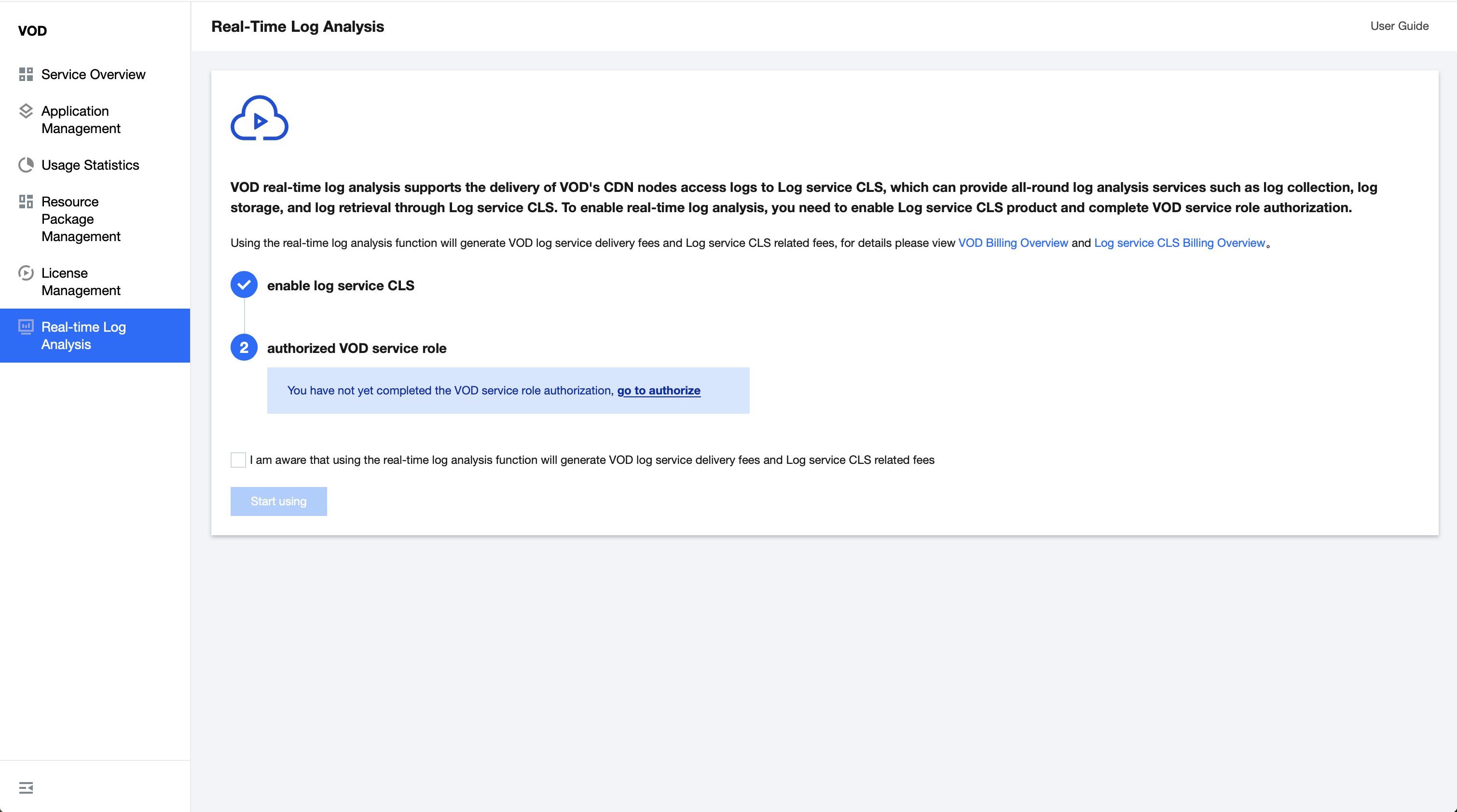
Step 1: Activate the VOD Real-Time Log Analysis function
1. Log in to the Cloud VOD console, click Real-time Log Analysis in the left menu bar, and enter the real-time log analysis page.
2. Activate the Cloud Log Service(CLS) product.
3. Authorize VOD service role
4. Check to know that using the Real-Time Log Analysis function will produce corresponding expenses
5. Click Get Started.
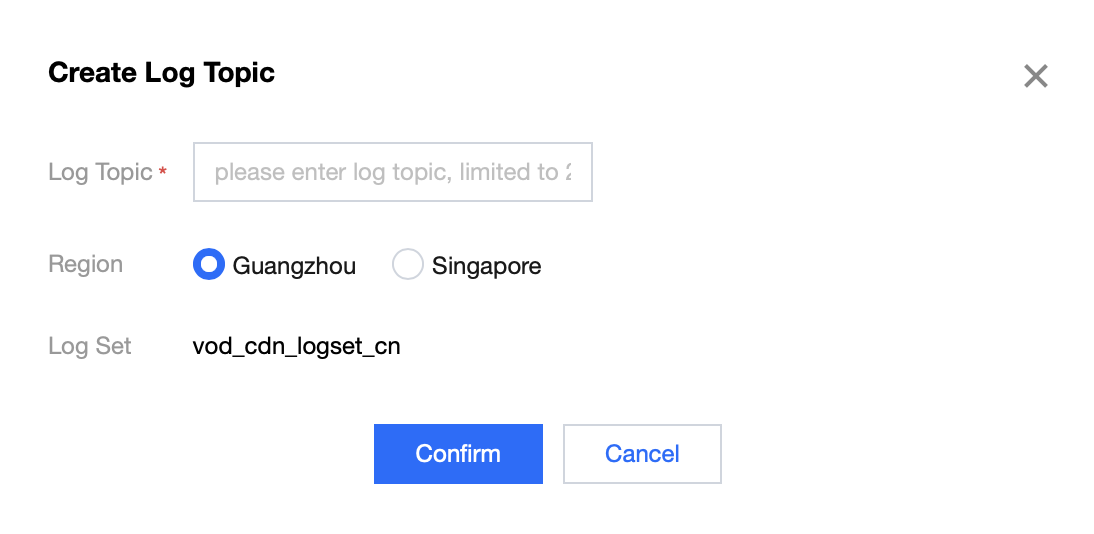
Step 2: Create a Log topic
1. Click Log Management.
2. In the log management pop-up window, click Create Log Topic.
3. Enter the Log Topic and select the Region.
4. Click Confirm to complete the creation of the Log Topic.
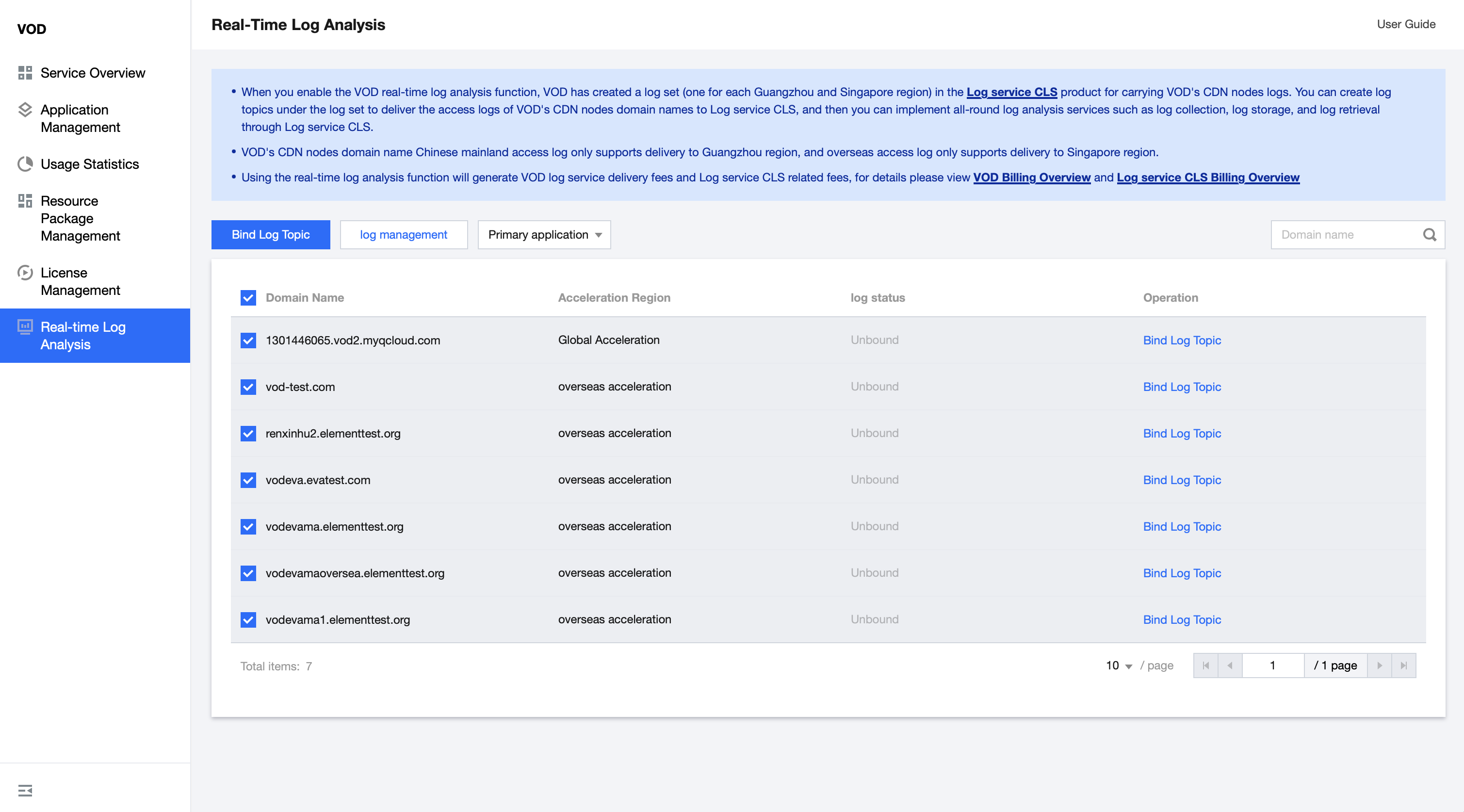
Step 3: Bind the log topic
1. Select the VOD application that needs to be bound.
2. Select a domain name.
3. Click Bind Log Topic to support batch selection of domain names to bind log topics in batches (only one log topic is supported in the same region).
4. After binding the log topic, you can start the Real-Time Log Analysis service.
Other Instructions
Log Set
Log Set(Logset) is the project management unit of Tencent Cloud Log Service(CLS). It is used to distinguish logs from different projects. One log set corresponds to a collection. When you activate the VOD Real-Time Log Analysis function, VOD will create a log set (one each for Guangzhou and Singapore) for you to carry VOD CDN logs in the CLS product.
Log topic
Log topic(Topic) is the basic management unit of Tencent Cloud Log Service(CLS). A log set can contain multiple log topics.
A VOD acceleration domain name can only be bound to one log topic in the same region.
The default log retention time is 30 days. If you need to modify it, you can go to the CLS product to edit the corresponding log topic and modify the log retention time.
Log delivery
After binding a log topic to the VOD acceleration domain name, VOD will deliver the access log of the acceleration domain name to the corresponding log topic.
Disabling the CLS
If you decide to stop using CLS, you can avoid any further billing by permanently deleting all of your CLS resources such as log topics. There is no need to de-register your account, and if you use other Tencent Cloud products, avoid doing so as it will affect your other services. For more details, you can read this article: Cleaning up CLS resources.