Creating an Account
Baixar
Modo Foco
Tamanho da Fonte
Before the instance is used, the database account must be created.
Operation Steps
1. Log in to the TDSQL Boundless console, in the Instance List, click Instance ID or Operation in the Manage column, and go to the Instance Management page.
2. Select the Account Management tab and click Create Account.

3. In the Create Account pop-up window, configure the following information, and click OK.
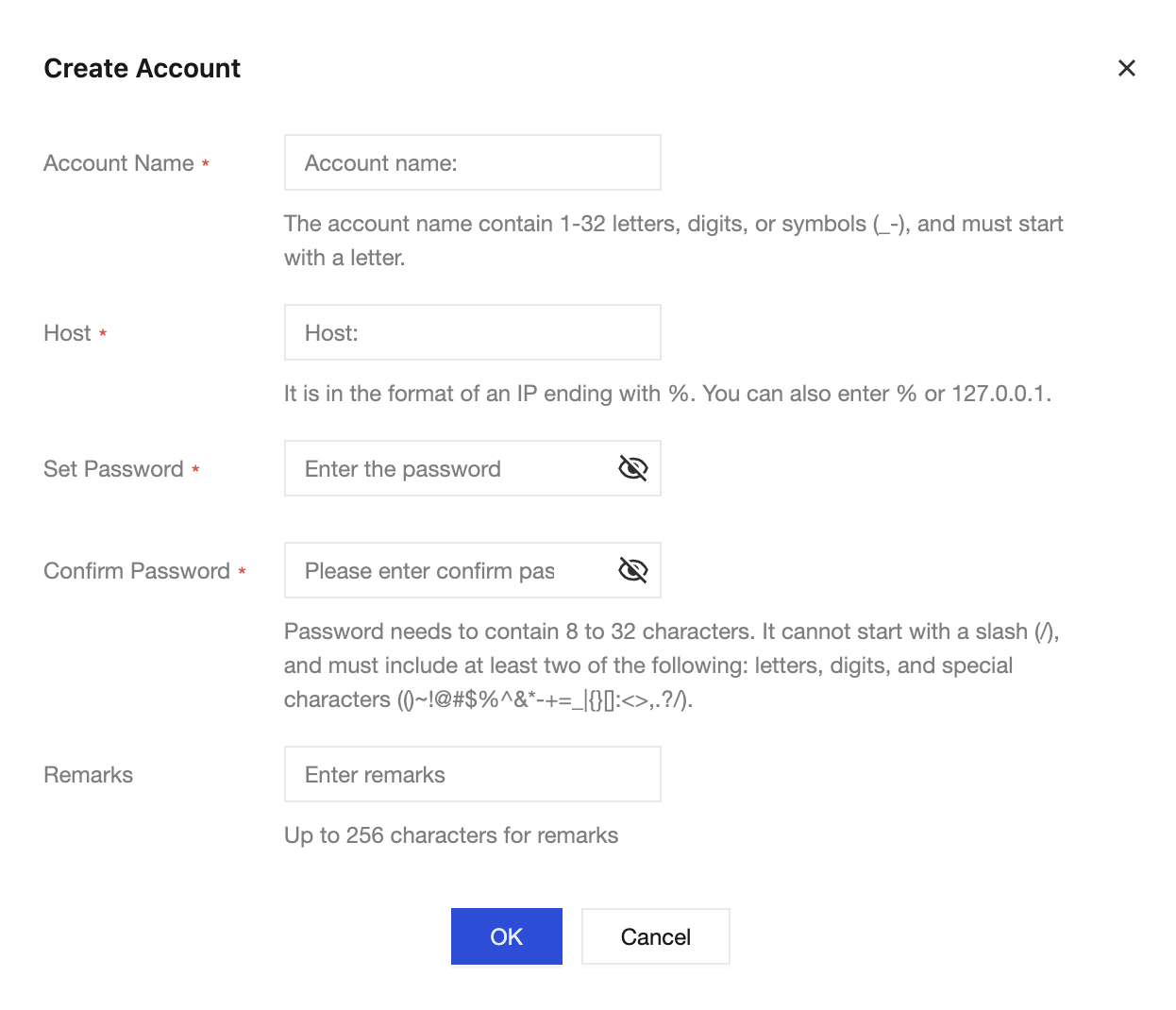
Parameter | Description |
Account Name | The account name must be between 1 and 32 characters. Consist of letters, numbers, or special characters _-.Must start with a letter. |
Host | Specify the host address to access the database, which supports IP addresses or ranges of IP addresses. Single IP address: such as 10.10.10.10.IP address range: Use % at the end to represent an IP address range. For example, 10.10.10.% (allowing access from 10.10.10.1 to 10.10.10.254 for IP addresses of all hosts).All IPs: Use a single % to allow all IP addresses.Note: Entering % in the host field may lead to security risks to the account, such as malicious connections, brute force attacks, and other risks. It is recommended to specify specific host addresses to access the database. |
Set Password | 8 to 32 characters, cannot start with /, and must contain at least two types of the following: letters, numbers, and special characters ()~!@#$%^&*-+=_|{}[]:<>,.?/. |
Confirm Password | Re-enter the password. It must match the first entry. |
Remarks | Add remarks to the account, with a maximum of 255 characters allowed. |
4. After a database account is created, you can manage it (such as modify permissions, reset passwords, modify accounts, and so on) in the account list.
Ajuda e Suporte
Esta página foi útil?
Você também pode entrar em contato com a Equipe de vendas ou Enviar um tíquete em caso de ajuda.
comentários