Hands-On as the Bridge: How AI Agents Take Root in Real Workflows
Hong Kong AI Hacker Garage · Hello Agent — Live from the Floor
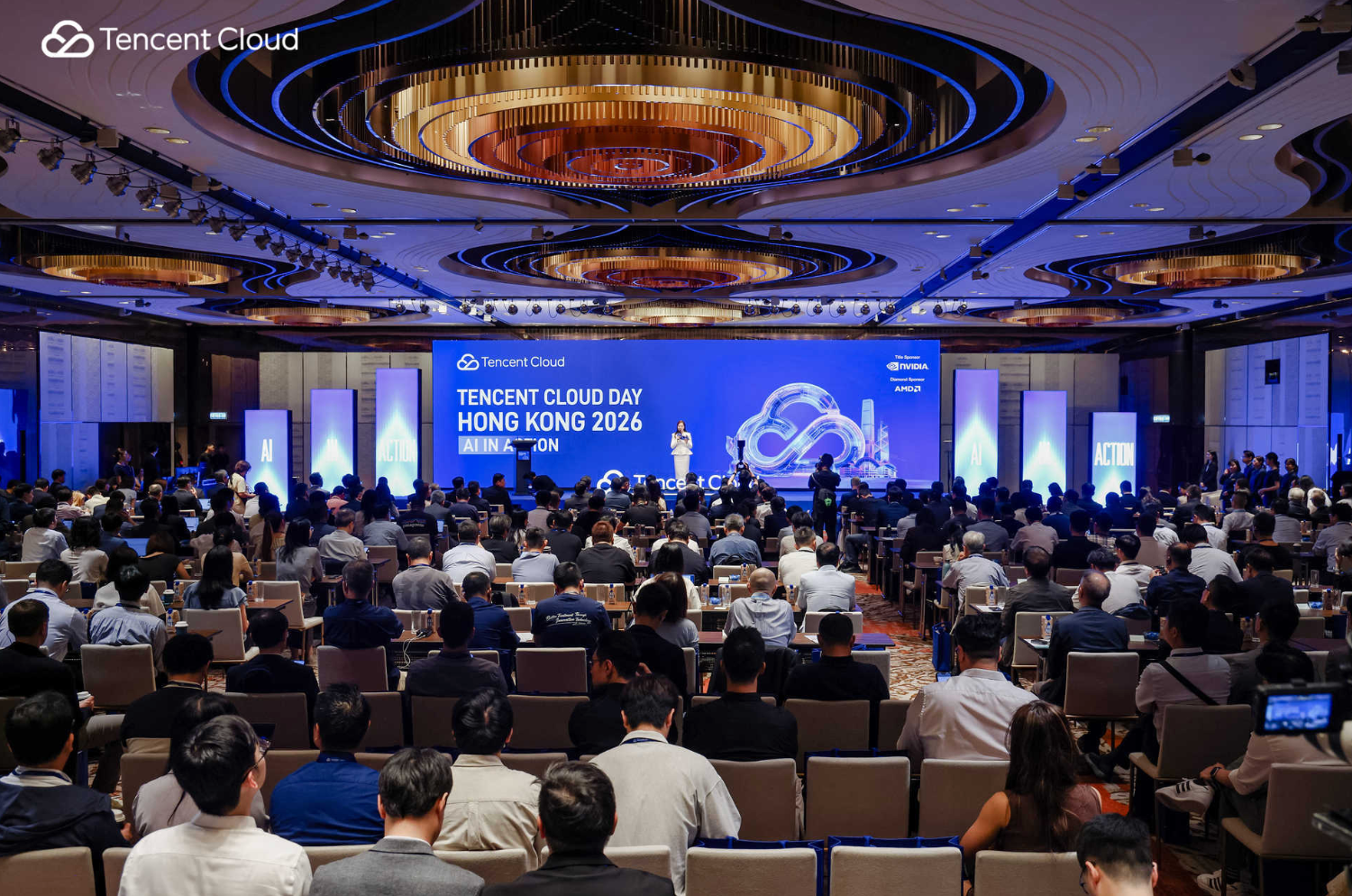
Before We Start
Where does technology actually stop being a slide and start being something you can use? Let's frame it with a simple question: can a single developer—between lunch and afternoon coffee—take an AI Agent all the way to production, and have it run across multiple surfaces at the same time: IM platforms like WhatsApp and Telegram, the open web, 3D content, and globally accelerated delivery?
The Hong Kong AI Hacker Garage answered that question on the floor: yes, and more than one developer pulled it off.
For this event, we paired Tencent Cloud's products with real-world scenarios and hands-on guidance, so developers showed up with their laptops and walked out with working Demos. In the rest of this recap, we'll take you through three things from the day: the way the five product Garages were structured into challenges, the practical scenarios worth taking home and replicating, and the questions developers pushed back at us that we think are worth sharing more widely.
How the Floor Was Set Up: 5 Garages × 3 Challenges = 15 Stamps
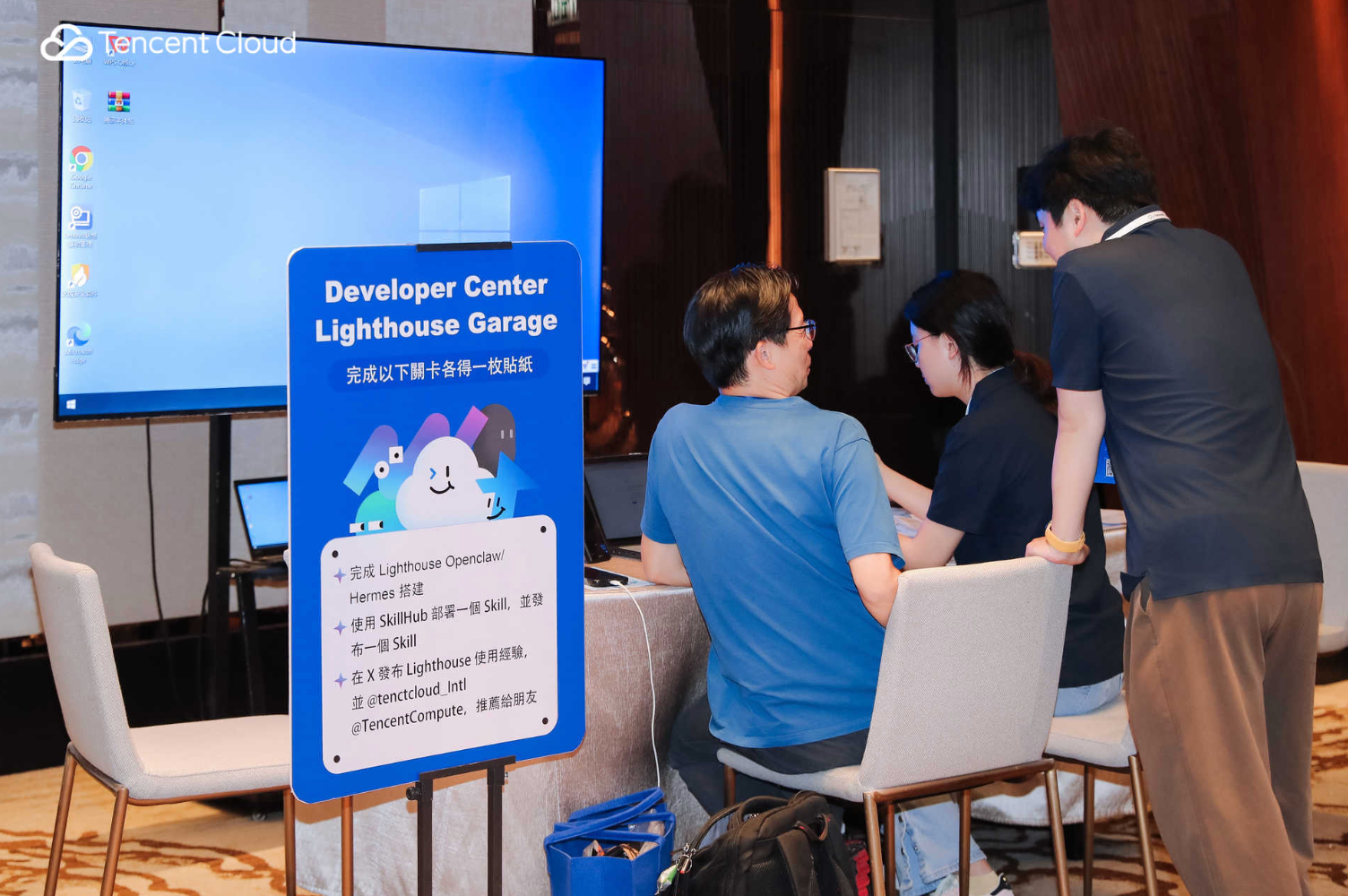
We split the entire Developer Center into five Garage zones, each with three challenges. Every completed challenge earned the developer one stamp, and stamp counts unlocked tiered rewards (up to a USD $500 Tencent Cloud voucher at the top tier). Simple rules → clear instructions → developers got into "build mode" faster.
| Garage | Challenge 1 | Challenge 2 | Challenge 3 |
|---|---|---|---|
| Lighthouse | Deploy OpenClaw / Hermes | Deploy via SkillHub + publish a Skill | Share your experience on X, tagging @tencentcloud and @lighthouse |
| Tencent Hy 3D | Run the Tencent Hy 3D Skill | Walk the full pipeline live | Build a 3D Agent prototype |
| EdgeOne | Ship a site with EdgeOne Pages | Turn on AI crawler controls | Install clawscan to audit Agent / Skill security |
| TRTC | Deploy and customize your AI commerce assistant | Run a complete after-sales flow (order lookup → returns → handoff to human → service rating) | Share an AI assistant screenshot on X, tagging @TencentRTC |
| Palm | Try the demo | Brainstorm a product idea | Vibe-code an H5 prototype |
For readers who weren't on the floor, we've picked one representative developer scenario from each Garage—written so you can replicate them yourself.
Five Scenarios Worth Taking Home
Scenario 1 — Move daily coding work from your local IDE into the cloud, on call 24/7 (Lighthouse + OpenClaw)
Who this is for: if you want to move everyday tasks—code generation, file operations, script debugging—off your local IDE and into the cloud, so an AI can keep working even when you're not at your desk, and you'd rather drive it through the IM apps you already use (WhatsApp, Telegram) than yet another web console—follow the steps below.
A developer at the event did just three things on the floor:
- Picked the OpenClaw template on Lighthouse and spun up a server in under a minute.
- Plugged in the API key for their model of choice and scanned a QR code to connect the Agent to WhatsApp.
- Installed a few Skills onto the Agent.
Then they sent a single line through WhatsApp: "Create a Python file that prints 'hello world'." OpenClaw ran the full chain in the cloud:
- Created the script in the target directory
- Wrote standard Python code into it
- Executed the script to verify it
- Returned the result back to the chat window
What matters here isn't that "an AI wrote some code." It's that the AI verified the code actually runs. WhatsApp stops being a chat app at this point and becomes an always-on remote console; OpenClaw stops being a chatbot and becomes a cloud-side execution engine.
"From picking the template, to filling in the API key, to connecting WhatsApp and installing Skills—the path was clear at every step. I could see exactly how an AI Agent runs in a cloud environment." "Once OpenClaw is running on Lighthouse, it isn't just a chatbot—it's an executor that can keep working around the clock." — Developers at the Lighthouse Garage
Scenario 2 — A complete 3D asset pipeline for teams without a dedicated modeler (Tencent Hy 3D Skill → Tencent Hy 3D Studio → 3D Agent)
Who this is for: if you're an e-commerce team without an in-house 3D modeler, an indie game team, or a 3D content creator who needs to go from a text prompt or a reference image to a usable model for product display, game assets, or 3D printing—and you want the entire pipeline (geometry → texturing → rigging → animation) to happen in a browser before you export to Blender, Maya, or Unity for finishing—follow the steps below.
The Tencent Hy 3D Garage gave developers a complete pipeline rather than an isolated demo. We broke it into three steps.
Step 1 · Get the Tencent Hy 3D Skill running locally.
Spin up OpenClaw on Lighthouse → install the Skill with one command: openclaw skills install Tencent Hy 3D generation → configure your Tencent Cloud API credentials. Once that's done, you can call the text-to-3D / image-to-3D APIs end to end from your local environment. This is the foundation everything else builds on.
Step 2 · Walk the full pipeline inside Tencent Hy 3D Studio.
Developers worked through:
- Geometry generation — Text-to-Geometry or Image-to-Geometry. Recommended settings: model 3DGeneration-V3.1, 500K face count, and Standardized A-pose turned on (A-pose is required for the auto-rigging and animation steps that follow).
- Texture painting — Use a text description or a reference image to color and material the model.
- Auto-rigging — The system predicts the skeleton and skin weights automatically.
- Animation — Pick a motion template and watch the character come alive.
Step 3 · Build a 3D Agent prototype around a real scenario.
Four tracks were on offer—game assets, 3D printing, e-commerce display, and an open track—each tied to a concrete workflow. In the e-commerce track, for example: upload a product photo → generate a rotatable 3D model → embed it on the product page.
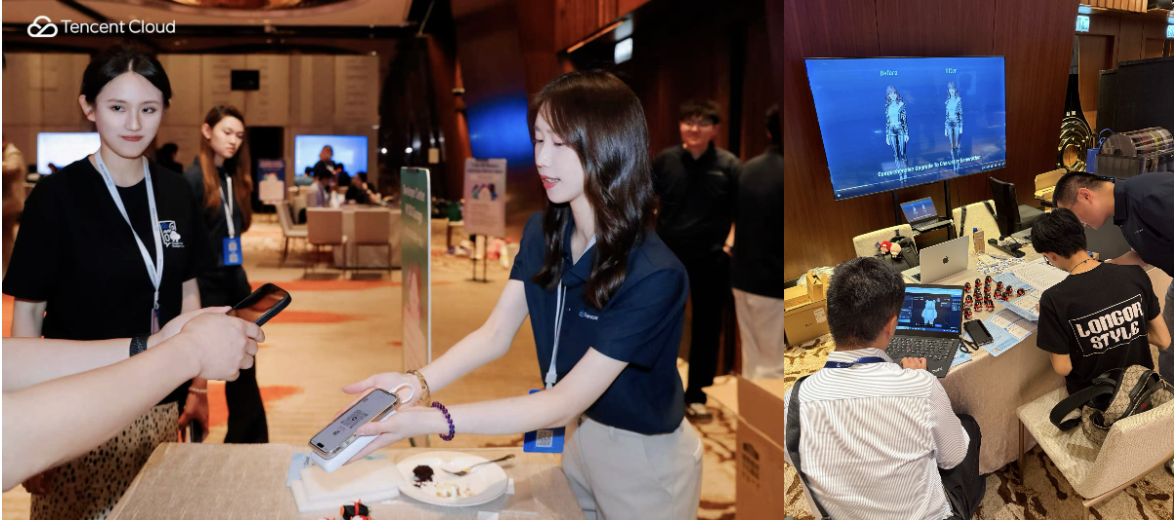
The point of this pipeline isn't that AI can generate 3D. It's that you can go from zero to a deliverable, animated asset—a step that used to take days of professional modeling work, now compressed into an afternoon.
"Going from zero to a usable 3D model used to mean walking through modeling, texturing, rigging, animation—a long pipeline with real time and skill costs. Tencent Hy 3D shortens the path from idea to asset. It doesn't conflict with Blender or Maya—it's more like a front-end accelerator that lowers the entry barrier without lowering the ceiling on professional craftsmanship." — A developer at the Tencent Hy 3D Garage
Scenario 3 — From an Agent-generated webpage to a globally accessible site (EdgeOne)
Who this is for: if you've just used an AI Agent to generate a personal blog, landing page, or demo site locally and want to publish it to international users immediately, but you're worried about two things—your content being scraped by AI crawlers for training, and the security and privacy posture of the Agents and Skills you've installed—follow the steps below.
The EdgeOne Garage challenges had three layers:
- Ship in minutes. Inside Agents like OpenClaw or WorkBuddy, install the EdgeOne Pages dev / deploy Skill. Generate a personal blog page in natural language and deploy it with one command.
- Manage AI crawlers. Turn on AI crawler controls in the EdgeOne console. This addresses real developer pain: original content being scraped for free to train commercial models, referral traffic eaten by AI summarization, and infrastructure resources burned through high-frequency crawler requests.
- Audit your Agents. Install the edgeone-clawscan Skill to scan the Agents and Skills already on your machine, and produce a readable vulnerability and privacy risk report.
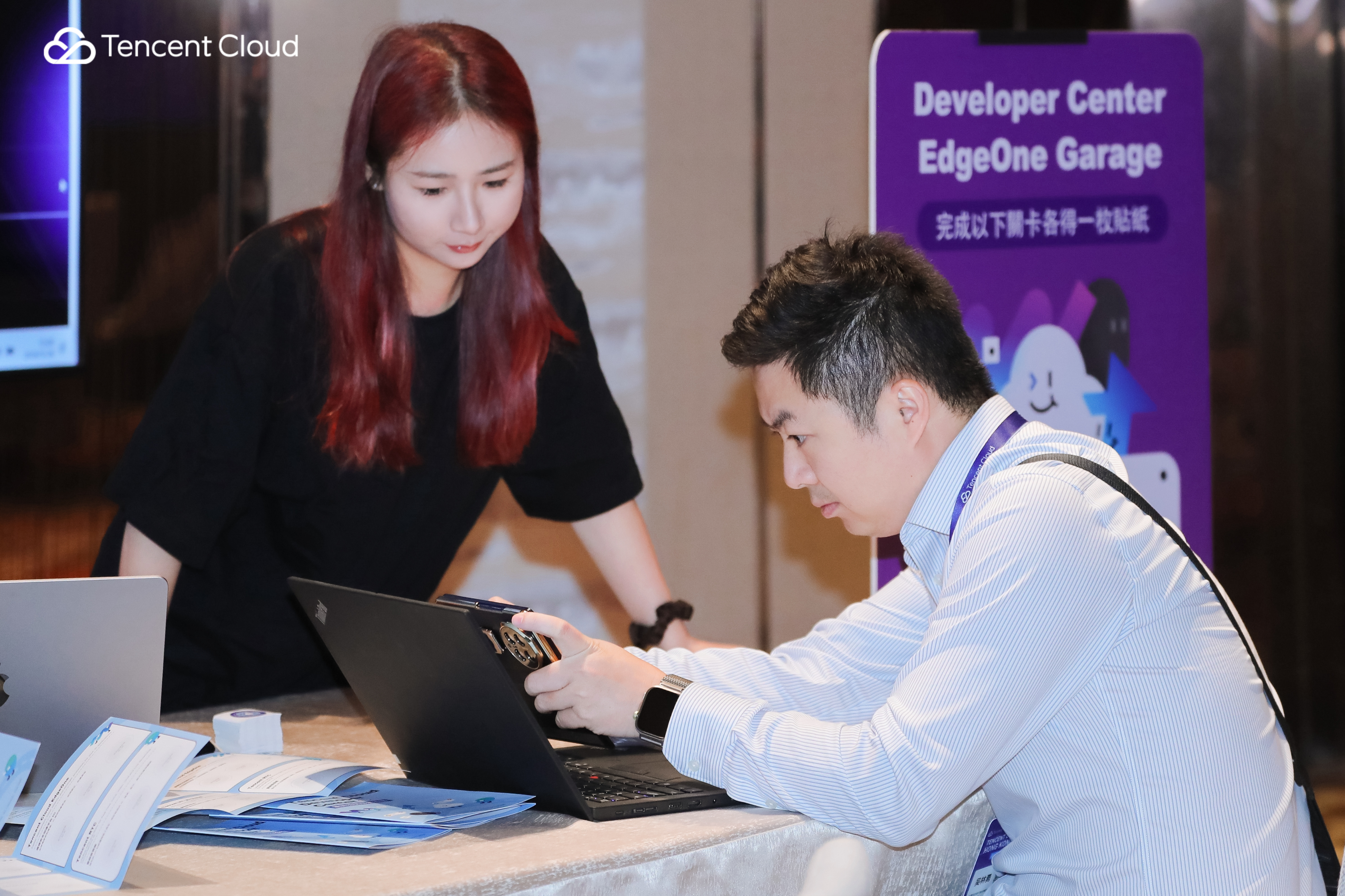
The most interesting feedback came from a game developer who has been using a major overseas competitor for years. With a finished game queued up to launch, they said the event convinced them to try migrating to EdgeOne Pages next. "It plugs into the Agent ecosystem more tightly" was their reasoning. Another long-time EdgeOne Pages user described the most direct takeaway as "convenient and easy for lightweight prototyping scenarios."
Scenario 4 — An AI assistant that doesn't just talk, but completes the after-sales loop (TRTC)
Who this is for: if you run a cross-border commerce or independent storefront team whose customers span multiple time zones, but your human support headcount is limited—and you want an AI assistant that can carry the full after-sales flow during peak sales or overnight (order lookup, returns, handoff to human, service rating), with the assistant window running directly in the browser—follow the steps below.
The core challenge in the TRTC Garage was for developers to deploy an AI commerce assistant on the floor and run a complete after-sales flow end-to-end: order lookup → returns → handoff to human → service rating.
The hard part isn't getting the AI to talk—it's getting the AI to know when to stop talking. A Conversational AI that can actually go into production has to recognize when a conversation needs to be handed to a human agent, and it has to write the customer's service rating back into the loop. We had multiple e-commerce developers run this chain from start to finish on the floor; afterwards a queue formed of developers wanting to talk to our solution architects about integration.
The experience was designed to mirror real business: once a developer loaded the TRTC Skill inside OpenClaw, they could pull up an AI video customer service session straight from the browser—no app install, no native client, just open and talk. In the after-sales scenario, the AI handles standardized requests first (order queries, return processing). When a complex case shows up that the AI can't resolve, the conversation hands off to a human agent with the full chat history and ticket context preserved. At the end, the customer leaves a rating that writes back into the customer service system, closing the loop. This chain maps directly onto the question commerce teams care about most: can we hold service quality steady without expanding the human support team?
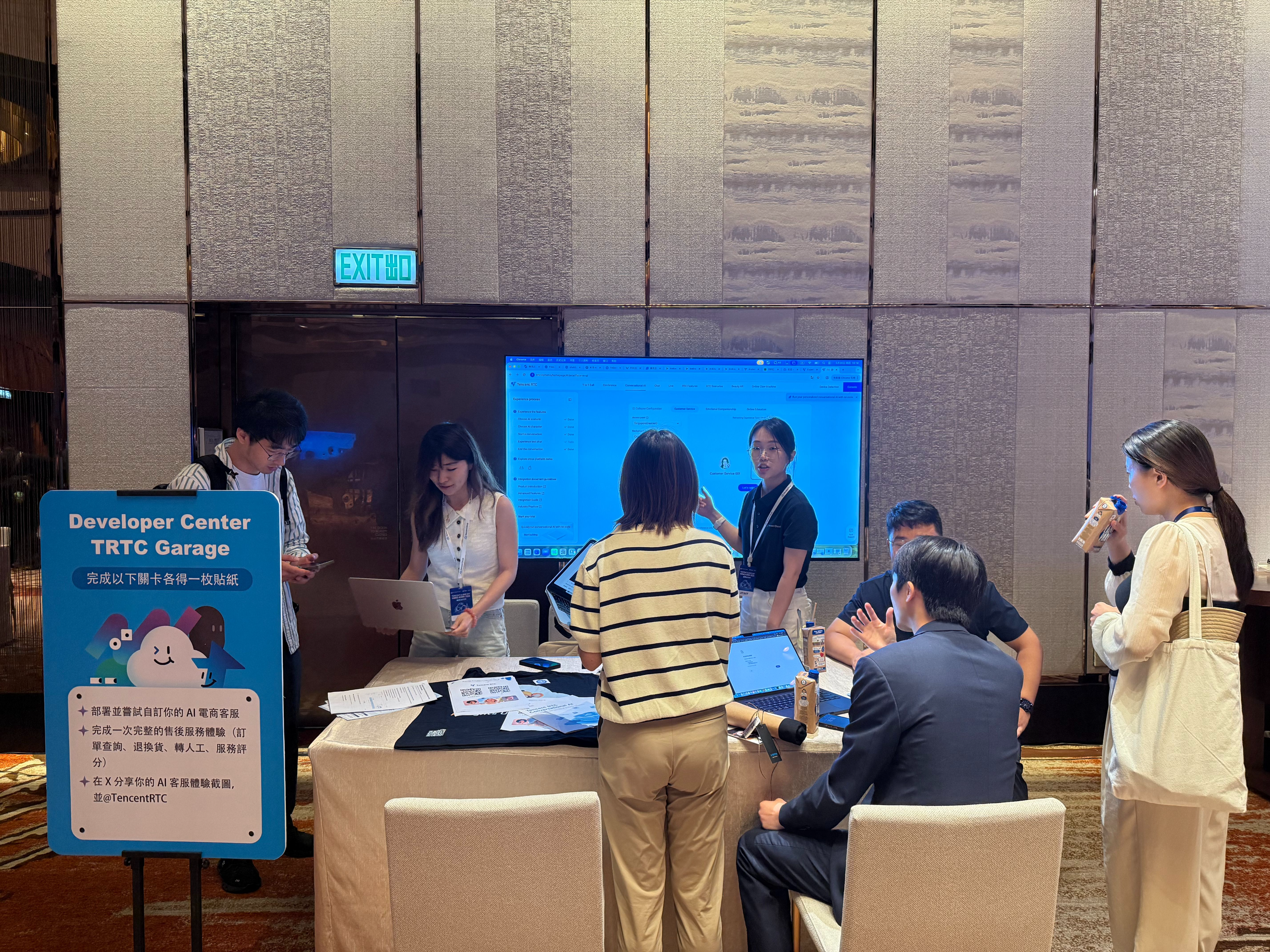
"Conversational AI can't just be a standalone chat window—it has to thread through the entire flow: consultation, recommendation, checkout, after-sales." "I want to try real-face or virtual-avatar AI interactions—that format is more valuable for our business, and I want to actually run it myself."— Developers at the TRTC Garage
The shared trend across the floor: developers are moving past "can the AI talk?" and asking "how do real-time audio-video and AI capabilities combine, in a way I can actually put into my product?" That's the moment the TRTC Garage wants to be remembered for.
Scenario 5 — Make a hand the new entry point to your product (Palm)
Who this is for: if you're a product or technical team building for offline environments—restaurants, retail stores, event check-ins, shared facilities, unattended devices—and you want users to complete identity verification, benefit redemption, ordering, or payment without a phone, without a QR code, and without a membership card—follow the steps below.
The Palm Garage was designed around "play first, then think." Developers warmed up with Palm Racer—a racing game controlled by waving a palm in front of a camera—to feel what palm recognition is like as a real-time input method. Then we offered three product directions:
- Social & Viral — Generate avatars, posters, personality tags, or fortune slips from a palm scan. Use the palm as a fun, shareable entry point.
- Identity & Access — Event check-in, VIP / developer ID verification, membership tier display, benefit redemption. Replace QR codes, membership cards, and access badges with a hand.
- Scenario Innovation — Combine palm with voice, AI Agents, payments, IoT, and ordering systems. Example: voice ordering → system places the order → palm payment confirms it → merchant fulfills automatically.
The deliverable on the floor was an H5 prototype, vibe-coded on the spot. Forms ranged from "palm reading result page" to "benefit redemption page" to "task map plus stamp rewards"—plenty of variety in what developers tried.
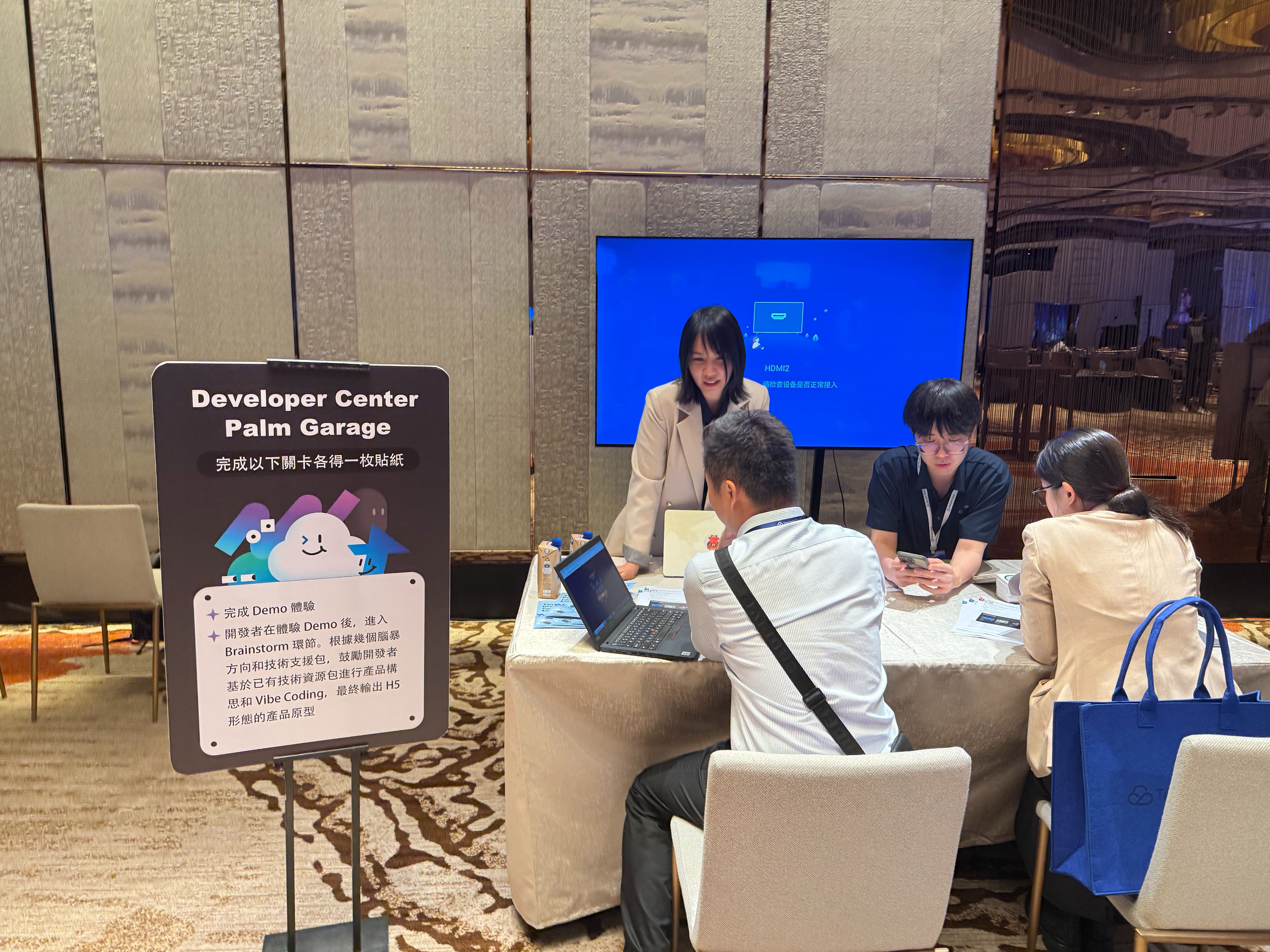
"What's interesting about palm isn't the recognition itself—it's that the recognition can be wired directly to a business action that's already written."
Payment, KYC, access control, public transit—these are serious scenarios already running in production. Palm is one of the most natural entry points into them.
Four Real Questions We Heard from Developers
Technical keynotes tend to tell you what a product can do. Developers care about what a product can't do, and how it fits with the things they already have. These four questions came up most often during the day.
Q1 · How does Conversational AI thread through the entire commerce flow?
Developers don't want a standalone chat window—they want a single AI identity across consultation → recommendation → checkout → after-sales. The companion question is private knowledge base integration: how do you get the AI to actually understand your product catalog and business rules?
A workable combination: Lighthouse + OpenClaw runs the Agent framework, TRTC handles real-time audio-video and after-sales fallback, and a private knowledge base layer lets the AI use your brand's own materials starting at the consultation stage.
Q2 · With a stack of Skills installed on an Agent, who's responsible for security?
As developers install more and more Skills onto their Agents, the surface area for vulnerabilities and privacy issues grows in lockstep. EdgeOne's clawscan Skill offers a lightweight, engineered answer: package the scanning capability itself as a Skill, and emit a readable report.
Q3 · Is 3D generation just a pretty toy, or is it real business yet?
Commerce teams ask about the cost of replacing product photography. Game teams ask whether the FBX export drops cleanly into Unity or Unreal. 3D printing creators ask about wall thickness checks and STL output. We answered with Tencent Hy 3D's four tracks. The conclusion is simple: 3D generation is already production-ready for commerce, gaming, and printing—what's left is workflow integration.
Q4 · Does Tencent Hy 3D conflict with Blender or Maya?
It doesn't. Tencent Hy 3D and professional DCC tools like Blender or Maya aren't replacements for each other—they're complementary:
- Tencent Hy 3D handles fast generation and initial asset processing from zero to one (geometry, texturing, rigging, animation), dramatically lowering the entry barrier.
- Blender / Maya continue to handle finishing work, complex animation, material polish, and scene integration at industrial quality.
The practical workflow is to use Tencent Hy 3D as a front-end accelerator, then bring assets into professional tools for deeper editing. The result: the entire 3D content production chain gets shorter, not replaced.
For Those Who Weren't on the Floor — How to Replicate This at Home
If you want to run any of these scenarios on your own machine, the five Techpedia documents below are the shortest path:
- Lighthouse (Scenario 3): https://www.tencentcloud.com/techpedia/139186
- Tencent Hy 3D: https://www.tencentcloud.com/techpedia/144081?lang=en
- EdgeOne: https://www.tencentcloud.com/techpedia/144085?lang=en
- TRTC: https://www.tencentcloud.com/techpedia/144083?lang=zh
- Palm: https://open.intl.palm.tencent.com/palm-racer/#/menu
They cover the full set of steps from each scenario above—run them as-is, then extend into your own real business.
Where We're Going Next
AI Hacker Garage is only the starting point. We want to keep connecting hands-on developers and entrepreneurs exploring new ground, building a co-creation space where everyone wins.
① Join the international developer community
Be the first to know about product updates, demo breakdowns, and upcoming events.
- 💬 Tencent Cloud International Developer Discord: https://discord.gg/Yw6x7CRFfz
- 👉 Join WhatsApp / WeCom for dedicated technical support:
| Channel | Scan / Click to Join |
|---|---|
| WhatsApp Channel |  |
| WeCom |  |
② Referral Program
If you're already using Tencent Cloud International and want to recommend it to other developers, the Referral Program is open:
- Earn 10% of the referred user's actual GMV back as points.
- Up to USD $150 in equivalent vouchers per single referrer.
👉 Details and entry: https://www.tencentcloud.com/act/pro/referral-2?!preview&!new&editorType=3&lang=en
If anything in this recap makes you want to start building, come find us in the community. Share your idea, show us your demo, ask the hard questions—we'll take it from there.