自定义小图标
Download
聚焦模式
字号
支持厂商
华为和 Google FCM 支持自定义,其他厂商不支持自定义,默认使用 App 图标。
配置方法
在应用主工程的清单文件配置生效:
<meta-data
    android:name="com.huawei.messaging.default_notification_icon"
    android:resource="@drawable/图标资源名称" />
<!-- [START fcm_default_icon] --> <!-- Set custom default icon. This is used when no icon is set for incoming notification messages. See README(https://goo.gl/l4GJaQ) for more. --> <meta-data android:name="com.google.firebase.messaging.default_notification_icon" android:resource="@drawable/图标资源名称" /><!-- Set color used with incoming notification messages. This is used when no color is set for the incoming notification message. See README(https://goo.gl/6BKBk7) for more. --> <meta-data android:name="com.google.firebase.messaging.default_notification_color" android:resource="@android:color/white" /> <!-- [END fcm_default_icon] -->
注意:
FCM 图标要求:
small icon 必须是带 Alpha 透明通道的 PNG 图片。
背景必须是透明。
周围不宜留过多 padding。
建议统一使用46 x 46px,过小图片会模糊,过大系统会自动缩小。
不支持自定义,默认使用 App 图标。
说明:
仅华为支持设置,其他厂商不支持,默认使用 App 图标。
将小图标放到
nativeResources/android/res/drawable文件夹中,将资源文件重命名为 huawei_private_icon.png即可。如图所示: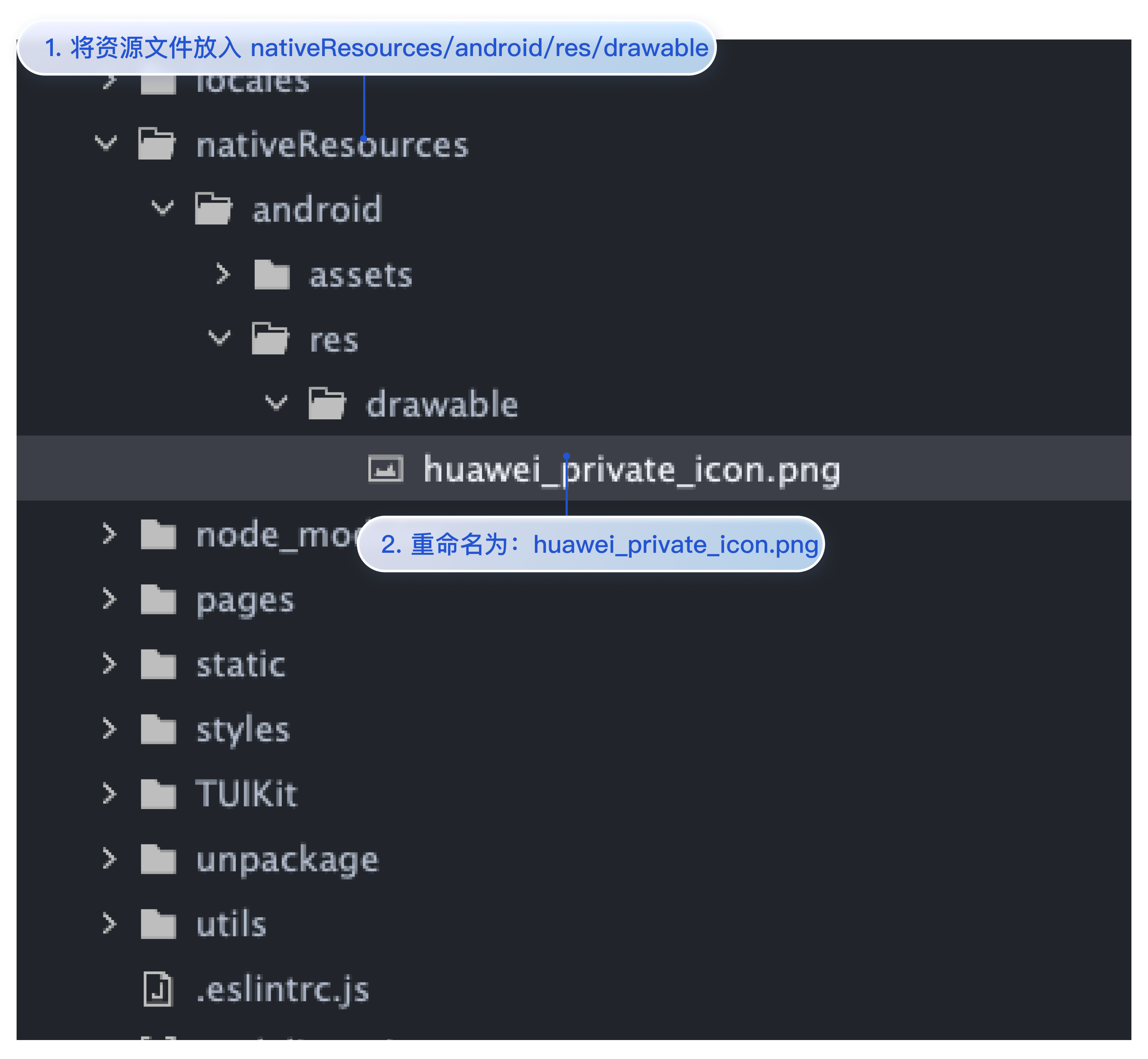
文档反馈