ConversationList
下载
聚焦模式
字号
ConversationList 组件主要负责会话列表功能,它包含了 Header 部分和 List 部分,具有搜索会话、创建会话、会话置顶、会话删除等功能。本文档将详细介绍该组件的基础使用,组件定制,自由组合以及组件的 props 参数列表。
会话列表 | 会话操作 | 会话搜索 | 创建会话 |
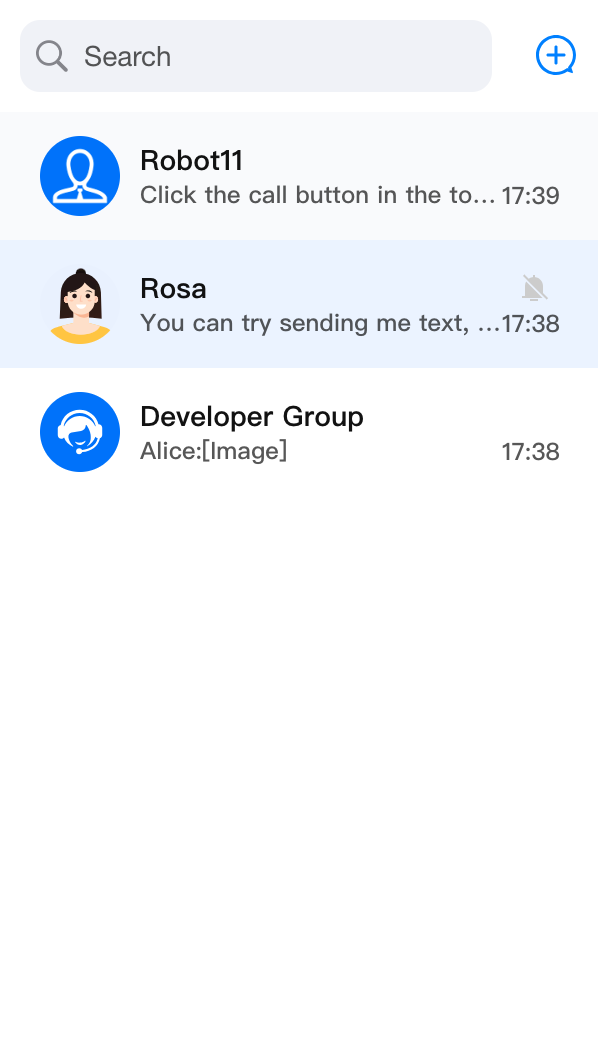 | 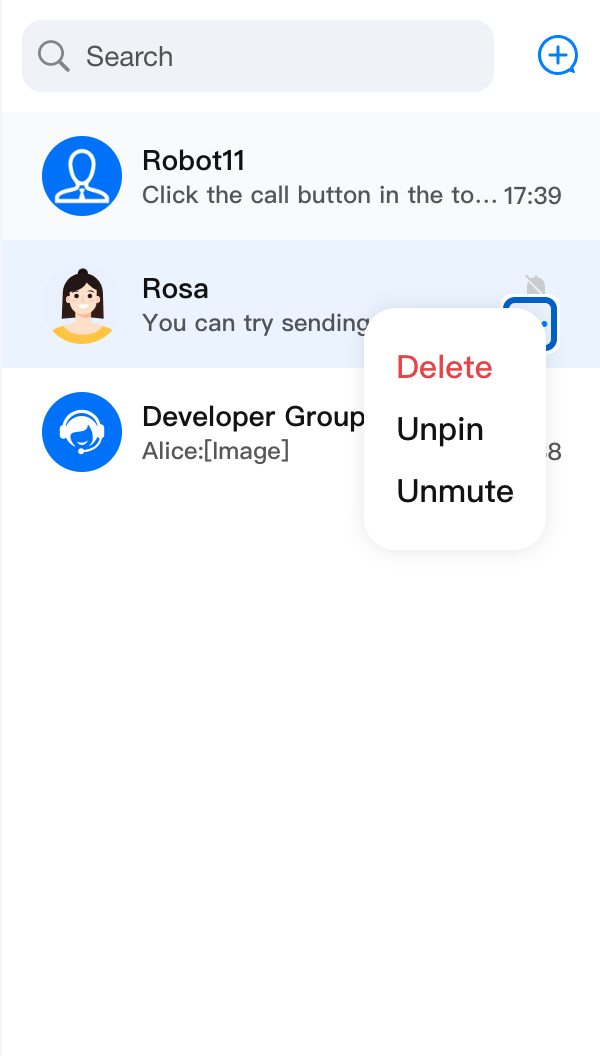 |  | 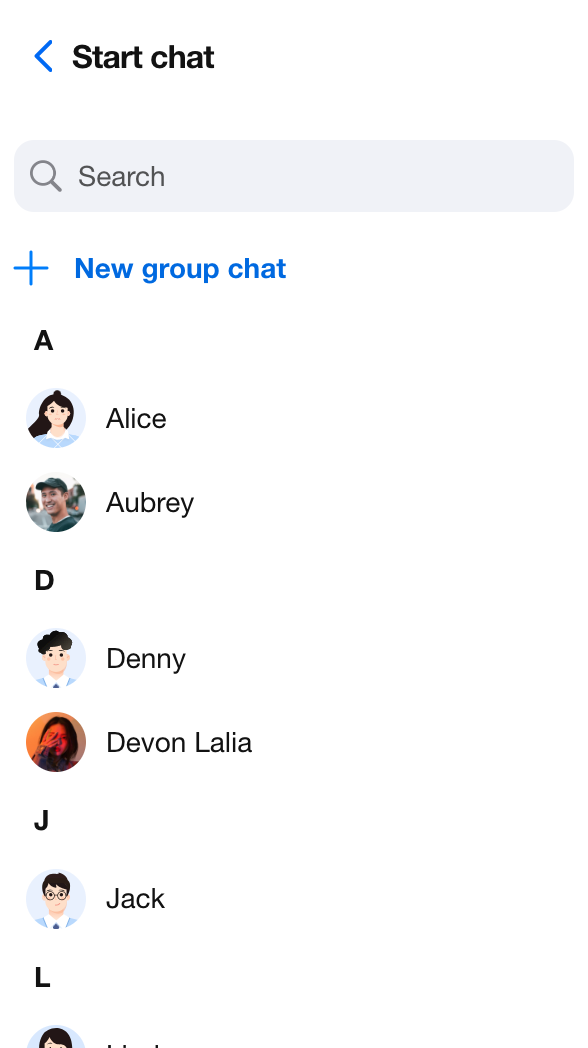 |
基础使用
ConversationList 组件没有任何必须属性,您可以通过以下代码使用 ConversationList。import { UIKitProvider, ConversationList } from '@tencentcloud/chat-uikit-react';const App = () => {return (<UIKitProvider><ConversationList /></UIKitProvider>);};
自定义组件
ConversationList 为用户自定义提供了丰富且多维度的 Props 接口,允许用户自定义功能、UI、模块等。ConversationList 组件提供了多个可替换的子组件,允许用户自定义 Header, List, ConversationPreview, ConversationCreate, ConversationSearch, ConversationActions, Avatar, Placeholder 等。同时,用户还可以利用默认子组件进行二次开发定制。基础功能开关
通过设置
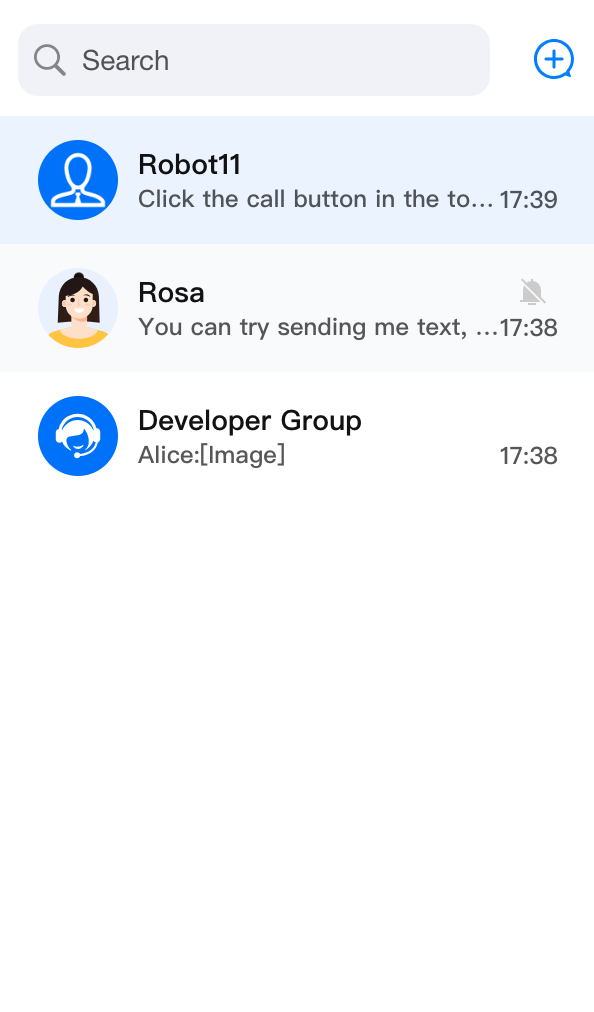
enableSearch, enableCreate 和 enableActions 参数,您可以灵活地控制 ConversationList 中的搜索会话、创建会话和会话操作功能的显示。<ConversationList enableSearch={false} />
<ConversationList enableCreate={false} />
<ConversationList enableActions={false} />
enableSearch={false} | enableCreate={false} | enableActions={false} |
 | 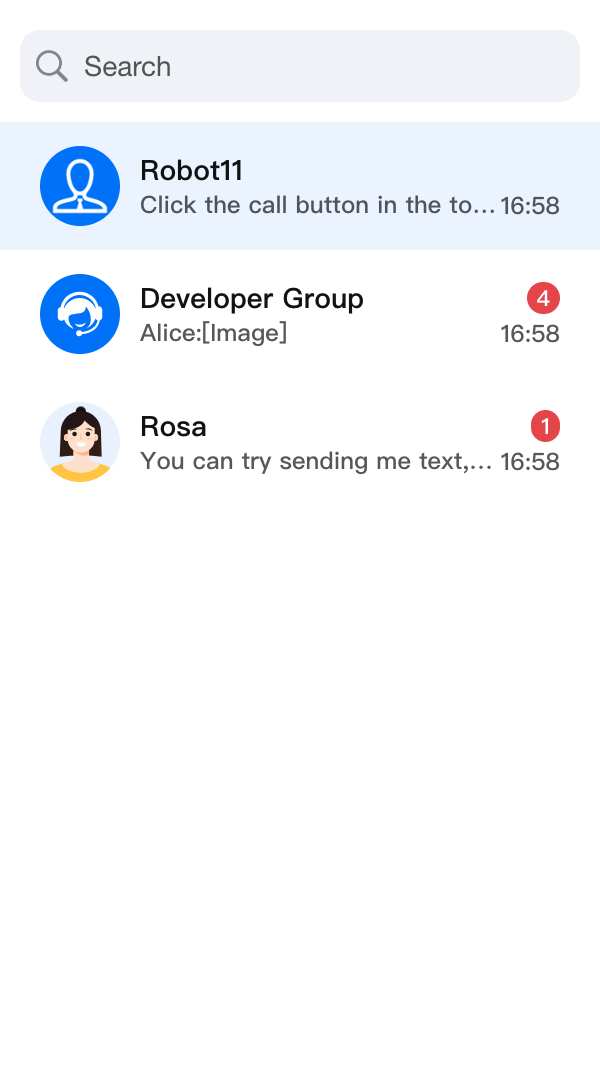 |  |
数据筛选和排序
ConversationList 组件提供了
filterConversation 和 sortConversation 属性,可以让您对会话列表数据进行筛选和排序。筛选会话
要筛选会话列表数据,您可以给
filterConversation 属性传递一个筛选函数。这个函数接收一个 ConversationModel 数组作为参数,然后应该返回一个新数组,只包含符合您筛选条件的会话。下面是一个使用
filterConversation 属性来只显示“包含未读消息”的会话的例子:import { ConversationList } from '@tencentcloud/chat-uikit-react';import type { ConversationModel } from '@tencentcloud/chat-uikit-react';<ConversationListfilter={(conversationList: ConversationModel[]) =>conversationList.filter(conversation => conversation.unreadCount > 0)}/>
排序会话
要排序会话列表数据,您可以给
sortConversation 属性传递一个排序函数。这个函数接收一个 ConversationModel 数组作为参数,然后应该返回一个新数组,按照您的排序标准对会话进行排序。下面是一个使用
sortConversation 属性来按照“最新消息时间倒序”排序会话列表的例子:import { ConversationList } from '@tencentcloud/chat-uikit-react';import type { ConversationModel } from '@tencentcloud/chat-uikit-react';<ConversationListsort={(conversationList: ConversationModel[]) =>conversationList.sort((a, b) => (+(b?.lastMessage?.lastTime || 0)) - (+(a?.lastMessage?.lastTime || 0)),)}/>
通过使用
filter 和 sort 属性,您可以根据您的需求有效地筛选和排序会话列表数据。自定义 actionsConfig
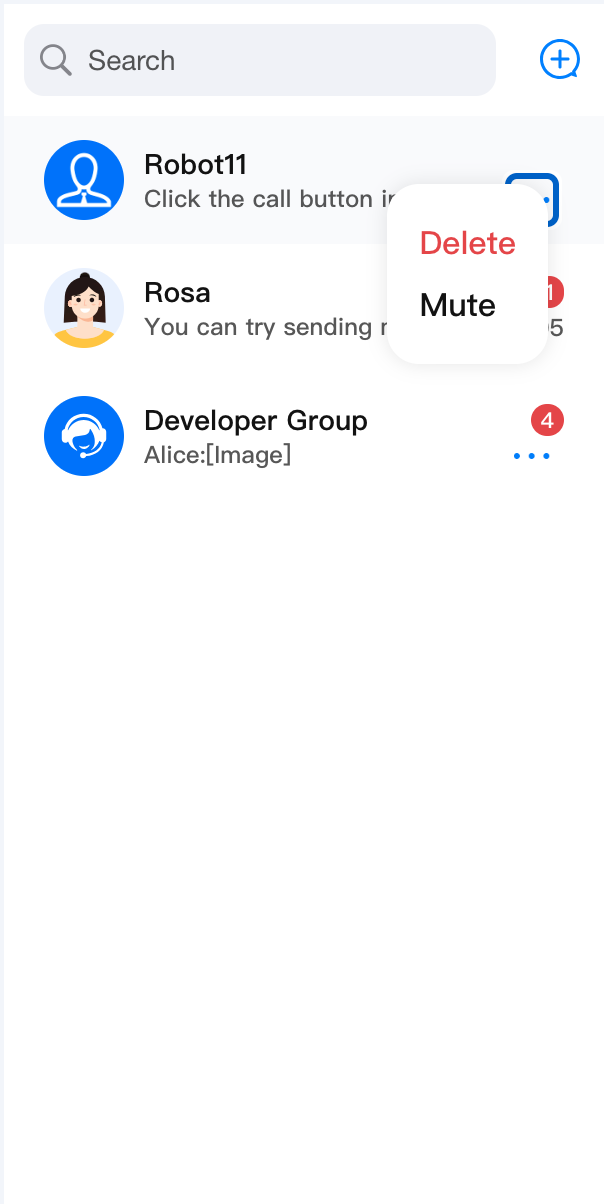
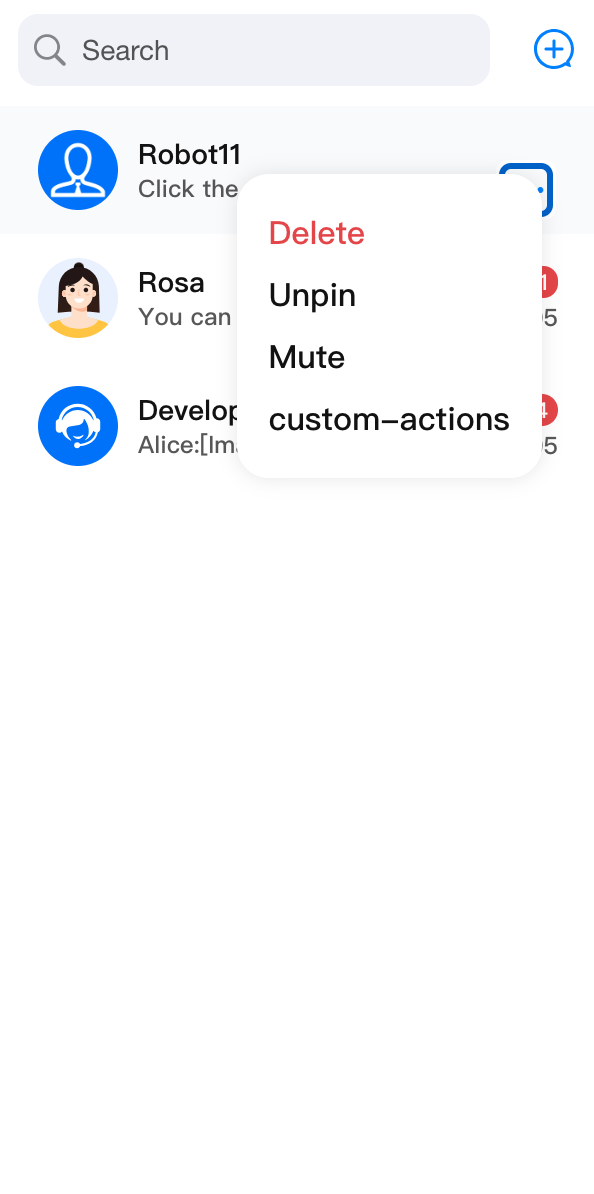
import { ConversationList } from '@tencentcloud/chat-uikit-react';import type { ConversationModel } from '@tencentcloud/chat-uikit-react';<ConversationListactionsConfig={{enablePin: false,onConversationDelete: (conversation: ConversationModel) => { console.log('Delete conversation success'); },customConversationActions: {'custom-actions-1': {label: 'custom-actions',onClick: (conversation: ConversationModel) => { console.log(conversation); },},},}}/>
enablePin: false | enableDelete: false | enableMute: false | customConversationActions |
 |  |  |  |
自定义 Placeholder
您可以通过传入
PlaceholderEmptyList、PlaceholderLoading 以及 PlaceholderLoadError 来定制不同状态下的列表展示。以下是定制一个新的
PlaceholderLoading 示例:<ConversationListPlaceholderEmptyList={<div>Empty List!!!</div>}/>
自定义 Header
ConversationListHeader 负责 ConversationList Header 部分的渲染工作,作为包裹层渲染默认 ConversationSearch 与 ConversationCreate 。您可以通过传入 left、right 等属性进行自定义,同时,您也可以自定义整个组件。Props
参数名 | 类型 | 默认值 | 说明 |
children | ReactNode | - | 自定义会话列表头部中心组件。 在 <ConversationList> 中使用时,会默认传入 <ConversationSearch> 和 <ConversationCreate> 。 |
left | ReactElement | - | 自定义会话列表头部左侧组件。 |
right | ReactElement | - | 自定义会话列表头部右侧组件。 |
className | String | - | 指定根元素类的 CSS 自定义名称。 |
style | React.CSSProperties | - | 指定根元素样式的自定义样式。 |
基础定制
以下是在 Header 组件右侧添加一个新的功能按钮示例。
import {ConversationList,ConversationListHeader,} from '@tencentcloud/chat-uikit-react';import type { ConversationListHeaderProps } from '@tencentcloud/chat-uikit-react';const CustomConversationListHeader = (props: ConversationListHeaderProps) => {const CustomIcon = <div>自定义 Icon </div>;return (<ConversationListHeader {...props} right={CustomIcon} />);};<ConversationList Header={CustomConversationListHeader} />
高阶定制
以下是实现一个简易的会话分组功能,按照全部会话、未读会话、单聊会话、群会话四个维度进行区分,通过点击不同分组按钮执行不同的筛选规则。
修改前 | 修改后 |
 | 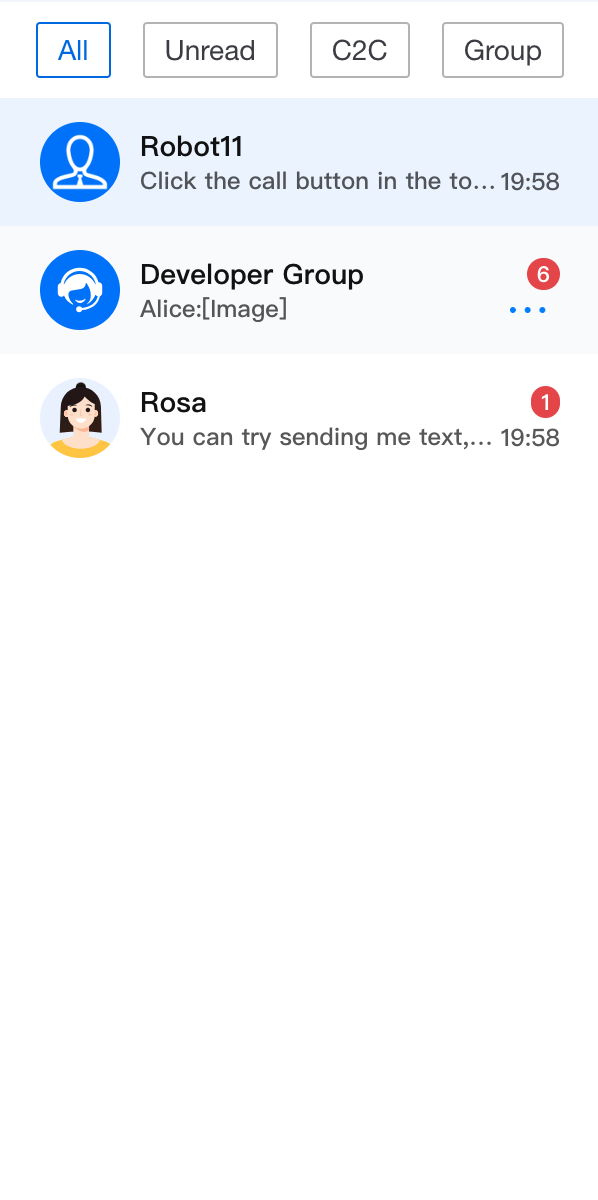 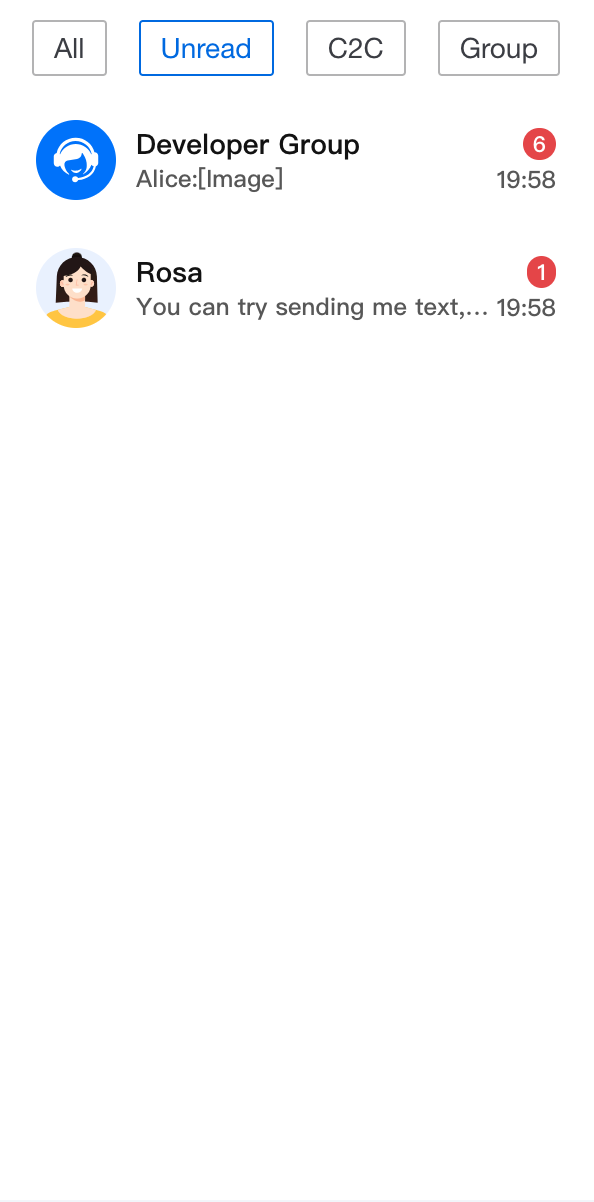  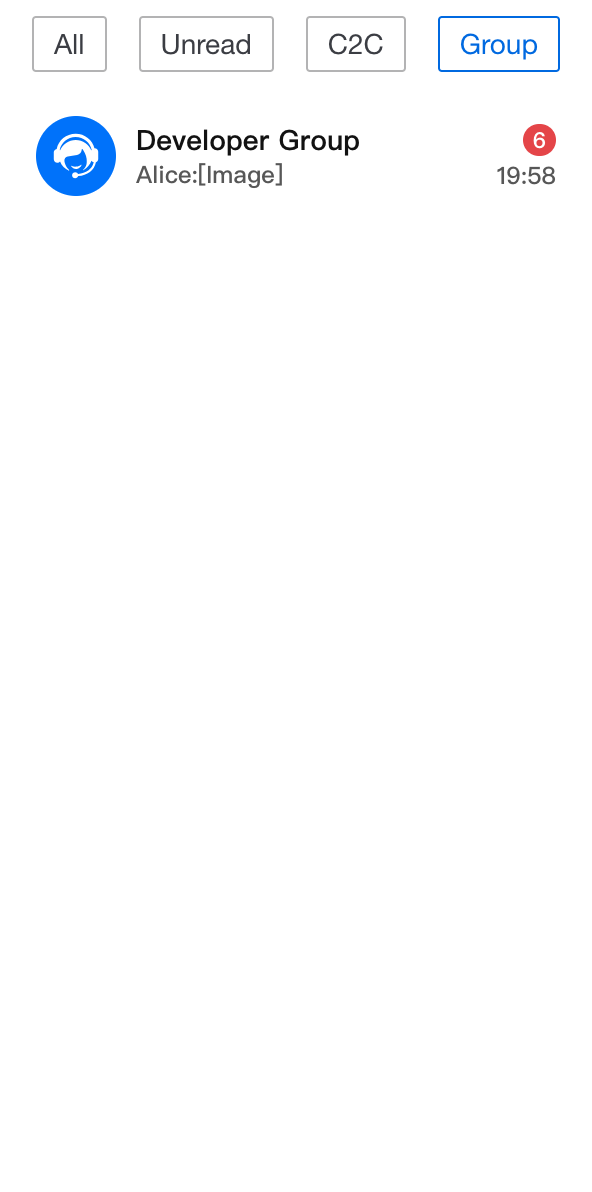 |
import { useState } from 'react';import TUIChatEngine from '@tencentcloud/chat-uikit-engine';import { ConversationList, UIKitProvider } from '@tencentcloud/chat-uikit-react';import type { ConversationListHeaderProps, ConversationModel } from '@tencentcloud/chat-uikit-react';const App = () => {const [currentFilter, setCurrentFilter] = useState<string>('all');const conversationGroupFilter: Record<string, (conversationList: ConversationModel[]) => ConversationModel[]> = {all: (conversationList: ConversationModel[]) => conversationList,unread: (conversationList: ConversationModel[]) => conversationList?.filter((item: ConversationModel) => item.unreadCount > 0),c2c: (conversationList: ConversationModel[]) => conversationList?.filter((item: ConversationModel) => item.type === TUIChatEngine.TYPES.CONV_C2C),group: (conversationList: ConversationModel[]) => conversationList?.filter((item: ConversationModel) => item.type === TUIChatEngine.TYPES.CONV_GROUP),};const CustomConversationListHeader = (props: IConversationListHeaderProps) => {return (<div className="conversation-group-wrapper"><button className={currentFilter === 'all' ? 'btn-active' : 'btn-default'} onClick={() => setCurrentFilter('all')}>All</button><button className={currentFilter === 'unread' ? 'btn-active' : 'btn-default'} onClick={() => setCurrentFilter('unread')}>Unread</button><button className={currentFilter === 'c2c' ? 'btn-active' : 'btn-default'} onClick={() => setCurrentFilter('c2c')}>C2C</button><button className={currentFilter === 'group' ? 'btn-active' : 'btn-default'} onClick={() => setCurrentFilter('group')}>Group</button></div>);};return (<UIKitProvider><ConversationListstyle={{ maxWidth: '300px', height: '600px' }}Header={CustomConversationListHeader}filter={conversationGroupFilter[currentFilter]}/></UIKitProvider>);};
.conversation-group-wrapper {display: flex;justify-content: space-around;align-items: center;margin: 10px;font-size: 14px;.btn-default{display: flex;padding: 5px 10px;border: 1px solid #b3b3b4;color: #3b3d43;background-color: transparent;border-radius: 2px;}.btn-active{display: flex;padding: 5px 10px;border: 1px solid #1c66e5;color: #1c66e5;background-color: transparent;border-radius: 2px;}}
自定义 List
ConversationListContent 负责 ConversationList 主列表部分的渲染工作。作为包裹层默认渲染 Context 中计算好的当前会话列表显示数据
filteredAndSortedConversationList。Props
参数名 | 类型 | 默认值 | 说明 |
children | ReactNode | - | 自定义会话列表内容区域组件。 在 <ConversationList> 中使用时,会默认传入 filteredAndSortedConversationList 遍历的 <Preview> 列表。 |
empty | Boolean | false | 空会话列表标识位, 在 <ConversationList> 中使用时,会判断filteredAndSortedConversationList.length === 0 并传入。 |
loading | Boolean | false | 会话列表加载中标识位,在 <ConversationList> 中使用时,使用 useConversationList() 获取 isLoading 并传入。 |
error | Boolean | false | 会话列表加载错误标识位,在 <ConversationList> 中使用时,使用 useConversationList() 获取 isLoadError 并传入。 |
PlaceholderEmptyList | ReactNode | <PlaceHolder type={PlaceHolderTypes.NO_CONVERSATIONS} /> | 自定义会话列表为空时的占位元素。 |
PlaceholderLoading | ReactNode | <PlaceHolder type={PlaceHolderTypes.LOADING} /> | 自定义会话列表加载中的占位元素。 |
PlaceholderLoadError | ReactNode | <PlaceHolder type={PlaceHolderTypes.WRONG} /> | 自定义会话列表加载错误时的占位元素。 |
className | String | - | 指定根元素类的 CSS 自定义名称。 |
style | React.CSSProperties | - | 指定根元素样式的自定义样式。 |
基础定制
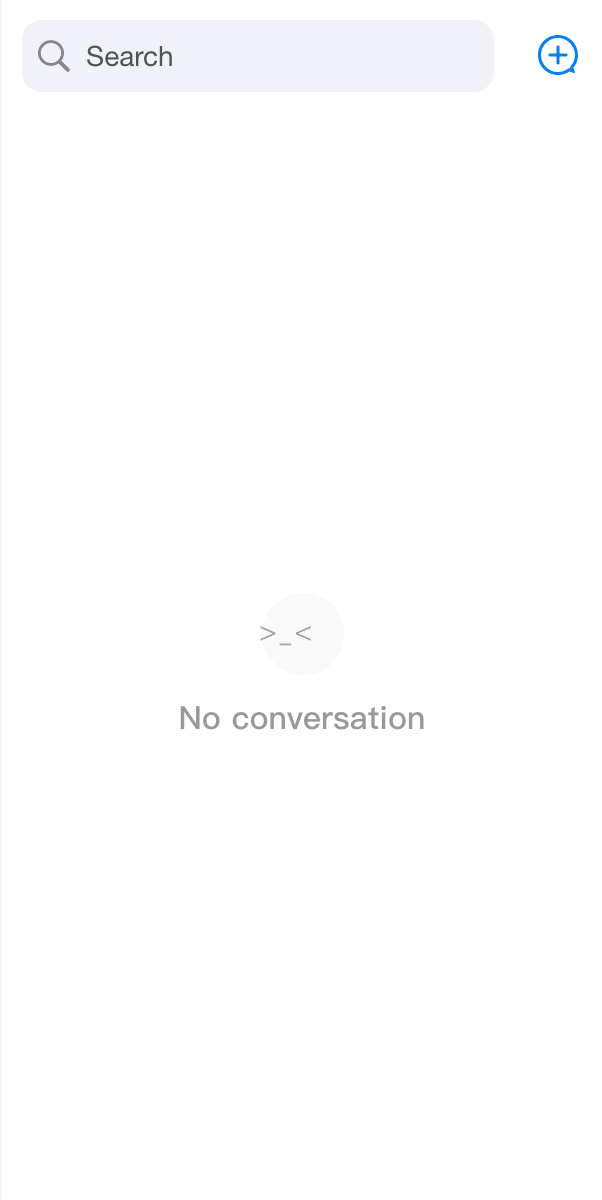
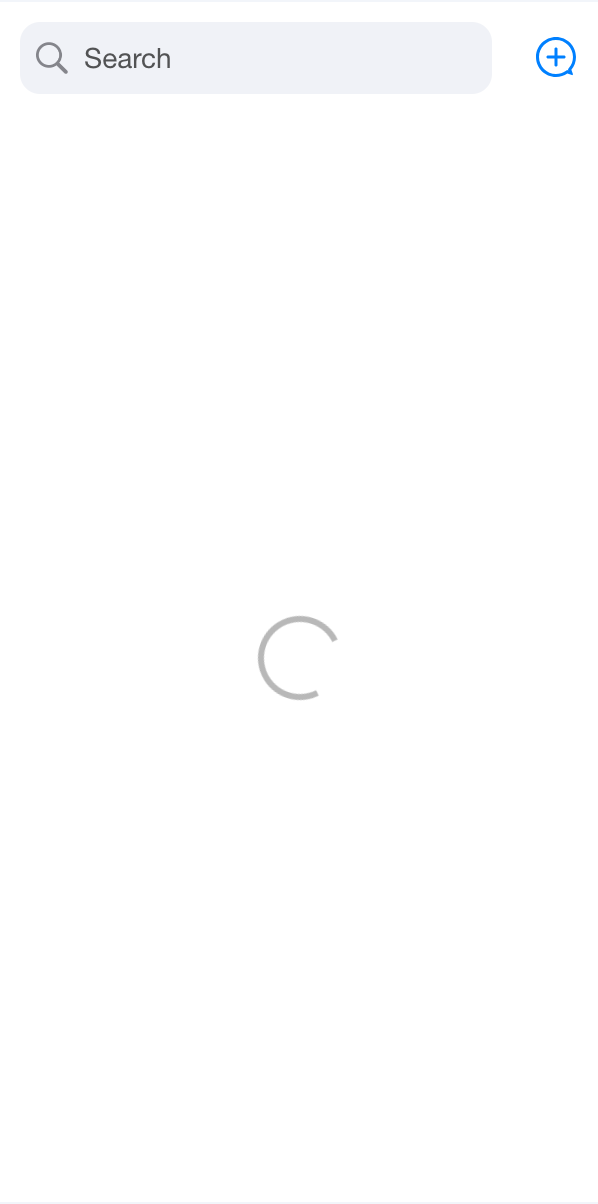
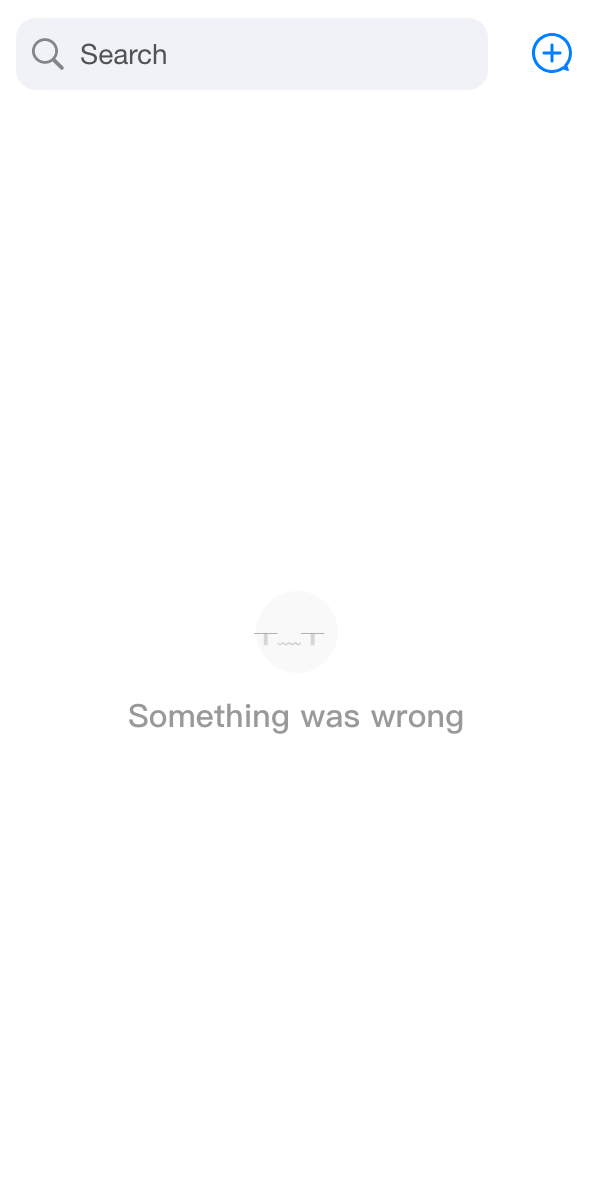
List 组件不同状态 UI 效果如下,在 ConversationList 内部已处理好每种状态的触发时机。同时,您可以通过自定义传入
empty、loading、error 来控制组件状态。import { ConversationList, ConversationListContent } from '@tencentcloud/chat-uikit-react';import type { ConversationListContentProps } from '@tencentcloud/chat-uikit-react';const CustomConversationListContent = (props: ConversationListContentProps) => {return <ConversationListContent {...props} loading={true} />;};<ConversationList List={CustomConversationListContent} />
default | empty={true} | loading={true} | error={true} |
 |  |  |  |
自定义 ConversationPreview
<ConversationList ConversationPreview={CustomConversationPreview} />
自定义 ConversationActions
<ConversationList ConversationActions={CustomConversationActions} />
自定义 ConversationSearch
<ConversationList ConversationSearch={CustomConversationSearch} />
自定义 ConversationCreate
<ConversationList ConversationCreate={CustomConversationCreate} />
自定义 Avatar
<ConversationList Avatar={CustomAvatar} />
Props
参数名 | 类型 | 默认值 | 说明 |
enableSearch | Boolean | true | 控制会话搜索功能是否显示。 |
enableCreate | Boolean | true | 控制创建会话功能是否显示。 |
enableActions | Boolean | true | 控制会话操作功能是否显示。 |
actionsConfig | ConversationActionsConfig | - | 用于自定义会话操作配置。 |
Header | ReactElement | Header | 自定义 Header 组件。 |
List | ReactElement | List | 自定义会话列表组件。 |
Preview | ReactElement | 自定义会话预览组件。 | |
ConversationCreate | ReactElement | ConversationCreate | 自定义创建会话组件。 |
ConversationSearch | ReactElement | 自定义会话搜索组件。 | |
ConversationActions | ReactElement | 自定义会话操作组件。 | |
Avatar | ReactElement | Avatar | 自定义头像组件。 |
PlaceholderEmptyList | ReactNode | <PlaceHolder type={PlaceHolderTypes.NO_CONVERSATIONS} /> | 自定义会话列表为空时的占位元素。 |
PlaceholderLoading | ReactNode | <PlaceHolder type={PlaceHolderTypes.LOADING} /> | 自定义会话列表加载中的占位元素。 |
PlaceholderLoadError | ReactNode | <PlaceHolder type={PlaceHolderTypes.WRONG} /> | 自定义会话列表加载错误时的占位元素。 |
filter | (conversationList: ConversationModel[]) => ConversationModel[] | - | 用于筛选会话列表的函数。 |
sort | (conversationList: ConversationModel[]) => ConversationModel[] | - | 用于排序会话列表的函数。 |
onConversationSelect | (conversation: ConversationModel) => void; | - | 点击会话后的回调函数,参数为所点击的会话对象。 |
onBeforeCreateConversation | (params: CreateParams) => CreateParams; | - | 创建会话前执行的自定义操作,参数为创建会话所需的参数。 |
onConversationCreate | (conversation: ConversationModel) => void; | - | 会话创建后的回调函数,参数为创建的会话对象。 |
className | String | - | 指定根元素类的 CSS 自定义名称。 |
style | React.CSSProperties | - | 指定根元素样式的自定义样式。 |
文档反馈