聊天界面
Download
聚焦模式
字号
下文将向您展示如何设置聊天界面自定义选项及其效果。
消息列表相关
聊天界面背景色、背景图片
API 作用:设置聊天界面消息列表背景色、背景图片,针对所有聊天界面生效。
API 原型:
// TUIChatConfigMinimalist.java/*** Customize the backgroud of message list interface.* This configuration takes effect in all message list interfaces.*/public static void setBackground(Drawable background)
示例代码:
// When to call: Before initializing the message list interface.TUIChatConfigMinimalist.setBackground(new ColorDrawable(0xFFE1FFFF));TUIChatConfigMinimalist.setBackground(context.getDrawable(R.drawable.your_background_image));
设置效果:
背景色 | 设置背景图片 | 默认 |
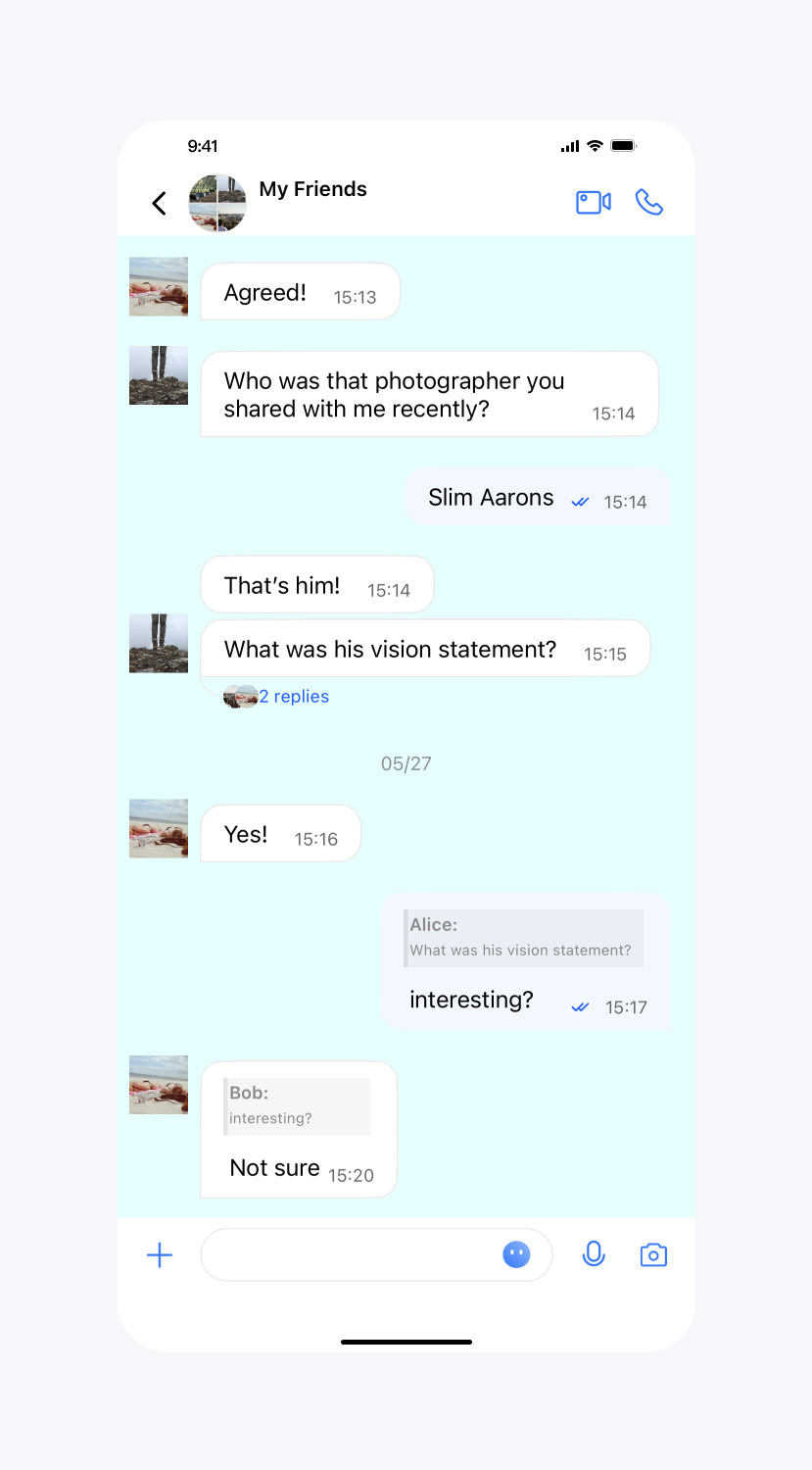 | 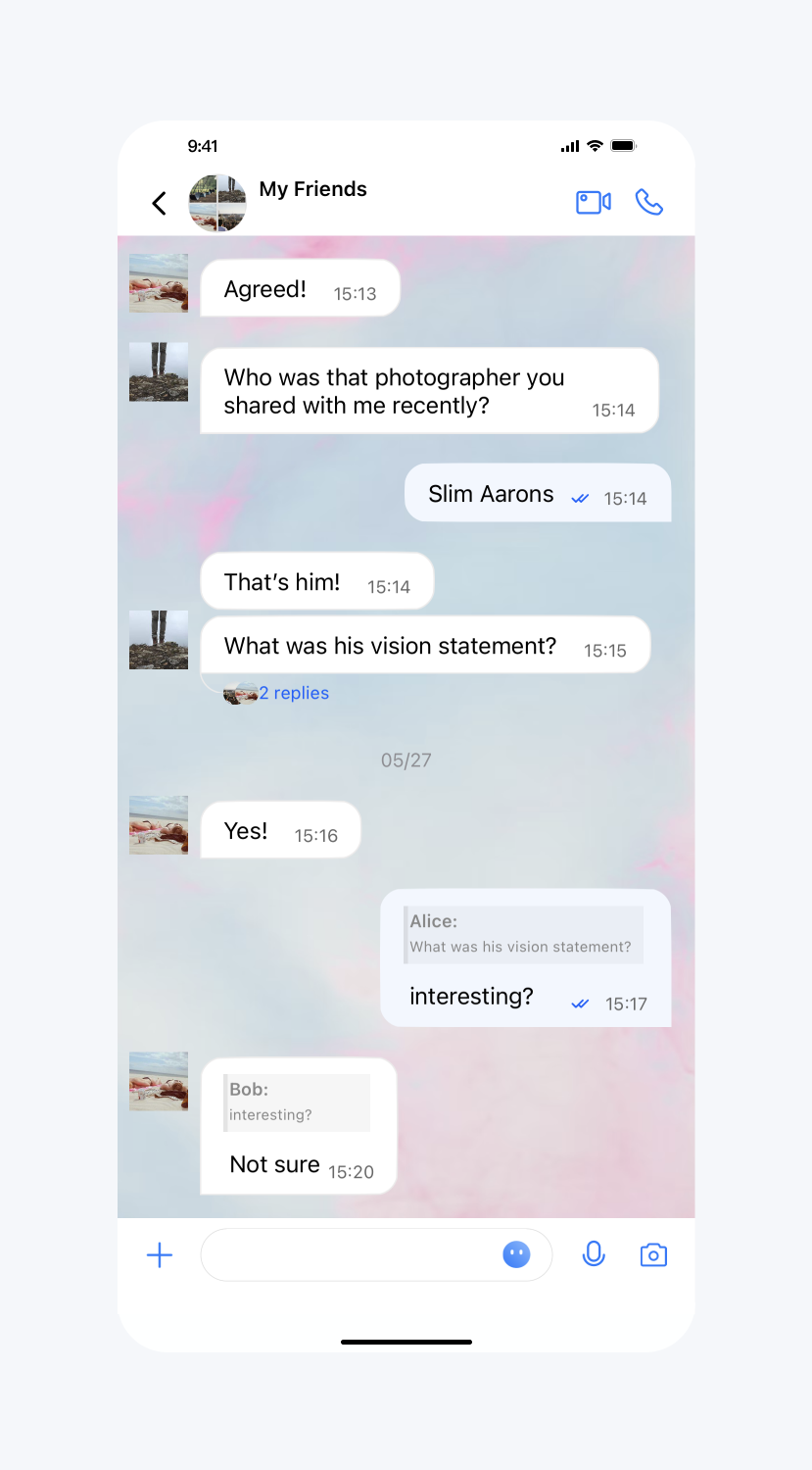 | 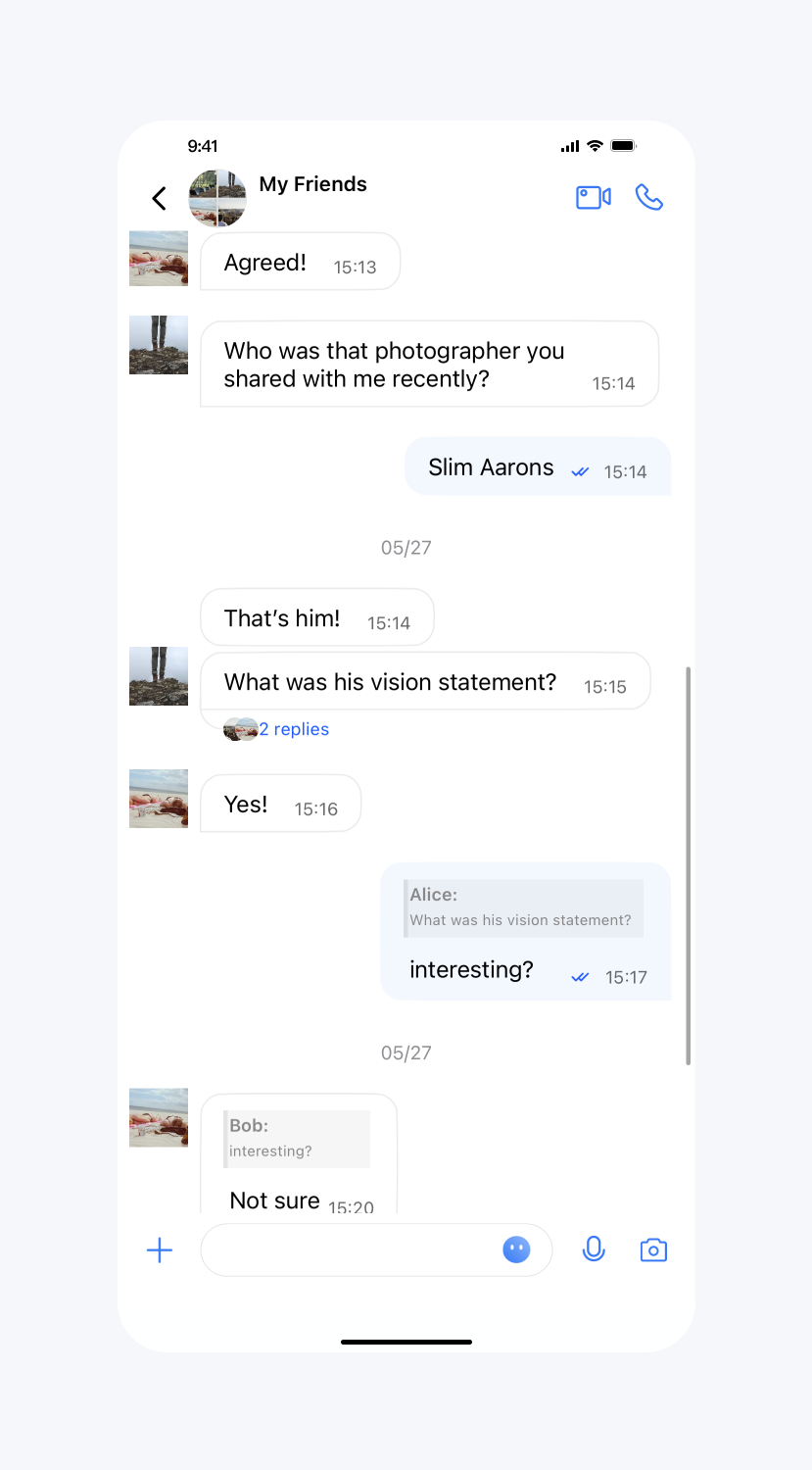 |
消息列表用户头像大小、圆角半径
API 作用:设置消息列表用户头像大小、圆角半径。
API 原型:
// TUIConfigMinimalist.java/*** Customize the size of avatar.* This configuration takes effect in message list.*/public static void setMessageListAvatarSize(int size)/*** Customize the corner radius of the avatar.* This configuration takes effect in message list.*/public static void setMessageListAvatarRadius(int radius)
示例代码:
// When to call: Before initializing the TUIKit interfaces.// Set sizeTUIConfigMinimalist.setMessageListAvatarSize(50);// Set cornerRadiusTUIConfigMinimalist.setMessageListAvatarRadius(10);
设置效果:
默认圆形头像 | 设置圆角矩形头像 | 设置矩形头像 |
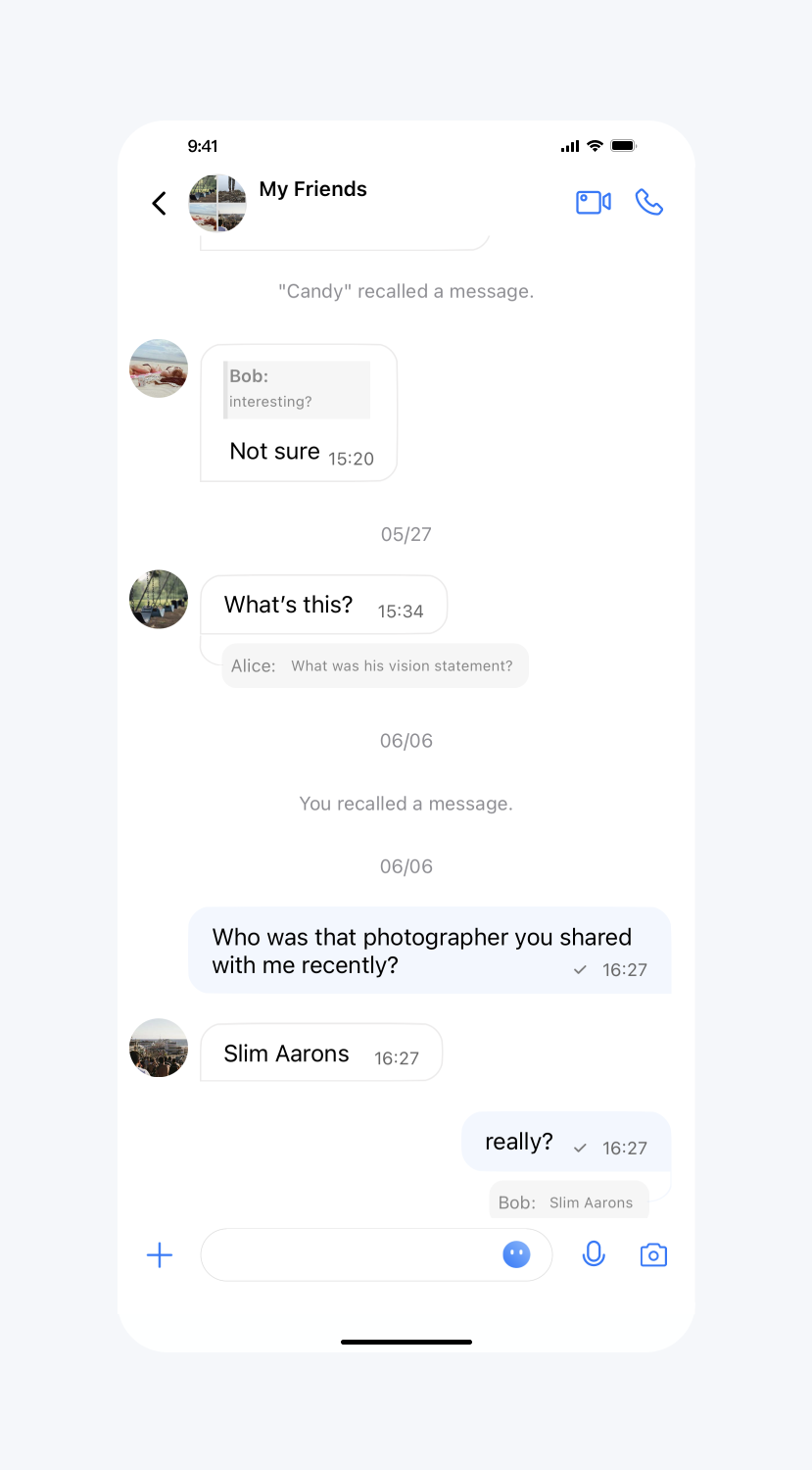 | 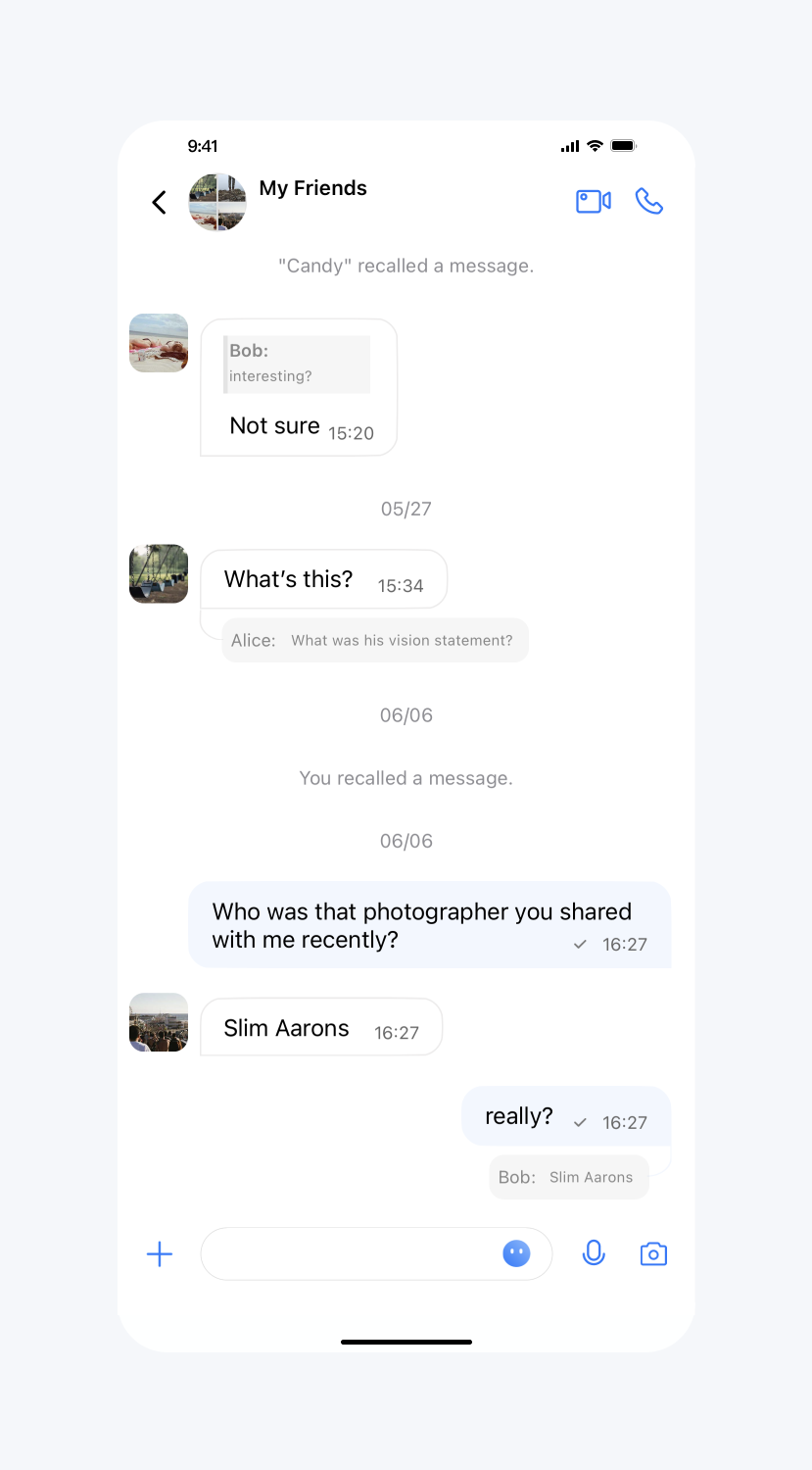 | 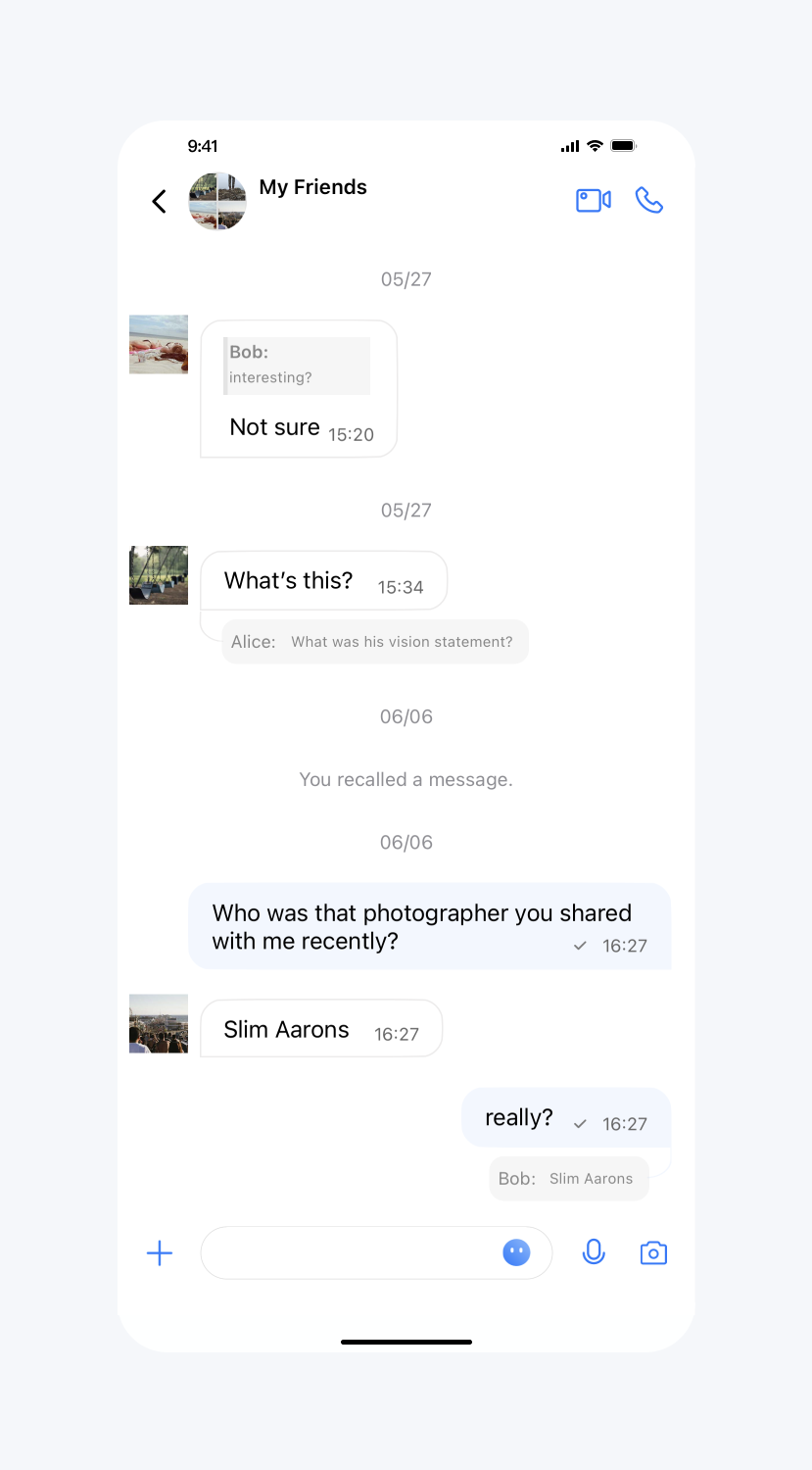 |
设置群头像展示九宫格
API 作用:设置群头像展示九宫格。针对消息列表、会话列表和联系人列表生效。
API 原型:
// TUIConfigMinimalist.java/*** Display the group avatar in the nine-square grid style.* The default value is true.* This configuration takes effect in all groups.*/public static void setEnableGroupGridAvatar(boolean enableGroupGridAvatar)
示例代码:
// When to call: Before initializing the TUIKit interfaces.TUIConfigMinimalist.setEnableGroupGridAvatar(false);
设置效果:
设置群头像不展示九宫格 | 默认 |
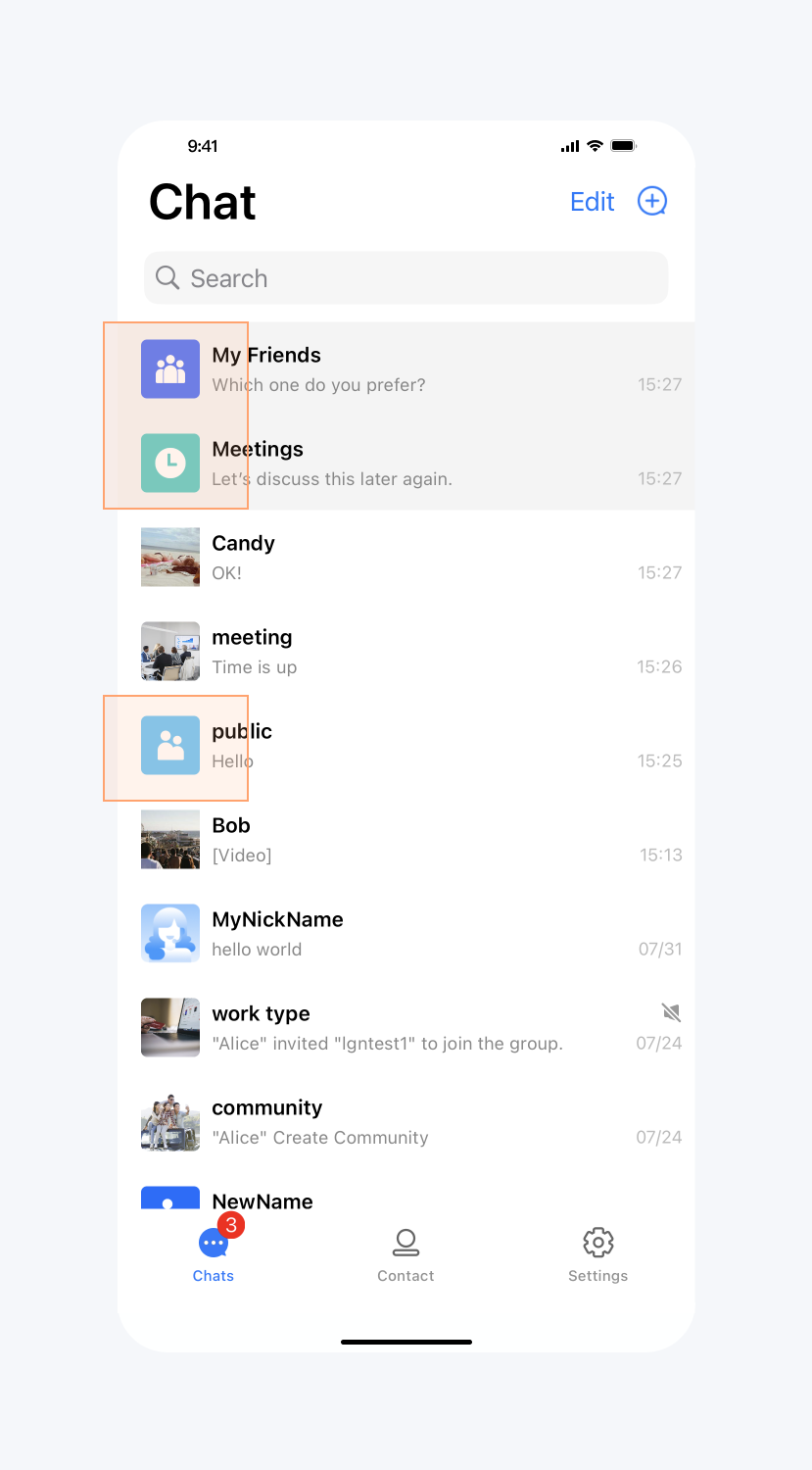 | 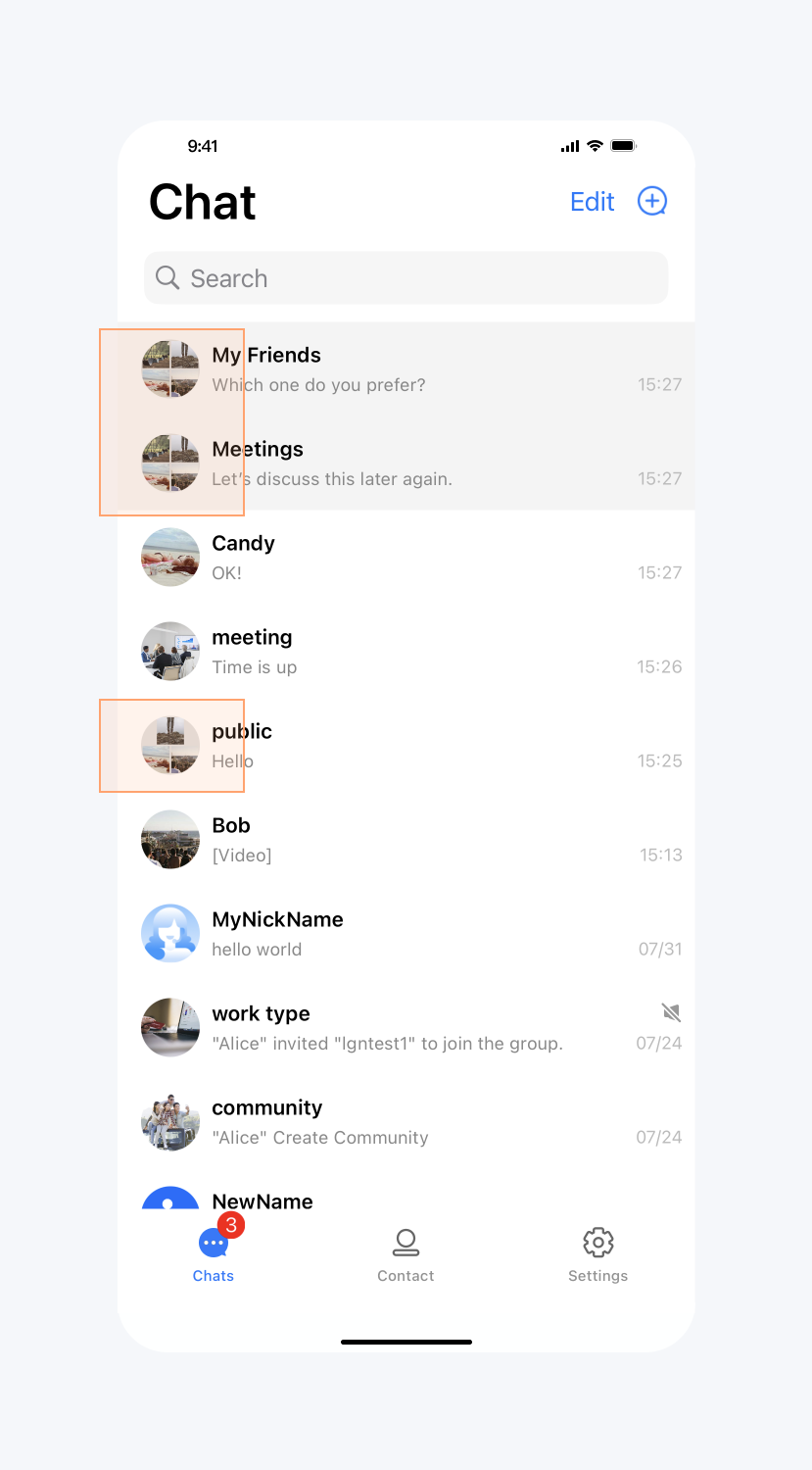 |
开启正在输入状态指示
API 作用:开启“正在输入”状态指示。针对所有 1v1 聊天消息界面生效。
API 原型:
// TUIChatConfigMinimalist.java/*** Enable the display "Alice is typing..." on one-to-one chat interface.* The default value is true.* This configuration takes effect in all one-to-one chat message list interfaces.*/public static void setEnableTypingIndicator(boolean enableTypingIndicator)
示例代码:
// When to call: Before initializing the message list interface.TUIChatConfigMinimalist.setEnableTypingIndicator(false);
设置效果:
开启“正在输入” | 不开启“正在输入” |
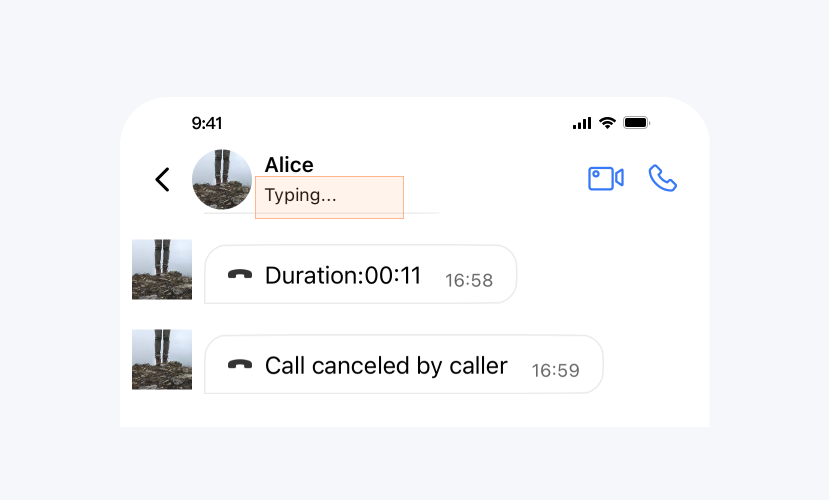 | 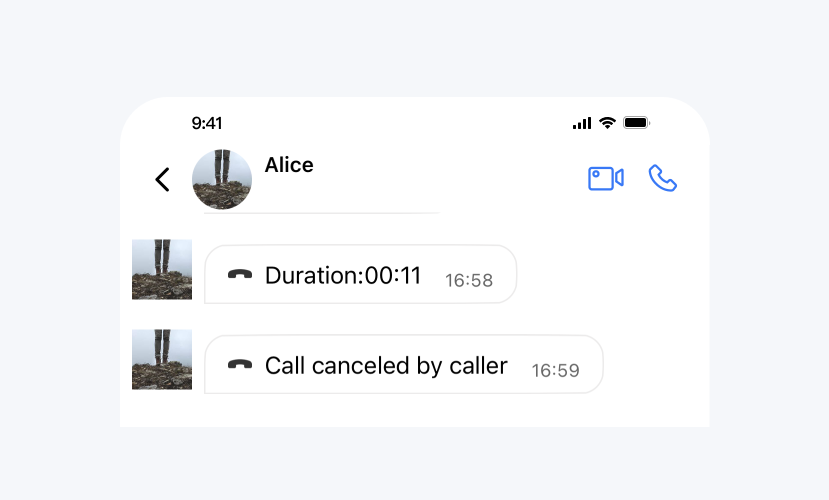 |
开启消息已读回执
API 作用:开启消息已读回执,开启后可以在消息详情中查看已读信息。针对所有消息生效。
API 原型:
// TUIChatConfigMinimalist.java/*** When sending a message, set this flag to require message read receipt.* The default value is false.* This configuration takes effect in all chat message list interfaces.*/public static void setMessageReadReceiptNeeded(boolean messageReadReceiptNeeded)
示例代码:
// When to call: Before sending messages.TUIChatConfigMinimalist.setMessageReadReceiptNeeded(true);
设置效果:
开启消息已读回执 | 不开启消息已读回执 |
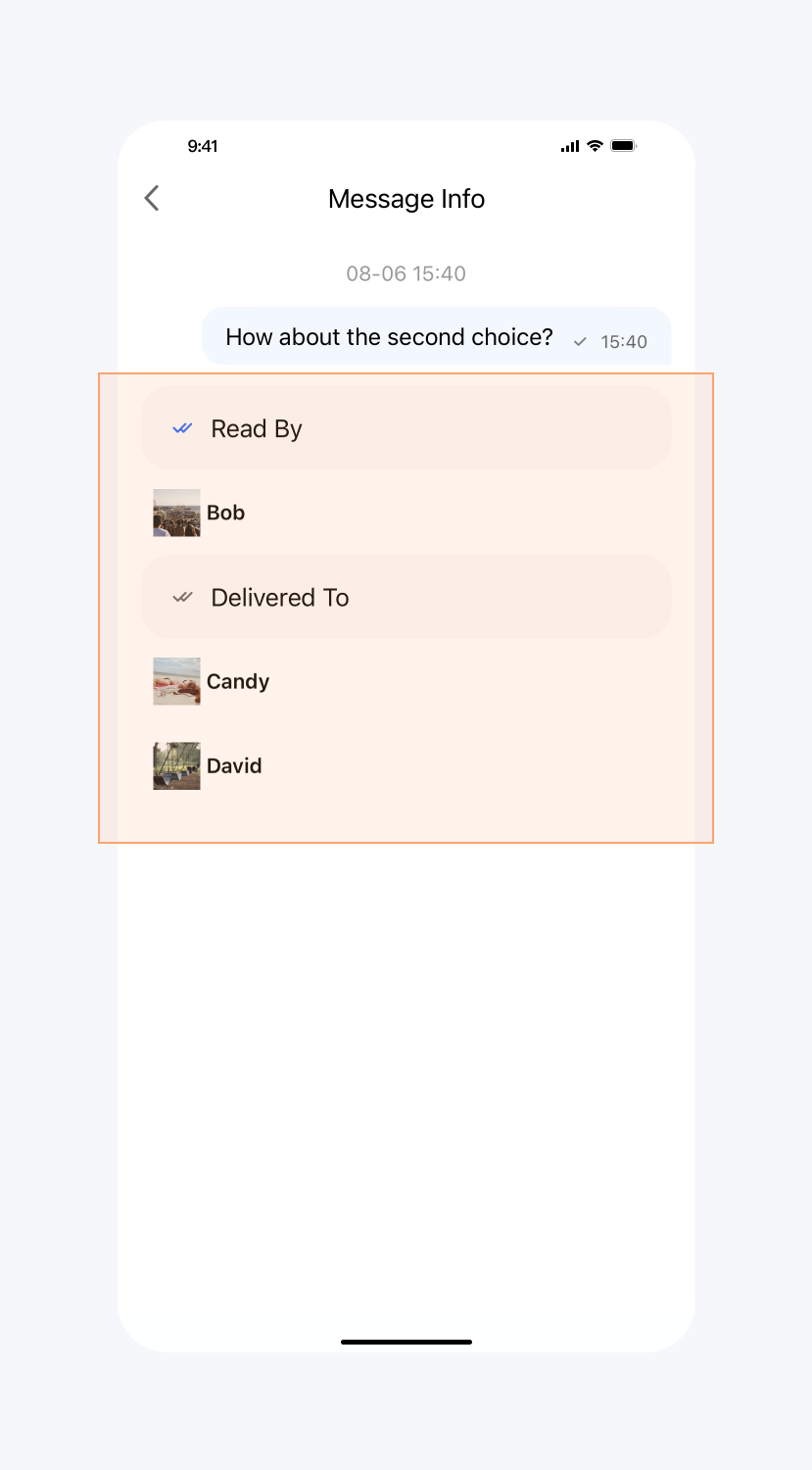 | 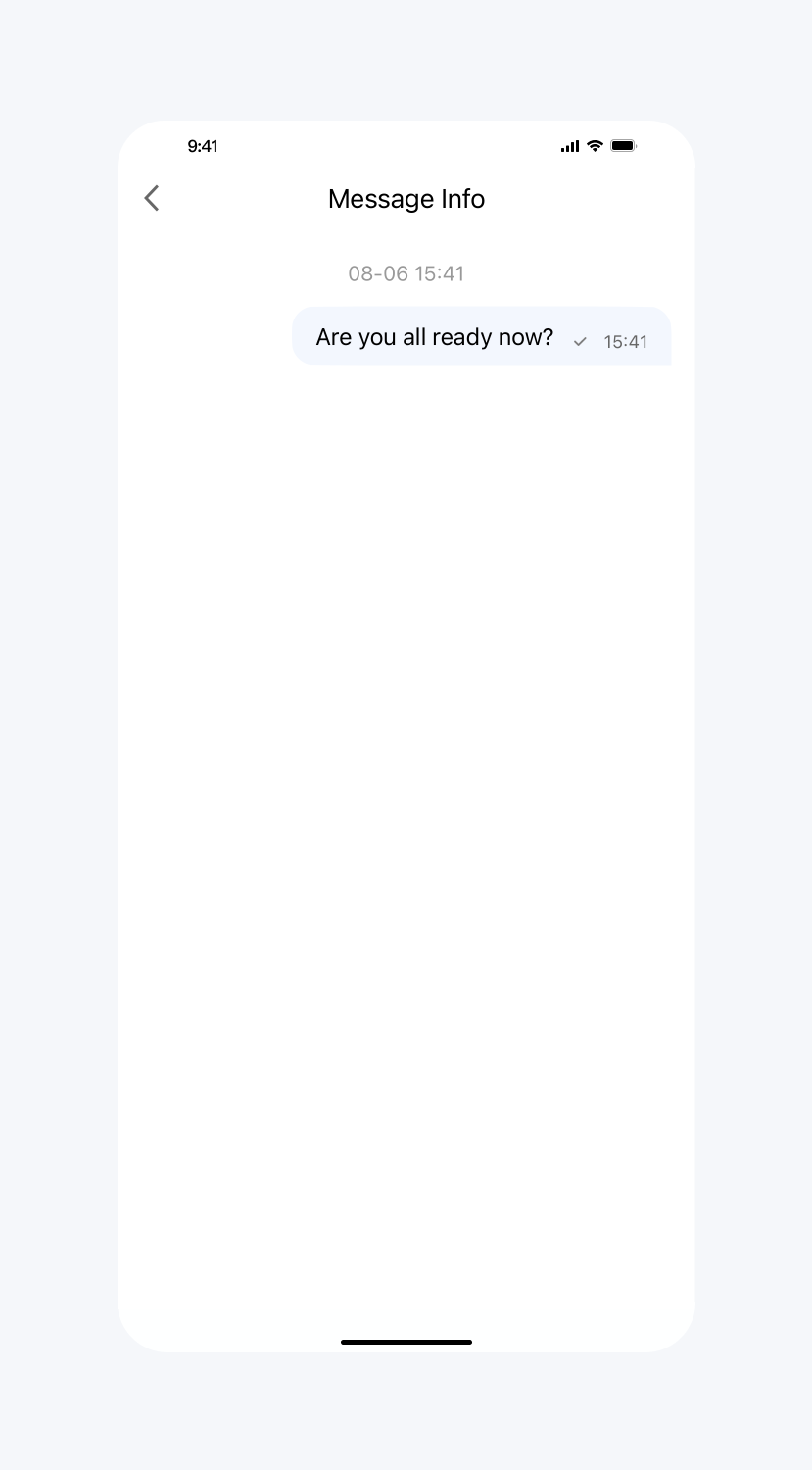 |
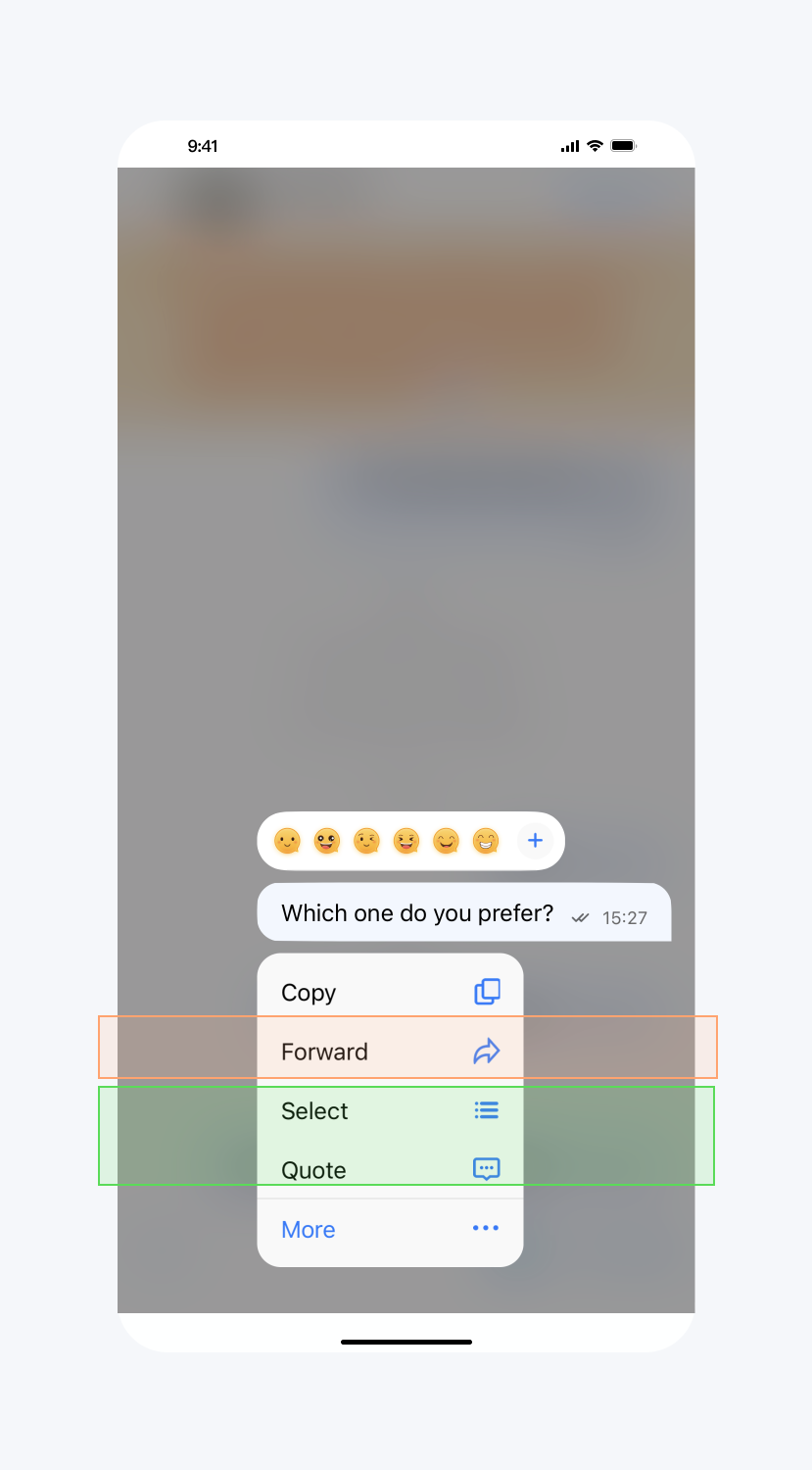
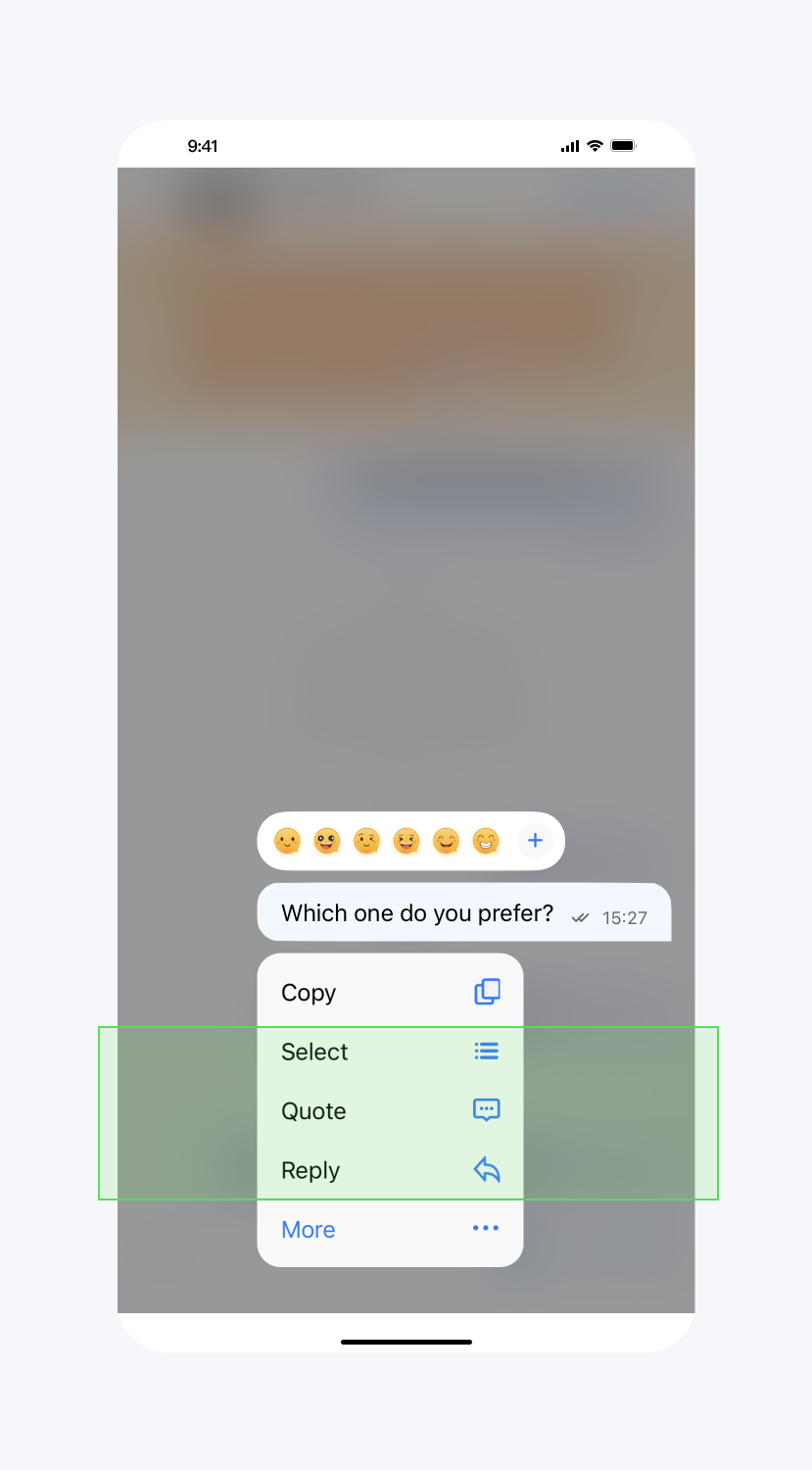
隐藏长按消息菜单按钮
API 作用:隐藏长按消息菜单中的指定按钮,针对所有聊天消息生效。
API 原型:
// TUIChatConfigMinimalist.javapublic static final int REPLY = 1; public static final int QUOTE = 2; public static final int EMOJI_REACTION = 3; public static final int PIN = 4; public static final int RECALL = 5; public static final int TRANSLATE = 6; public static final int CONVERT = 7; public static final int FORWARD = 8; public static final int SELECT = 9; public static final int COPY = 10; public static final int DELETE = 11; public static final int INFO = 12; public static final int SPEAKER_MODE_SWITCH = 13; @IntDef({REPLY, QUOTE, EMOJI_REACTION, PIN, RECALL, TRANSLATE, CONVERT, FORWARD, SELECT, COPY, DELETE, INFO, SPEAKER_MODE_SWITCH}) public @interface LongPressPopMenuItem {}/*** Hide the items in the pop-up menu when user presses the message.*/public static void hideItemsWhenLongPressMessage(@LongPressPopMenuItem int... items)
示例代码:
// When to call: Before displaying the pop-up menu when user presses the message.TUIChatConfigMinimalist.hideItemsWhenLongPressMessage(TUIChatConfigMinimalist.FORWARD,TUIChatConfigMinimalist.INFO);
设置效果:
不隐藏任何按钮 | 隐藏 Forward 按钮 |
 |  |
开启音视频通话浮窗
API 作用:开启音视频通话浮窗。开启后,您可以将音视频通话界面以小窗口的形式漂浮在聊天界面。针对所有音视频通话界面生效。
API 原型:
// TUIChatConfigMinimalist.java/*** Turn on audio and video call floating windows,* The default value is true.*/public static void setEnableFloatWindowForCall(boolean enableFloatWindowForCall)
示例代码:
// When to call: Before entering the message list interface.TUIChatConfigMinimalist.setEnableFloatWindowForCall(false);
开启音视频通话多端登录
API 作用:开启音视频通话多端登录。针对所有音视频通话生效。
API 原型:
// TUIChatConfigMinimalist.java/*** Enable multi-terminal login function for audio and video calls* The default value is false.*/public static void setEnableMultiDeviceForCall(boolean enableMultiDeviceForCall)
示例代码:
// When to call: Before entering the message list interface.TUIChatConfigMinimalist.setEnableMultiDeviceForCall(true);
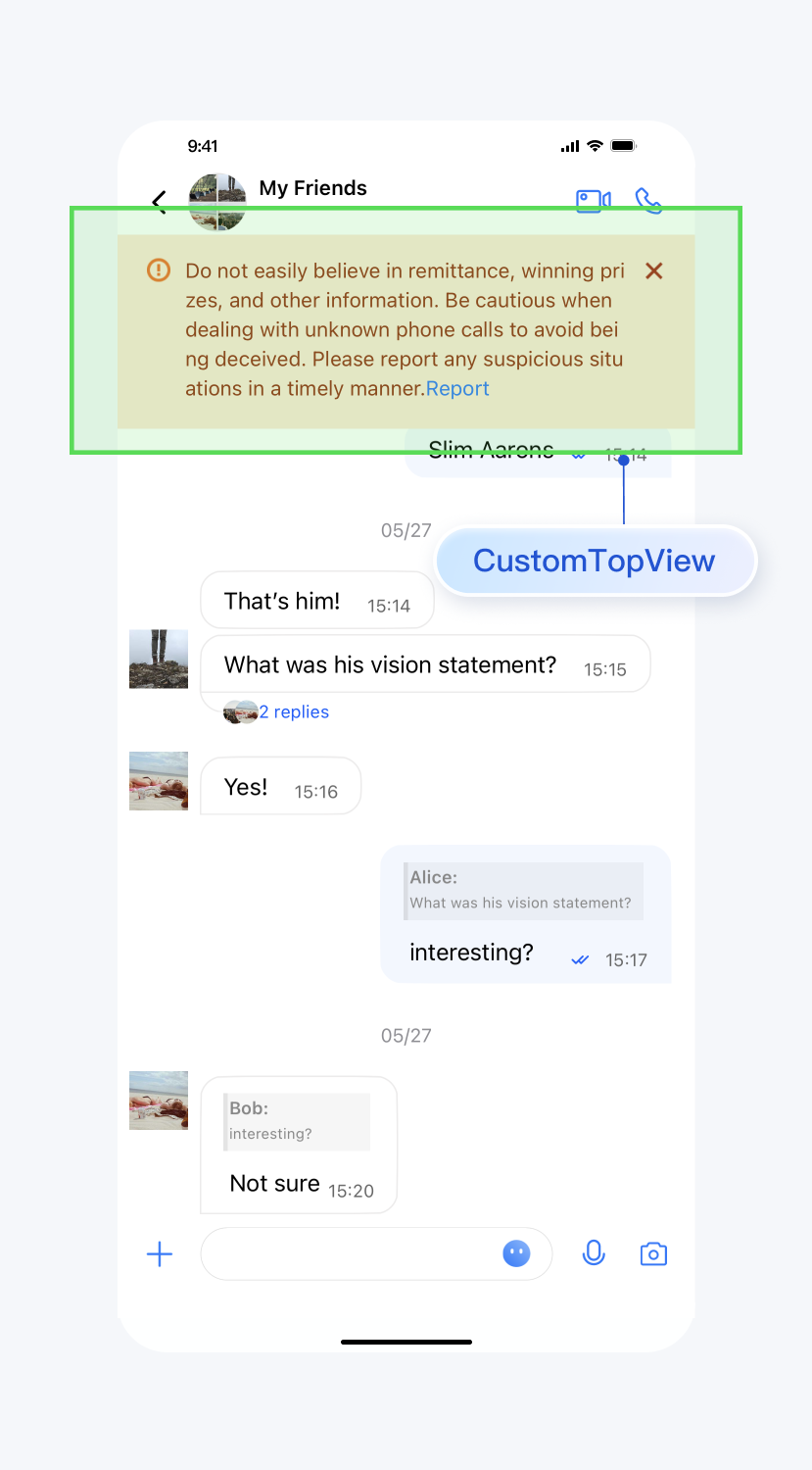
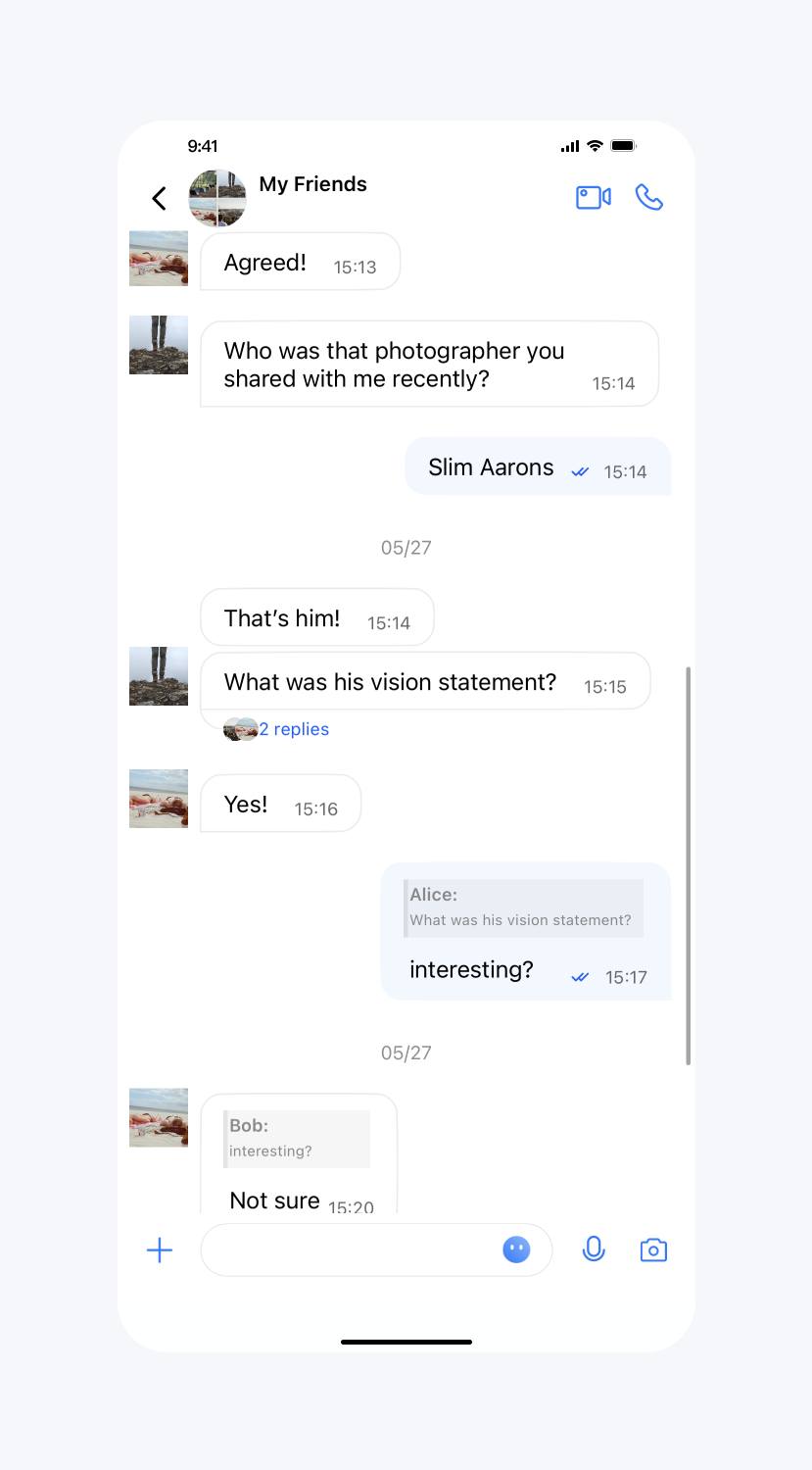
设置消息列表顶部自定义 View
API 作用:设置聊天界面顶部自定义 View,针对所有聊天消息界面生效。
API 原型:
// TUIChatConfigMinimalist.java/*** Add a custom view at the top of the chat interface.* This view will be displayed at the top of the message list and will not slide up.*/public static void setCustomTopView(View customTopView)
示例代码:
// When to call: Before initializing the message list interface.// tipsView is your customized view.TUIChatConfigMinimalist.setCustomTopView(tipsView);
设置效果:
设置自定义view | 默认 |
 |  |
设置消息是否不计入未读
API 作用:设置即将发送的消息不更新会话未读数,针对所有消息生效。
API 原型:
// TUIChatConfigMinimalist.java/*** Set this parameter when the sender sends a message, and the receiver will not update the unread count after receiving the message.* The default value is false.*/public static void setExcludedFromUnreadCount(boolean excludedFromUnreadCount)
示例代码:
// When to call: Before sending messages.TUIChatConfigMinimalist.setExcludedFromUnreadCount(true);
设置消息是否不更新会话 lastMsg
API 作用:设置即将发送的消息不更新会话 lastMsg,针对所有消息生效。
API 原型:
// TUIChatConfigMinimalist.java/*** Set this parameter when the sender sends a message, and the receiver will not update the last message of the conversation after receiving the message.* The default value is false.*/public static void setExcludedFromLastMessage(boolean excludedFromLastMessage)
示例代码:
// When to call: Before sending messages.TUIChatConfigMinimalist.setExcludedFromLastMessage(true);
消息撤回时间间隔
API 作用:设置消息撤回时间,针对所有消息生效。
API 原型:
// TUIChatConfigMinimalist.java/*** Time interval within which a message can be recalled after being sent.* The default value is 120 seconds.* If you want to adjust this configuration, please modify the setting on Chat Console synchronously: https://trtc.io/document/34419?platform=web&product=chat&menulabel=uikit#message-recall-settings*/public static void setTimeIntervalForAllowedMessageRecall(int timeIntervalForAllowedMessageRecall)
示例代码:
// When to call: Before sending messages.TUIChatConfigMinimalist.setTimeIntervalForAllowedMessageRecall(90);
语音、视频消息最长录制时长
API 作用:设置语音、视频消息最长录制时长,针对所有语音、视频消息生效。
API 原型:
// TUIChatConfigMinimalist.java/*** Maximum audio recording duration, no more than 60s.* The default value is 60 seconds.*/public static void setMaxAudioRecordDuration(int maxAudioRecordDuration)/*** Maximum video recording duration, no more than 15s.* The default value is 15 seconds.*/public static void setMaxVideoRecordDuration(int maxVideoRecordDuration)
示例代码:
// When to call: Before recording audio or video messages.TUIChatConfigMinimalist.setMaxAudioRecordDuration(10);TUIChatConfigMinimalist.setMaxVideoRecordDuration(10);
开启自定义铃声
API 作用:设置 Android 设备收到消息时的铃声为内置的自定义铃声,针对所有消息生效。
API 原型:
// TUIChatConfigMinimalist.java/*** Enable custom ringtone.* This config takes effect only for Android devices.*/public static void setEnableAndroidCustomRing(boolean enableAndroidCustomRing)
示例代码:
// When to call: Before sending messages.TUIChatConfigMinimalist.setEnableAndroidCustomRing(true);
开启语音消息扬声器播放
API 作用:设置播放语音消息时默认使用扬声器而不是听筒播放。针对所有语音消息生效。
API 原型:
// TUIChatConfigMinimalist.java/*** Call this method to use speakers instead of handsets by default when playing voice messages.*/public static void setPlayingSoundMessageViaSpeakerByDefault(boolean playingSoundMessageViaSpeakerByDefault)
示例代码:
// When to call: Before initializing the Message interface.TUIChatConfigMinimalist.setPlayingSoundMessageViaSpeakerByDefault(true);
注册自定义消息
API 原型:
// TUIChatConfigMinimalist.java/*** Register custom message.* - Parameters:* - businessID: Customized message‘s businessID, which is unique.* - messageBeanClass: Customized message's MessagBean class.* - messageViewHolderClass: Customized message's MessagViewHolder class.* - isUseEmptyViewGroup: If true, the user avatar and message bubble will not be displayed.*/public static void registerCustomMessage(String businessID, Class<? extends TUIMessageBean> messageBeanClass, Class<? extends RecyclerView.ViewHolder> messageViewHolderClass, boolean isUseEmptyViewGroup)
示例代码:
// When to call: Before initializing the Message List interface.TUIChatConfigMinimalist.registerCustomMessage(CUSTOM_LINK_MESSAGE_BUSINESS_ID,CustomLinkMessageBean.class,CustomLinkMessageHolder.class,false);
点击、长按消息列表里的用户头像
API 作用:用户点击、长按了消息列表里的用户头像的事件回调。
API 原型:
// TUIChatConfigMinimalist.javapublic interface ChatEventListener {/*** Tells the listener a user's avatar in the chat list is clicked.* Returning true indicates this event has been intercepted, and Chat will not process it further.* Returning false indicates this event is not intercepted, and Chat will continue to process it.*/default boolean onUserIconClicked(View view, TUIMessageBean messageBean) { return false; }/*** Tells the listener a user's avatar in the chat list is long pressed.* Returning true indicates that this event has been intercepted, and Chat will not process it further.* Returning false indicates that this event is not intercepted, and Chat will continue to process it.*/default boolean onUserIconLongClicked(View view, TUIMessageBean messageBean) { return false; }}
示例代码:
TUIChatConfigMinimalist.setChatEventListener(new ChatEventListener() {@Overridepublic boolean onUserIconClicked(View view, TUIMessageBean messageBean) {// Customize your own action when user avatar is clicked.ToastUtil.toastShortMessage("onUserIconClicked");return true;}@Overridepublic boolean onUserIconLongClicked(View view, TUIMessageBean messageBean) {// Customize your own action when user avatar is long pressed.ToastUtil.toastShortMessage("onUserIconLongClicked");return true;}}
点击、长按消息列表里的消息
API 作用:用户点击、长按了消息列表里的消息的事件回调。
API 原型:
// TUIChatConfigMinimalist.javapublic interface ChatEventListener {/*** Tells the listener a message in the chat list is clicked.* Returning true indicates that this event has been intercepted, and Chat will not process it further.* Returning false indicates that this event is not intercepted, and Chat will continue to process it.*/ default boolean onMessageClicked(View view, TUIMessageBean messageBean) { return false; } /*** Tells the listener a message in the chat list is long pressed.* Returning true indicates that this event has been intercepted, and Chat will not process it further.* Returning false indicates that this event is not intercepted, and Chat will continue to process it.*/ default boolean onMessageLongClicked(View view, TUIMessageBean messageBean) { return false; }}
示例代码:
TUIChatConfigMinimalist.setChatEventListener(new ChatEventListener() {@Overridepublic boolean onMessageClicked(View view, TUIMessageBean messageBean) {// Customize your own action when message is clicked.ToastUtil.toastShortMessage("onMessageClicked");return true;}@Overridepublic boolean onMessageLongClicked(View view, TUIMessageBean messageBean) {// Customize your own action when message is long pressed.ToastUtil.toastShortMessage("onMessageLongClicked");return true;}}
消息样式相关
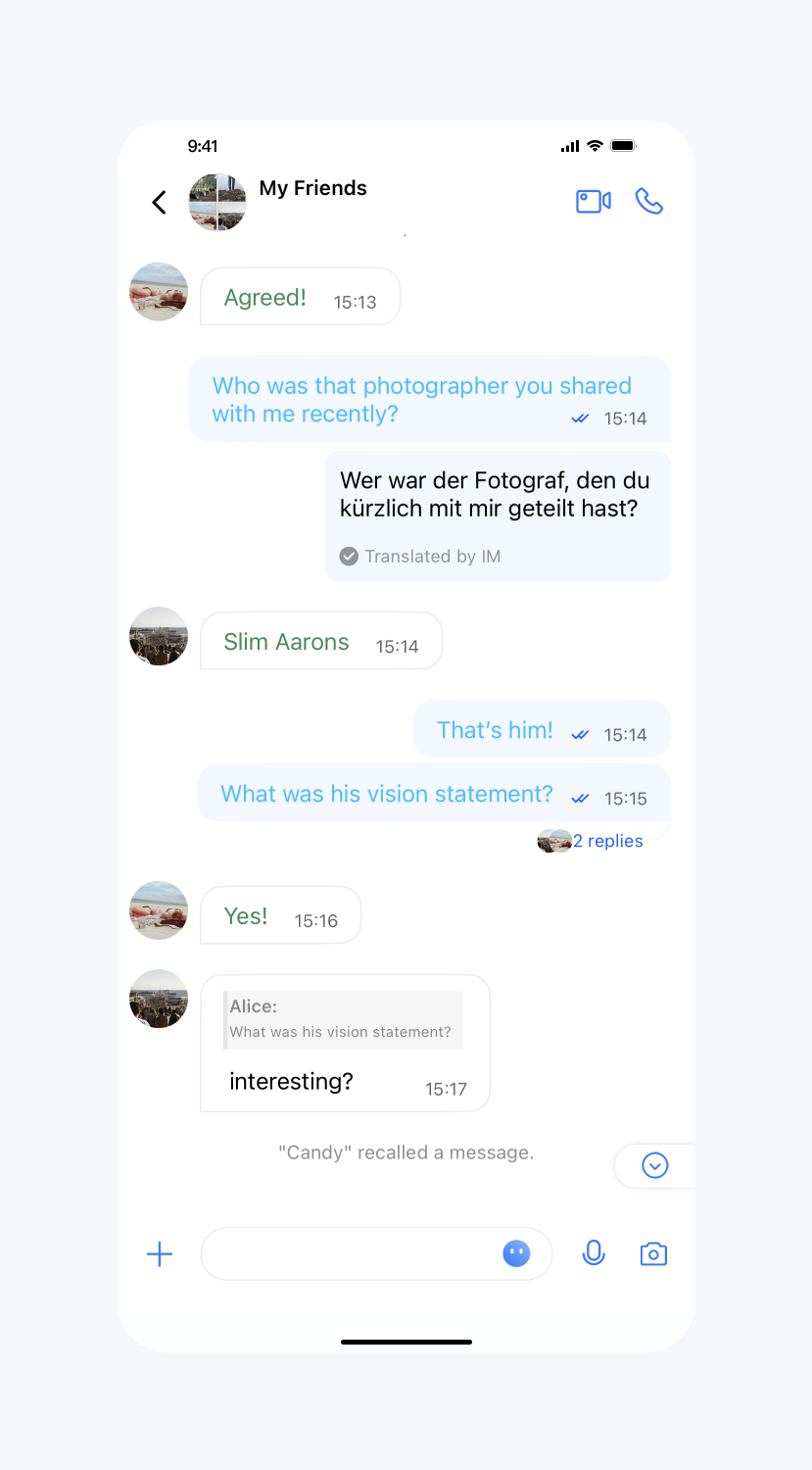
文本消息的颜色、字体
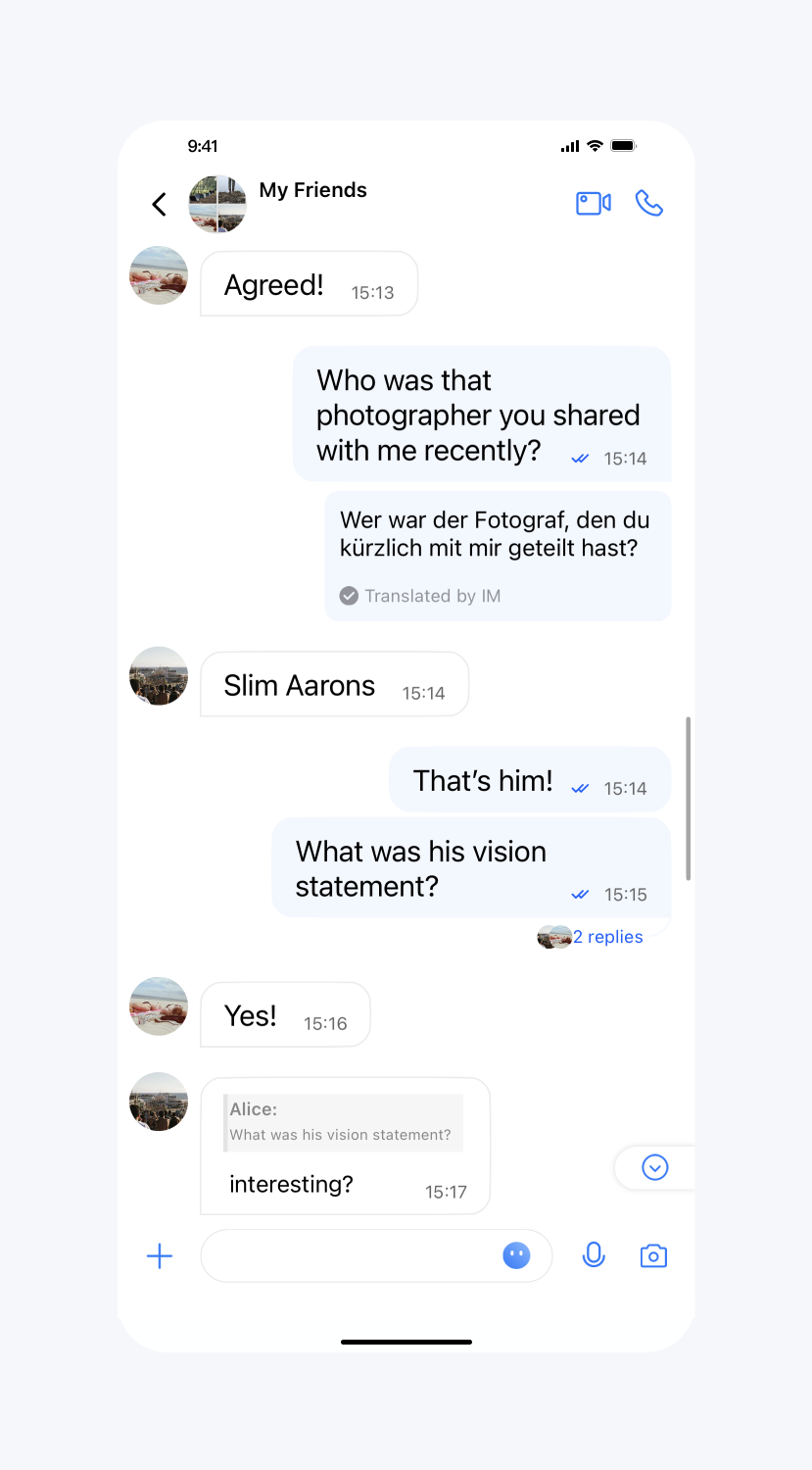
API 作用:设置发送、接收的文本消息的文字颜色和字体。针对所有的文本消息生效。
API 原型:
// TUIChatConfigMinimalist.java/*** The color of send text message.*/public static void setSendTextMessageColor(int color)/*** The font size of send text message.*/public static void setSendTextMessageFontSize(int size)/** The color of receive text message.*/public static void setReceiveTextMessageColor(int color)/*** The font size of receive text message.*/public static void setReceiveTextMessageFontSize(int size)
示例代码:
// When to call: After initializing the message list interface and before entering it.TUIChatConfigMinimalist.setSendTextMessageColor(0xFF00BFFF);TUIChatConfigMinimalist.setSendTextMessageFontSize(20);TUIChatConfigMinimalist.setReceiveTextMessageColor(0xFF2E8B57);TUIChatConfigMinimalist.setReceiveTextMessageFontSize(23);
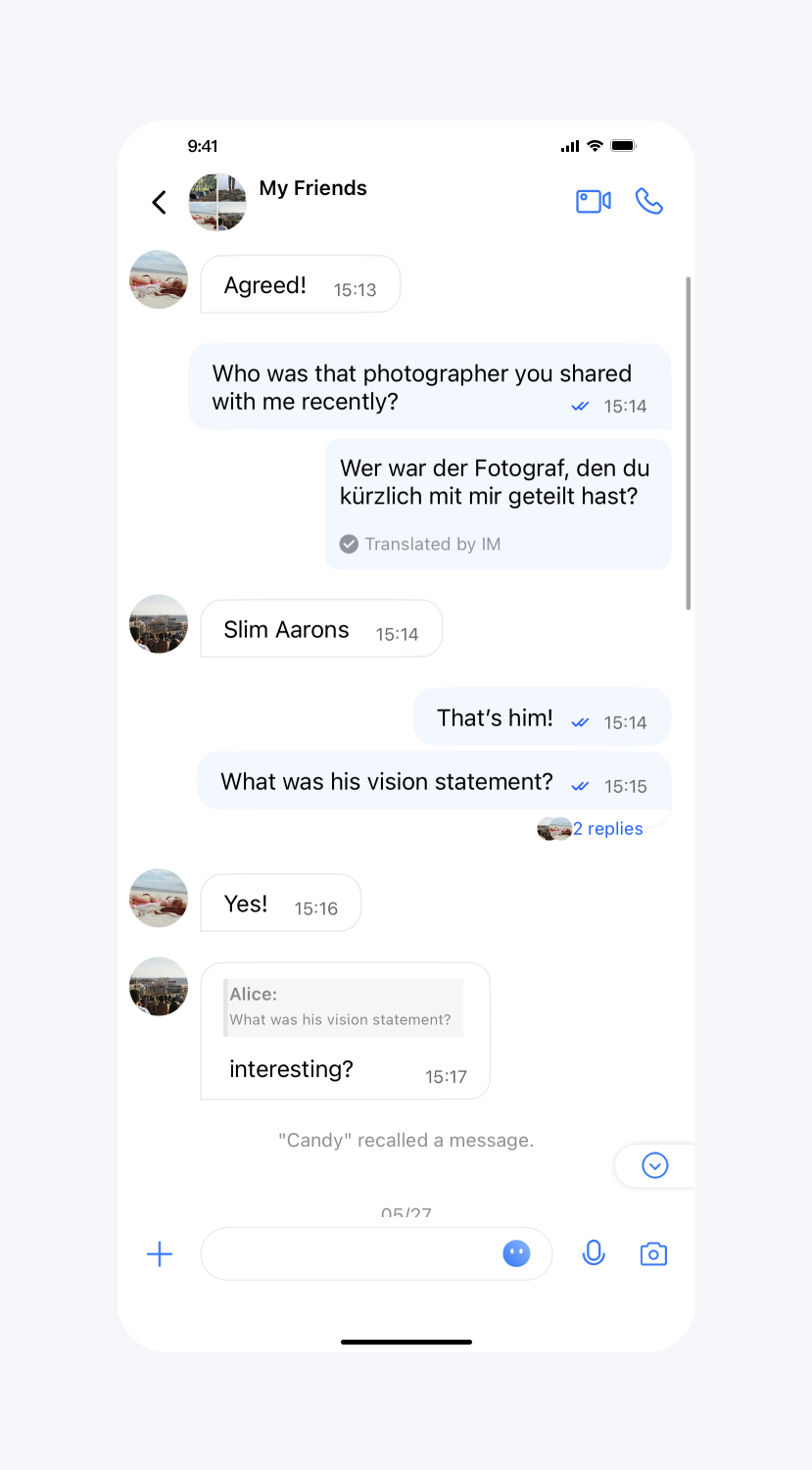
设置效果:
设置文本消息文字颜色 | 设置文本消息字体 | 默认 |
 |  |  |
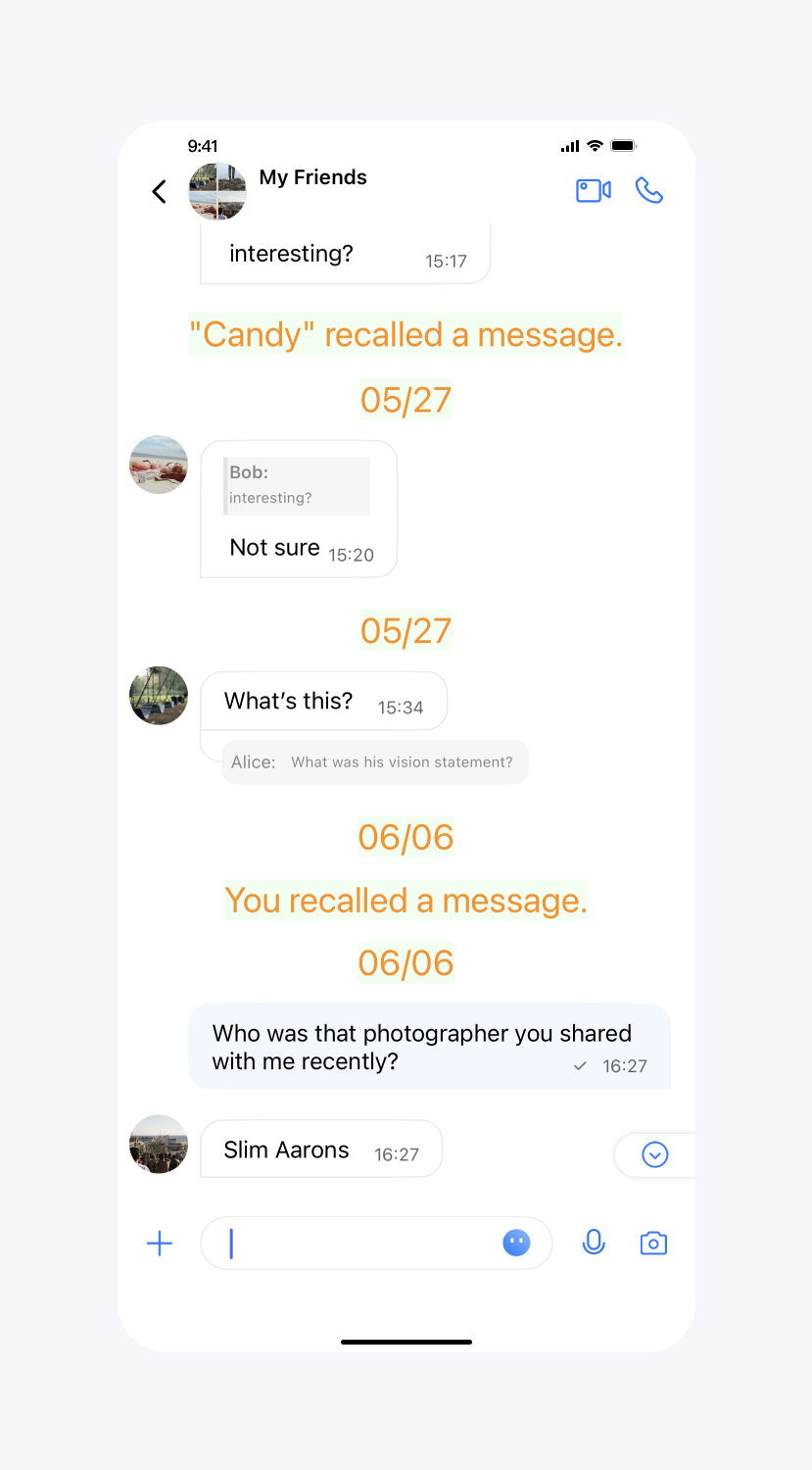
系统通知消息字体、颜色和背景色
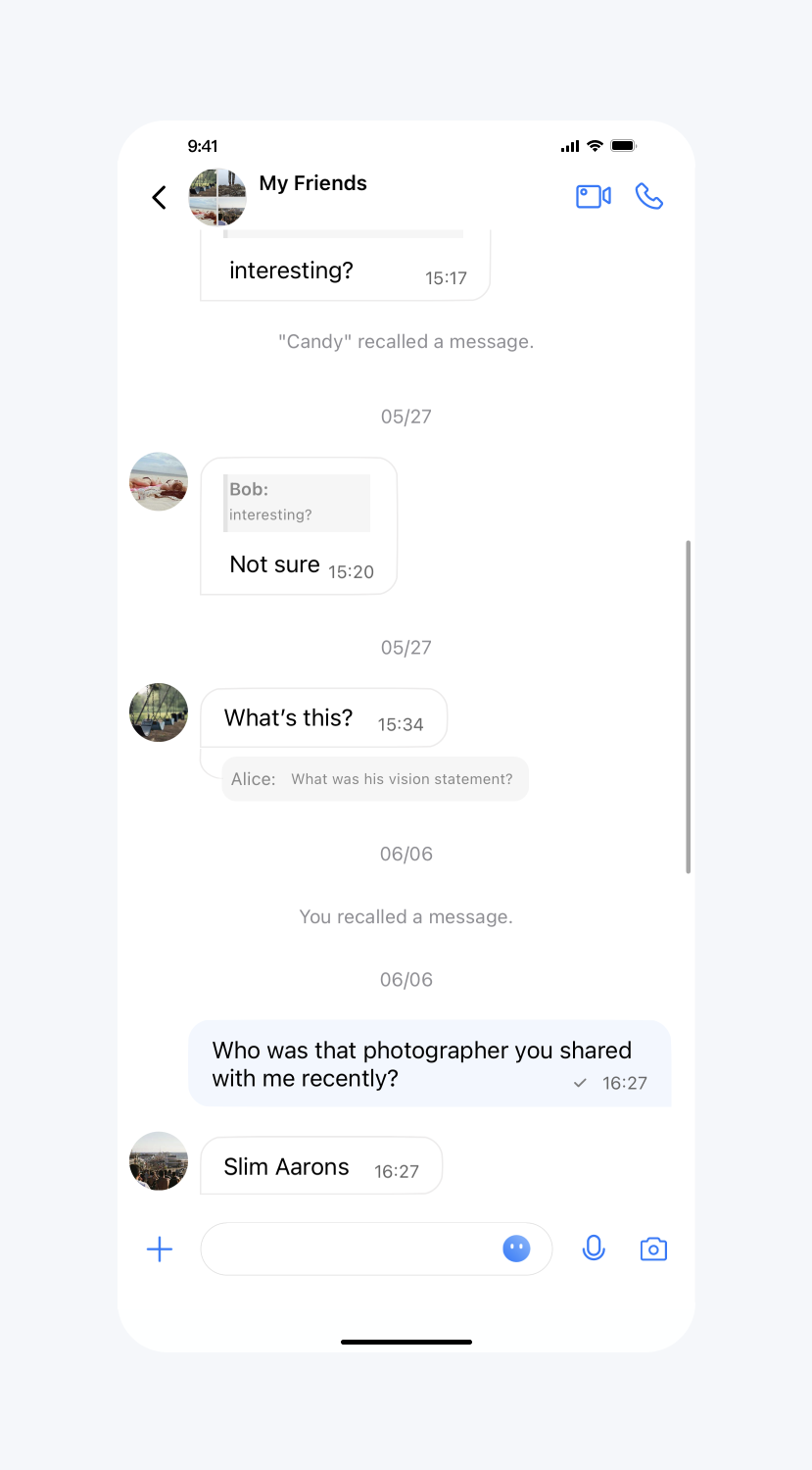
API 作用:设置系统通知消息文字的字体、颜色和背景色,针对所有系统通知消息生效。
API 原型:
// TUIChatConfigMinimalist.java/*** The text color of system message.*/public static void setSystemMessageTextColor(int color)/*** The font size of system message.*/public static void setSystemMessageFontSize(int size)/*** The background of system message.*/public static void setSystemMessageBackground(Drawable drawable)
示例代码:
// When to call: After initializing the message list interface and before entering it.TUIChatConfigMinimalist.setSystemMessageTextColor(0xFFFF8C00);TUIChatConfigMinimalist.setSystemMessageFontSize(23);TUIChatConfigMinimalist.setSystemMessageBackground(new ColorDrawable(0xFFF0FFF0));
设置效果:
设置系统通知消息文字的字体、颜色和背景色 | 默认 |
 |  |
消息气泡相关
开启消息气泡展示
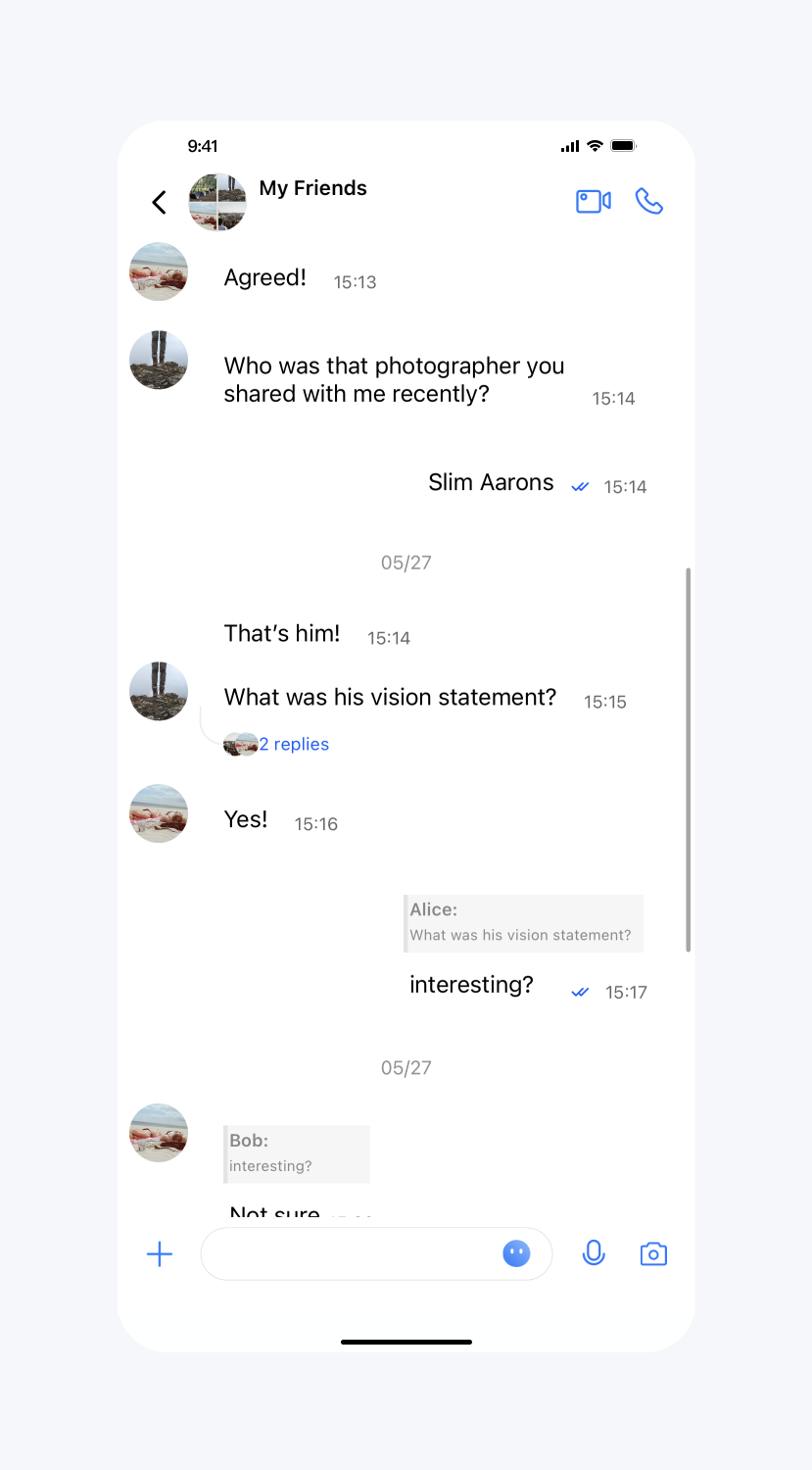
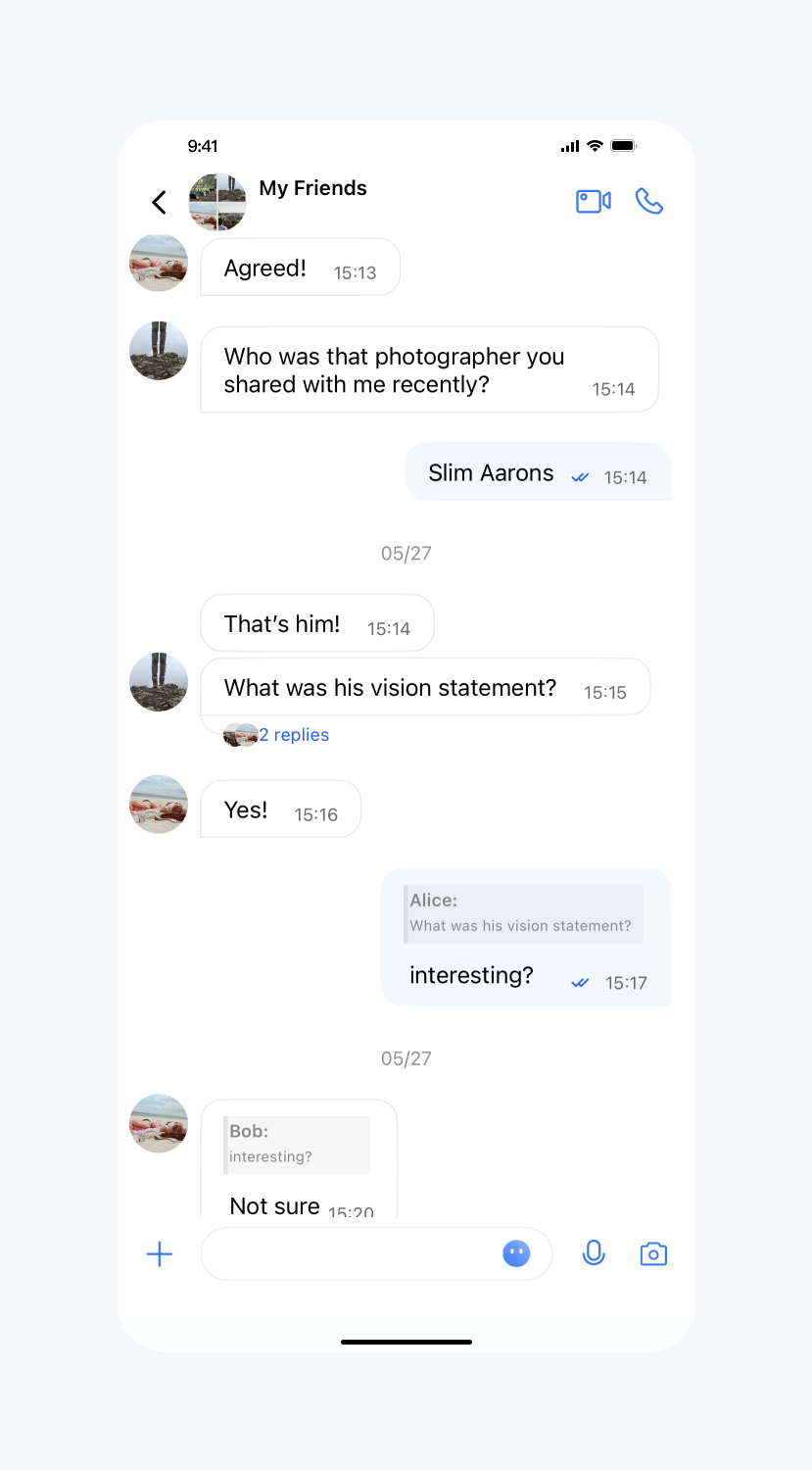
API 作用:开启消息气泡展示,针对所有聊天界面生效。
API 原型:
// TUIConfigMinimalist.java/*** Enable the message display in the bubble style.* The default value is true.*/public static void setEnableMessageBubbleStyle(boolean enable)
示例代码:
// When to call: After initializing the message list interface and before entering it.TUIConfigMinimalist.setEnableMessageBubbleStyle(false);
设置效果:
不显示消息气泡 | 默认 |
 |  |
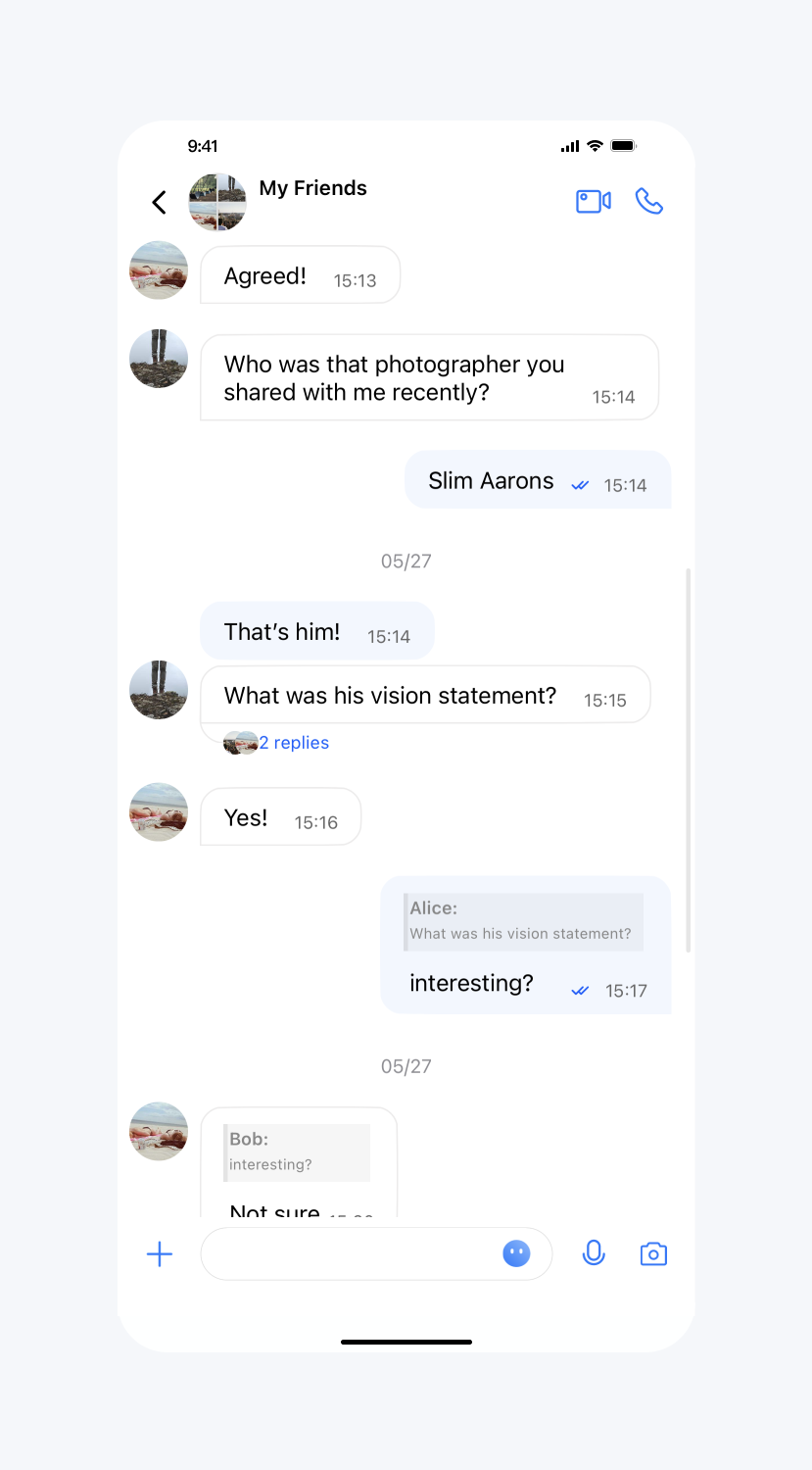
气泡背景图设置
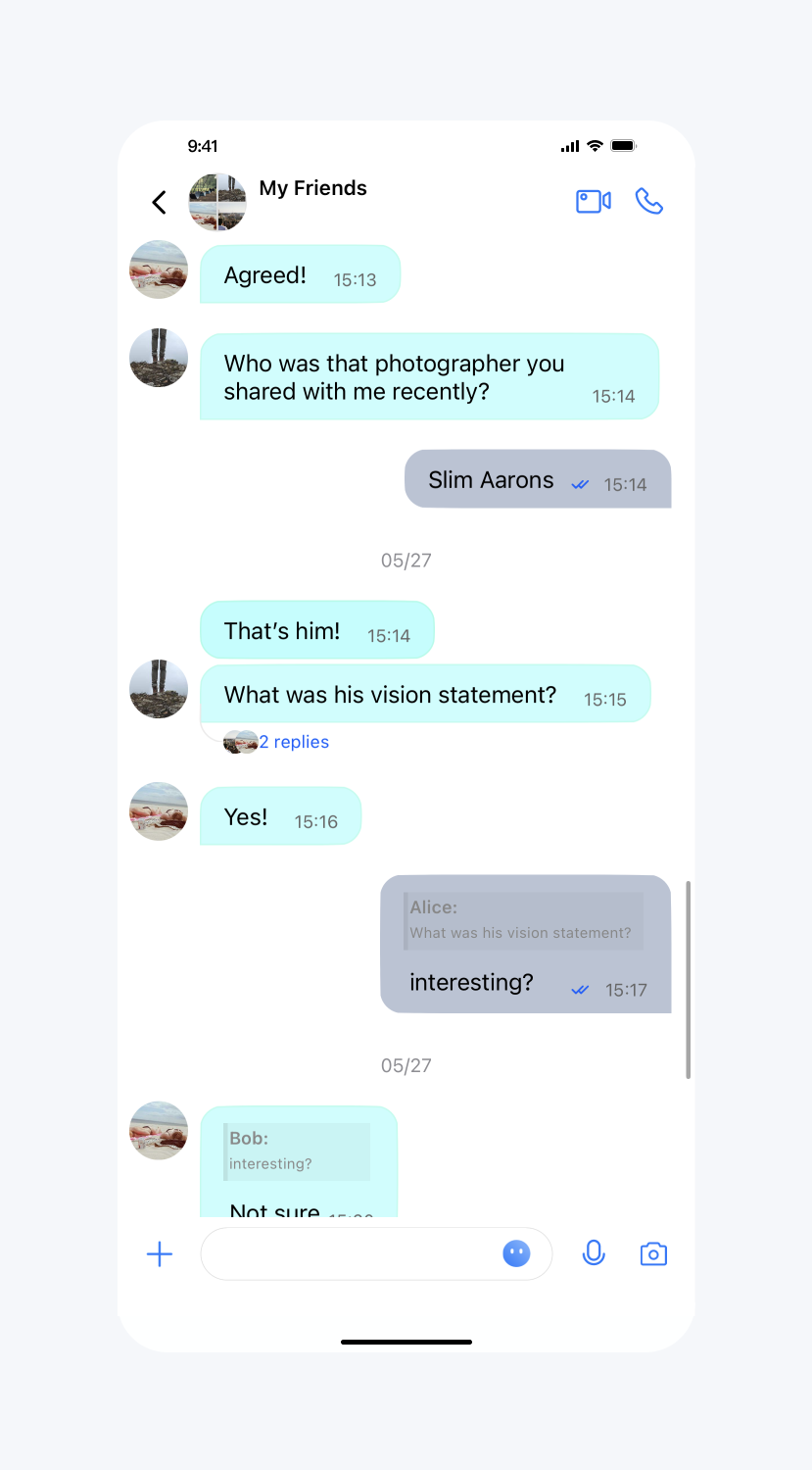
API 作用:设置气泡背景图,针对所有聊天界面生效。
API 原型:
// TUIConfigMinimalist.java/*** Set the background of the last sent message bubble in consecutive messages.*/public static void setSendLastBubbleBackground(Drawable drawable)/*** Set the background of the non-last sent message bubble in consecutive message.*/public static void setSendBubbleBackground(Drawable drawable)/*** Set the background of the last received message bubble in consecutive message.*/public static void setReceiveLastBubbleBackground(Drawable drawable)/*** Set the background of the non-last received message bubble in consecutive message.*/public static void setReceiveBubbleBackground(Drawable drawable)/*** Set the light color when the message bubble needs to flicker.*/public static void setBubbleHighlightLightColor(int color)/*** Set the dark color when the message bubble needs to flicker.*/public static void setBubbleHighlightDarkColor(int color)
示例代码:
// When to call: After initializing the message list interface and before entering it.TUIConfigMinimalist.setSendLastBubbleBackground(context.getDrawable(R.drawable.SenderTextNodeBkg))TUIConfigMinimalist.setSendBubbleBackground(context.getDrawable(R.drawable.SenderTextNodeBkg))TUIConfigMinimalist.setReceiveLastBubbleBackground(context.getDrawable(R.drawable.ReceiverTextNodeBkg));TUIConfigMinimalist.setReceiveBubbleBackground(context.getDrawable(R.drawable.ReceiverTextNodeBkg));
设置效果:
设置气泡背景图 | 默认 |
 |  |
输入栏相关
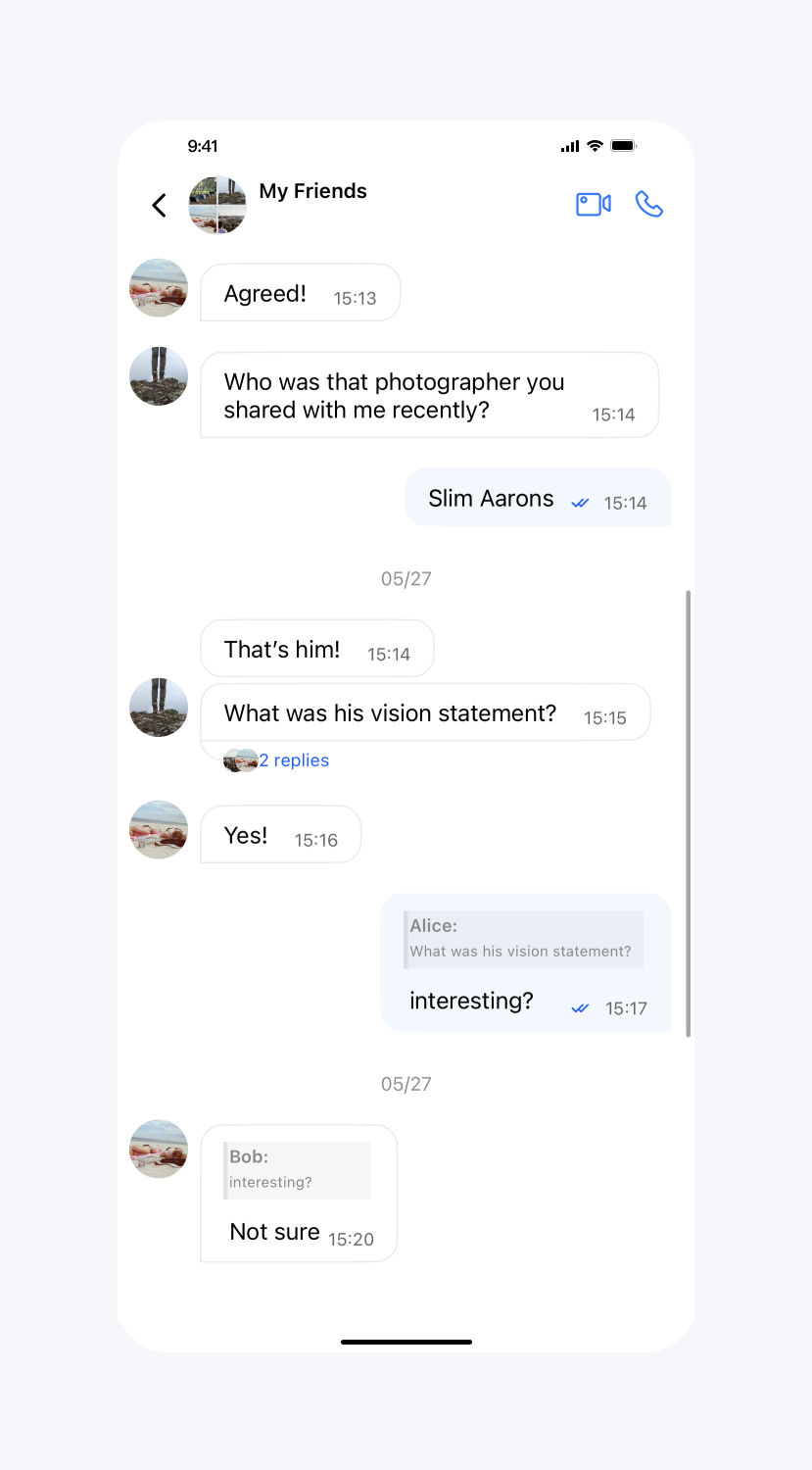
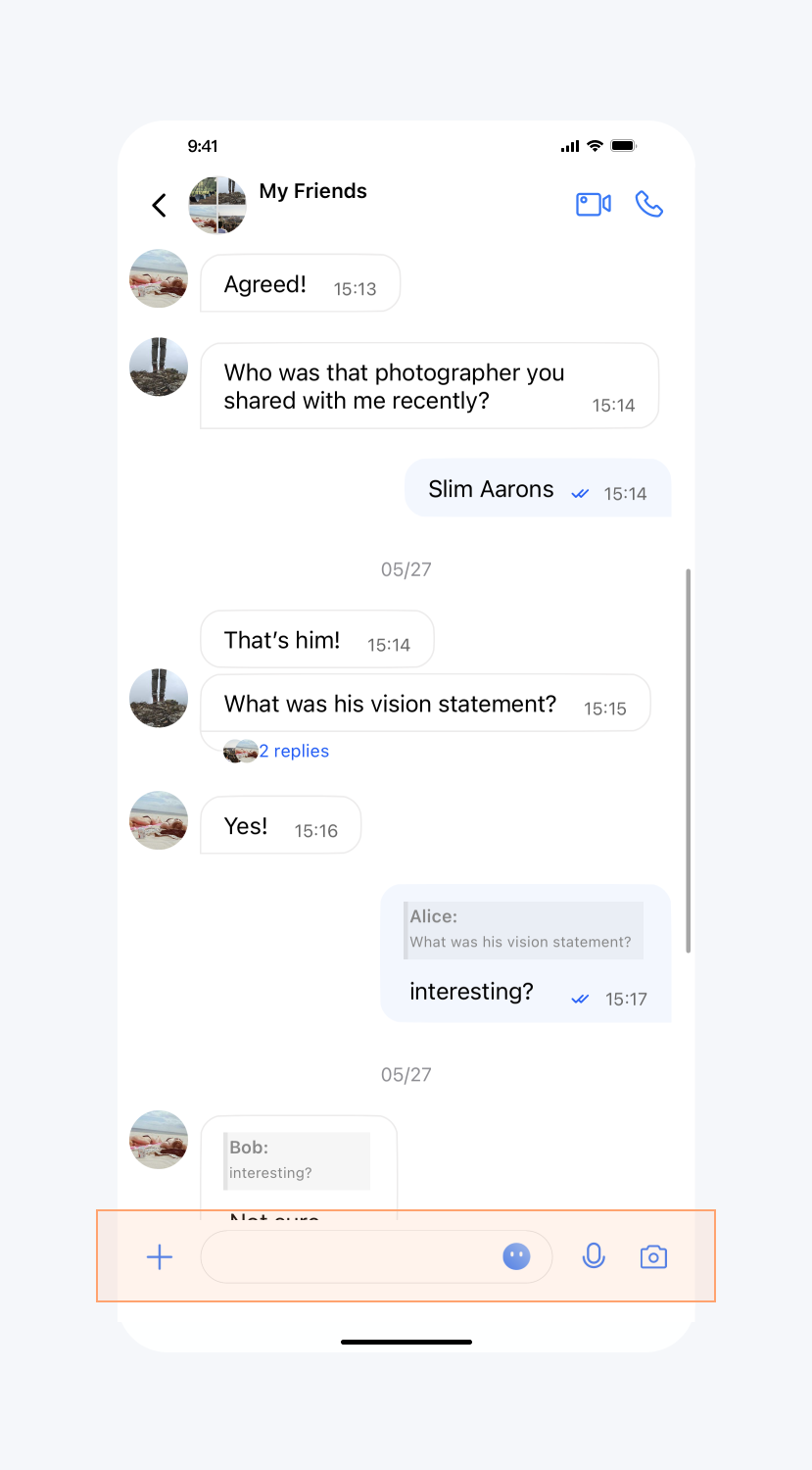
展示聊天界面输入框
API 作用:展示聊天界面输入框,针对所有聊天界面生效。
API 原型:
// TUIChatConfigMinimalist.java/*** Show the input bar in the message list interface.* The default value is true.*/public static void setShowInputBar(boolean showInputBar)
示例代码:
// When to call: After initializing the message list interface and before entering it.TUIChatConfigMinimalist.setShowInputBar(false);
设置效果:
隐藏输入框 | 默认 |
 |  |
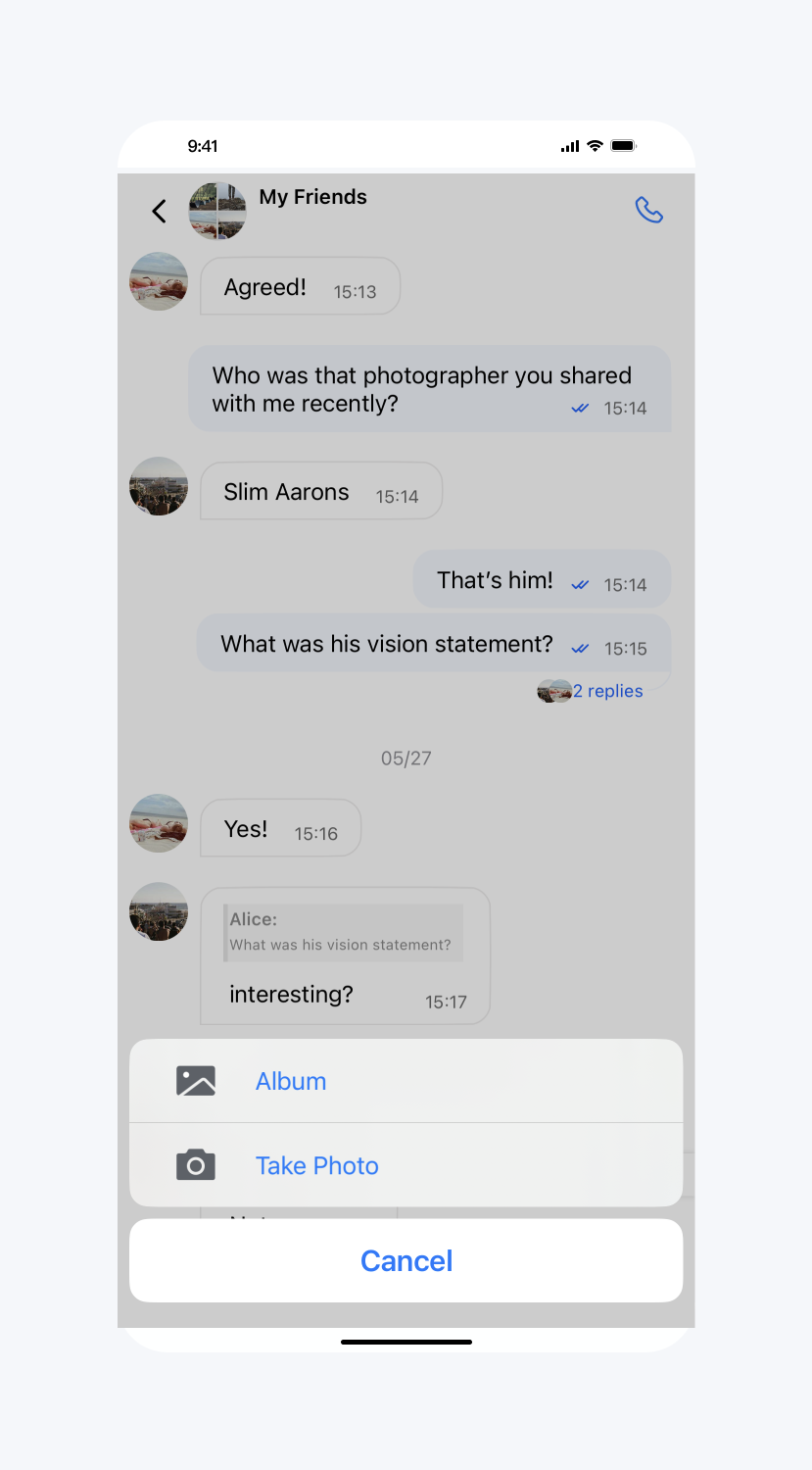
隐藏更多菜单中选项(全局)
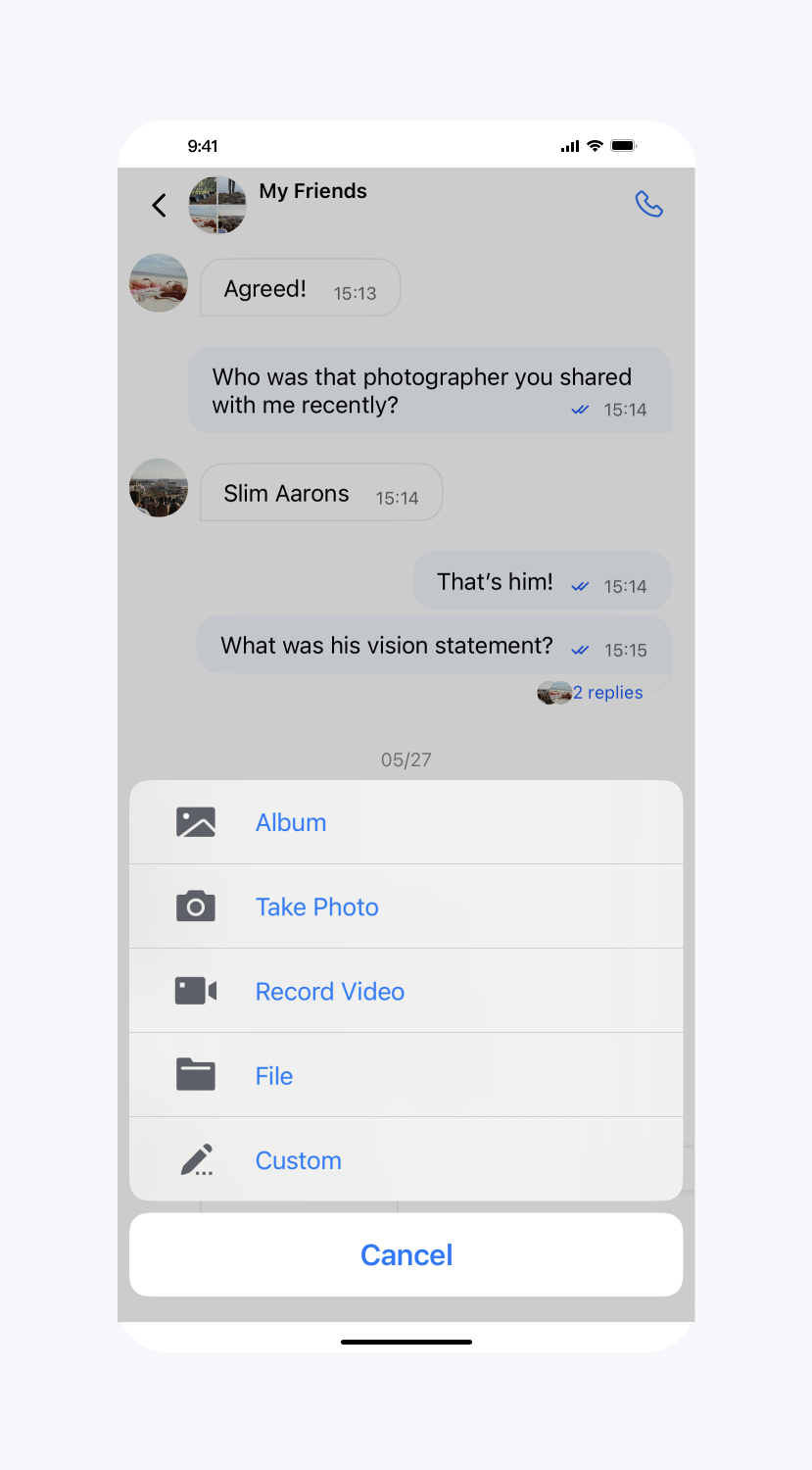
API 作用:隐藏更多菜单中的按钮,针对所有聊天界面生效。
API 原型:
// TUIChatConfigMinimalist.java/*** Hide items in more menu.*/public static void hideItemsInMoreMenu(@InputMoreMenuItem int... items)
示例代码:
// When to call: After initializing the message list interface and before entering it.TUIChatConfigMinimalist.hideItemsInMoreMenu(TUIChatConfigMinimalist.CUSTOM,TUIChatConfigMinimalist.RECORD_VIDEO,TUIChatConfigMinimalist.FILE);
设置效果:
隐藏部分 item | 默认 |
 |  |
隐藏更多菜单中选项(局部)
API 作用:隐藏更多菜单中的按钮,针对指定聊天界面生效。
API 原型:
// TUIChatConfigMinimalist.javapublic static final int CUSTOM = 1; public static final int RECORD_VIDEO = 2; public static final int TAKE_PHOTO = 3; public static final int ALBUM = 4; public static final int FILE = 5; @IntDef({CUSTOM, RECORD_VIDEO, TAKE_PHOTO, ALBUM, FILE}) public @interface InputMoreMenuItem {}public interface ChatInputMoreDataSource { default @InputMoreMenuItem List<Integer> inputBarShouldHideItemsInMoreMenuOfInfo(ChatInfo chatInfo) { return new ArrayList<>(); } }
示例代码:
// When to call: After initializing the message list interface and before entering it.TUIChatConfigMinimalist.setChatInputMoreDataSource(new TUIChatConfigMinimalist.ChatInputMoreDataSource() {@Overridepublic List<Integer> inputBarShouldHideItemsInMoreMenuOfInfo(ChatInfo chatInfo) {return Arrays.asList(TUIChatConfigMinimalist.CUSTOM, TUIChatConfigMinimalist.RECORD_VIDEO,TUIChatConfigMinimalist.TAKE_PHOTO, TUIChatConfigMinimalist.ALBUM,TUIChatConfigMinimalist.FILE);}});
更多菜单添加选项(局部)
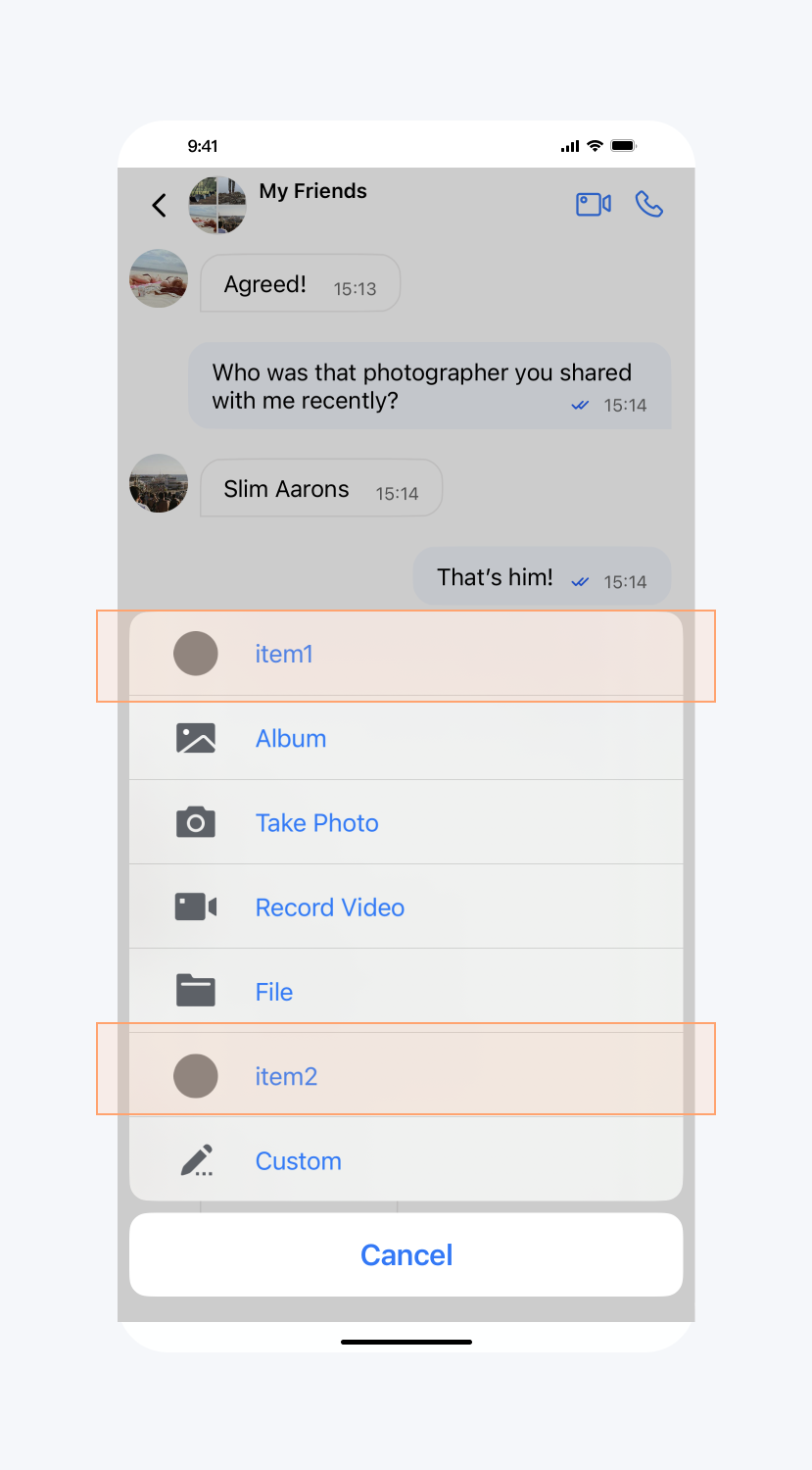
API 作用:向更多菜单添加选项,针对指定聊天界面生效。
API 原型:
// TUIChatConfigMinimalist.javapublic interface ChatInputMoreDataSource {
    default List<InputMoreItem> inputBarShouldAddNewItemToMoreMenuOfInfo(ChatInfo chatInfo) {
        return new ArrayList<>();
    }
}
示例代码:
// When to call: After initializing the message list interface and before entering it.TUIChatConfigMinimalist.setChatInputMoreDataSource(new TUIChatConfigMinimalist.ChatInputMoreDataSource() {@Overridepublic List<InputMoreItem> inputBarShouldAddNewItemToMoreMenuOfInfo(ChatInfo chatInfo) {InputMoreItem inputMoreItem = new InputMoreItem() {@Overridepublic void onAction(String chatInfoId, int chatType) {ToastUtil.toastShortMessage("on click");}};inputMoreItem.setName("item1");inputMoreItem.setPriority(10000);inputMoreItem.setIconResId(R.drawable.ic_launcher);InputMoreItem inputMoreItem2 = new InputMoreItem() {@Overridepublic void onAction(String chatInfoId, int chatType) {ToastUtil.toastShortMessage("on click");}};inputMoreItem2.setName("item1");inputMoreItem2.setPriority(8000);inputMoreItem2.setIconResId(R.drawable.ic_launcher);return Arrays.asList(inputMoreItem, inputMoreItem2);}});
设置效果:
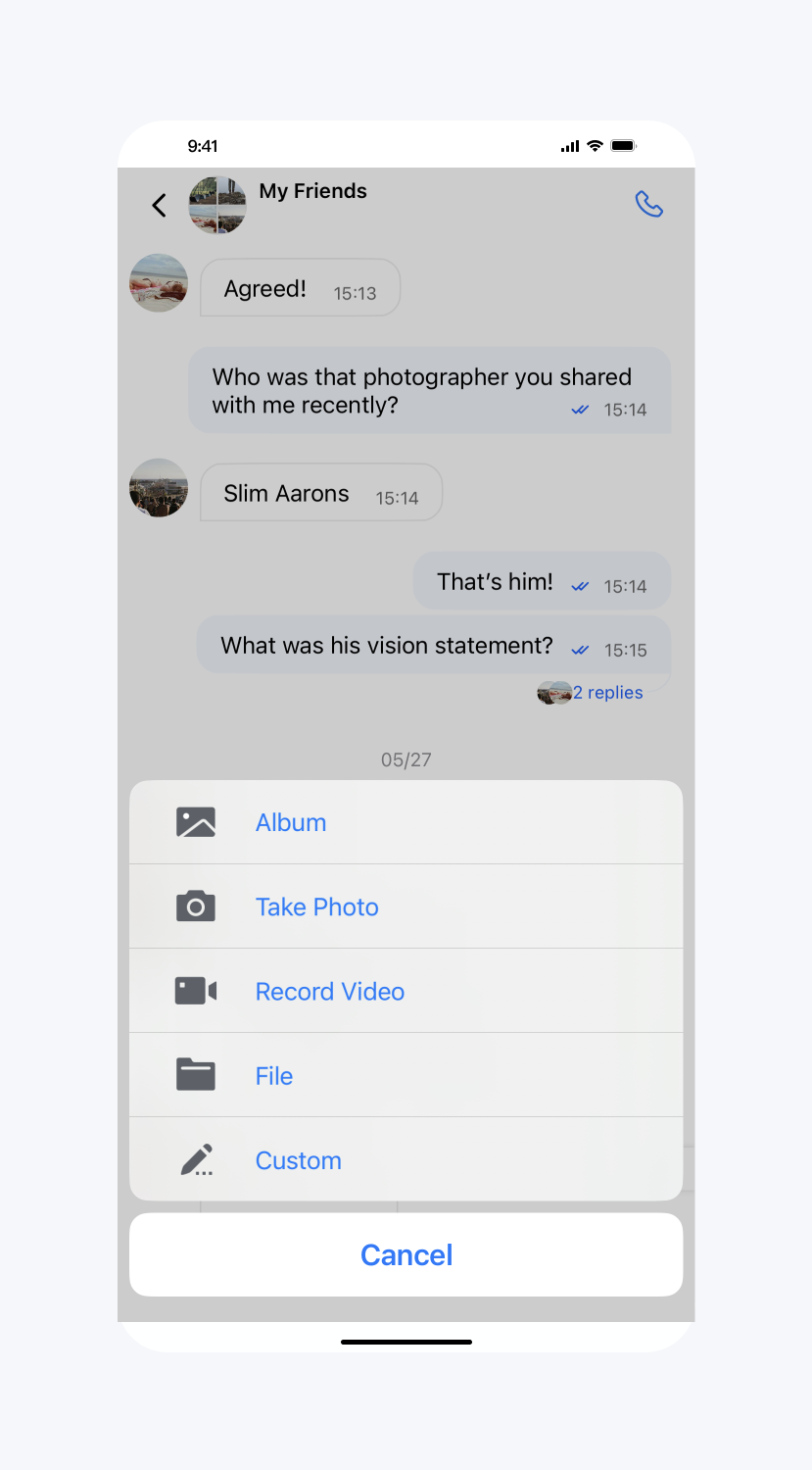
添加 item | 默认 |
 |  |
添加表情组
API 原型:
// TUIChatConfigMinimalist.java/*** Add sticker group.*/public static void addStickerGroup(int groupID, FaceGroup<? extends ChatFace> faceGroup)
示例代码:
// When to call: After initializing the message list interface and before entering it.FaceGroup faceGroup1 = new FaceGroup();faceGroup1.setPageColumnCount(5);faceGroup1.setPageRowCount(2);faceGroup1.setGroupID(1);faceGroup1.setFaceGroupIconUrl("file:///android_asset/4350/yz00@2x.gif");faceGroup1.setGroupName("4350");for (int i = 0; i <= 17; i++) {CustomFace customFace = new CustomFace();String index = "" + i;if (i < 10) {index = "0" + i;}customFace.setAssetPath("4350/yz" + index + "@2x.gif");String faceKey = "yz" + index;customFace.setFaceKey(faceKey);customFace.setWidth(170);customFace.setHeight(170);faceGroup1.addFace(faceKey, customFace);}TUIChatConfigMinimalist.addStickerGroup(1, faceGroup1);
文档反馈