聊天界面
Download
聚焦模式
字号
下文将向您展示如何设置聊天界面自定义选项及其效果。
消息列表相关
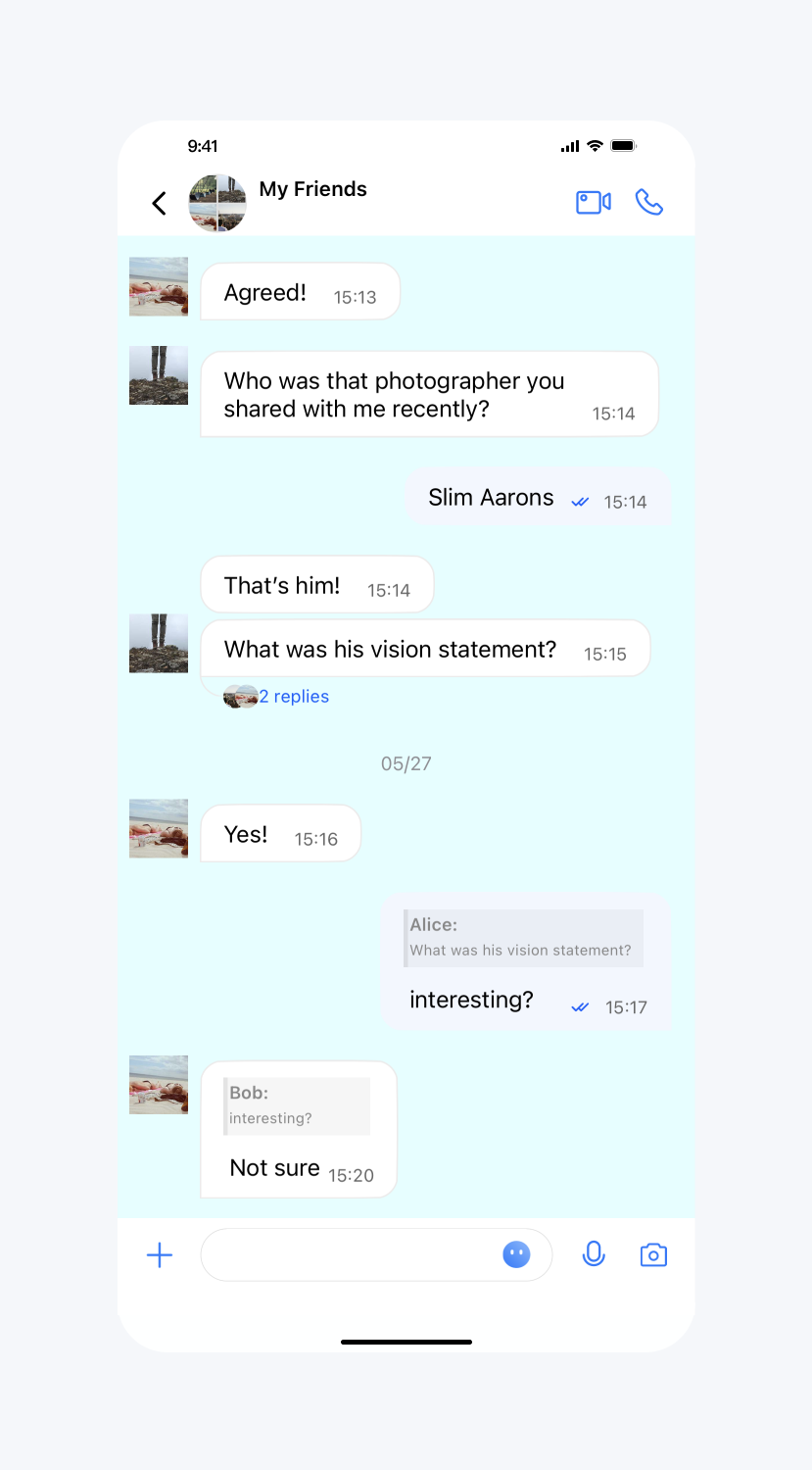
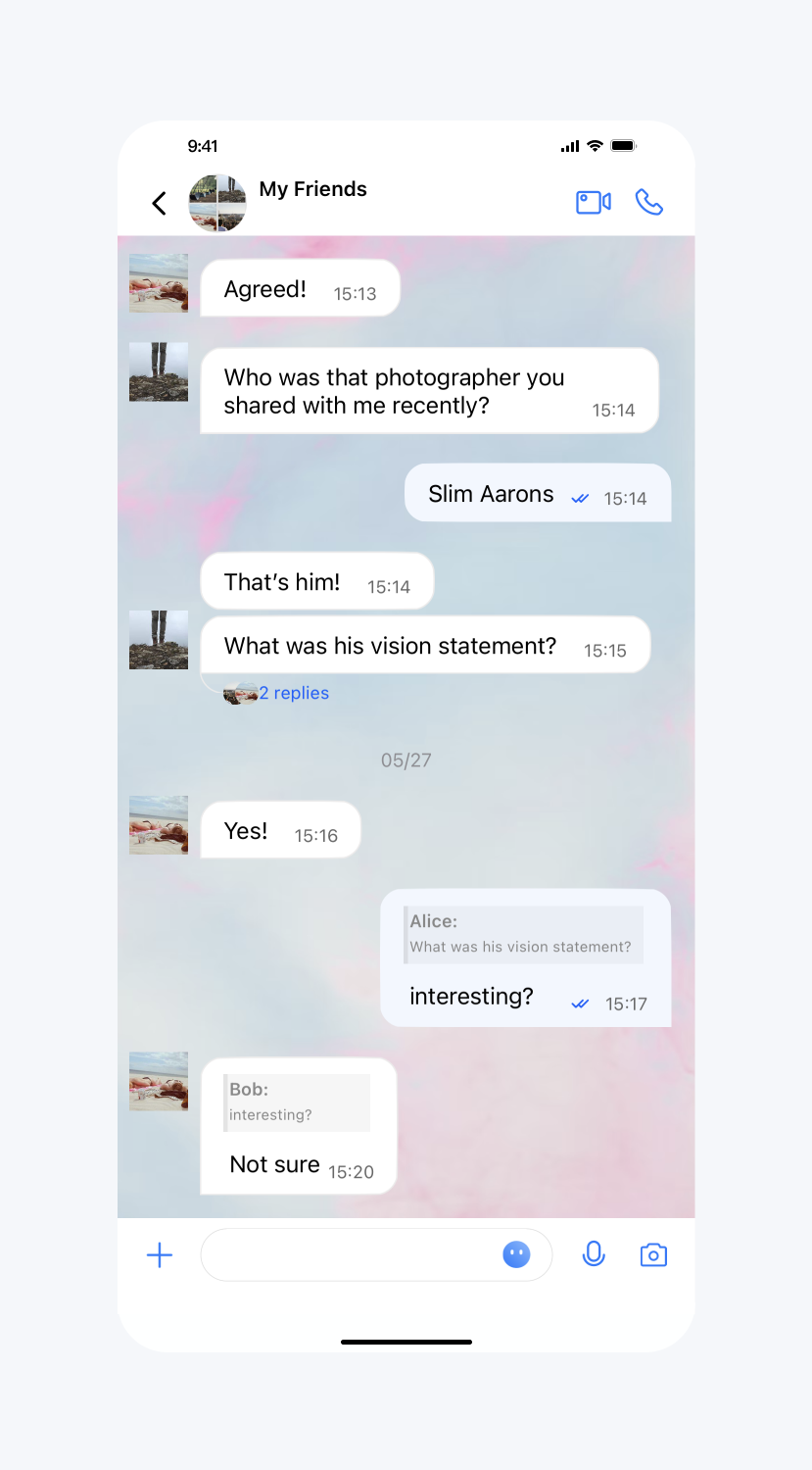
聊天界面背景色、背景图片
API 作用:设置聊天界面消息列表背景色、背景图片,针对所有聊天界面生效。
API 原型:
// TUIChatConfig_Minimalist.swiftvar backgroundColor: UIColor? {get {return TUIChatConfig.shared.backgroudColor}set {TUIChatConfig.shared.backgroudColor = newValue ?? .black}}var backgroundImage: UIImage? {get {return TUIChatConfig.shared.backgroudImage}set {TUIChatConfig.shared.backgroudImage = newValue ?? UIImage()}}
// TUIChatConfig_Minimalist.h/*** Customize the backgroud color of message list interface.* This configuration takes effect in all message list interfaces.*/@property (nonatomic, strong) UIColor *backgroudColor;/*** Customize the backgroud image of message list interface.* This configuration takes effect in all message list interfaces.*/@property (nonatomic, strong) UIImage *backgroudImage;
示例代码:
// When to call: Before initializing the message list interface.TUIChatConfig_Minimalist.shared.backgroundColor = UIColor.tui_color(withHex: "#E1FFFF")TUIChatConfig_Minimalist.shared.backgroundImage = UIImage.init(named: "your_background_image")
// When to call: Before initializing the message list interface.[TUIChatConfig_Minimalist sharedConfig].backgroudColor = [UIColor tui_colorWithHex:@"#E1FFFF"];[TUIChatConfig_Minimalist sharedConfig].backgroudImage = [UIImage imageNamed:@"your_background_image"];
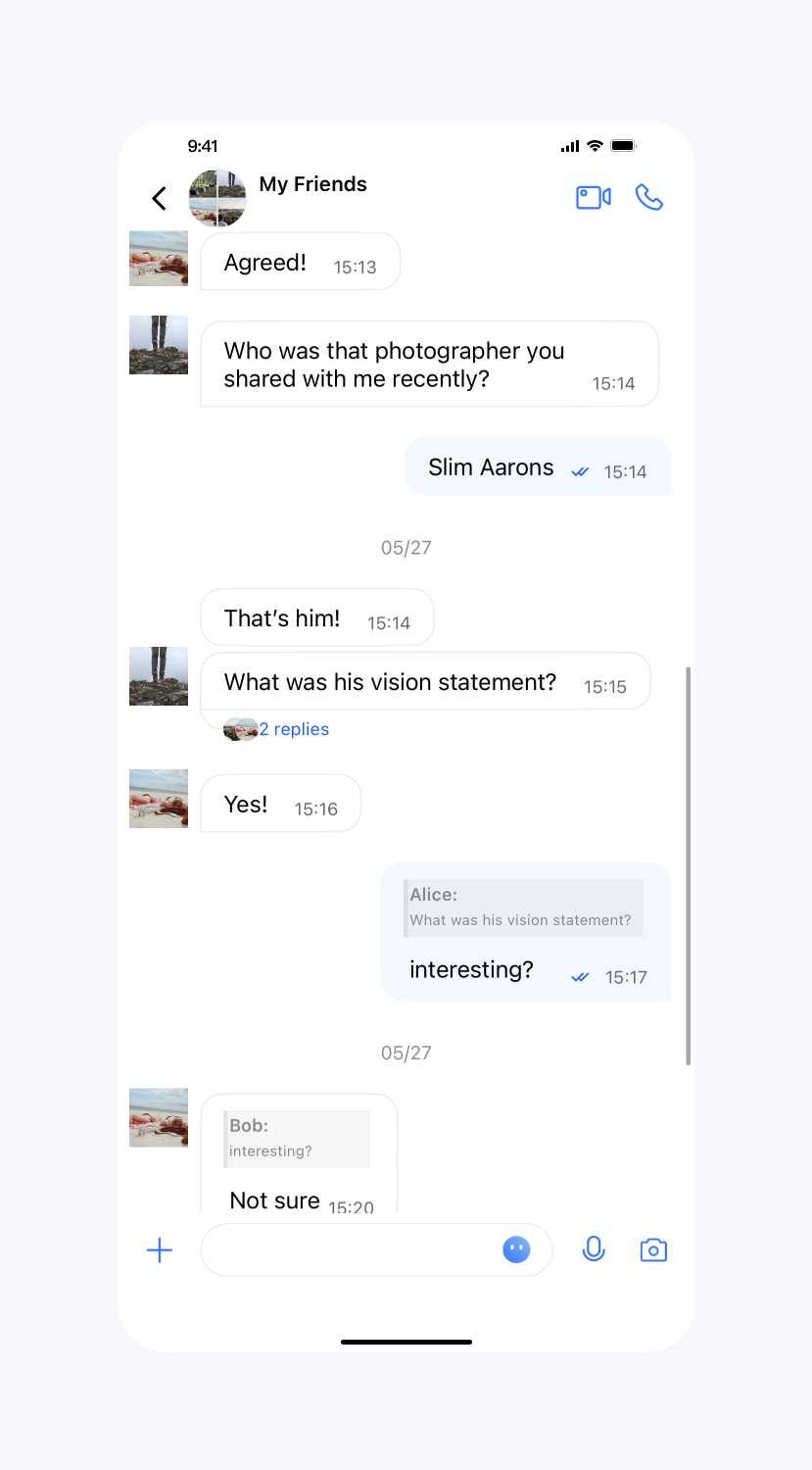
设置效果:
背景色 | 设置背景图片 | 默认 |
 |  |  |
用户头像类型、圆角半径
API 作用:设置用户头像类型、圆角半径。目前支持的类型有矩形、圆形、圆角矩形,其中只有圆角矩形类型会使用到圆角半径。针对消息列表、会话列表和联系人列表生效。
API 原型:
// TUIChatConfig_Minimalist.swift/*** Customize the style of avatar.* The default value is TUIAvatarStyleCircle.* This configuration takes effect in all avatars.*/public var avatarStyle: TUIAvatarStyle_Minimalist {get {return TUIAvatarStyle_Minimalist(rawValue: TUIConfig.default().avatarType.rawValue)!}set {TUIConfig.default().avatarType = TUIKitAvatarType(rawValue: newValue.rawValue)!}}/*** Customize the corner radius of the avatar.* This configuration takes effect in all avatars.*/public var avatarCornerRadius: CGFloat {get {return TUIConfig.default().avatarCornerRadius}set {TUIConfig.default().avatarCornerRadius = newValue}}
// TUIChatConfig_Minimalist.htypedef NS_ENUM(NSInteger, TUIAvatarStyle) {TUIAvatarStyleRectangle,TUIAvatarStyleCircle,TUIAvatarStyleRoundedRectangle,};/*** Customize the style of avatar.* The default value is TUIAvatarStyleCircle.* This configuration takes effect in all avatars.*/@property (nonatomic, assign) TUIAvatarStyle avatarStyle;/*** Customize the corner radius of the avatar.* This configuration takes effect in all avatars.*/@property (nonatomic, assign) CGFloat avatarCornerRadius;
示例代码:
// When to call: Before initializing the TUIKit interfaces.TUIChatConfig_Minimalist.shared.avatarStyle = .rectangle// Set cornerRadiusTUIChatConfig_Minimalist.shared.avatarStyle = .roundedRectangleTUIChatConfig_Minimalist.shared.avatarCornerRadius = 10
// When to call: Before initializing the TUIKit interfaces.[TUIChatConfig_Minimalist sharedConfig].avatarStyle = TUIAvatarStyleRectangle;// Set cornerRadius[TUIChatConfig_Minimalist sharedConfig].avatarStyle = TUIAvatarStyleRoundedRectangle;[TUIChatConfig_Minimalist sharedConfig].avatarCornerRadius = 10;
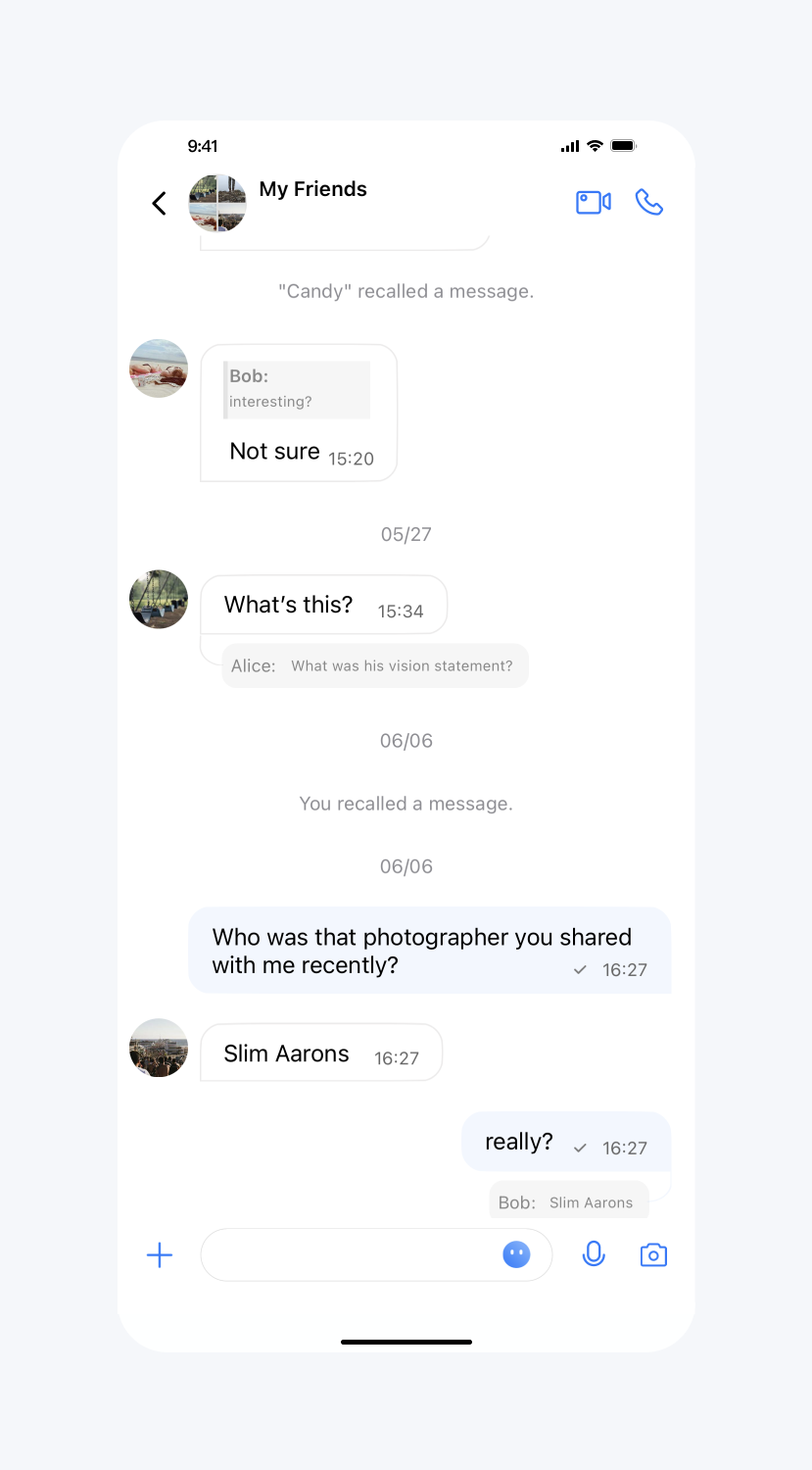
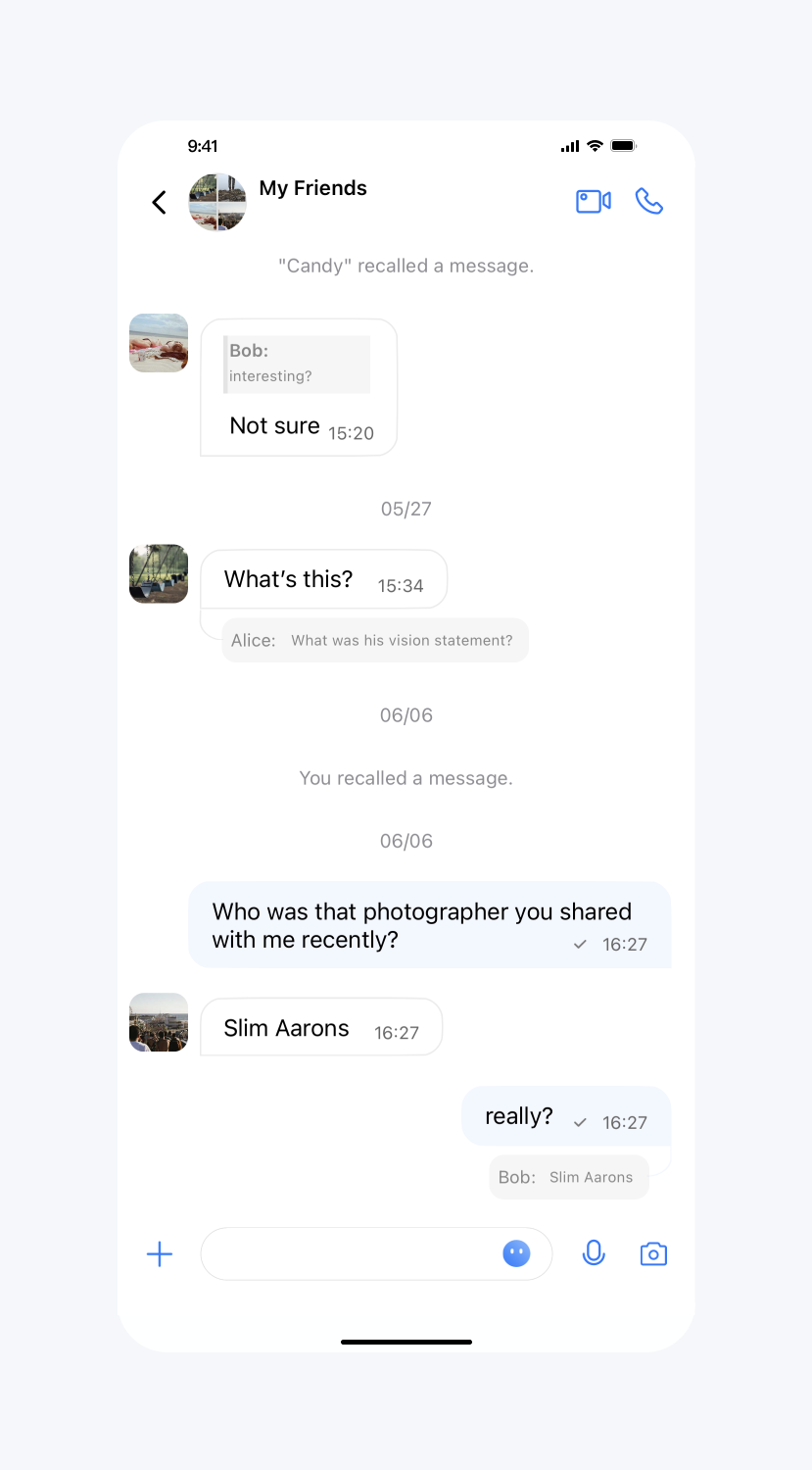
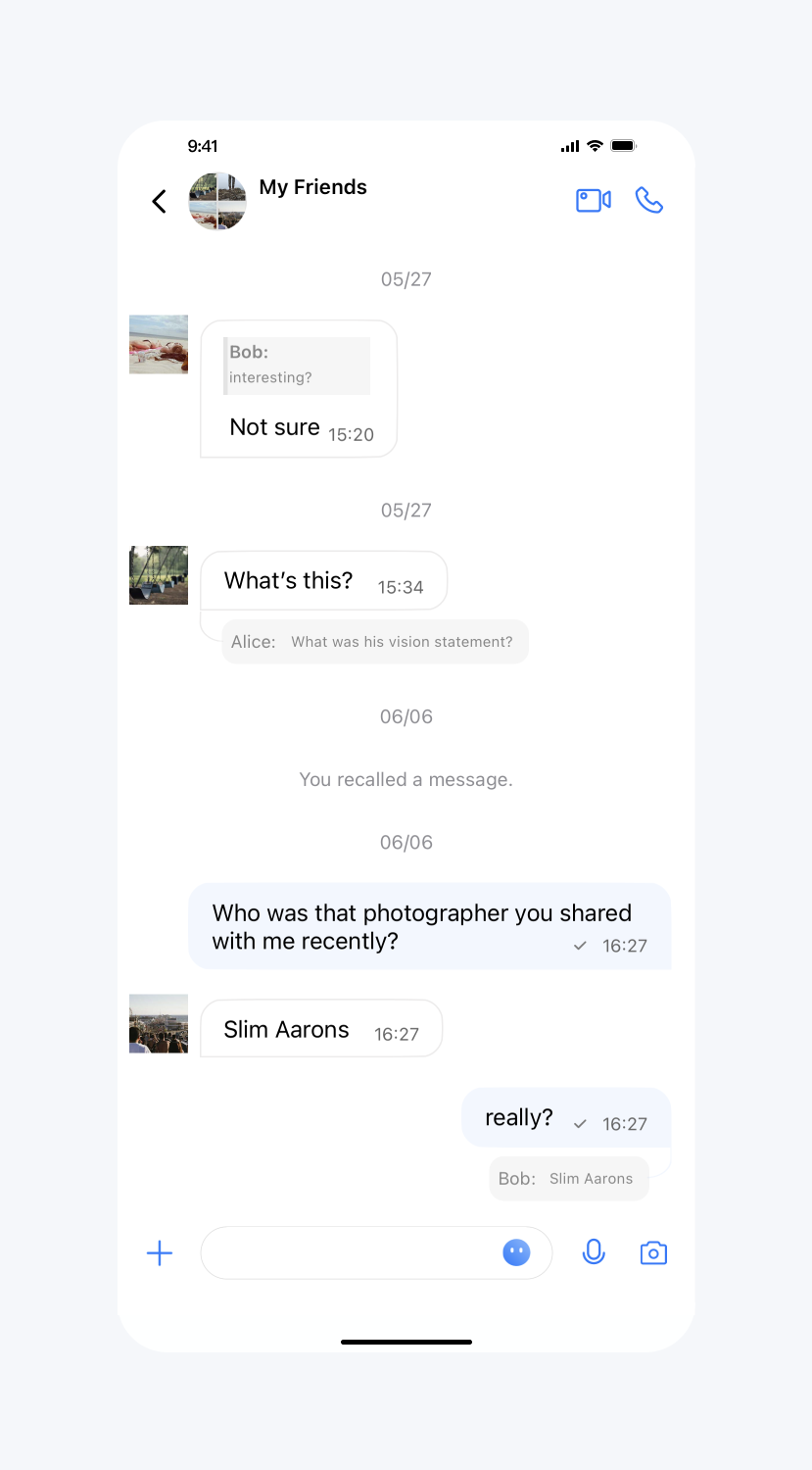
设置效果:
默认圆形头像 | 设置圆角矩形头像 | 设置矩形头像 |
 |  |  |
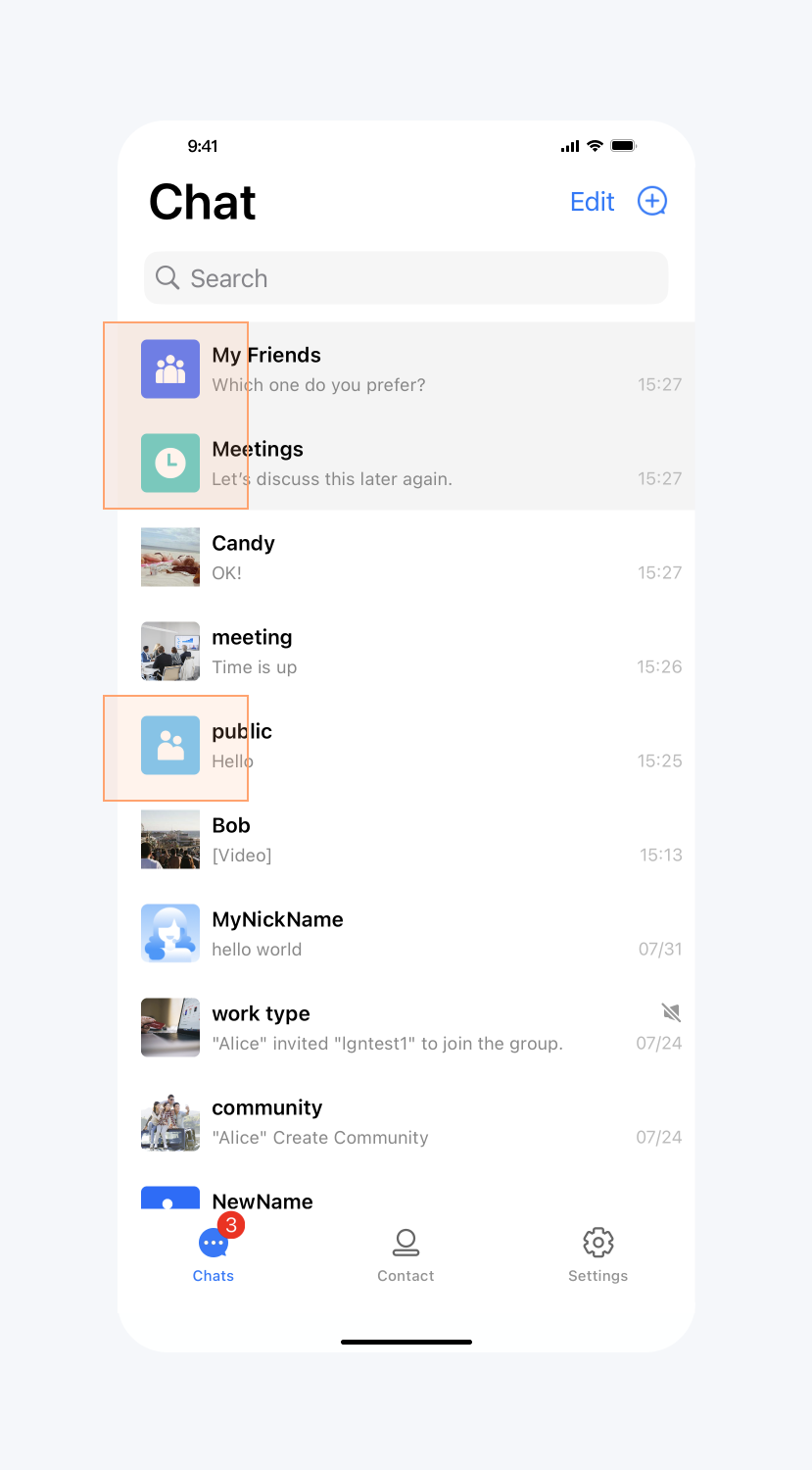
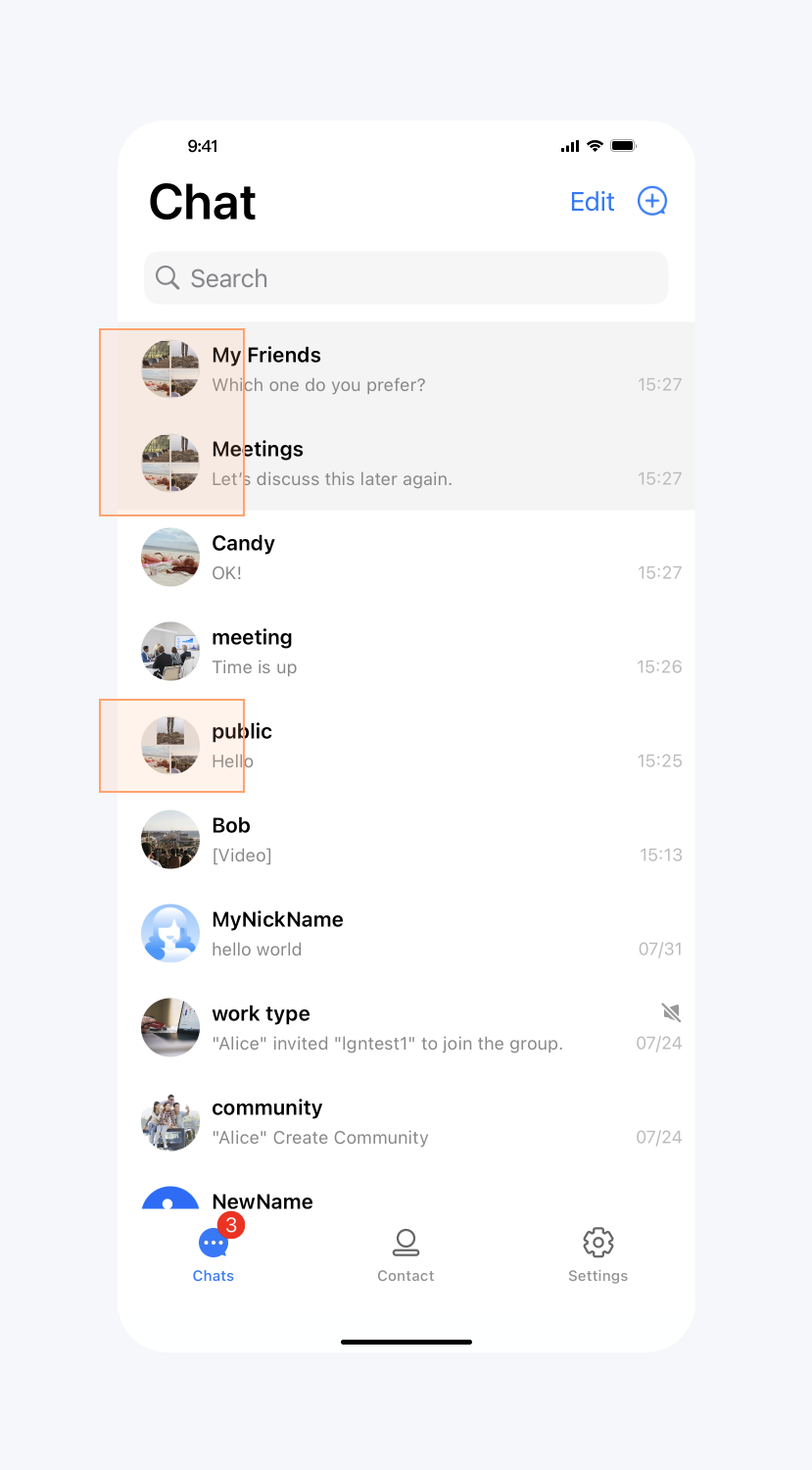
设置群头像展示九宫格
API 作用:设置群头像展示九宫格。针对消息列表、会话列表和联系人列表生效。
API 原型:
// TUIChatConfig_Minimalist.swift/*** Display the group avatar in the nine-square grid style.* The default value is YES.* This configuration takes effect in all groups.*/public var enableGroupGridAvatar: Bool {get {return TUIConfig.default().enableGroupGridAvatar}set {TUIConfig.default().enableGroupGridAvatar = newValue}}
// TUIChatConfig_Minimalist.h/*** Display the group avatar in the nine-square grid style.* The default value is YES.* This configuration takes effect in all groups.*/@property (nonatomic, assign) BOOL enableGroupGridAvatar;
示例代码:
// When to call: Before initializing the TUIKit interfaces.TUIChatConfig_Minimalist.shared.enableGroupGridAvatar = false
// When to call: Before initializing the TUIKit interfaces.[TUIChatConfig_Minimalist sharedConfig].enableGroupGridAvatar = NO;
设置效果:
设置群头像不展示九宫格 | 默认 |
 |  |
开启正在输入状态指示
API 作用:开启“正在输入”状态指示。针对所有 1v1 聊天消息界面生效。
API 原型:
// TUIChatConfig_Minimalist.swift/*** Enable the display "Alice is typing..." on one-to-one chat interface.* The default value is YES.* This configuration takes effect in all one-to-one chat message list interfaces.*/public var enableTypingIndicator: Bool {get {return TUIChatConfig.shared.enableTypingStatus}set {TUIChatConfig.shared.enableTypingStatus = newValue}}
// TUIChatConfig_Minimalist.h/*** Enable the display "Alice is typing..." on one-to-one chat interface.* The default value is YES.* This configuration takes effect in all one-to-one chat message list interfaces.*/@property (nonatomic, assign) BOOL enableTypingIndicator;
示例代码:
// When to call: Before initializing the message list interface.TUIChatConfig_Minimalist.shared.enableTypingIndicator = false
// When to call: Before initializing the message list interface.[TUIChatConfig_Minimalist sharedConfig].enableTypingIndicator = NO;
设置效果:
开启“正在输入” | 不开启“正在输入” |
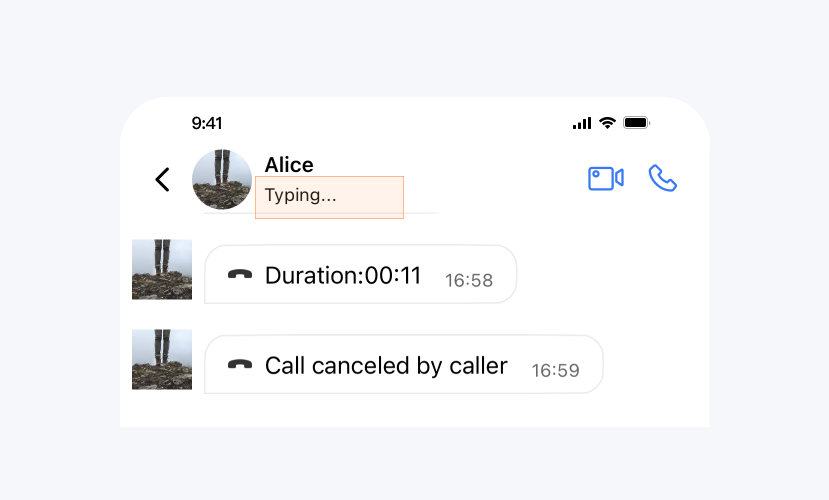 | 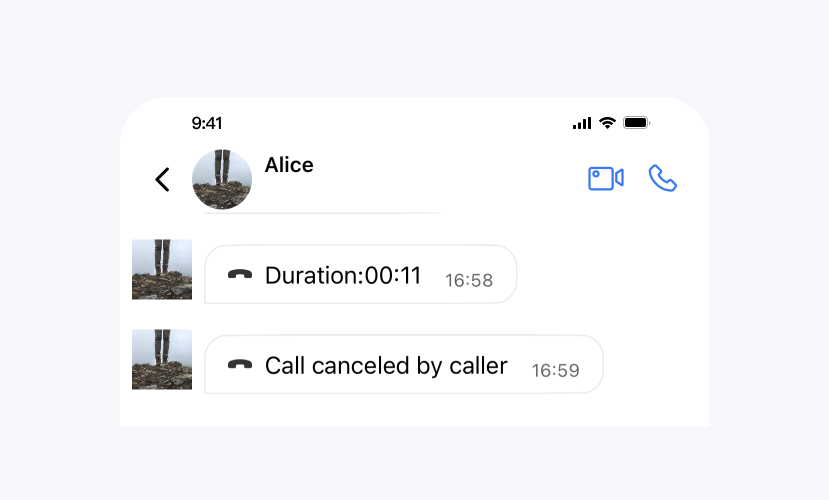 |
开启消息已读回执
API 作用:开启消息已读回执,开启后可以在消息详情中查看已读信息。针对所有消息生效。
API 原型:
// TUIChatConfig_Minimalist.swift/*** When sending a message, set this flag to require message read receipt.* The default value is NO.* This configuration takes effect in all chat message list interfaces.*/public var isMessageReadReceiptNeeded: Bool {get {return TUIChatConfig.shared.msgNeedReadReceipt}set {TUIChatConfig.shared.msgNeedReadReceipt = newValue}}
// TUIChatConfig_Minimalist.h/*** When sending a message, set this flag to require message read receipt.* The default value is NO.* This configuration takes effect in all chat message list interfaces.*/@property (nonatomic, assign) BOOL isMessageReadReceiptNeeded;
示例代码:
// When to call: Before sending messages.TUIChatConfig_Minimalist.shared.isMessageReadReceiptNeeded = true
// When to call: Before sending messages.[TUIChatConfig_Minimalist sharedConfig].isMessageReadReceiptNeeded = YES;
设置效果:
开启消息已读回执 | 不开启消息已读回执 |
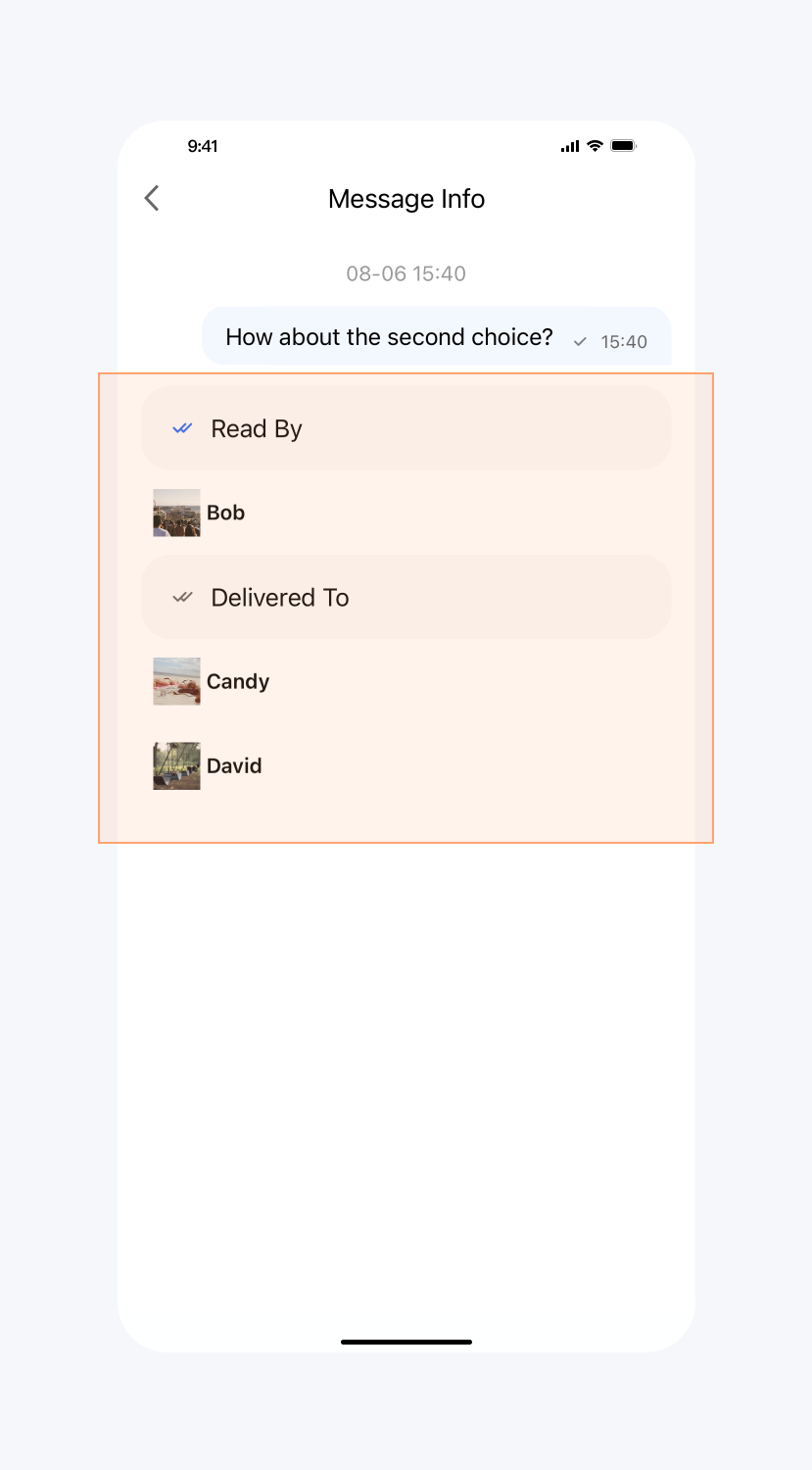 | 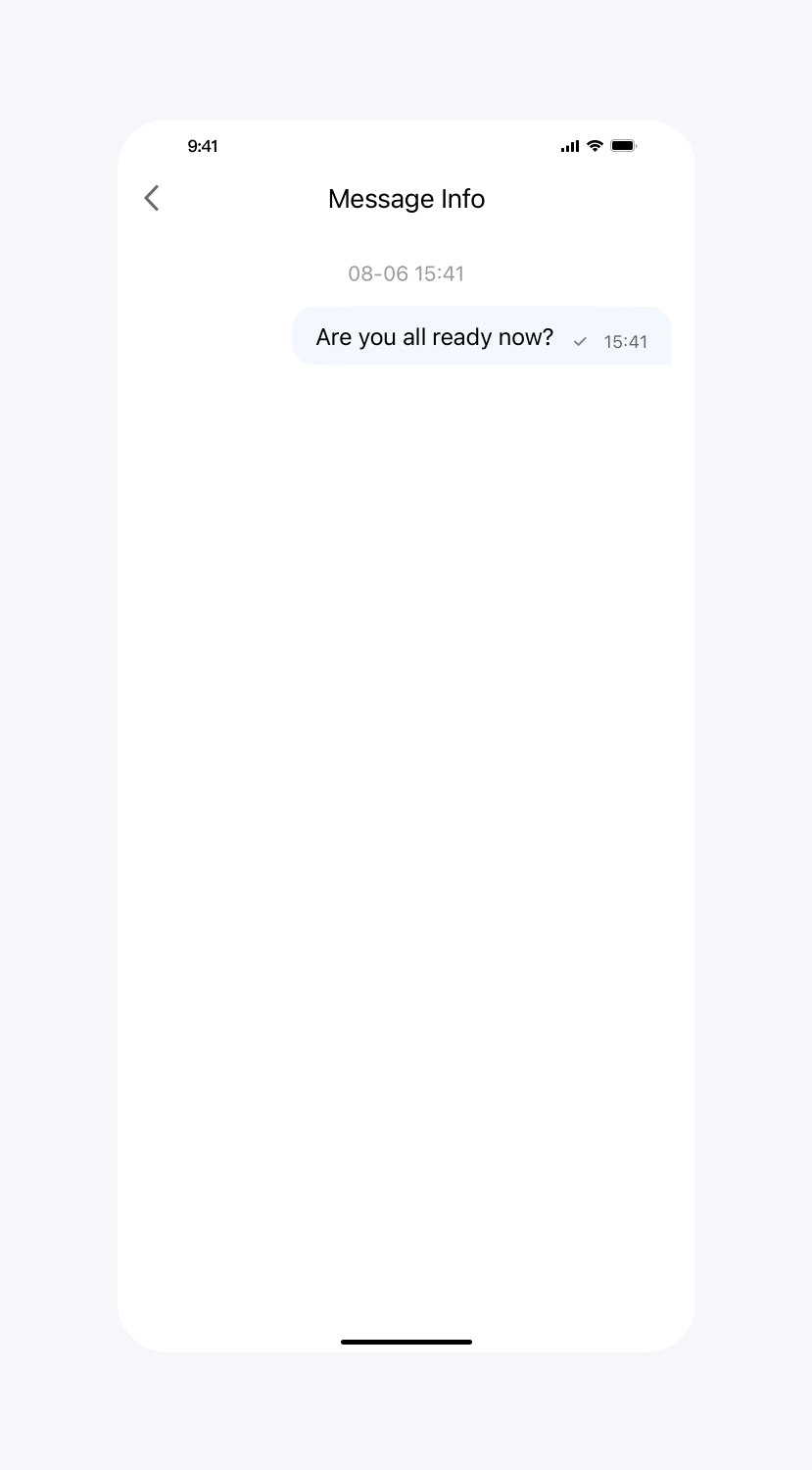 |
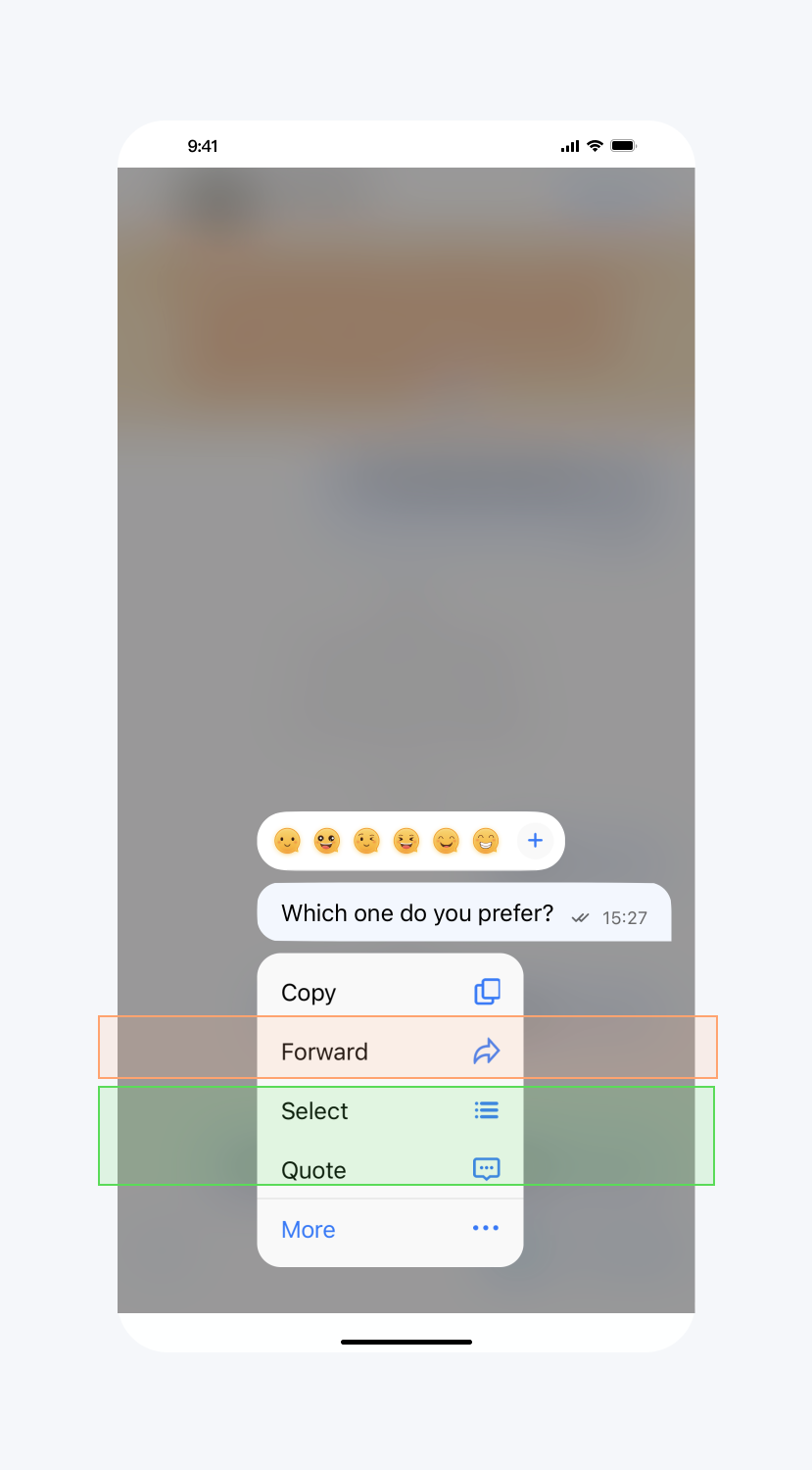
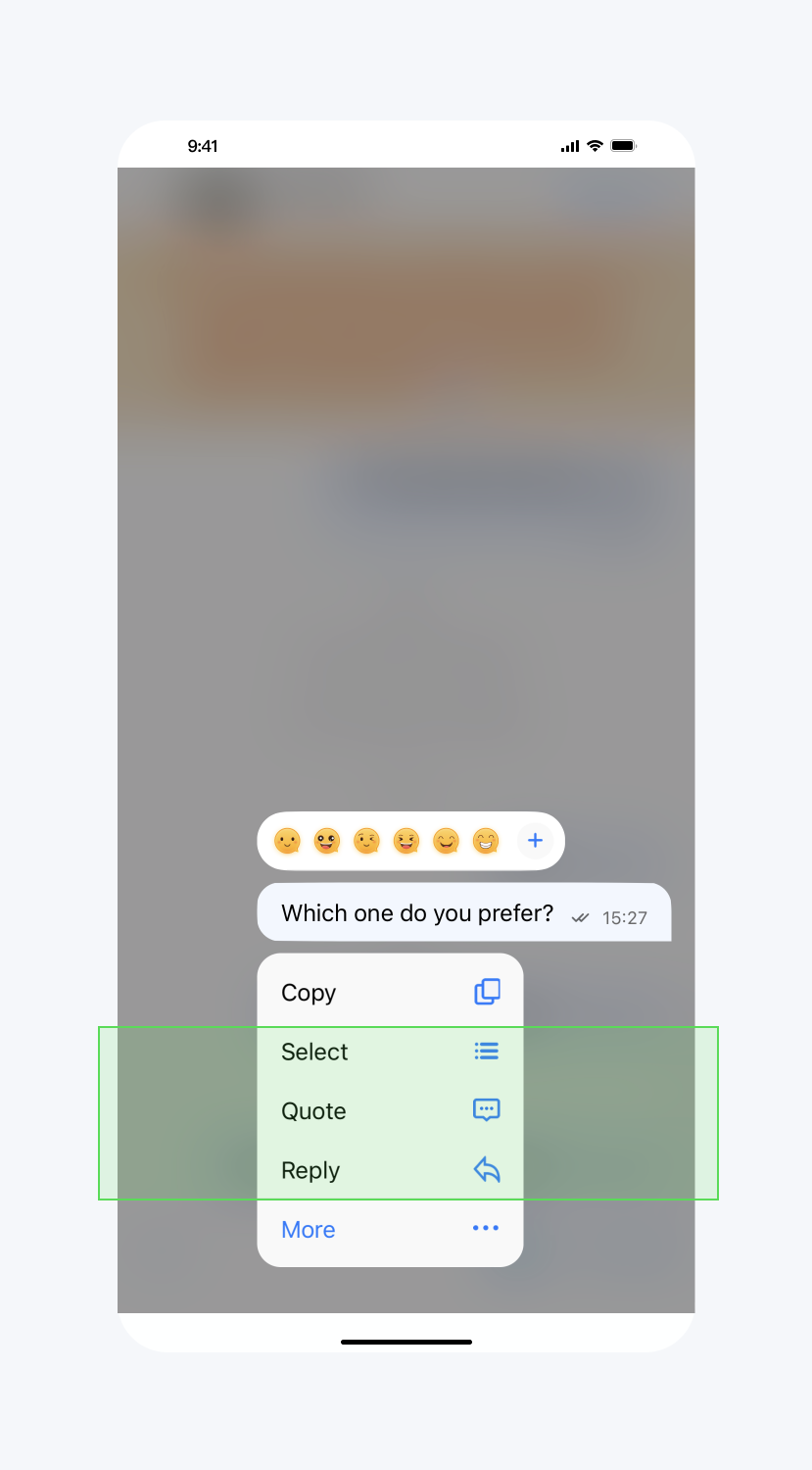
隐藏长按消息菜单按钮
API 作用:隐藏长按消息菜单中的指定按钮,针对所有聊天消息生效。
API 原型:
// TUIChatConfig_Minimalist.swift/*** Hide the items in the pop-up menu when user presses the message.*/public class func hideItemsWhenLongPressMessage(_ items: TUIChatItemWhenLongPressMessage_Minimalist) {let value = items.rawValueTUIChatConfig.shared.enablePopMenuReplyAction = (value & TUIChatItemWhenLongPressMessage_Minimalist.reply.rawValue) == 0TUIChatConfig.shared.enablePopMenuEmojiReactAction = (value & TUIChatItemWhenLongPressMessage_Minimalist.emojiReaction.rawValue) == 0TUIChatConfig.shared.enablePopMenuReferenceAction = (value & TUIChatItemWhenLongPressMessage_Minimalist.quote.rawValue) == 0TUIChatConfig.shared.enablePopMenuPinAction = (value & TUIChatItemWhenLongPressMessage_Minimalist.pin.rawValue) == 0TUIChatConfig.shared.enablePopMenuRecallAction = (value & TUIChatItemWhenLongPressMessage_Minimalist.recall.rawValue) == 0TUIChatConfig.shared.enablePopMenuTranslateAction = (value & TUIChatItemWhenLongPressMessage_Minimalist.translate.rawValue) == 0TUIChatConfig.shared.enablePopMenuConvertAction = (value & TUIChatItemWhenLongPressMessage_Minimalist.convert.rawValue) == 0TUIChatConfig.shared.enablePopMenuForwardAction = (value & TUIChatItemWhenLongPressMessage_Minimalist.forward.rawValue) == 0TUIChatConfig.shared.enablePopMenuSelectAction = (value & TUIChatItemWhenLongPressMessage_Minimalist.select.rawValue) == 0TUIChatConfig.shared.enablePopMenuCopyAction = (value & TUIChatItemWhenLongPressMessage_Minimalist.copy.rawValue) == 0TUIChatConfig.shared.enablePopMenuDeleteAction = (value & TUIChatItemWhenLongPressMessage_Minimalist.delete.rawValue) == 0TUIChatConfig.shared.enablePopMenuInfoAction = (value & TUIChatItemWhenLongPressMessage_Minimalist.info.rawValue) == 0}
// TUIChatConfig_Minimalist.htypedef NS_OPTIONS(NSInteger, TUIChatItemWhenLongPressMessage_Minimalist) {TUIChatItemWhenLongPressMessage_Minimalist_None = 0,TUIChatItemWhenLongPressMessage_Minimalist_Reply = 1 << 0,TUIChatItemWhenLongPressMessage_Minimalist_EmojiReaction = 1 << 1,TUIChatItemWhenLongPressMessage_Minimalist_Quote = 1 << 2,TUIChatItemWhenLongPressMessage_Minimalist_Pin = 1 << 3,TUIChatItemWhenLongPressMessage_Minimalist_Recall = 1 << 4,TUIChatItemWhenLongPressMessage_Minimalist_Translate = 1 << 5,TUIChatItemWhenLongPressMessage_Minimalist_Convert = 1 << 6,TUIChatItemWhenLongPressMessage_Minimalist_Forward = 1 << 7,TUIChatItemWhenLongPressMessage_Minimalist_Select = 1 << 8,TUIChatItemWhenLongPressMessage_Minimalist_Copy = 1 << 9,TUIChatItemWhenLongPressMessage_Minimalist_Delete = 1 << 10,TUIChatItemWhenLongPressMessage_Minimalist_Info = 1 << 11,};/*** Hide the items in the pop-up menu when user presses the message.*/+ (void)hideItemsWhenLongPressMessage:(TUIChatItemWhenLongPressMessage_Minimalist)items;
示例代码:
// When to call: Before displaying the pop-up menu when user presses the message.TUIChatConfig_Minimalist.hideItemsWhenLongPressMessage([.reply, .recall, .select])
// When to call: Before displaying the pop-up menu when user presses the message.[TUIChatConfig_Minimalist hideItemsWhenLongPressMessage:TUIChatItemWhenLongPressMessage_Minimalist_Reply|TUIChatItemWhenLongPressMessage_Minimalist_Recall|TUIChatItemWhenLongPressMessage_Minimalist_Select];
设置效果:
不隐藏任何按钮 | 隐藏 Forward 按钮 |
 |  |
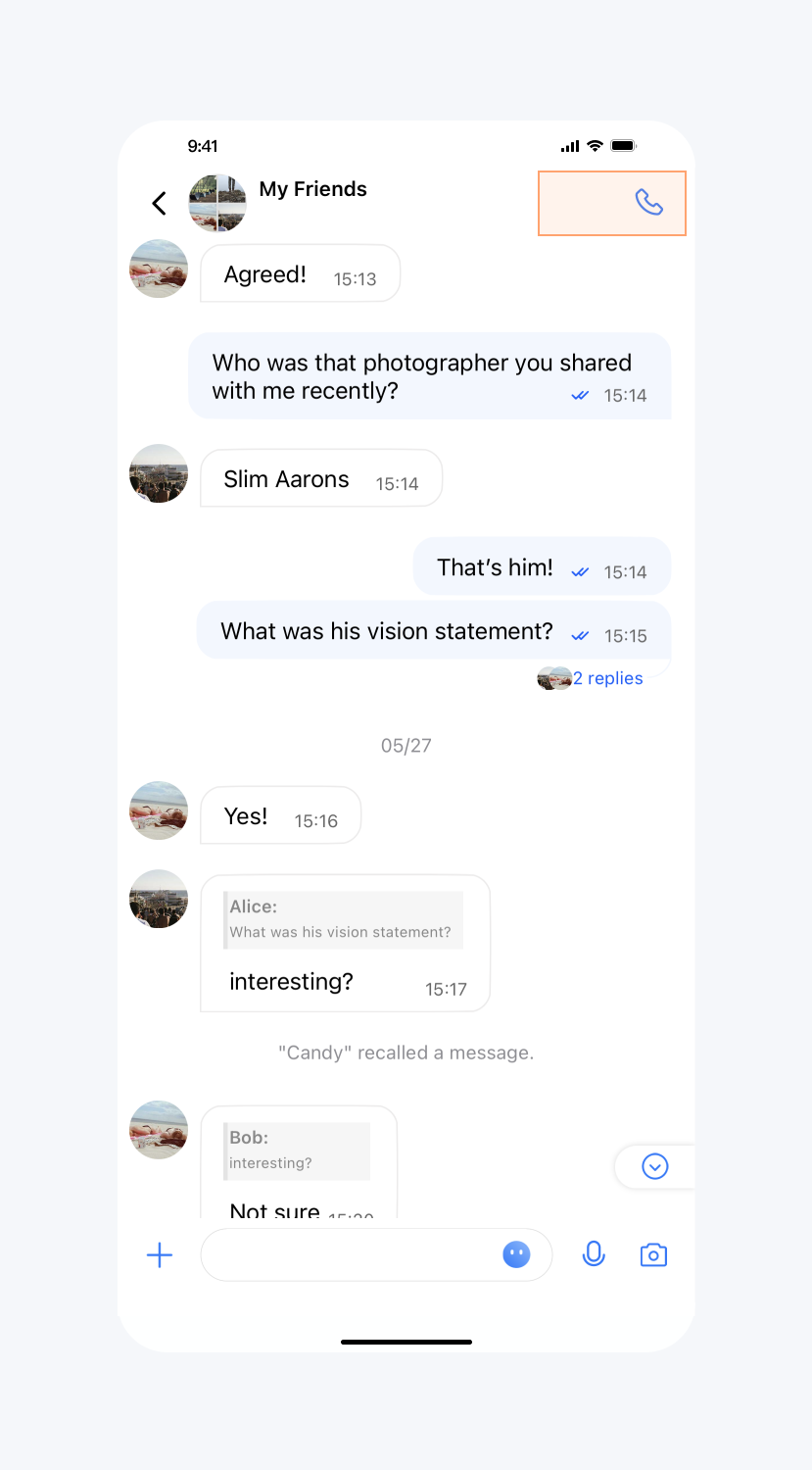
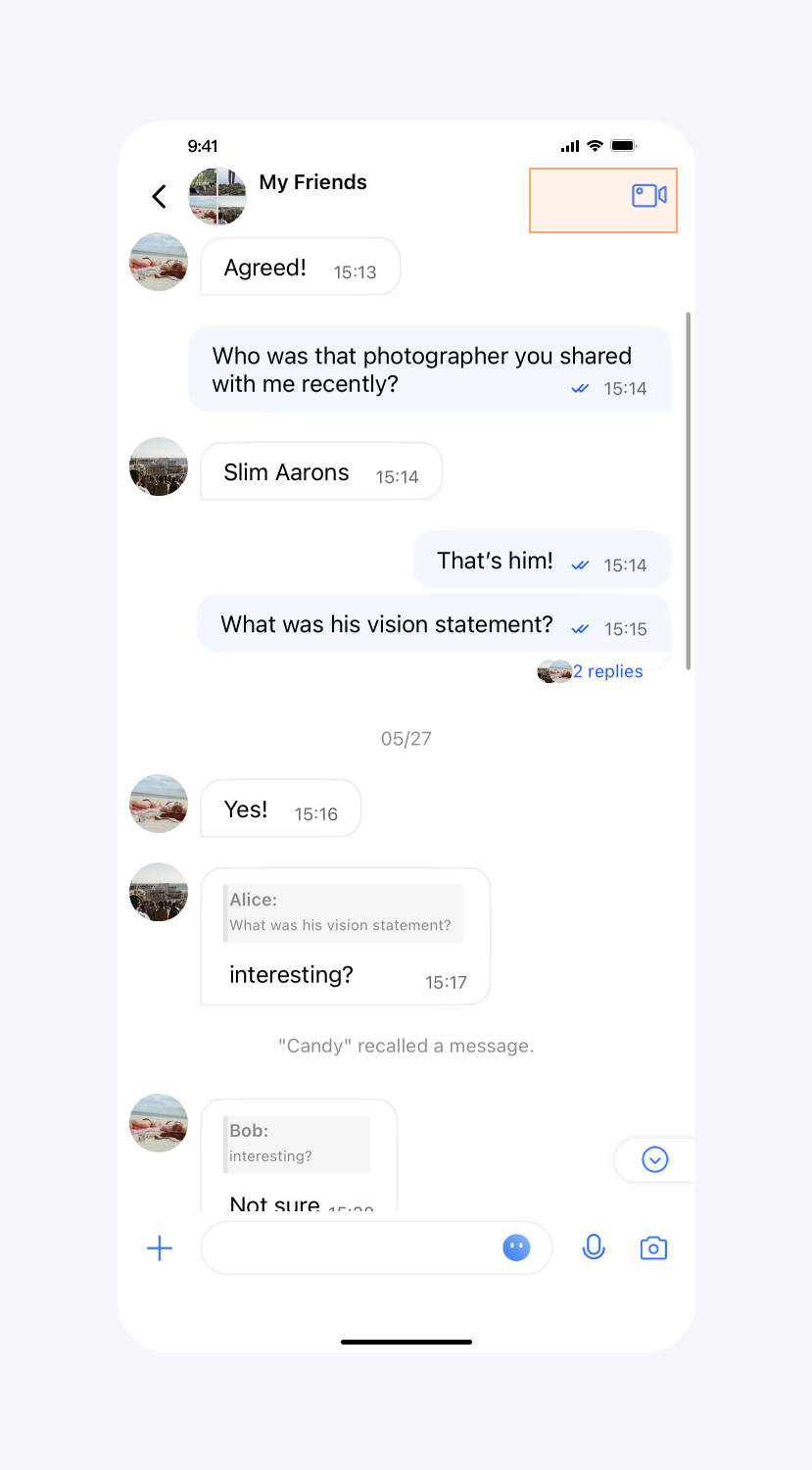
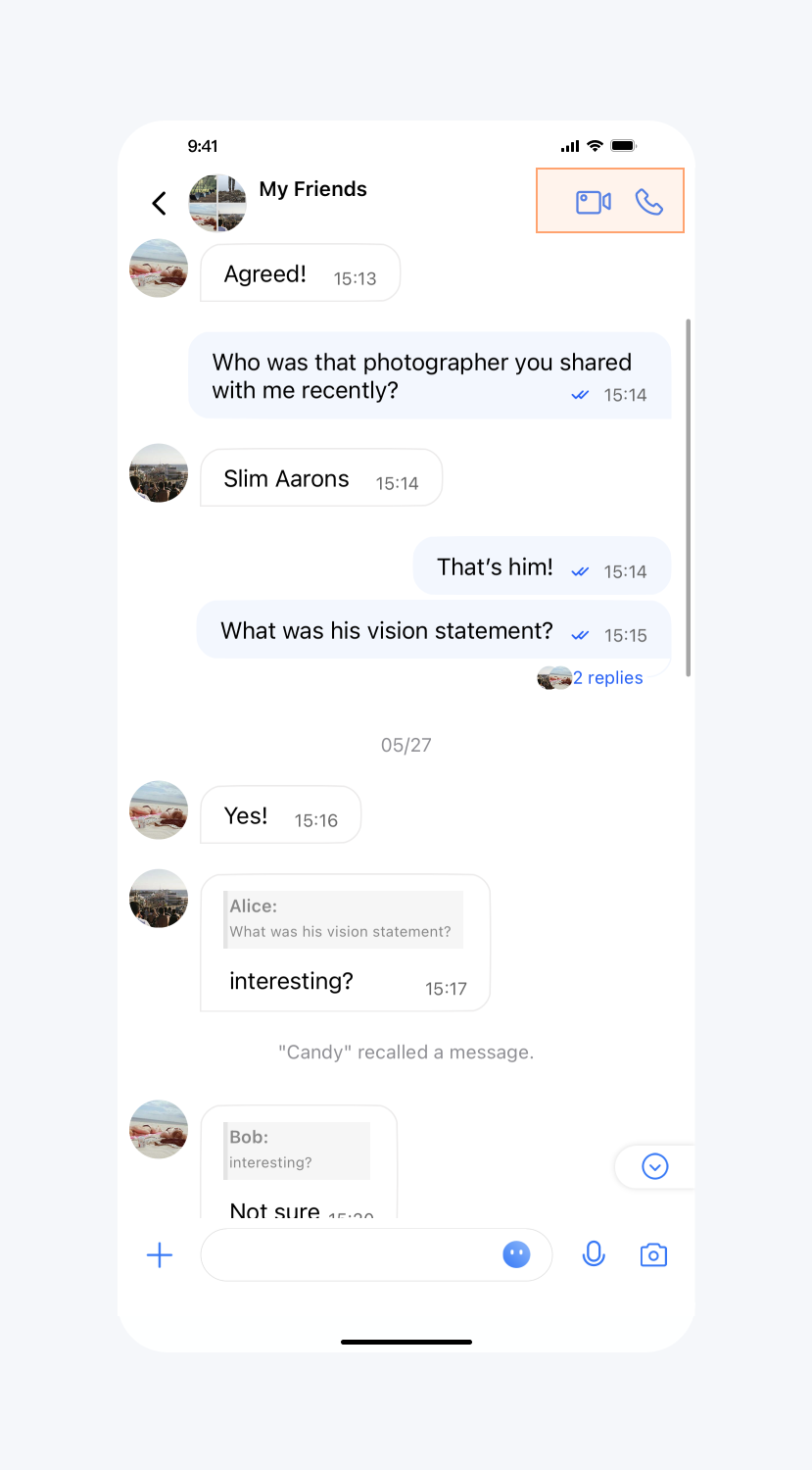
隐藏视频通话、视频通话按钮
API 作用:隐藏消息列表顶部的音频、视频通话按钮,针对所有聊天消息界面生效。
API 原型:
// TUIChatConfig_Minimalist.swift/*** Hide the "Video Call" button in the message list header.* The default value is NO.*/public var hideVideoCallButton: Bool {get {return !TUIChatConfig.shared.enableVideoCall}set {TUIChatConfig.shared.enableVideoCall = !newValue}}/*** Hide the "Audio Call" button in the message list header.* The default value is NO.*/public var hideAudioCallButton: Bool {get {return !TUIChatConfig.shared.enableAudioCall}set {TUIChatConfig.shared.enableAudioCall = !newValue}}
// TUIChatConfig_Minimalist.h/*** Hide the "Video Call" button in the message list header.* The default value is NO.*/@property (nonatomic, assign) BOOL hideVideoCallButton;/*** Hide the "Audio Call" button in the message list header.* The default value is NO.*/@property (nonatomic, assign) BOOL hideAudioCallButton;
示例代码:
// When to call: Before entering the message list interface.TUIChatConfig_Minimalist.shared.hideVideoCallButton = falseTUIChatConfig_Minimalist.shared.hideAudioCallButton = false
// When to call: Before entering the message list interface.[TUIChatConfig_Minimalist sharedConfig].hideVideoCallButton = YES;[TUIChatConfig_Minimalist sharedConfig].hideAudioCallButton = YES;
设置效果:
隐藏视频通话按钮 | 隐藏音频通话按钮 | 默认 |
 |  |
 |
开启音视频通话浮窗
API 作用:开启音视频通话浮窗。开启后,您可以将音视频通话界面以小窗口的形式漂浮在聊天界面。针对所有音视频通话界面生效。
API 原型:
// TUIChatConfig_Minimalist.swift/*** Turn on audio and video call floating windows,* The default value is YES.*/public var enableFloatWindowForCall: Bool {get {return TUIChatConfig.shared.enableFloatWindowForCall}set {TUIChatConfig.shared.enableFloatWindowForCall = newValue}}
// TUIChatConfig_Minimalist.h/*** Turn on audio and video call floating windows,* The default value is YES.*/@property (nonatomic, assign) BOOL enableFloatWindowForCall;
示例代码:
// When to call: Before entering the message list interface.TUIChatConfig_Minimalist.shared.enableFloatWindowForCall = false
// When to call: Before entering the message list interface.[TUIChatConfig_Minimalist sharedConfig].enableFloatWindowForCall = NO;
开启音视频通话多端登录
API 作用:开启音视频通话多端登录。针对所有音视频通话生效。
API 原型:
// TUIChatConfig_Minimalist.swift/*** Enable multi-terminal login function for audio and video calls* The default value is NO.*/public var enableMultiDeviceForCall: Bool {get {return TUIChatConfig.shared.enableMultiDeviceForCall}set {TUIChatConfig.shared.enableMultiDeviceForCall = newValue}}
// TUIChatConfig_Minimalist.h/*** Enable multi-terminal login function for audio and video calls* The default value is NO.*/@property (nonatomic, assign) BOOL enableMultiDeviceForCall;
示例代码:
// When to call: Before entering the message list interface.TUIChatConfig_Minimalist.shared.enableMultiDeviceForCall = true
// When to call: Before entering the message list interface.[TUIChatConfig_Minimalist sharedConfig].enableMultiDeviceForCall = YES;
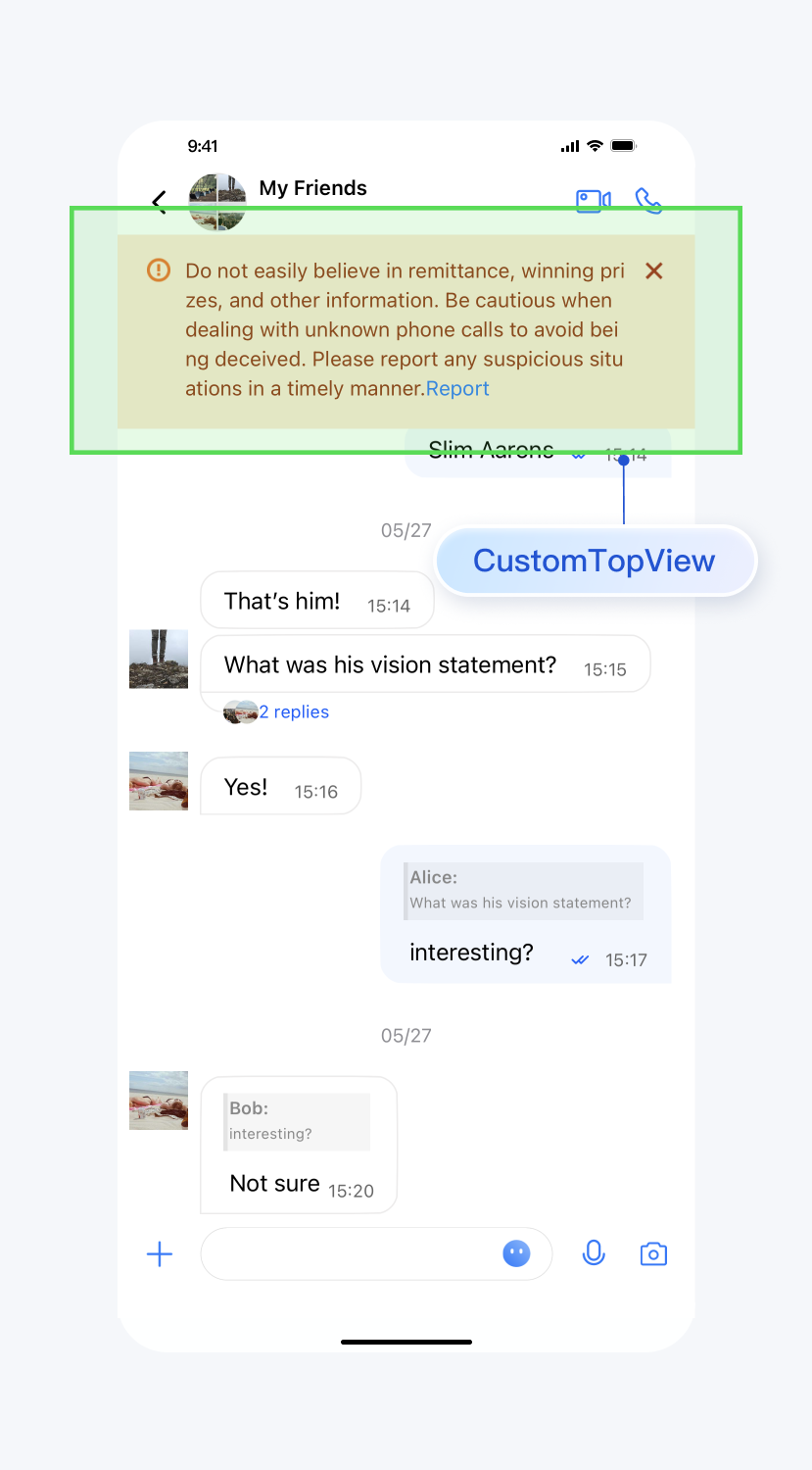
设置消息列表顶部自定义 View
API 作用:设置聊天界面顶部自定义 View,针对所有聊天消息界面生效。
API 原型:
// TUIChatConfig_Minimalist.swift/*** Add a custom view at the top of the chat interface.* This view will be displayed at the top of the message list and will not slide up.*/public class func setCustomTopView(_ view: UIView) {TUIBaseChatViewController_Minimalist.customTopView = view}
// TUIChatConfig_Minimalist.h/*** Add a custom view at the top of the chat interface.* This view will be displayed at the top of the message list and will not slide up.*/+ (void)setCustomTopView:(UIView *)view;
示例代码:
// When to call: Before initializing the message list interface.// tipsView is your customized view.TUIChatConfig_Minimalist.shared.setCustomTopView(tipsView)
// When to call: Before initializing the message list interface.// tipsView is your customized view.[TUIChatConfig_Minimalist setCustomTopView:tipsView];
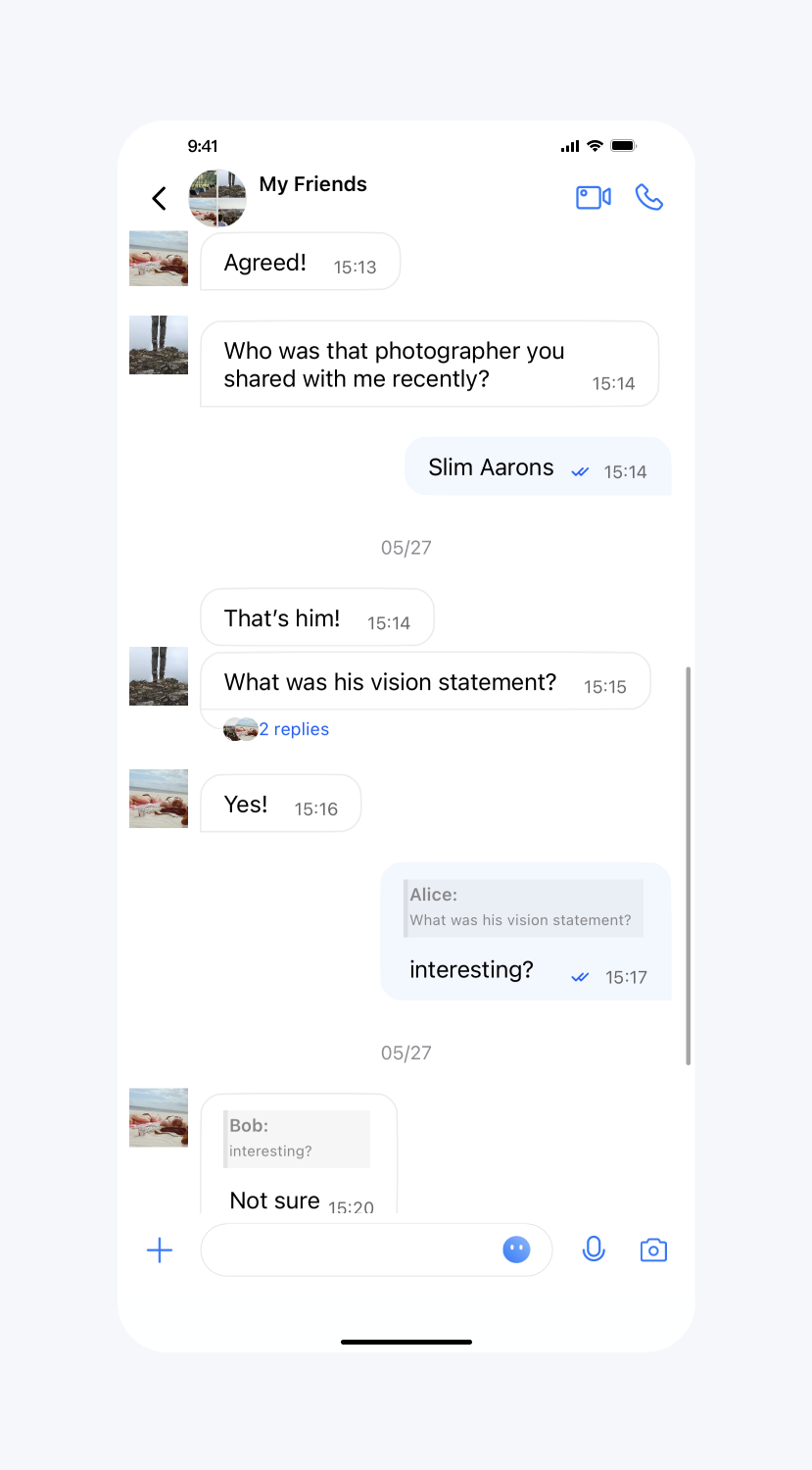
设置效果:
设置自定义view | 默认 |
 |  |
设置消息是否不计入未读
API 作用:设置即将发送的消息不更新会话未读数,针对所有消息生效。
API 原型:
// TUIChatConfig_Minimalist.swift/*** Set this parameter when the sender sends a message, and the receiver will not update the unread count after receiving the message.* The default value is NO.*/public var isExcludedFromUnreadCount: Bool {get {return TUIConfig.default().isExcludedFromUnreadCount}set {TUIConfig.default().isExcludedFromUnreadCount = newValue}}
// TUIChatConfig_Minimalist.h/*** Set this parameter when the sender sends a message, and the receiver will not update the unread count after receiving the message.* The default value is NO.*/@property (nonatomic, assign) BOOL isExcludedFromUnreadCount;
示例代码:
// When to call: Before sending messages.TUIChatConfig_Minimalist.shared.isExcludedFromUnreadCount = true
// When to call: Before sending messages.[TUIChatConfig_Minimalist sharedConfig].isExcludedFromUnreadCount = YES;
设置消息是否不更新会话 lastMsg
API 作用:设置即将发送的消息不更新会话 lastMsg,针对所有消息生效。
API 原型:
// TUIChatConfig_Minimalist.swift/*** Set this parameter when the sender sends a message, and the receiver will not update the last message of the conversation after receiving the message.* The default value is NO.*/public var isExcludedFromLastMessage: Bool {get {return TUIConfig.default().isExcludedFromLastMessage}set {TUIConfig.default().isExcludedFromLastMessage = newValue}}
// TUIChatConfig_Minimalist.h/*** Set this parameter when the sender sends a message, and the receiver will not update the last message of the conversation after receiving the message.* The default value is NO.*/@property (nonatomic, assign) BOOL isExcludedFromLastMessage;
示例代码:
// When to call: Before sending messages.TUIChatConfig_Minimalist.shared.isExcludedFromLastMessage = true
// When to call: Before sending messages.[TUIChatConfig_Minimalist sharedConfig].isExcludedFromLastMessage = YES;
消息撤回时间间隔
API 作用:设置消息撤回时间,针对所有消息生效。
API 原型:
// TUIChatConfig_Minimalist.swift/*** Time interval within which a message can be recalled after being sent.* The default value is 120 seconds.* If you want to adjust this configuration, please modify the setting on Chat Console synchronously: https://trtc.io/document/34419?platform=web&product=chat&menulabel=uikit#message-recall-settings*/public var timeIntervalForAllowedMessageRecall: UInt {get {return TUIChatConfig.shared.timeIntervalForMessageRecall}set {TUIChatConfig.shared.timeIntervalForMessageRecall = newValue}}
// TUIChatConfig_Minimalist.h/*** Time interval within which a message can be recalled after being sent.* The default value is 120 seconds.* If you want to adjust this configuration, please modify the setting on Chat Console synchronously: https://trtc.io/document/34419?platform=web&product=chat&menulabel=uikit#message-recall-settings*/@property (nonatomic, assign) NSUInteger timeIntervalForAllowedMessageRecall;
示例代码:
// When to call: Before sending messages.TUIChatConfig_Minimalist.shared.timeIntervalForAllowedMessageRecall = 90
// When to call: Before sending messages.[TUIChatConfig_Minimalist sharedConfig].timeIntervalForAllowedMessageRecall = 90;
语音、视频消息最长录制时长
API 作用:设置语音、视频消息最长录制时长,针对所有语音、视频消息生效。
API 原型:
// TUIChatConfig_Minimalist.swift/*** Maximum audio recording duration, no more than 60s.* The default value is 60 seconds.*/public var maxAudioRecordDuration: TimeInterval {get {return TUIChatConfig.shared.maxAudioRecordDuration}set {TUIChatConfig.shared.maxAudioRecordDuration = newValue}}/*** Maximum video recording duration, no more than 15s.* The default value is 15 seconds.*/public var maxVideoRecordDuration: TimeInterval {get {return TUIChatConfig.shared.maxVideoRecordDuration}set {TUIChatConfig.shared.maxVideoRecordDuration = newValue}}
// TUIChatConfig_Minimalist.h/*** Maximum audio recording duration, no more than 60s.* The default value is 60 seconds.*/@property (nonatomic, assign) CGFloat maxAudioRecordDuration;/*** Maximum video recording duration, no more than 15s.* The default value is 15 seconds.*/@property (nonatomic, assign) CGFloat maxVideoRecordDuration;
示例代码:
// When to call: Before recording audio or video messages.TUIChatConfig_Minimalist.shared.maxAudioRecordDuration = 10TUIChatConfig_Minimalist.shared.maxVideoRecordDuration = 10
// When to call: Before recording audio or video messages.[TUIChatConfig_Minimalist sharedConfig].maxAudioRecordDuration = 10;[TUIChatConfig_Minimalist sharedConfig].maxVideoRecordDuration = 10;
开启自定义铃声
API 作用:设置 Android 设备收到消息时的铃声为内置的自定义铃声,针对所有消息生效。
API 原型:
// TUIChatConfig_Minimalist.swift/*** Enable custom ringtone.* This config takes effect only for Android devices.*/public var enableAndroidCustomRing: Bool {get {return TUIConfig.default().enableCustomRing}set {TUIConfig.default().enableCustomRing = newValue}}
// TUIChatConfig_Minimalist.h/*** Enable custom ringtone.* This config takes effect only for Android devices.*/@property (nonatomic, assign) BOOL enableAndroidCustomRing;
示例代码:
// When to call: Before sending messages.TUIChatConfig_Minimalist.shared.enableAndroidCustomRing = true
// When to call: Before sending messages.[TUIChatConfig_Minimalist sharedConfig].enableAndroidCustomRing = YES;
开启语音消息扬声器播放
API 作用:设置播放语音消息时默认使用扬声器而不是听筒播放。针对所有语音消息生效。
API 原型:
// TUIChatConfig_Minimalist.swift/*** Call this method to use speakers instead of handsets by default when playing voice messages.*/public static func setPlayingSoundMessageViaSpeakerByDefault() {if TUIVoiceMessageCellData.getAudioplaybackStyle() == .handset {TUIVoiceMessageCellData.changeAudioPlaybackStyle()}}
// TUIChatConfig_Minimalist.h/*** Call this method to use speakers instead of handsets by default when playing voice messages.*/+ (void)setPlayingSoundMessageViaSpeakerByDefault;
示例代码:
// When to call: Before initializing the Message interface.TUIChatConfig_Minimalist.setPlayingSoundMessageViaSpeakerByDefault()
// When to call: Before initializing the Message interface.[TUIChatConfig_Minimalist setPlayingSoundMessageViaSpeakerByDefault];
注册自定义消息
API 原型:
// TUIChatConfig_Minimalist.swift/*** Register custom message.* - Parameters:* - businessID: Customized message‘s businessID, which is unique.* - messageCellClassName: Customized message's MessagCell class name.* - messageCellDataClassName: Customized message's MessagCellData class name.*/public func registerCustomMessage(businessID: String, messageCellClassName: String, messageCellDataClassName: String) {TUIChatConfig.shared.registerCustomMessage(businessID: businessID, messageCellClassName: messageCellClassName, messageCellDataClassName: messageCellDataClassName, styleType: .minimalist)}
// TUIChatConfig_Minimalist.h/*** Register custom message.* - Parameters:* - businessID: Customized message‘s businessID, which is unique.* - cellName: Customized message's MessagCell class name.* - cellDataName: Customized message's MessagCellData class name.*/- (void)registerCustomMessage:(NSString *)businessIDmessageCellClassName:(NSString *)cellNamemessageCellDataClassName:(NSString *)cellDataName;
示例代码:
// When to call: Before initializing the Message List interface.TUIChatConfig_Minimalist.shared.registerCustomMessage(businessID: "text_link", messageCellClassName: "TUILinkCell", messageCellDataClassName: "TUILinkCellData")
// When to call: Before initializing the Message List interface.[[TUIChatConfig_Minimalist sharedConfig] registerCustomMessage:BussinessID_TextLinkmessageCellClassName:@"TUILinkCell"messageCellDataClassName:@"TUILinkCellData"];
本地插入系统提示消息
API 作用:在本地插入一条系统提示消息。
API 原型:
// TUIChatBaseDataProvider.swift/*** Insert local tips message.* - Parameters:* - content: tips message content* - chatID: if is group chat,chatID is group id,if is single chat,chatID is user id* - isGroup: whether is group chat*/class func insertLocalTipsMessage(_ content: String, chatID: String, isGroup: Bool)
// TUIChatBaseDataProvider.h/*** Insert local tips message.* - Parameters:* - content: tips message content* - chatID: if is group chat,chatID is group id,if is single chat,chatID is user id* - isGroup: whether is group chat*/+ (void)insertLocalTipsMessage:(NSString *)content chatID:(NSString *)chatID isGroup:(BOOL)isGroup;
示例代码:
// When to call: Before initializing the Message List interface.TUIChatBaseDataProvider.insertLocalTipsMessage("Test Tips", chatID: "100480", isGroup: false)
// When to call: Before initializing the Message List interface.[TUIChatBaseDataProvider insertLocalTipsMessage:@"Test Tips" chatID:@"100480" isGroup:NO];
点击、长按消息列表里的用户头像
API 作用:用户点击、长按了消息列表里的用户头像的事件回调。
API 原型:
// TUIChatConfig_Minimalist.swiftpublic protocol TUIChatConfigDelegate_Minimalist: NSObjectProtocol {/*** Tells the delegate a user's avatar in the chat list is clicked.* Returning YES indicates this event has been intercepted, and Chat will not process it further.* Returning NO indicates this event is not intercepted, and Chat will continue to process it.*/func onUserAvatarClicked(view: UIView, messageCellData: TUIMessageCellData) -> Bool/*** Tells the delegate a user's avatar in the chat list is long pressed.* Returning YES indicates that this event has been intercepted, and Chat will not process it further.* Returning NO indicates that this event is not intercepted, and Chat will continue to process it.*/func onUserAvatarLongPressed(view: UIView, messageCellData: TUIMessageCellData) -> Bool}
// TUIChatConfig_Minimalist.h@protocol TUIChatConfigDelegate_Minimalist <NSObject>/*** Tells the delegate a user's avatar in the chat list is clicked.* Returning YES indicates this event has been intercepted, and Chat will not process it further.* Returning NO indicates this event is not intercepted, and Chat will continue to process it.*/- (BOOL)onUserAvatarClicked:(UIView *)view messageCellData:(TUIMessageCellData *)celldata;/*** Tells the delegate a user's avatar in the chat list is long pressed.* Returning YES indicates that this event has been intercepted, and Chat will not process it further.* Returning NO indicates that this event is not intercepted, and Chat will continue to process it.*/- (BOOL)onUserAvatarLongPressed:(UIView *)view messageCellData:(TUIMessageCellData *)celldata;@end
示例代码:
TUIChatConfig_Minimalist.shared.delegate = selffunc onUserAvatarClicked(view: UIView, messageCellData: TUIMessageCellData) -> Bool {// Customize your own action when user avatar is clicked.print("onUserAvatarClicked")return true}func onUserAvatarLongPressed(view: UIView, messageCellData: TUIMessageCellData) -> Bool {// Customize your own action when user avatar is long pressed.print("onUserAvatarLongPressed")return true}
[TUIChatConfig_Minimalist sharedConfig].delegate = self;// TUIChatConfigDelegate_Minimalist- (BOOL)onUserAvatarClicked:(UIView *)view messageCellData:(TUIMessageCellData *)celldata {// Customize your own action when user avatar is clicked.NSLog(@"onUserAvatarClicked, cellData: %@", celldata);return YES;}- (BOOL)onUserAvatarLongPressed:(UIView *)view messageCellData:(TUIMessageCellData *)celldata {// Customize your own action when user avatar is long pressed.NSLog(@"onUserAvatarLongPressed, cellData: %@", celldata);return YES;}
点击、长按消息列表里的消息
API 作用:用户点击、长按了消息列表里的消息的事件回调。
API 原型:
// TUIChatConfig_Minimalist.swiftpublic protocol TUIChatConfigDelegate_Minimalist: NSObjectProtocol {/*** Tells the delegate a message in the chat list is clicked.* Returning YES indicates that this event has been intercepted, and Chat will not process it further.* Returning NO indicates that this event is not intercepted, and Chat will continue to process it.*/func onMessageClicked(view: UIView, messageCellData: TUIMessageCellData) -> Bool/*** Tells the delegate a message in the chat list is long pressed.* Returning YES indicates that this event has been intercepted, and Chat will not process it further.* Returning NO indicates that this event is not intercepted, and Chat will continue to process it.*/func onMessageLongPressed(view: UIView, messageCellData: TUIMessageCellData) -> Bool}
// TUIChatConfig_Minimalist.h@protocol TUIChatConfigDelegate_Minimalist <NSObject>/*** Tells the delegate a message in the chat list is clicked.* Returning YES indicates that this event has been intercepted, and Chat will not process it further.* Returning NO indicates that this event is not intercepted, and Chat will continue to process it.*/- (BOOL)onMessageClicked:(UIView *)view messageCellData:(TUIMessageCellData *)celldata;/*** Tells the delegate a message in the chat list is long pressed.* Returning YES indicates that this event has been intercepted, and Chat will not process it further.* Returning NO indicates that this event is not intercepted, and Chat will continue to process it.*/- (BOOL)onMessageLongPressed:(UIView *)view messageCellData:(TUIMessageCellData *)celldata;@end
示例代码:
TUIChatConfig_Minimalist.sharedConfig.delegate = selffunc onMessageClicked(view: UIView, messageCellData: TUIMessageCellData) -> Bool {// Customize your own action when message is clicked.print("onMessageClicked")return true}func onMessageLongPressed(view: UIView, messageCellData: TUIMessageCellData) -> Bool {// Customize your own action when message is long pressed.print("onMessageLongPressed")return true}
[TUIChatConfig_Minimalist sharedConfig].delegate = self;// TUIChatConfigDelegate_Minimalist- (BOOL)onMessageClicked:(UIView *)view messageCellData:(TUIMessageCellData *)celldata {// Customize your own action when message is clicked.NSLog(@"onMessageClicked, cellData: %@", celldata);return YES;}- (BOOL)onMessageLongPressed:(UIView *)view messageCellData:(TUIMessageCellData *)celldata {// Customize your own action when message is long pressed.NSLog(@"onMessageLongPressed, cellData: %@", celldata);return YES;}
消息样式相关
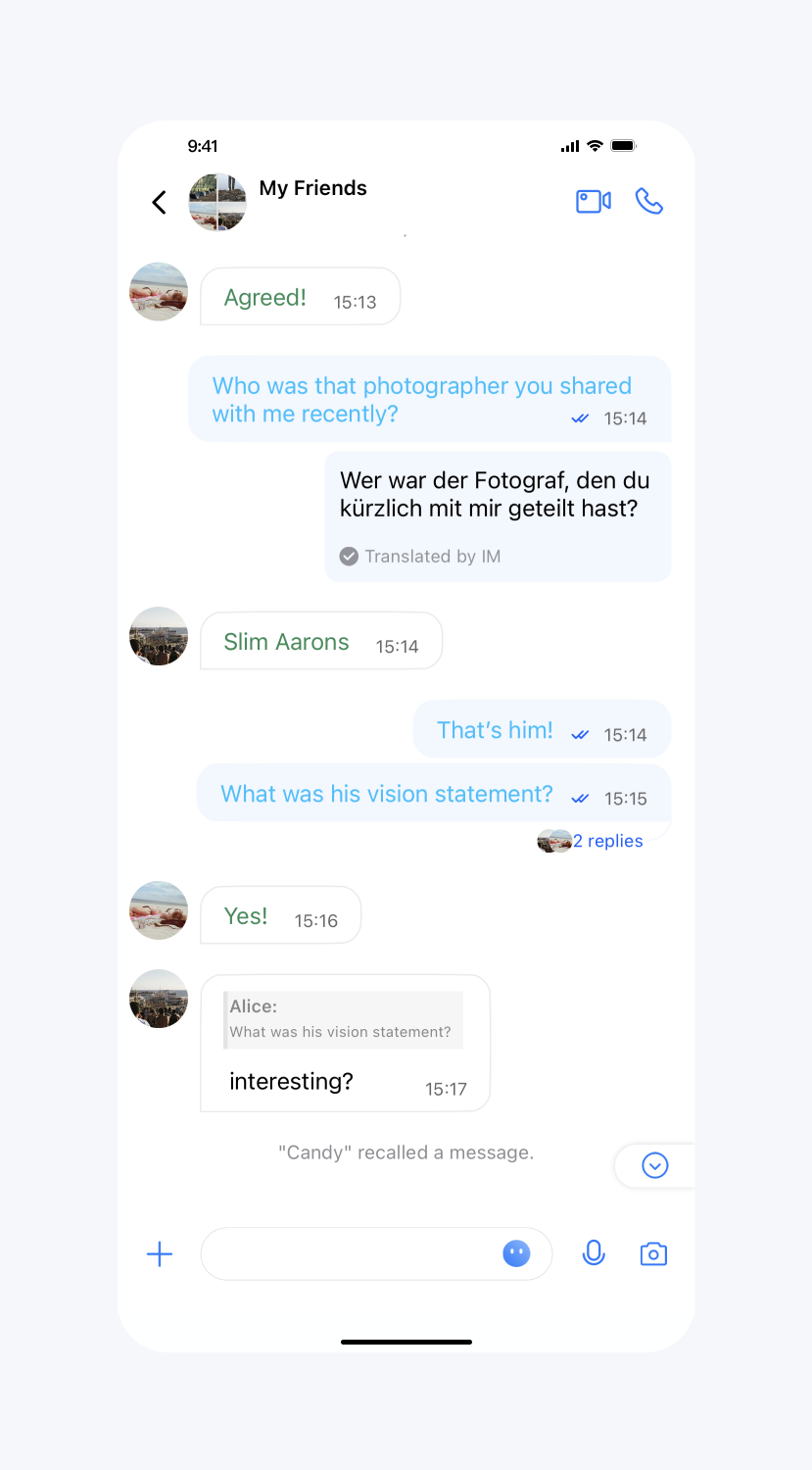
文本消息的颜色、字体
API 作用:设置发送、接收的文本消息的文字颜色和字体。针对所有的文本消息生效。
API 原型:
// TUIChatConfig_Minimalist.swift/*** The color of send text message.*/public var sendTextMessageColor: UIColor? {get {return TUITextMessageCell_Minimalist.outgoingTextColor}set {TUITextMessageCell_Minimalist.outgoingTextColor = newValue}}/*** The font of send text message.*/public var sendTextMessageFont: UIFont? {get {return TUITextMessageCell_Minimalist.outgoingTextFont ?? UIFont()}set {TUITextMessageCell_Minimalist.outgoingTextFont = newValue}}/*** The color of receive text message.*/public var receiveTextMessageColor: UIColor? {get {return TUITextMessageCell_Minimalist.incommingTextColor ?? UIColor()}set {TUITextMessageCell_Minimalist.incommingTextColor = newValue}}/*** The font of receive text message.*/public var receiveTextMessageFont: UIFont? {get {return TUITextMessageCell_Minimalist.incommingTextFont ?? UIFont()}set {TUITextMessageCell_Minimalist.incommingTextFont = newValue}}
// TUIChatConfig_Minimalist.h/*** The color of send text message.*/@property(nonatomic, assign) UIColor *sendTextMessageColor;/*** The font of send text message.*/@property(nonatomic, assign) UIFont *sendTextMessageFont;/** The color of receive text message.*/@property(nonatomic, assign) UIColor *receiveTextMessageColor;/*** The font of receive text message.*/@property(nonatomic, assign) UIFont *receiveTextMessageFont;
示例代码:
// When to call: After initializing the message list interface and before entering it.TUIChatConfig_Minimalist.shared.sendTextMessageColor = UIColor.tui_color(withHex: "#00BFFF")TUIChatConfig_Minimalist.shared.sendTextMessageFont = UIFont.systemFont(ofSize: 20)TUIChatConfig_Minimalist.shared.receiveTextMessageColor = UIColor.tui_color(withHex: "#2E8B57")TUIChatConfig_Minimalist.shared.receiveTextMessageFont = UIFont.systemFont(ofSize: 20)
// When to call: After initializing the message list interface and before entering it.[TUIChatConfig_Minimalist sharedConfig].sendTextMessageColor = [UIColor tui_colorWithHex:@"#00BFFF"];[TUIChatConfig_Minimalist sharedConfig].sendTextMessageFont = [UIFont systemFontOfSize:20];[TUIChatConfig_Minimalist sharedConfig].receiveTextMessageColor = [UIColor tui_colorWithHex:@"#2E8B57"];[TUIChatConfig_Minimalist sharedConfig].receiveTextMessageFont = [UIFont systemFontOfSize:20];
设置效果:
设置文本消息文字颜色 | 设置文本消息字体 | 默认 |
 | 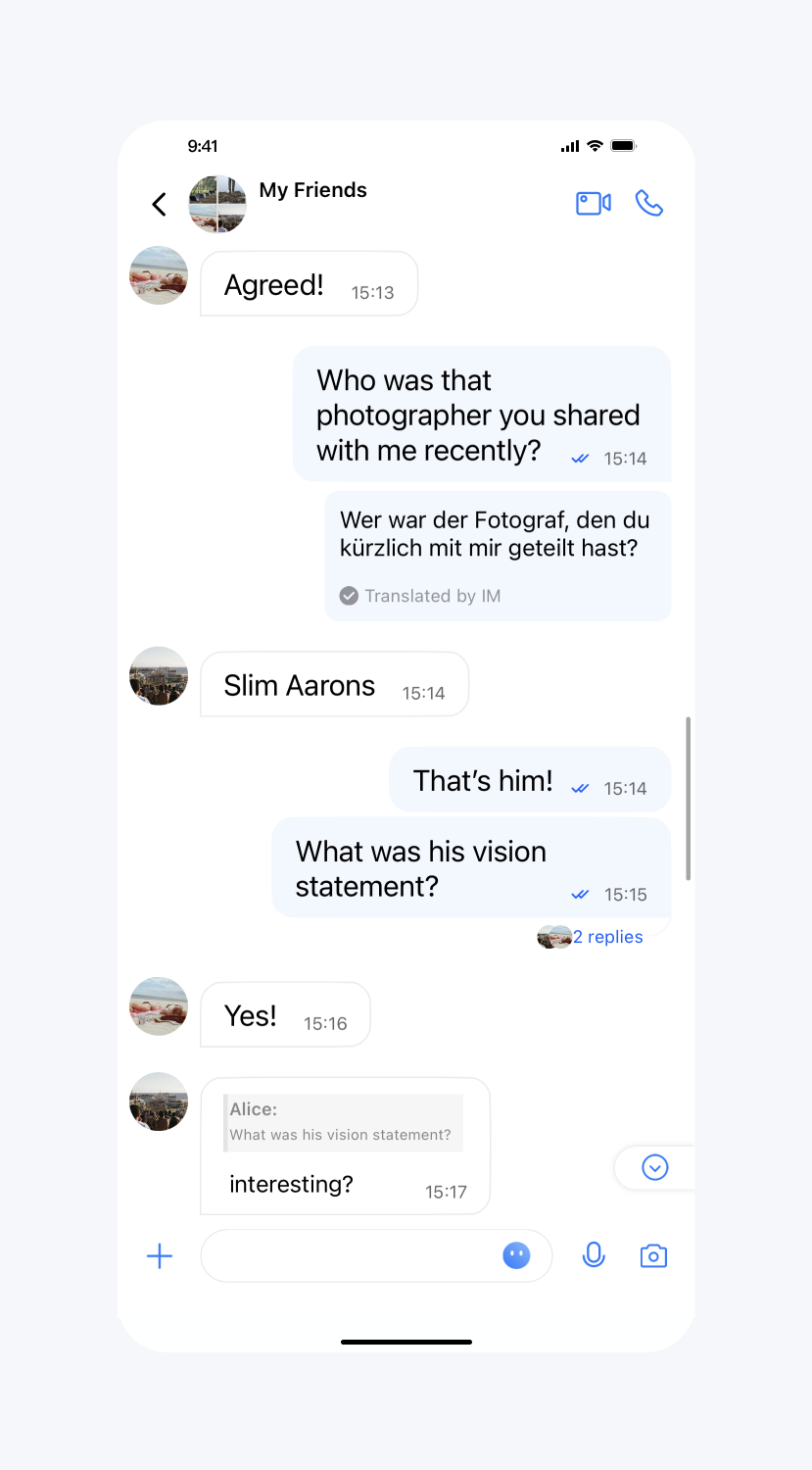 | 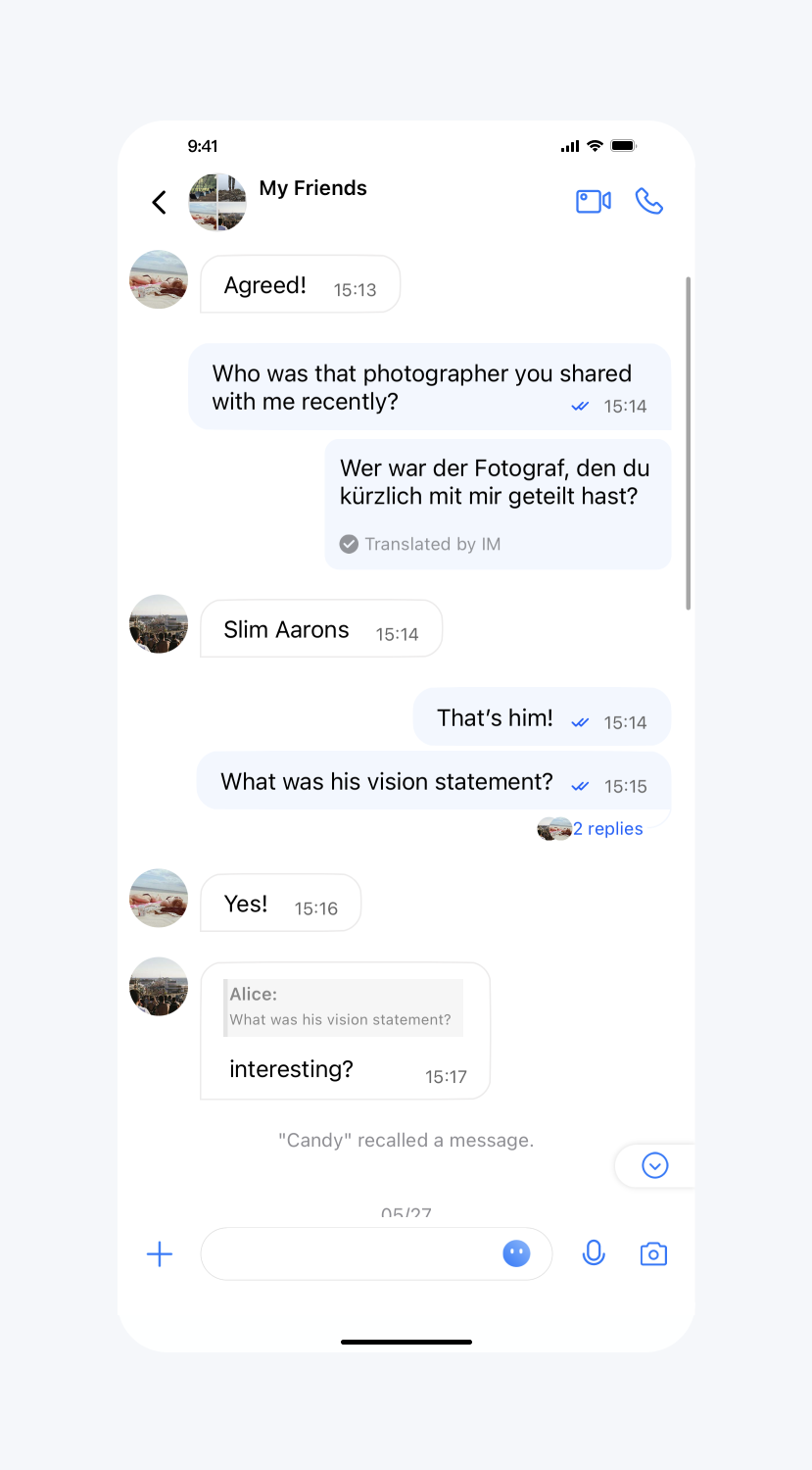 |
系统通知消息字体、颜色和背景色
API 作用:设置系统通知消息文字的字体、颜色和背景色,针对所有系统通知消息生效。
API 原型:
// TUIChatConfig_Minimalist.swift/*** The text color of system message.*/public var systemMessageTextColor: UIColor? {get {return TUISystemMessageCellData.textColor}set {TUISystemMessageCellData.textColor = newValue}}/*** The font of system message.*/public var systemMessageTextFont: UIFont? {get {return TUISystemMessageCellData.textFont}set {TUISystemMessageCellData.textFont = newValue}}/*** The background color of system message.*/public var systemMessageBackgroundColor: UIColor? {get {return TUISystemMessageCellData.textBackgroundColor}set {TUISystemMessageCellData.textBackgroundColor = newValue}}
// TUIChatConfig_Minimalist.h/*** The text color of system message.*/@property (nonatomic, strong) UIColor *systemMessageTextColor;/*** The font of system message.*/@property (nonatomic, strong) UIFont *systemMessageTextFont;/*** The background color of system message.*/@property (nonatomic, strong) UIColor *systemMessageBackgroundColor;
示例代码:
// When to call: After initializing the message list interface and before entering it.TUIChatConfig_Minimalist.shared.systemMessageTextColor = UIColor.tui_color(withHex: "#FF8C00")TUIChatConfig_Minimalist.shared.systemMessageTextFont = UIFont.systemFont(ofSize: 24)TUIChatConfig_Minimalist.shared.systemMessageBackgroundColor = UIColor.tui_color(withHex: "#F0FFF0")
// When to call: After initializing the message list interface and before entering it.[TUIChatConfig_Minimalist sharedConfig].systemMessageTextColor = [UIColor tui_colorWithHex:@"#FF8C00"];[TUIChatConfig_Minimalist sharedConfig].systemMessageTextFont = [UIFont systemFontOfSize:24];[TUIChatConfig_Minimalist sharedConfig].systemMessageBackgroundColor = [UIColor tui_colorWithHex:@"#F0FFF0"];
设置效果:
设置系统通知消息文字的字体、颜色和背景色 | 默认 |
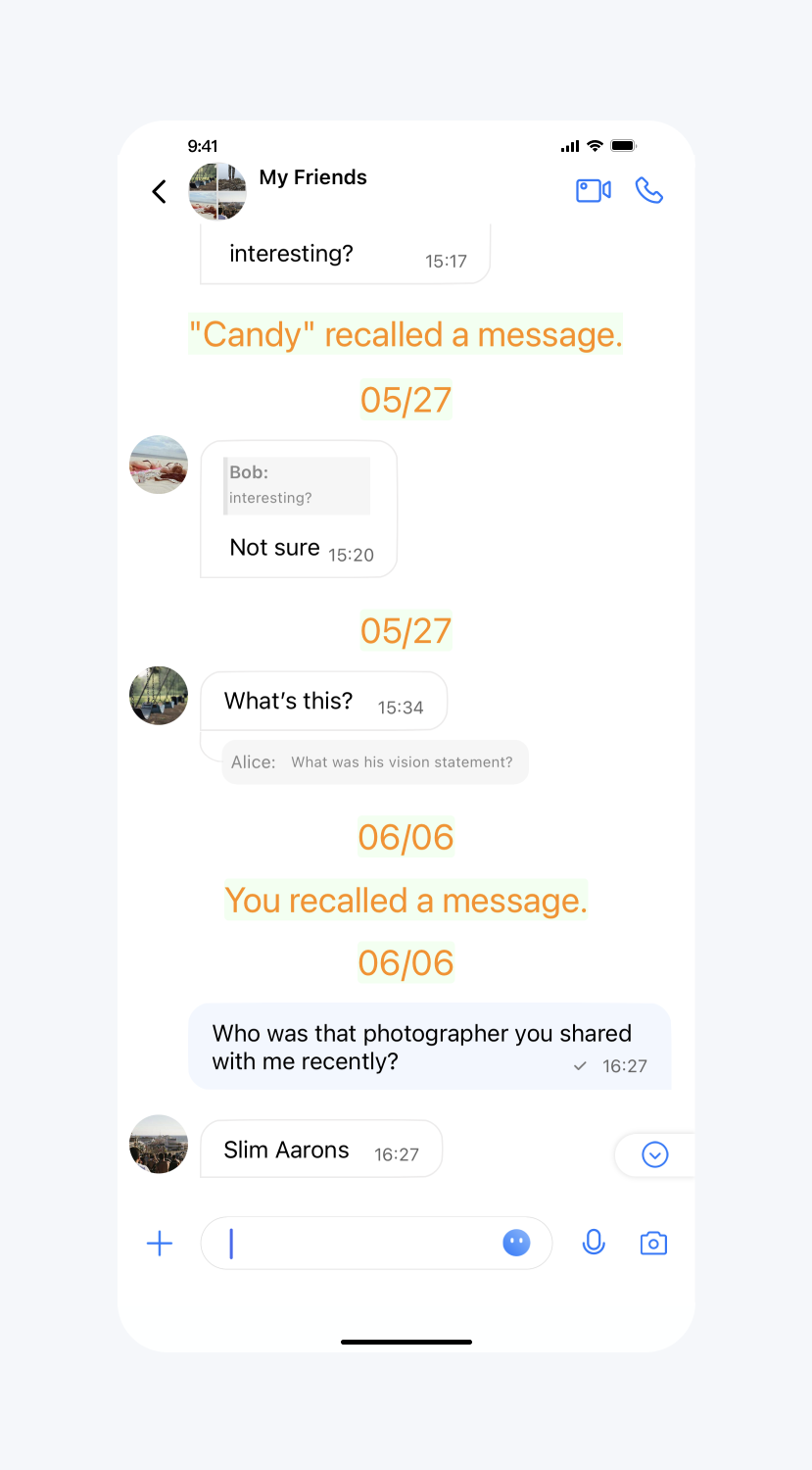 | 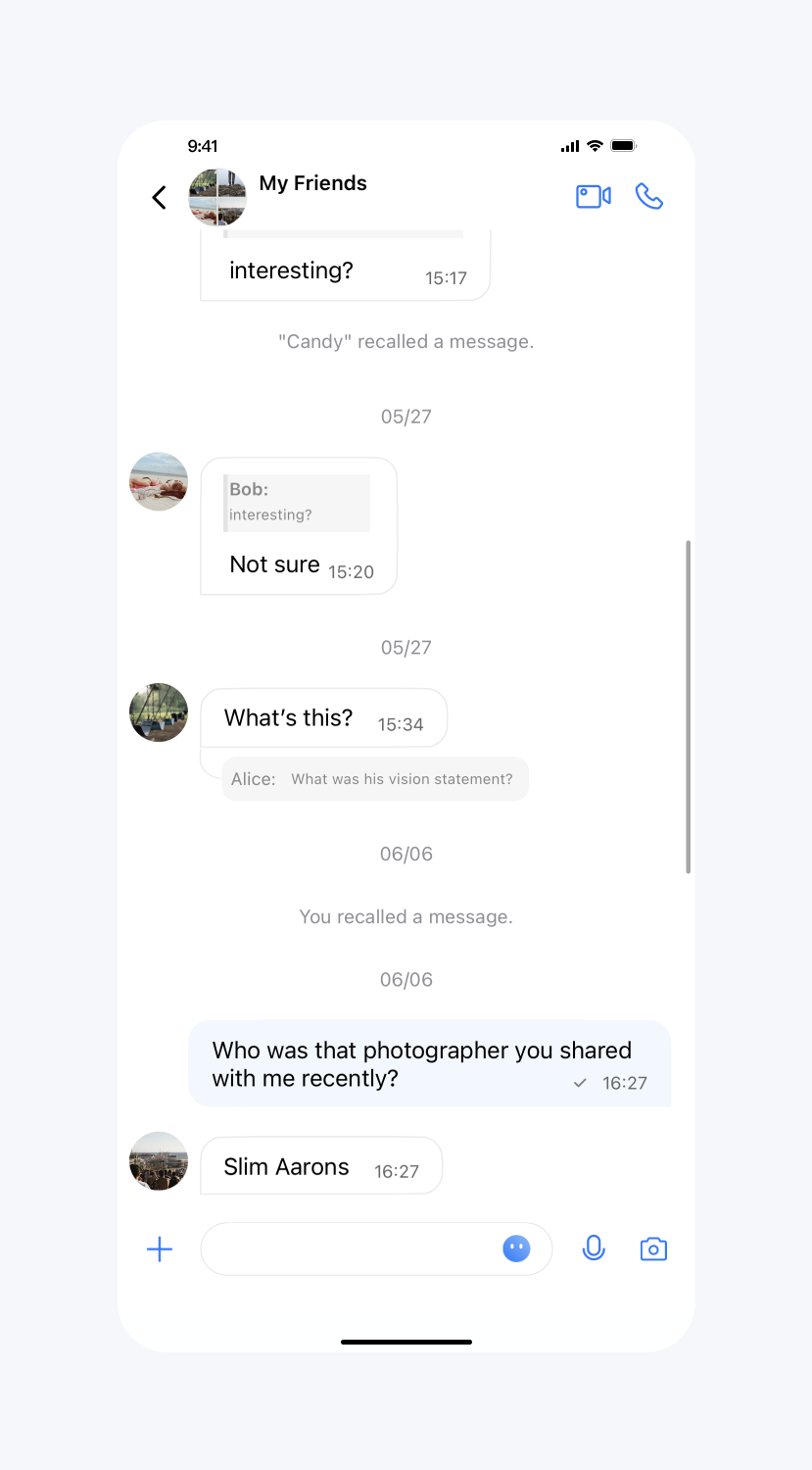 |
消息布局相关
消息 layout
API 作用:设置各种类型消息 layout,针对指定的消息生效。
API 原型:
// TUIChatConfig_Minimalist.swift/*** Text message cell layout of my sent message.*/public func sendTextMessageLayout() -> TUIMessageCellLayout {return getMessageLayout(ofType: .text, isSender: true)}/*** Text message cell layout of my received message.*/public func receiveTextMessageLayout() -> TUIMessageCellLayout {return getMessageLayout(ofType: .text, isSender: false)}/*** Image message cell layout of my sent message.*/public func sendImageMessageLayout() -> TUIMessageCellLayout {return getMessageLayout(ofType: .image, isSender: true)}/*** Image message cell layout of my received message.*/public func receiveImageMessageLayout() -> TUIMessageCellLayout {return getMessageLayout(ofType: .image, isSender: false)}/*** Voice message cell layout of my sent message.*/public func sendVoiceMessageLayout() -> TUIMessageCellLayout {return getMessageLayout(ofType: .voice, isSender: true)}/*** Voice message cell layout of my received message.*/public func receiveVoiceMessageLayout() -> TUIMessageCellLayout {return getMessageLayout(ofType: .voice, isSender: false)}/*** Video message cell layout of my sent message.*/public func sendVideoMessageLayout() -> TUIMessageCellLayout {return getMessageLayout(ofType: .video, isSender: true)}/*** Video message cell layout of my received message.*/public func receiveVideoMessageLayout() -> TUIMessageCellLayout {return getMessageLayout(ofType: .video, isSender: false)}/*** Other message cell layout of my sent message.*/public func sendMessageLayout() -> TUIMessageCellLayout {return getMessageLayout(ofType: .other, isSender: true)}/*** Other message cell layout of my received message.*/public func receiveMessageLayout() -> TUIMessageCellLayout {return getMessageLayout(ofType: .other, isSender: false)}/*** System message cell layout.*/public func systemMessageLayout() -> TUIMessageCellLayout {return getMessageLayout(ofType: .system, isSender: false)}
// TUIMessageCellLayout.h@interface TUIMessageCellLayout : NSObject/*** The insets of message*/@property(nonatomic, assign) UIEdgeInsets messageInsets;/*** The insets of bubble content.*/@property(nonatomic, assign) UIEdgeInsets bubbleInsets;/*** The insets of avatar*/@property(nonatomic, assign) UIEdgeInsets avatarInsets;/*** The size of avatar*/@property(nonatomic, assign) CGSize avatarSize;@end// TUIChatConfig_Minimalist.h/*** Text message cell layout of my sent message.*/@property(nonatomic, assign, readonly) TUIMessageCellLayout *sendTextMessageLayout;/*** Text message cell layout of my received message.*/@property(nonatomic, assign, readonly) TUIMessageCellLayout *receiveTextMessageLayout;/*** Image message cell layout of my sent message.*/@property(nonatomic, assign, readonly) TUIMessageCellLayout *sendImageMessageLayout;/*** Image message cell layout of my received message.*/@property(nonatomic, assign, readonly) TUIMessageCellLayout *receiveImageMessageLayout;/*** Voice message cell layout of my sent message.*/@property(nonatomic, assign, readonly) TUIMessageCellLayout *sendVoiceMessageLayout;/*** Voice message cell layout of my received message.*/@property(nonatomic, assign, readonly) TUIMessageCellLayout *receiveVoiceMessageLayout;/*** Video message cell layout of my sent message.*/@property(nonatomic, assign, readonly) TUIMessageCellLayout *sendVideoMessageLayout;/*** Video message cell layout of my received message.*/@property(nonatomic, assign, readonly) TUIMessageCellLayout *receiveVideoMessageLayout;/*** Other message cell layout of my sent message.*/@property(nonatomic, assign, readonly) TUIMessageCellLayout *sendMessageLayout;/*** Other message cell layout of my received message.*/@property(nonatomic, assign, readonly) TUIMessageCellLayout *receiveMessageLayout;/*** System message cell layout.*/@property(nonatomic, assign, readonly) TUIMessageCellLayout *systemMessageLayout;
示例代码:
// When to call: After initializing the message list interface and before entering it.TUIChatConfig_Minimalist.shared.receiveTextMessageLayout().bubbleInsets = UIEdgeInsets(top: 30, left: 30, bottom: 30, right: 30)TUIChatConfig_Minimalist.shared.sendTextMessageLayout().avatarInsets = UIEdgeInsets(top: 30, left: 0, bottom: 0, right: 30)TUIChatConfig_Minimalist.shared.sendTextMessageLayout().bubbleInsets = UIEdgeInsets(top: 0, left: 0, bottom: 10, right: 20)
// When to call: After initializing the message list interface and before entering it.[TUIChatConfig_Minimalist sharedConfig].receiveTextMessageLayout.bubbleInsets = UIEdgeInsetsMake(30, 30, 30, 30);[TUIChatConfig_Minimalist sharedConfig].sendTextMessageLayout.avatarInsets = UIEdgeInsetsMake(30, 0, 0, 30);[TUIChatConfig_Minimalist sharedConfig].sendTextMessageLayout.bubbleInsets = UIEdgeInsetsMake(0, 0, 10, 20);
设置效果:
设置头像尺寸 | 设置头像边距 | 设置气泡内边距 |
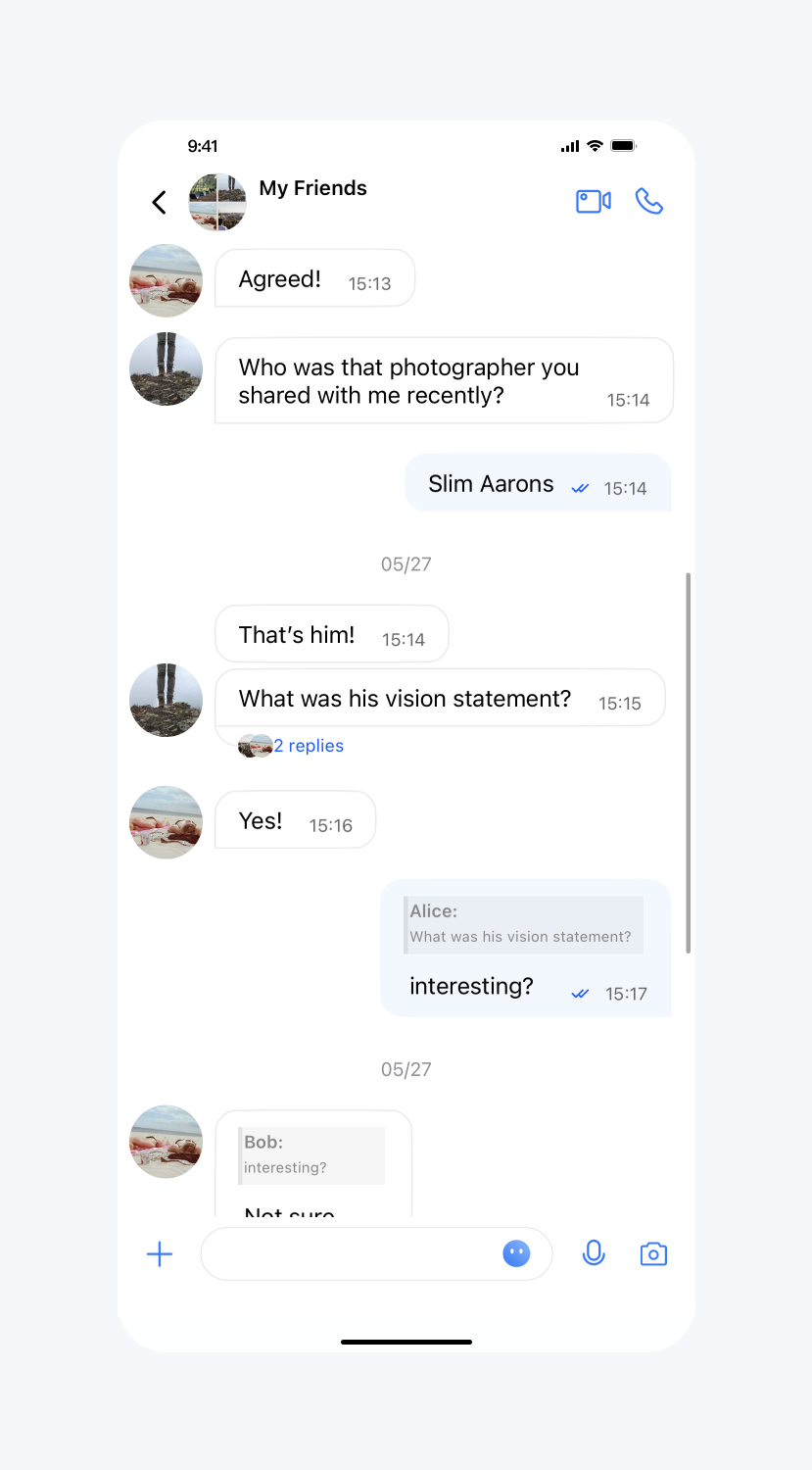 | 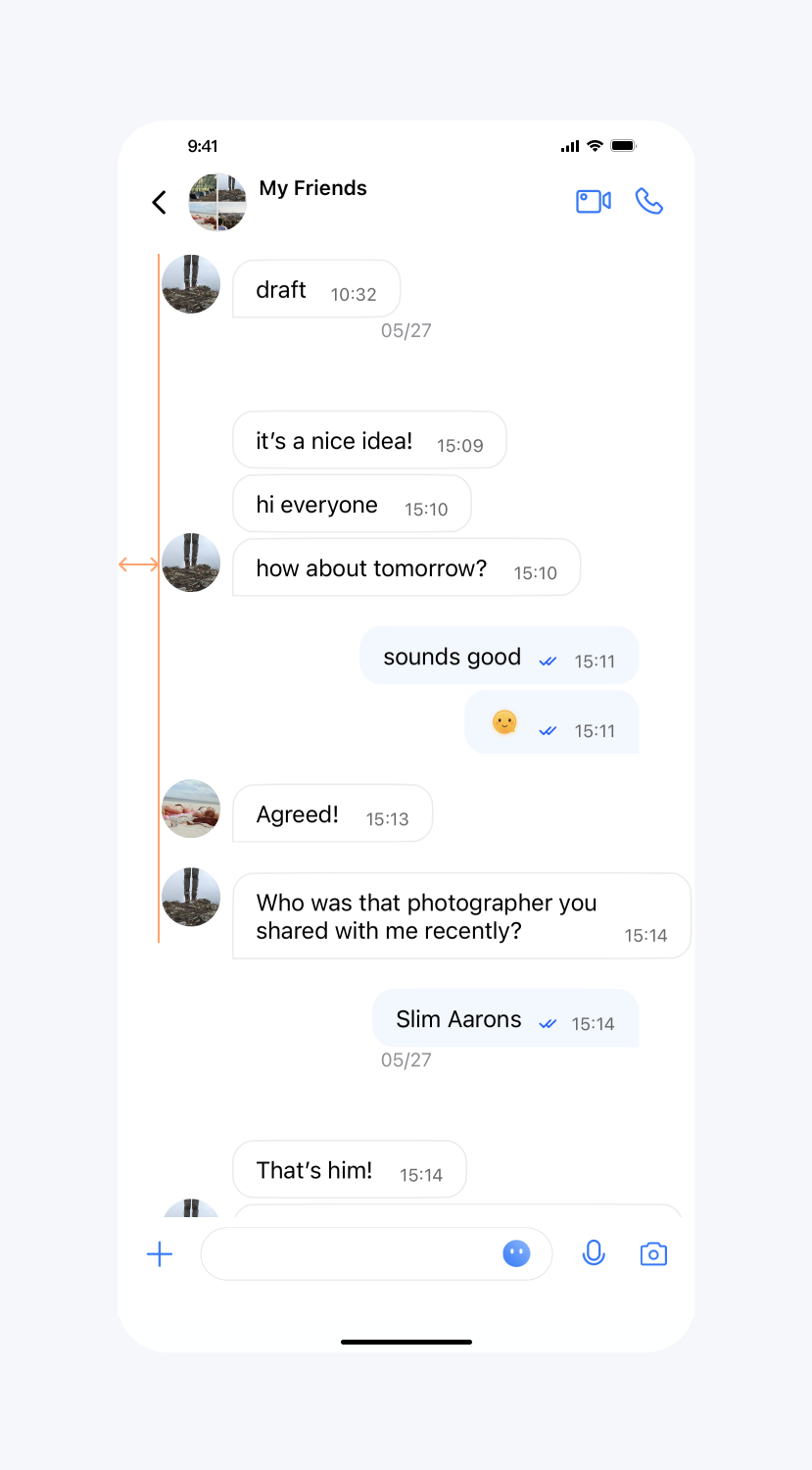 | 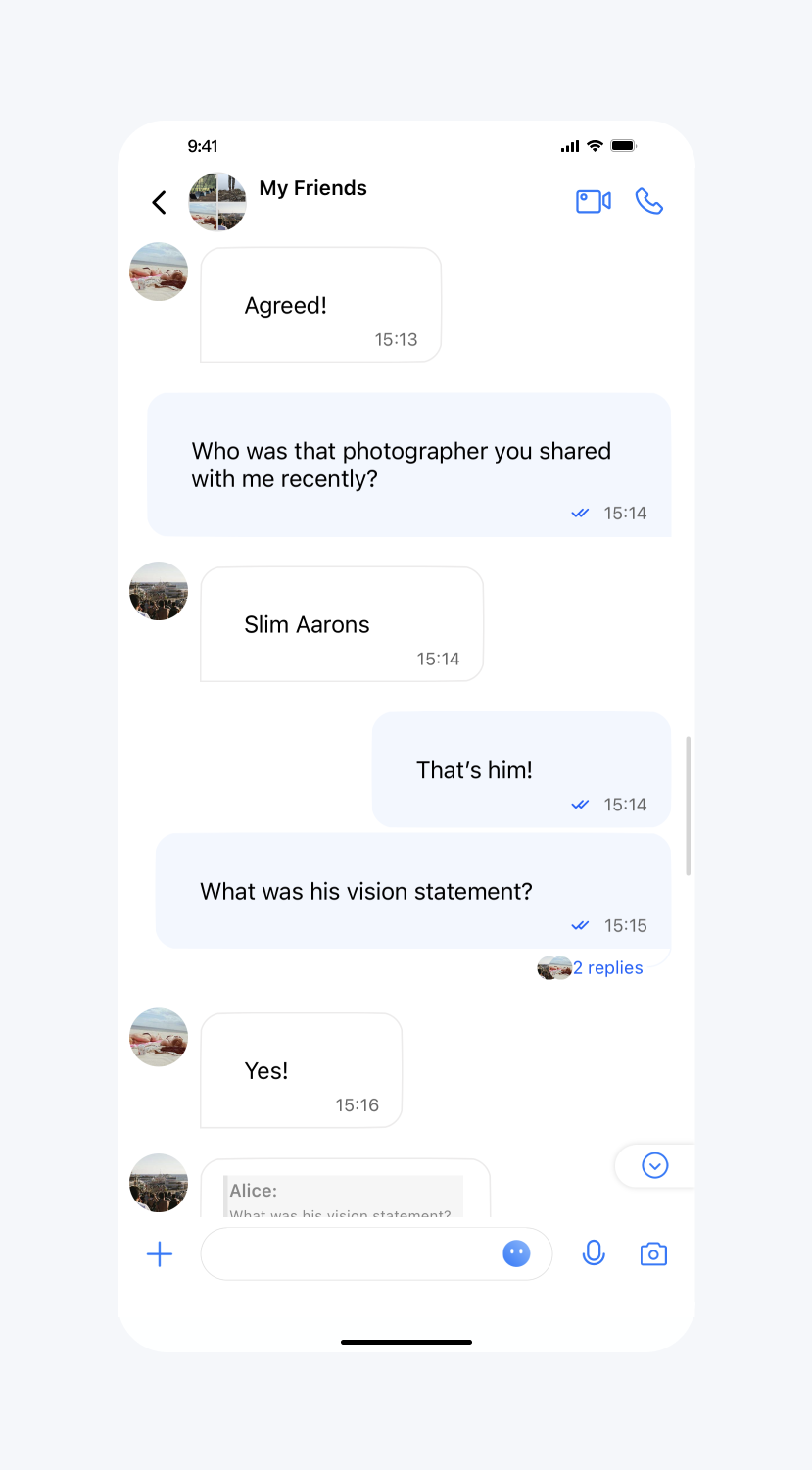 |
消息气泡相关
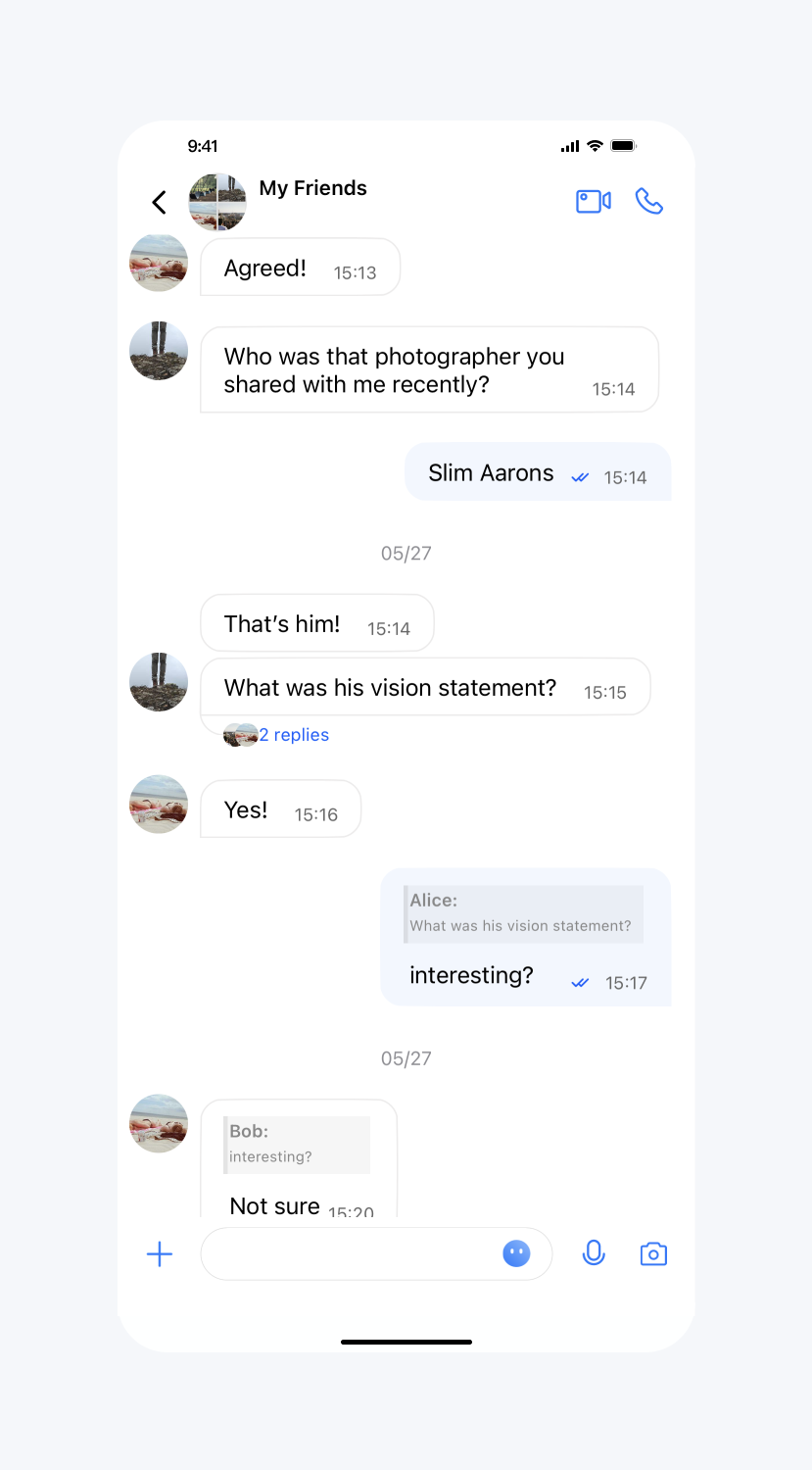
开启消息气泡展示
API 作用:开启消息气泡展示,针对所有聊天界面生效。
API 原型:
// TUIChatConfig_Minimalist.swift/*** Enable the message display in the bubble style.* The default value is YES.*/public var enableMessageBubbleStyle: Bool {get {return TIMConfig.shared.enableMessageBubble}set {TIMConfig.shared.enableMessageBubble = newValue}}
// TUIChatConfig_Minimalist.h/*** Enable the message display in the bubble style.* The default value is YES.*/@property(nonatomic, assign) BOOL enableMessageBubbleStyle;
示例代码:
// When to call: After initializing the message list interface and before entering it.TUIChatConfig_Minimalist.shared.enableMessageBubbleStyle = false
// When to call: After initializing the message list interface and before entering it.[TUIChatConfig_Minimalist sharedConfig].enableMessageBubbleStyle = NO;
设置效果:
不显示消息气泡 | 默认 |
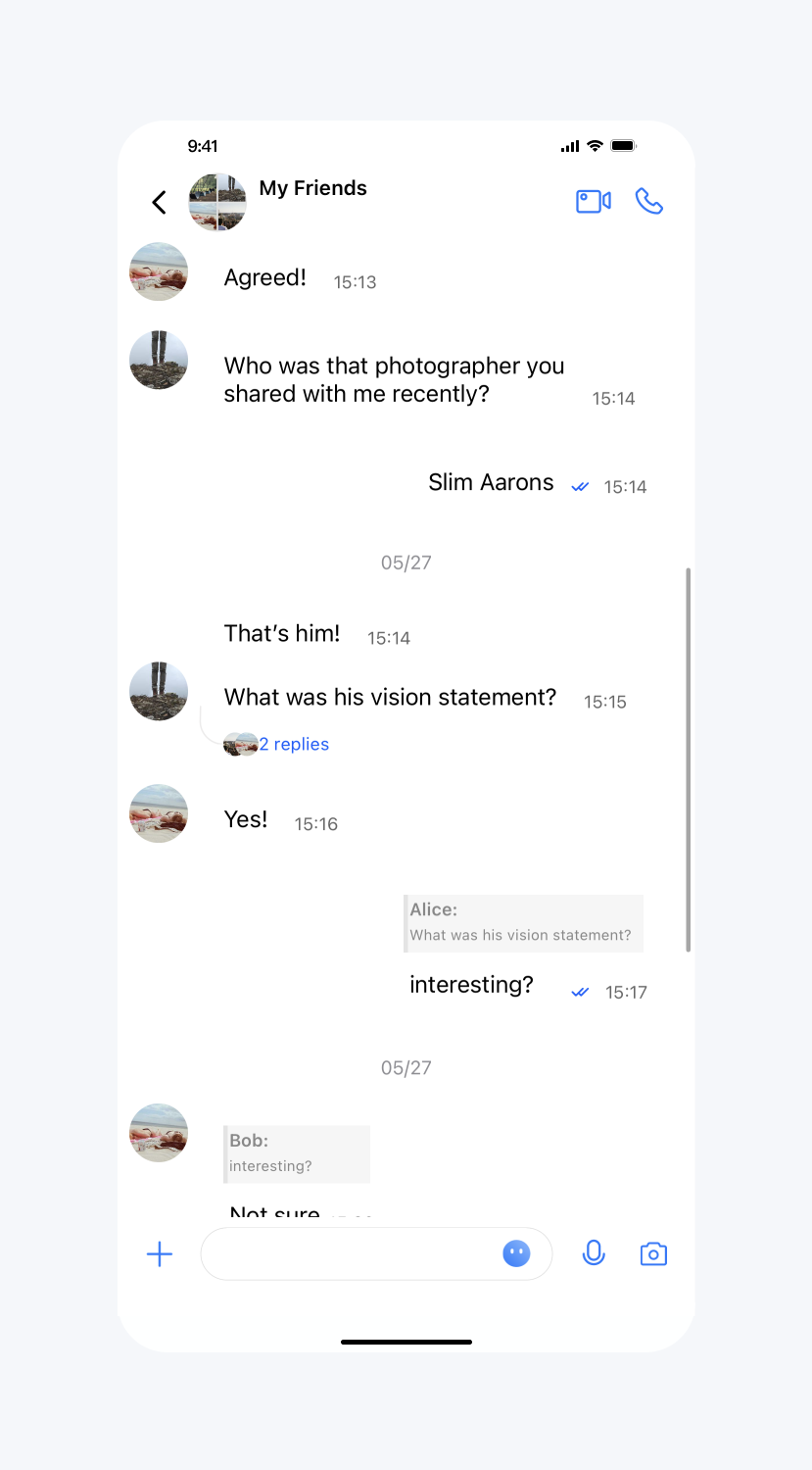 |  |
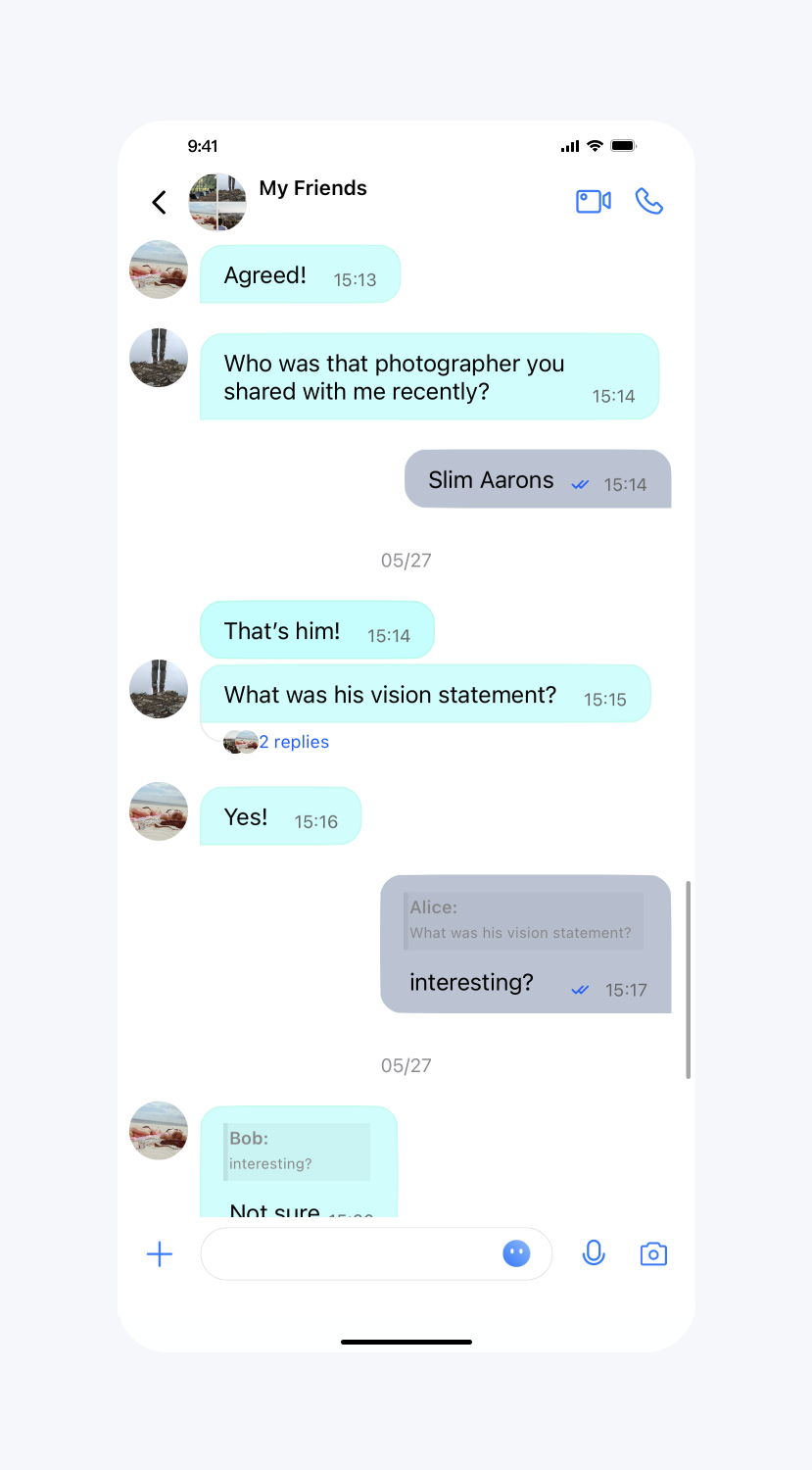
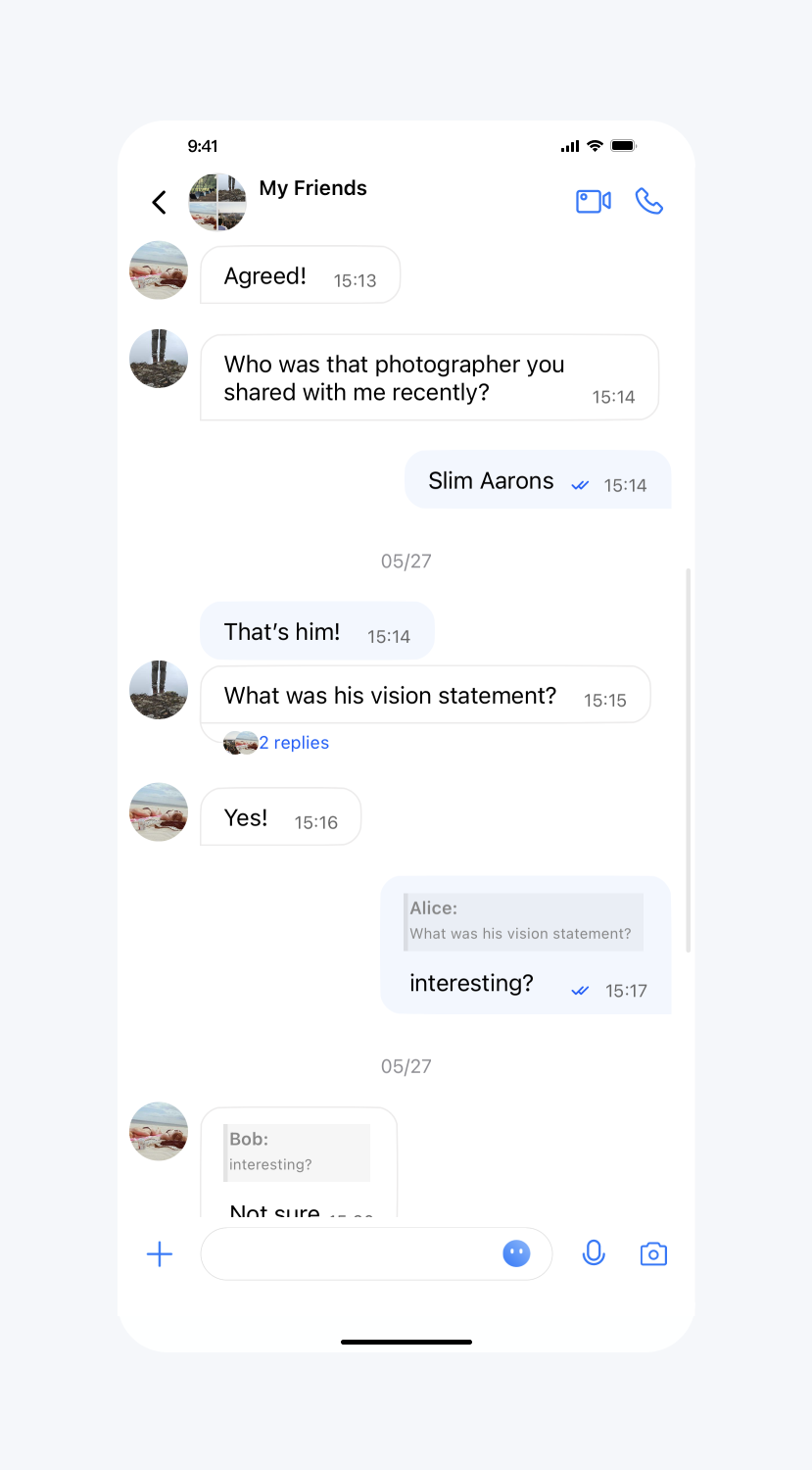
气泡背景图设置
API 作用:设置气泡背景图,针对所有聊天界面生效。
API 原型:
// TUIChatConfig_Minimalist.swift/*** Set the background image of the last sent message bubble in consecutive messages.*/public var sendLastBubbleBackgroundImage: UIImage? {get {return TUIBubbleMessageCell_Minimalist.outgoingBubble}set {TUIBubbleMessageCell_Minimalist.outgoingBubble = newValue ?? UIImage()}}/*** Set the background image of the non-last sent message bubble in consecutive message.*/public var sendBubbleBackgroundImage: UIImage? {get {return TUIBubbleMessageCell_Minimalist.outgoingSameBubble}set {TUIBubbleMessageCell_Minimalist.outgoingSameBubble = newValue ?? UIImage()}}/*** Set the background image of the sent message bubble in highlight status.*/public var sendHighlightBubbleBackgroundImage: UIImage? {get {return TUIBubbleMessageCell_Minimalist.outgoingHighlightedBubble}set {TUIBubbleMessageCell_Minimalist.outgoingHighlightedBubble = newValue ?? UIImage()}}/*** Set the light background image when the sent message bubble needs to flicker.*/public var sendAnimateLightBubbleBackgroundImage: UIImage? {get {return TUIBubbleMessageCell_Minimalist.outgoingAnimatedHighlightedAlpha20}set {TUIBubbleMessageCell_Minimalist.outgoingAnimatedHighlightedAlpha20 = newValue ?? UIImage()}}/*** Set the dark background image when the sent message bubble needs to flicker.*/public var sendAnimateDarkBubbleBackgroundImage: UIImage? {get {return TUIBubbleMessageCell_Minimalist.outgoingAnimatedHighlightedAlpha50}set {TUIBubbleMessageCell_Minimalist.outgoingAnimatedHighlightedAlpha50 = newValue ?? UIImage()}}/*** Set the background image of the last received message bubble in consecutive message.*/public var receiveLastBubbleBackgroundImage: UIImage? {get {return TUIBubbleMessageCell_Minimalist.incommingBubble}set {TUIBubbleMessageCell_Minimalist.incommingBubble = newValue ?? UIImage()}}/*** Set the background image of the non-last received message bubble in consecutive message.*/public var receiveBubbleBackgroundImage: UIImage? {get {return TUIBubbleMessageCell_Minimalist.incommingSameBubble}set {TUIBubbleMessageCell_Minimalist.incommingSameBubble = newValue ?? UIImage()}}/*** Set the background image of the received message bubble in highlight status.*/public var receiveHighlightBubbleBackgroundImage: UIImage? {get {return TUIBubbleMessageCell_Minimalist.incommingHighlightedBubble}set {TUIBubbleMessageCell_Minimalist.incommingHighlightedBubble = newValue ?? UIImage()}}/*** Set the light background image when the received message bubble needs to flicker.*/public var receiveAnimateLightBubbleBackgroundImage: UIImage? {get {return TUIBubbleMessageCell_Minimalist.incommingAnimatedHighlightedAlpha20}set {TUIBubbleMessageCell_Minimalist.incommingAnimatedHighlightedAlpha20 = newValue ?? UIImage()}}/*** Set the dark background image when the received message bubble needs to flicker.*/public var receiveAnimateDarkBubbleBackgroundImage: UIImage? {get {return TUIBubbleMessageCell_Minimalist.incommingAnimatedHighlightedAlpha50}set {TUIBubbleMessageCell_Minimalist.incommingAnimatedHighlightedAlpha50 = newValue ?? UIImage()}}
// TUIChatConfig_Minimalist.h/*** Set the background image of the last sent message bubble in consecutive messages.*/@property (nonatomic, strong) UIImage *sendLastBubbleBackgroundImage;/*** Set the background image of the non-last sent message bubble in consecutive message.*/@property (nonatomic, strong) UIImage *sendBubbleBackgroundImage;/*** Set the background image of the sent message bubble in highlight status.*/@property (nonatomic, strong) UIImage *sendHighlightBubbleBackgroundImage;/*** Set the light background image when the sent message bubble needs to flicker.*/@property (nonatomic, strong) UIImage *sendAnimateLightBubbleBackgroundImage;/*** Set the dark background image when the sent message bubble needs to flicker.*/@property (nonatomic, strong) UIImage *sendAnimateDarkBubbleBackgroundImage;/*** Set the background image of the last received message bubble in consecutive message.*/@property (nonatomic, strong) UIImage *receiveLastBubbleBackgroundImage;/*** Set the background image of the non-last received message bubble in consecutive message.*/@property (nonatomic, strong) UIImage *receiveBubbleBackgroundImage;/*** Set the background image of the received message bubble in highlight status.*/@property (nonatomic, strong) UIImage *receiveHighlightBubbleBackgroundImage;/*** Set the light background image when the received message bubble needs to flicker.*/@property (nonatomic, strong) UIImage *receiveAnimateLightBubbleBackgroundImage;/*** Set the dark background image when the received message bubble needs to flicker.*/@property (nonatomic, strong) UIImage *receiveAnimateDarkBubbleBackgroundImage;
示例代码:
// When to call: After initializing the message list interface and before entering it.TUIChatConfig_Minimalist.shared.sendLastBubbleBackgroundImage = [UIImage imageNamed:@"SenderTextNodeBkg@3x.png"];TUIChatConfig_Minimalist.shared.sendBubbleBackgroundImage = [UIImage imageNamed:@"SenderTextNodeBkg_Same@3x.png"];TUIChatConfig_Minimalist.shared.receiveLastBubbleBackgroundImage = [UIImage imageNamed:@"ReceiverTextNodeBkg@3x.png"];TUIChatConfig_Minimalist.shared.receiveBubbleBackgroundImage = [UIImage imageNamed:@"ReceiverTextNodeBkg_Same@3x.png"];
// When to call: After initializing the message list interface and before entering it.[TUIChatConfig_Minimalist sharedConfig].sendLastBubbleBackgroundImage = [UIImage imageNamed:@"SenderTextNodeBkg@3x.png"];[TUIChatConfig_Minimalist sharedConfig].sendBubbleBackgroundImage = [UIImage imageNamed:@"SenderTextNodeBkg_Same@3x.png"];[TUIChatConfig_Minimalist sharedConfig].receiveLastBubbleBackgroundImage = [UIImage imageNamed:@"ReceiverTextNodeBkg@3x.png"];[TUIChatConfig_Minimalist sharedConfig].receiveBubbleBackgroundImage = [UIImage imageNamed:@"ReceiverTextNodeBkg_Same@3x.png"];
设置效果:
设置气泡背景图 | 默认 |
 |  |
输入栏相关
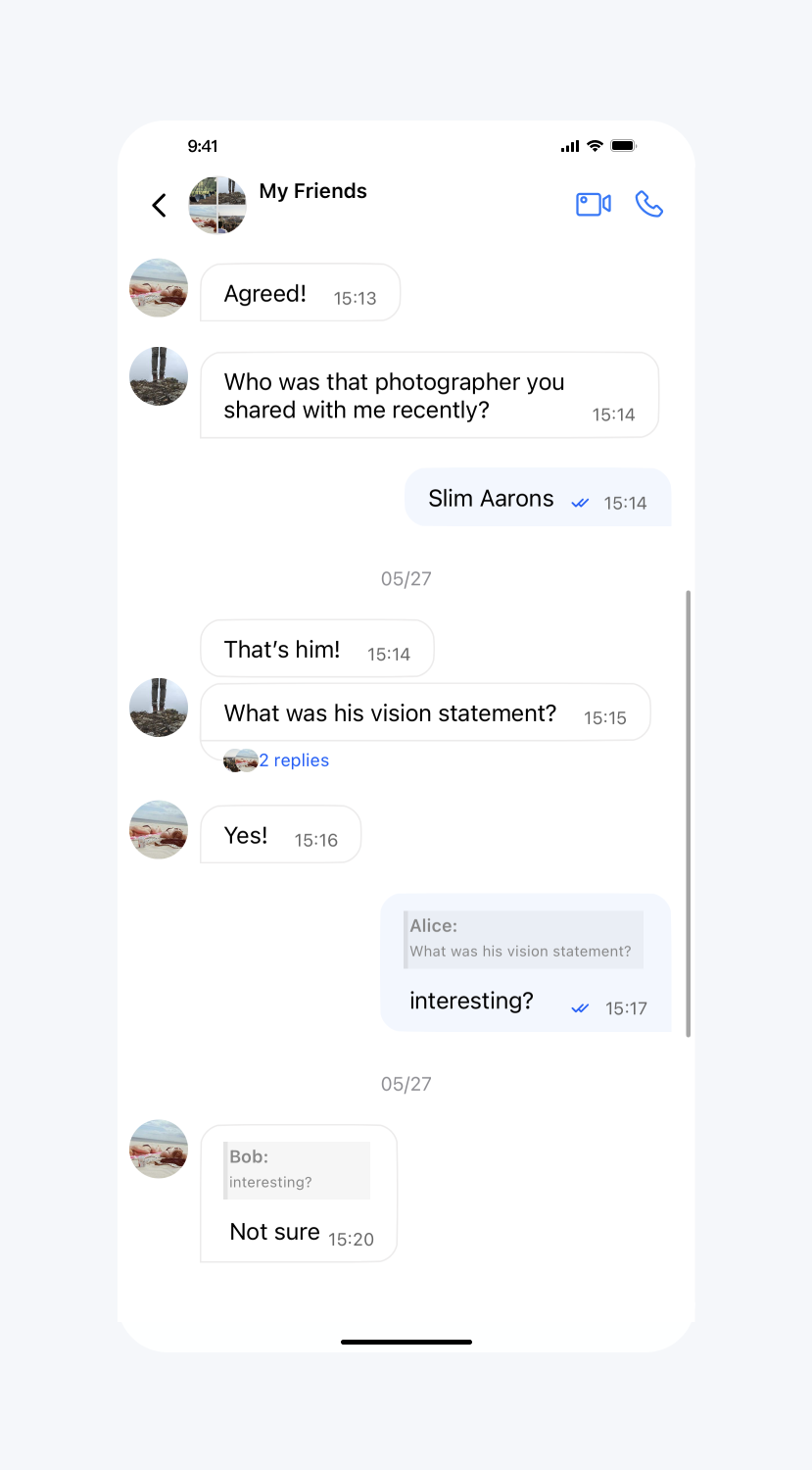
展示聊天界面输入框
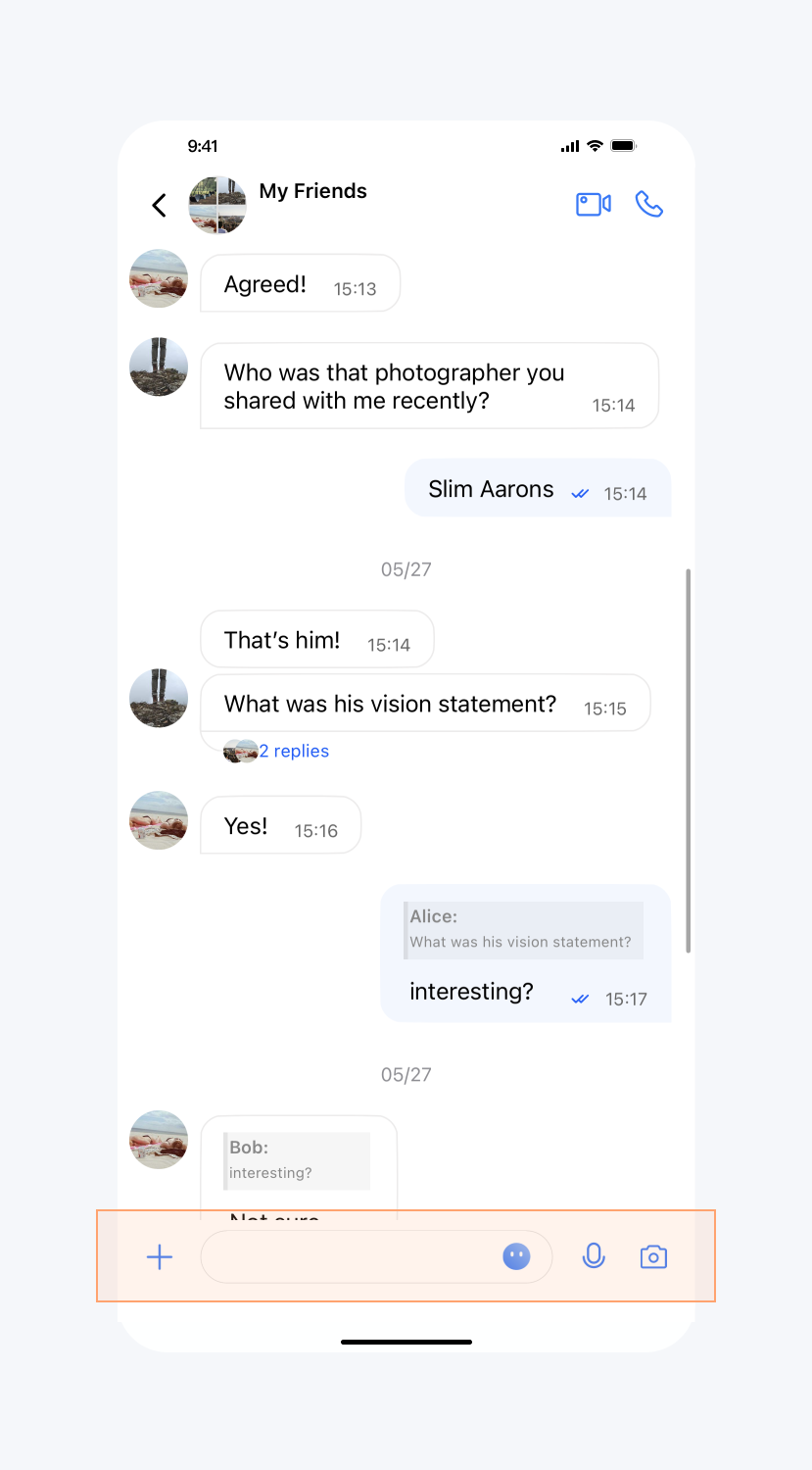
API 作用:展示聊天界面输入框,针对所有聊天界面生效。
API 原型:
// TUIChatConfig_Minimalist.swift/*** Show the input bar in the message list interface.* The default value is YES.*/public var showInputBar: Bool {get {return !TUIChatConfig.shared.enableMainPageInputBar}set {TUIChatConfig.shared.enableMainPageInputBar = !newValue}}
// TUIChatConfig_Minimalist.h/*** Show the input bar in the message list interface.* The default value is YES.*/@property(nonatomic, assign) BOOL showInputBar;
示例代码:
// When to call: After initializing the message list interface and before entering it.TUIChatConfig_Minimalist.shared.showInputBar = false
// When to call: After initializing the message list interface and before entering it.[TUIChatConfig_Minimalist sharedConfig].showInputBar = NO;
设置效果:
隐藏输入框 | 默认 |
 |  |
隐藏更多菜单中选项(全局)
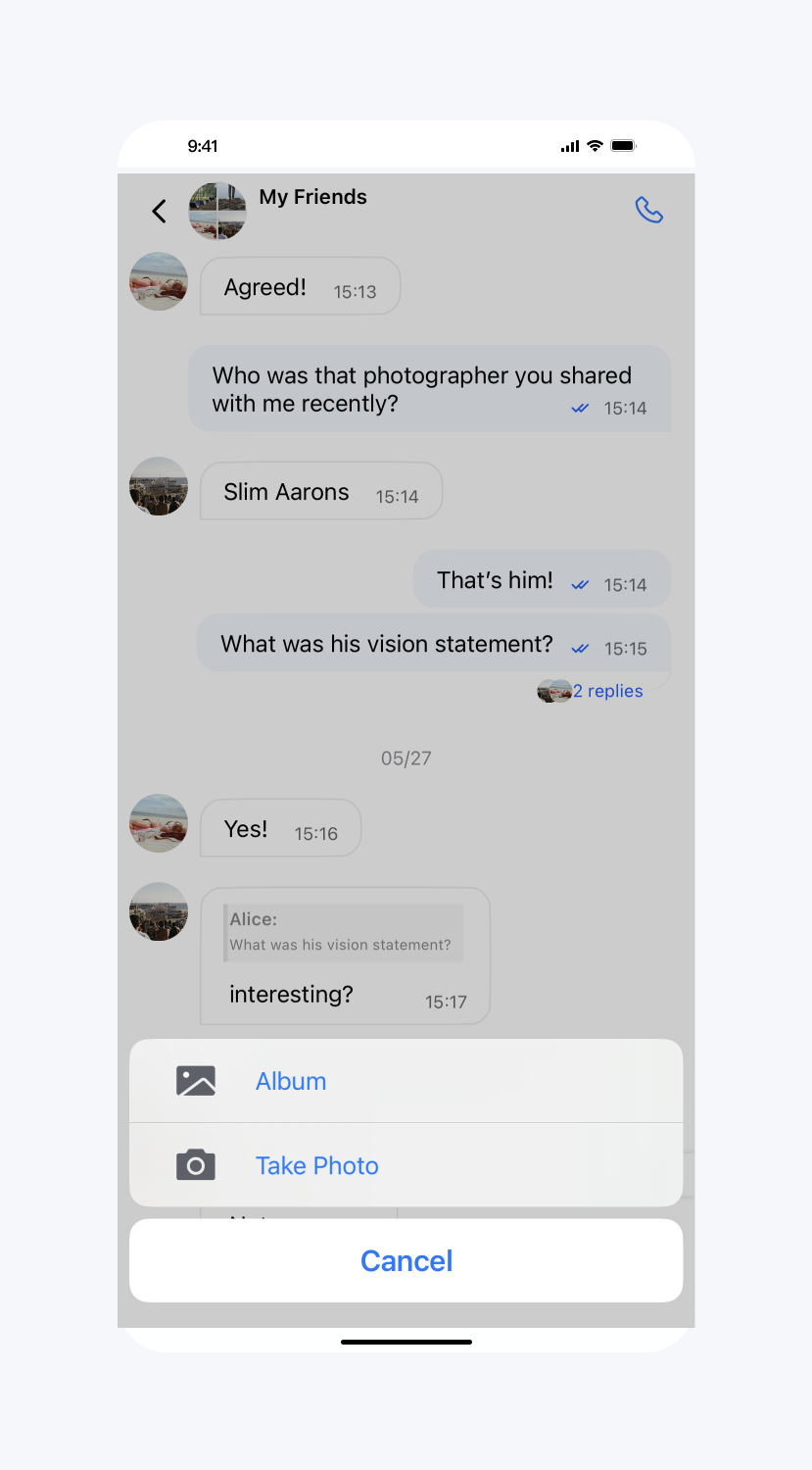
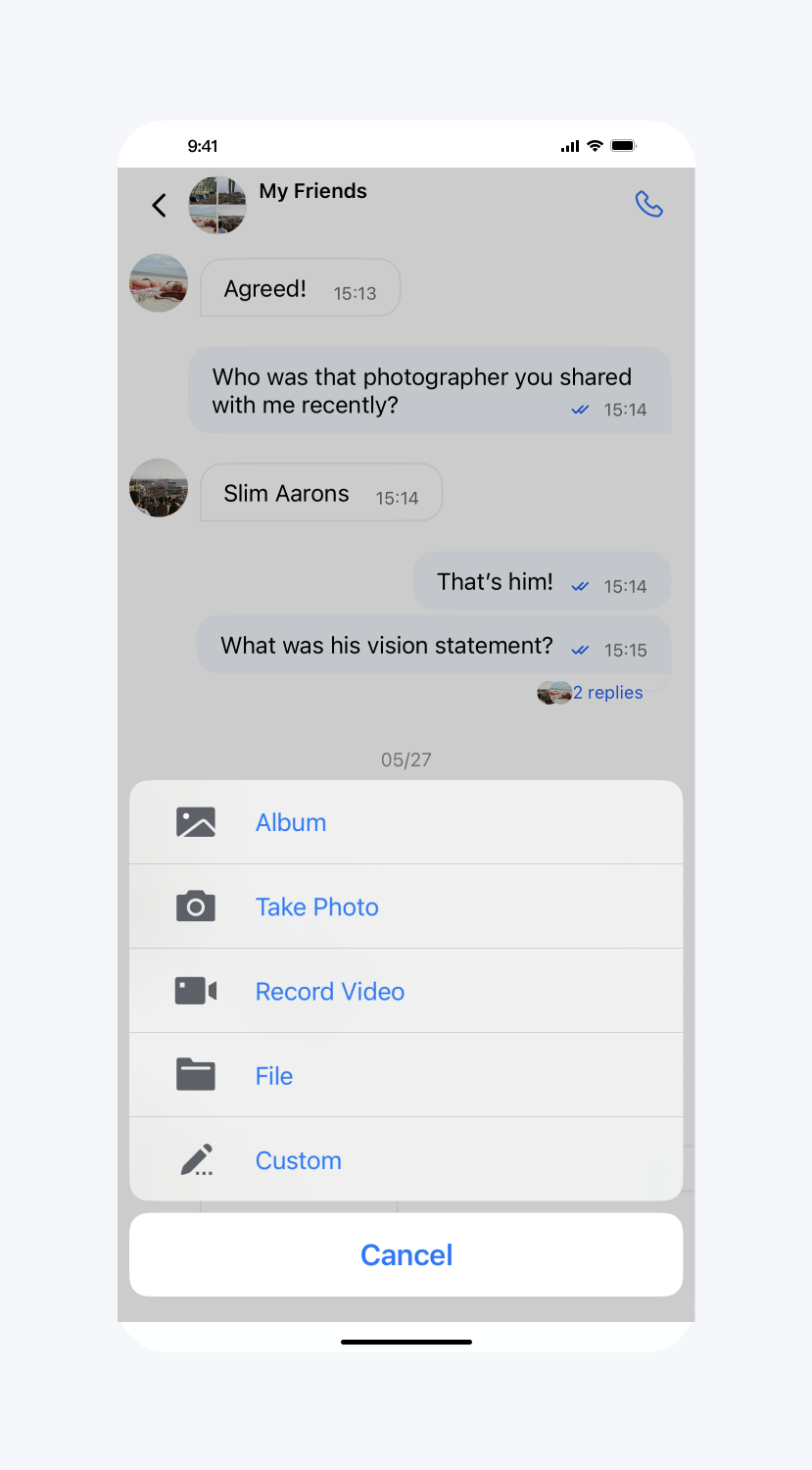
API 作用:隐藏更多菜单中的按钮,针对所有聊天界面生效。
API 原型:
// TUIChatConfig_Minimalist.swift/*** Hide items in more menu.*/public class func hideItemsInMoreMenu(_ items: TUIChatInputBarMoreMenuItem) {let value = items.rawValueTUIChatConfig.shared.enableWelcomeCustomMessage = (value & TUIChatInputBarMoreMenuItem.customMessage.rawValue) == 0TUIChatConfig.shared.showRecordVideoButton = (value & TUIChatInputBarMoreMenuItem.recordVideo.rawValue) == 0TUIChatConfig.shared.showTakePhotoButton = (value & TUIChatInputBarMoreMenuItem.takePhoto.rawValue) == 0TUIChatConfig.shared.showAlbumButton = (value & TUIChatInputBarMoreMenuItem.album.rawValue) == 0TUIChatConfig.shared.showFileButton = (value & TUIChatInputBarMoreMenuItem.file.rawValue) == 0}
// TUIChatConfig_Minimalist.h/*** Hide items in more menu.*/+ (void)hideItemsInMoreMenu:(TUIChatInputBarMoreMenuItem_Minimalist)items;
示例代码:
// When to call: After initializing the message list interface and before entering it.TUIChatConfig_Minimalist.hideItemsInMoreMenu([.customMessage, .recordVideo, .file])
// When to call: After initializing the message list interface and before entering it.[TUIChatConfig_Minimalist hideItemsInMoreMenu:TUIChatInputBarMoreMenuItem_Minimalist_CustomMessage|TUIChatInputBarMoreMenuItem_Minimalist_RecordVideo|TUIChatInputBarMoreMenuItem_Minimalist_File];
设置效果:
隐藏部分 item | 默认 |
 |  |
隐藏更多菜单中选项(局部)
API 作用:隐藏更多菜单中的按钮,针对指定聊天界面生效。
API 原型:
// TUIChatConfig.swiftpublic protocol TUIChatInputBarConfigDataSource: AnyObject {/*** Implement this method to add new items to the more list of the specified model only for the minimalist version.*/func shouldHideItems(of model: TUIChatConversationModel) -> TUIChatInputBarMoreMenuItem}
// TUIChatConfig.h@protocol TUIChatInputBarConfigDataSource <NSObject>/*** Implement this method to add new items to the more list of the specified model only for the minimalist version.*/- (TUIChatInputBarMoreMenuItem)inputBarShouldHideItemsInMoreMenuOfModel:(TUIChatConversationModel *)model;@end
示例代码:
// When to call: After initializing the message list interface and before entering it.TUIChatConfig_Minimalist.shared.inputBarDataSource = selffunc shouldHideItems(of model: TUIChatConversationModel) -> TUIChatInputBarMoreMenuItem {if model.groupID == "your target groupID" {return [.customMessage, .recordVideo, .file]}return [.none]}
// When to call: After initializing the message list interface and before entering it.[TUIChatConfig_Minimalist sharedConfig].inputBarDataSource = self;- (TUIChatInputBarMoreMenuItem)inputBarShouldHideItemsInMoreMenuOfModel:(TUIChatConversationModel *)model {if ([model.groupID isEqualToString:@"your target groupID"]) {return TUIChatInputBarMoreMenuItem_CustomMessage|TUIChatInputBarMoreMenuItem_RecordVideo|TUIChatInputBarMoreMenuItem_File;}return TUIChatInputBarMoreMenuItem_None;}
更多菜单添加选项(局部)
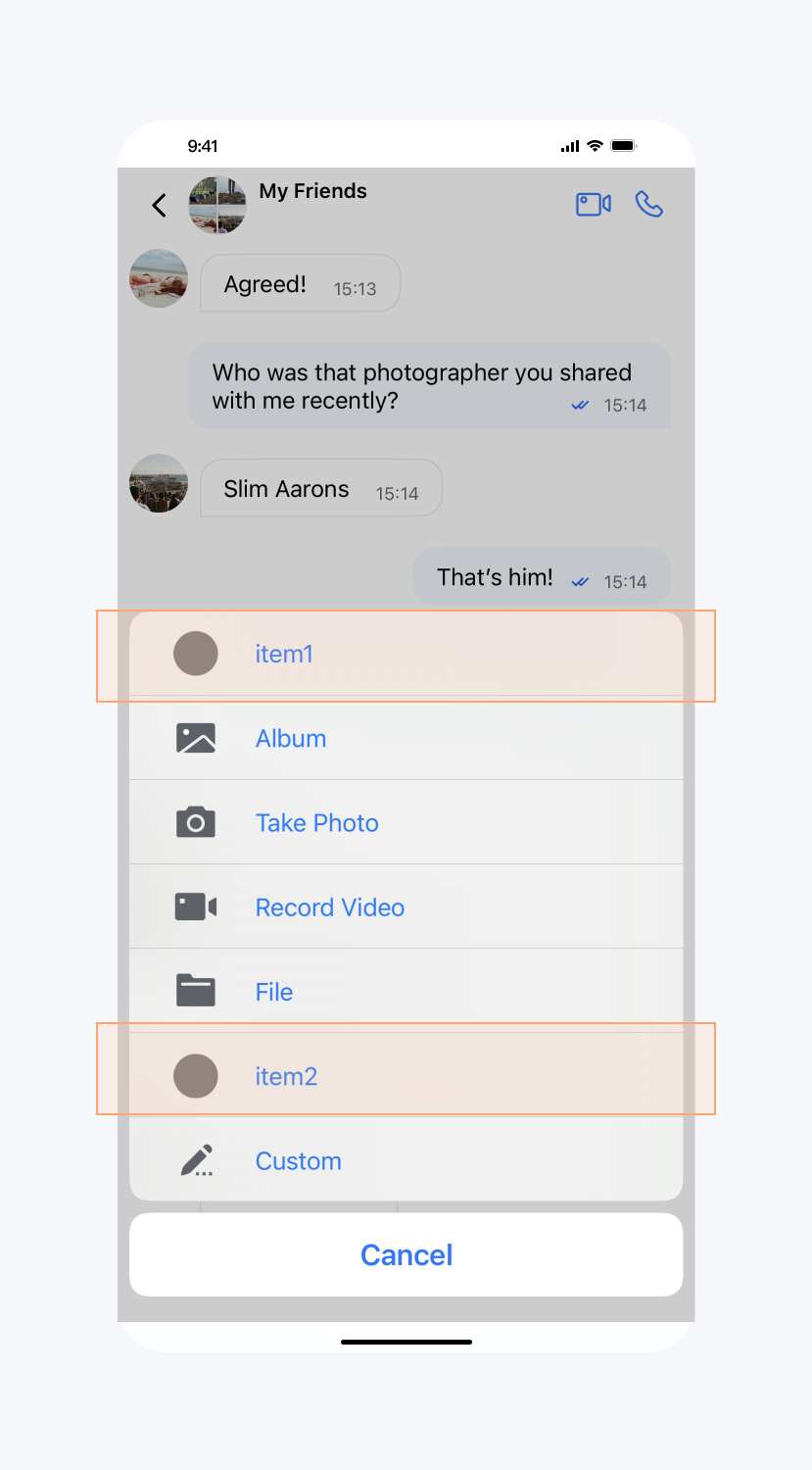
API 作用:向更多菜单添加选项,针对指定聊天界面生效。
API 原型:
// TUIChatConfig.swiftpublic protocol TUIChatInputBarConfigDataSource: AnyObject {/*** Implement this method to add new items to the more menu of the specified model only for the classic version.*/func shouldAddNewItemsToMoreList(of model: TUIChatConversationModel) -> [TUICustomActionSheetItem]?}
// TUIChatConfig.h@protocol TUIChatInputBarConfigDataSource <NSObject>/*** Implement this method to add new items to the more list of the specified model only for the minimalist version.*/- (NSArray<TUICustomActionSheetItem *> *)inputBarShouldAddNewItemsToMoreListOfModel:(TUIChatConversationModel *)model;@end
示例代码:
// When to call: After initializing the message list interface and before entering it.TUIChatConfig_Minimalist.shared.inputBarDataSource = selffunc shouldAddNewItemsToMoreList(of model: TUIChatConversationModel) -> [TUICustomActionSheetItem]? {let item1 = TUICustomActionSheetItem(title: "item1", leftMark: UIImage(named: "item1.png") ?? UIImage()) { _ inprint("item1 is clicked")}let item2 = TUICustomActionSheetItem(title: "item2", leftMark: UIImage(named: "item2.png") ?? UIImage()) { _ inprint("item1 is clicked")}return [item1, item2]}
// When to call: After initializing the message list interface and before entering it.[TUIChatConfig_Minimalist sharedConfig].inputBarDataSource = self;- (NSArray<TUICustomActionSheetItem *> *)inputBarShouldAddNewItemsToMoreListOfModel:(TUIChatConversationModel *)model {TUICustomActionSheetItem *item1 = [[TUICustomActionSheetItem alloc] initWithTitle:@"item1" leftMark:[UIImage imageNamed:@"item1.png"] withActionHandler:^(UIAlertAction * _Nonnull action) {NSLog(@"item1 is clicked");}];TUICustomActionSheetItem *item2 = [[TUICustomActionSheetItem alloc] initWithTitle:@"item2" leftMark:[UIImage imageNamed:@"item2.png"] withActionHandler:^(UIAlertAction * _Nonnull action) {NSLog(@"item2 is clicked");}];return @[item1, item2];}
设置效果:
添加 item | 默认 |
 | 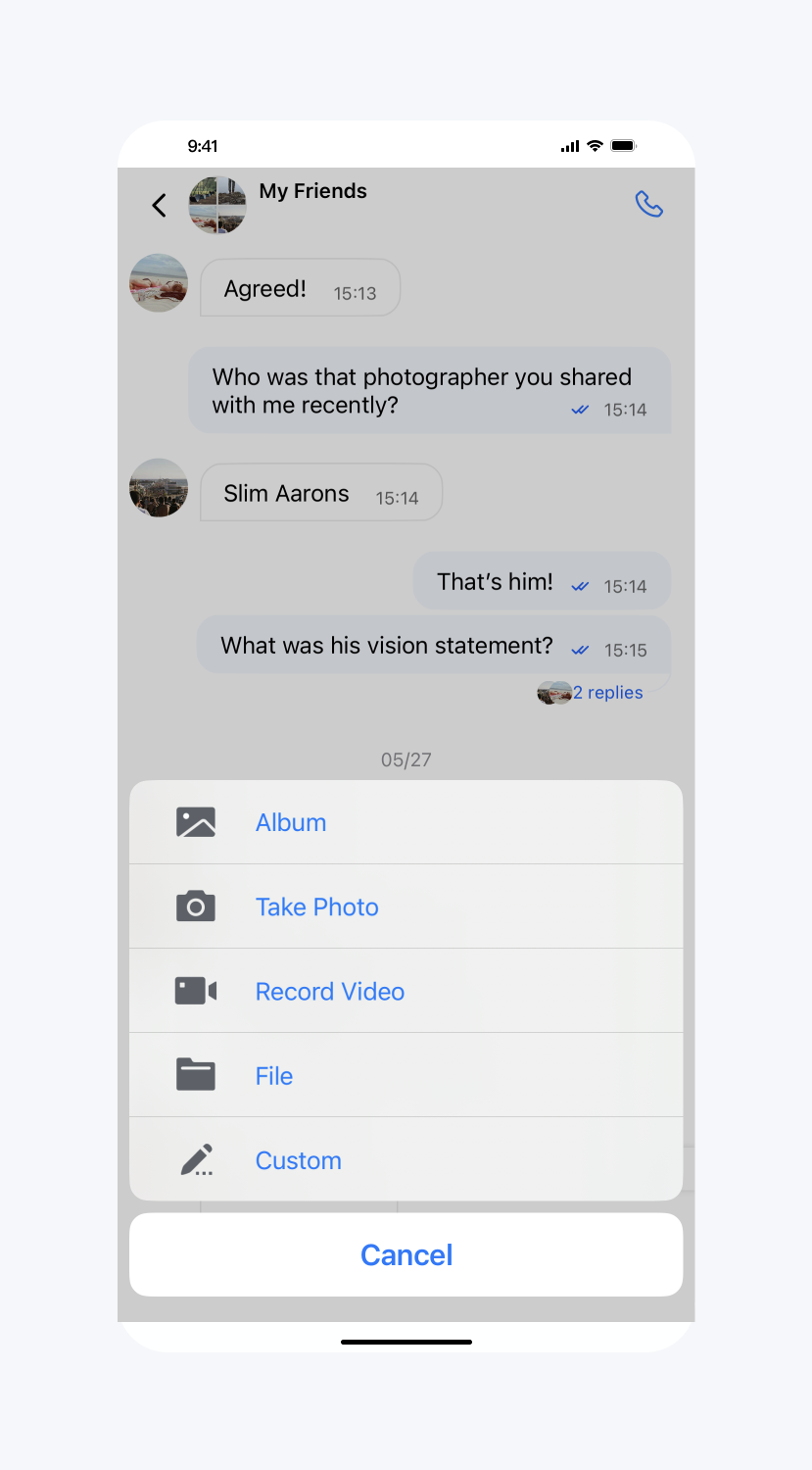 |
添加表情组
API 原型:
// TUIChatConfig_Minimalist.swift/*** Add sticker group.*/public func addStickerGroup(_ group: TUIFaceGroup) {if let service = TIMCommonMediator.shared.getObject(for: TUIEmojiMeditorProtocol.self) {service.appendFaceGroup(group)} else {print("Failed to get TUIEmojiMeditorProtocol service")}}
// TUIChatConfig_Minimalist.h/*** Add sticker group.*/- (void)addStickerGroup:(TUIFaceGroup *)group;
示例代码:
// When to call: After initializing the message list interface and before entering it.let group4350 = TUIFaceGroup()group4350.groupIndex = 1group4350.groupPath = bundlePath + "/4350/"group4350.faces = faces4350group4350.rowCount = 2group4350.itemCountPerRow = 5group4350.menuPath = bundlePath + "/4350/menu"TUIChatConfig_Minimalist.shared.addStickerGroup(group4350)
// When to call: After initializing the message list interface and before entering it.TUIFaceGroup *group4350 = [[TUIFaceGroup alloc] init];group4350.groupIndex = 1;group4350.groupPath = [bundlePath stringByAppendingPathComponent:@"4350/"];group4350.faces = faces4350;group4350.rowCount = 2;group4350.itemCountPerRow = 5;group4350.menuPath = [bundlePath stringByAppendingPathComponent:@"4350/menu"];[[TUIChatConfig_Minimalist sharedConfig] addStickerGroup:group4350];
文档反馈