Search
Download
聚焦模式
字号
组件概述
Search 是一个功能完整的搜索解决方案,包含了搜索框、搜索结果展示、高级搜索等功能的完整组件集合。适用于即时通信、在线会议、在线教育等场景的用户、群组、消息搜索。
说明:
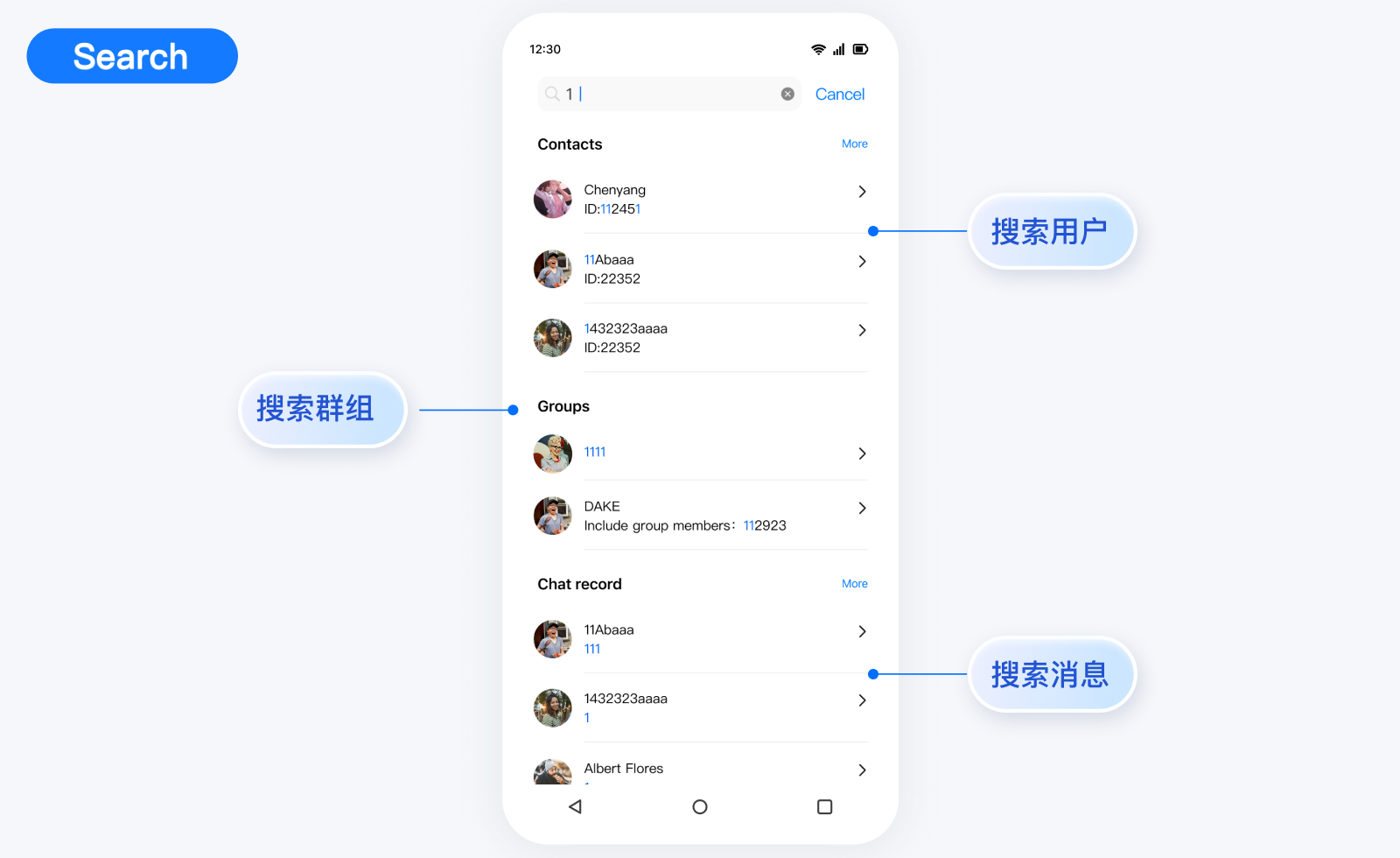
组件架构
Search (主组件)├── SearchBar # 搜索框组件├── SearchResults # 搜索结果组件├── SearchAdvanced # 高级搜索组件└── SearchResultsItem # 搜索结果项组件├── User # 用户结果项├── Group # 群组结果项├── Message # 消息结果项└── Conversation # 会话结果项
搜索模式
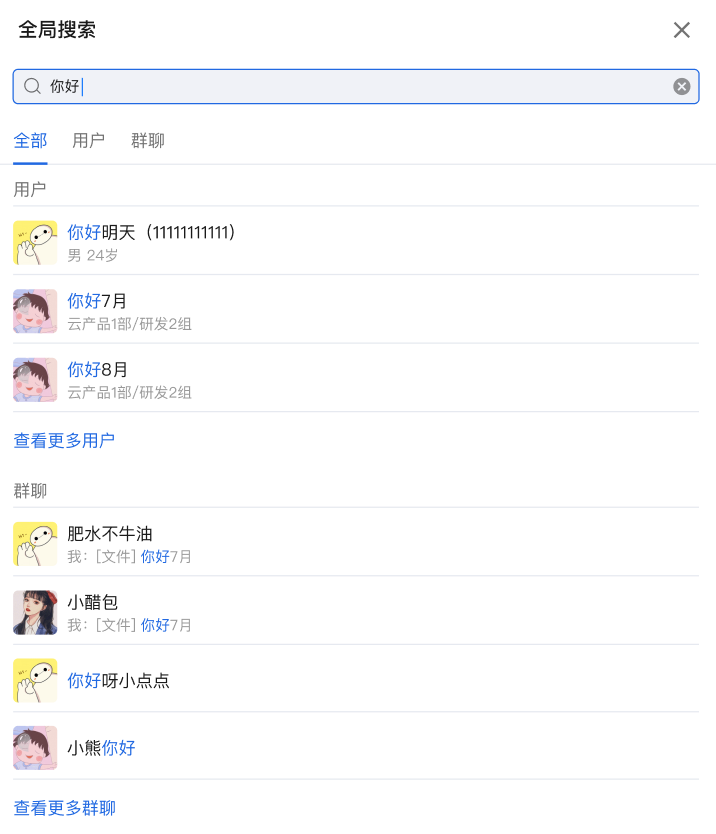
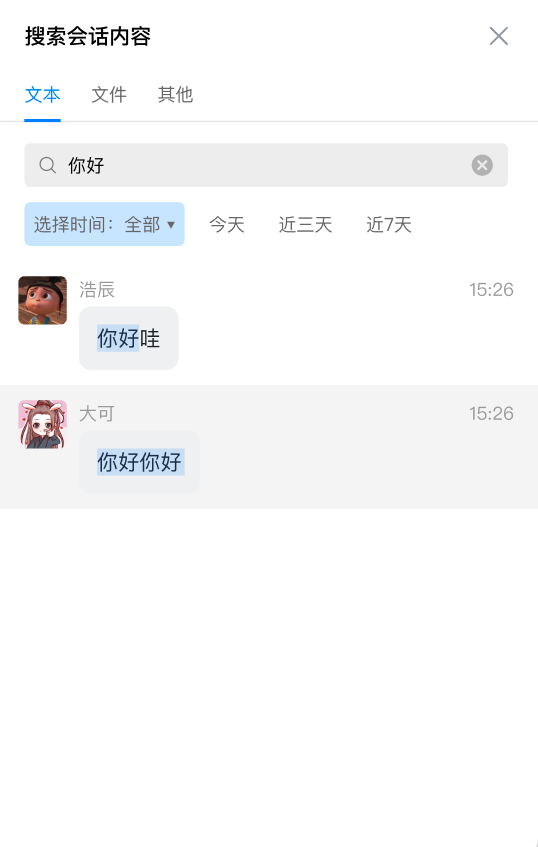
迷你模式 | 标准模式 | 嵌入式模式 |
适用于侧边栏或小容器 显示有限结果数量 支持展开查看更多 | 适用于全屏搜索界面 完整功能展示 支持高级搜索 | 适用于聊天界面 专注消息搜索 优化的布局 |
 |  |  |
Props
属性名 | 类型 | 默认值 | 说明 |
variant | VariantType | VariantType.MINI | 搜索模式:mini(迷你)、standard(标准)、embedded(嵌入式) |
SearchBar | React.ComponentType<SearchBarProps> | DefaultSearchBar | 自定义搜索框组件 |
SearchResults | React.ComponentType<SearchResultsProps> | DefaultSearchResults | 自定义搜索结果组件 |
SearchAdvanced | React.ComponentType<SearchAdvancedProps> | DefaultSearchAdvanced | 自定义高级搜索组件 |
SearchResultsPresearch | React.ComponentType | - | 搜索前占位符组件 |
SearchResultsLoading | React.ComponentType | - | 加载中占位符组件 |
SearchResultsEmpty | React.ComponentType | - | 空结果占位符组件 |
SearchResultItem | React.ComponentType<ResultItemProps> | - | 自定义搜索结果项组件 |
debounceTime | number | 300 | 搜索防抖时间(毫秒) |
autoFocus | boolean | false | 是否自动聚焦搜索框 |
className | string | - | 自定义样式类名 |
style | React.CSSProperties | - | 自定义样式 |
onKeywordChange | (keyword: string) => void | - | 搜索关键词变化回调 |
onSearchComplete | (results: Map<SearchType, SearchResult>) => void | - | 搜索完成回调 |
onResultItemClick | (data: SearchResultItem, type: SearchType) => void | - | 搜索结果点击回调 |
onError | (error: Error) => void | - | 搜索错误回调 |
基础使用
import { Search, VariantType } from '@tencentcloud/chat-uikit-react';function App() {return (<Searchvariant={VariantType.STANDARD}onResultItemClick={(data, type) => {console.log('搜索结果点击:', data, type);}}/>);}
自定义能力
Search 为用户自定义提供了丰富且多维度的 Props 接口,允许用户自定义功能、UI、模块等。Search 组件提供了多个可替换的子组件,允许用户自定义 SearchBar, SearchResults, SearchAdvanced, SearchResultItem, SearchResultsPresearch, SearchResultsLoading, SearchResultsEmpty, 等。同时,用户还可以利用默认子组件进行二次开发定制。Props
属性名 | 类型 | 默认值 | 说明 |
data | SearchResultItem | - | 搜索结果数据 |
type | SearchType | - | 搜索结果类型 |
keyword | string | - | 搜索关键词 |
onClick | (data: SearchResultItem, type: SearchType) => void | - | 点击回调 |
className | string | - | 自定义样式类名 |
示例
const CustomSearchBar = ({ value, onChange, onClear, placeholder }) => (<div className="custom-search-bar"><inputtype="text"value={value}onChange={onChange}placeholder={placeholder}/>{value && <button onClick={onClear}>清除</button>}</div>);<Search SearchBar={CustomSearchBar} />
Props
属性名 | 类型 | 默认值 | 说明 |
results | Map<SearchType, SearchResult> | - | 搜索结果数据 |
isLoading | boolean | - | 是否正在加载 |
error | Error | null | - | 错误信息 |
keyword | string | - | 搜索关键词 |
typeLabels | Record<SearchType, string> | - | 搜索类型标签 |
onLoadMore | (type: SearchType) => void | - | 加载更多回调 |
onResultItemClick | (data: SearchResultItem, type: SearchType) => void | - | 结果项点击回调 |
SearchResultsLoading | React.ComponentType | Loading | 自定义加载组件 |
SearchResultsPresearch | React.ComponentType | - | 搜索前占位符组件 |
SearchResultsEmpty | React.ComponentType | EmptyResult | 空结果占位符组件 |
SearchResultItem | React.ComponentType<ResultItemProps> | DefaultSearchResultsItem | 自定义结果项组件 |
variant | VariantType | VariantType.STANDARD | 显示模式 |
searchType | SearchType | 'all' | 'all' | 当前搜索类型 |
示例
const CustomSearchResults = ({ results, keyword, onResultItemClick }) => (<div className="custom-results">{Array.from(results.entries()).map(([type, result]) => (<div key={type}><h3>{type}</h3>{result.resultList.map((item, index) => (<div key={index} onClick={() => onResultItemClick(item, type)}>{/* 自定义结果项 */}</div>))}</div>))}</div>);<Search SearchResults={CustomSearchResults} />
Props
属性名 | 类型 | 默认值 | 说明 |
variant | VariantType | - | 显示模式 |
searchType | SearchTabType | - | 当前搜索类型 |
advancedParams | Map<SearchType, SearchParamsMap[SearchType]> | - | 高级搜索参数 |
onAdvancedParamsChange | (type: SearchType, params: SearchParamsMap[SearchType]) => void | - | 参数变化回调 |
示例
const CustomSearchAdvanced= ({ variant, searchType, advancedParams, onAdvancedParamsChange }) => (<div className="custom-advanced">{/* 自定义高级搜索功能 */}</div>);<SearchSearchAdvanced={CustomSearchAdvanced} />
Props
属性名 | 类型 | 默认值 | 说明 |
data | SearchResultItem | - | 搜索结果数据 |
type | SearchType | - | 搜索结果类型 |
keyword | string | - | 搜索关键词 |
onClick | (data: SearchResultItem, type: SearchType) => void | - | 点击回调 |
className | string | - | 自定义样式类名 |
示例
const CustomSearchItem = ({ data, type, keyword, onClick }) => (<div className="custom-item">{type === SearchType.MESSAGE && (<Conversationdata={data}keyword={keyword}onClick={onClick}/>)}{type === SearchType.USER && (<Userdata={data}keyword={keyword}onClick={onClick}/>)}{type === SearchType.GROUP && (<Groupdata={data}keyword={keyword}onClick={onClick}/>)}{type === SearchType.CHAT_MESSAGE && (<Messagedata={data}keyword={keyword}onClick={onClick}/>)}</div>);<SearchSearchResultItem={CustomSearchItem} />
Props
属性名 | 类型 | 默认值 | 说明 |
SearchResultsPresearch | React.ComponentType | - | 搜索前占位符组件 |
SearchResultsLoading | React.ComponentType | - | 加载中占位符组件 |
SearchResultsEmpty | React.ComponentType | - | 空结果占位符组件 |
示例
<SearchSearchResultsPresearch={() => <div>输入关键词开始搜索</div>}SearchResultsLoading={() => <div>搜索中...</div>}SearchResultsEmpty={() => <div>未找到相关结果</div>}/>
常见问题
Q: 如何自定义搜索结果的显示格式?
A: 使用
SearchResultItem 属性传入自定义组件。Q: 如何处理搜索性能问题?
A: 调整
debounceTime,使用 React.memo,考虑结果缓存。Q: 移动端如何优化?
A: 组件自动适配移动端,也可通过 CSS 进一步定制。
Q: 如何支持多语言?
A: 组件内置国际化支持,通过
useUIKit 获取翻译。
文档反馈