Viewing Boundary Lists
Download
Focus Mode
Font Size
Querying Boundary Lists
1. Log in to the CSC console, and click CSPM in the left navigation pane.
2. In Cloud Security Posture Management > Cloud Boundary Analysis, you can view the detailed list of cloud boundary lists.
The special display fields are described in the following table.
Field Name | Example | Description |
Port | 1-65535 22 | Ports are obtained based on the access control rules of cloud resources. For example, if your security group configures an open policy for ports 1-65535, then 1-65535 is defined as a boundary. |
Open status | Fully open Probe Result: 1 Restricted access Probe Result: 1 Unable to access Probe Result: 0 | Open status is a result determined by CSC based on asset attributes, representing the state of your network policy configuration, not the scan result. Fully open: All addresses on the Internet are allowed to access this port. Restricted access: Access control is configured for the cloud resource, allowing only addresses in the allowlist to access this port. Unable to access: The cloud resource is inaccessible because it is in an abnormal state or powered off. CSC performs the simplest connectivity probe on your ports via a public network server to obtain whether the ports are accessible. |
Unmanaged Risk | 4 | CSC assesses your network boundary and sorts out existing configuration risks. |
First/Last Discovery time | 2025-02-28 00:00:00 | First Discovery Time: The time when this Internet boundary data was first recorded. Last Discovery Time: The time when this Internet boundary data was last updated. The time is updated each time the Internet boundaries are scanned and this data is found. Therefore, you can use the Last Discovery Time to determine whether the boundary still exists. |
3. Select the target data. When you move the mouse pointer over Pending Governance Risk, you can view the pending governance risk information for that data.

4. Select the target data. At Boundary Tag, click Edit to tag the data. The system classifies boundary data into three types: legitimate business, requiring convergence, and temporary open. This classification facilitates your continuous governance of cloud boundaries.

5. Click Export on the right to export data in Excel format.

Boundary Details
1. Log in to the CSC console, and click CSPM in the left navigation pane.
2. In Cloud Security Posture Management > Cloud Boundary Analysis > Boundary List, select the target data and click Details.

3. The top section of the boundary details page provides details about the Internet boundaries and pending governance risks.
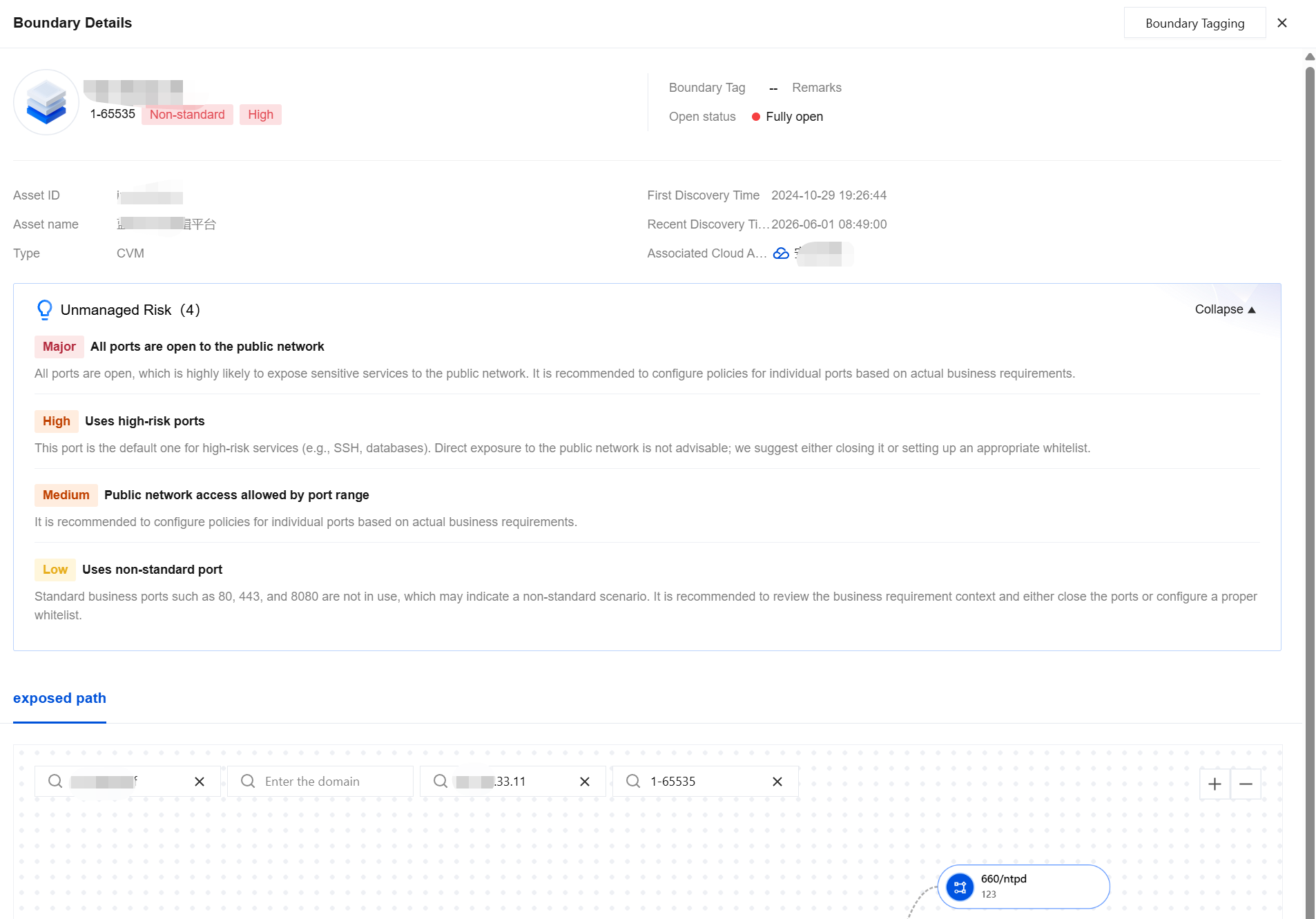
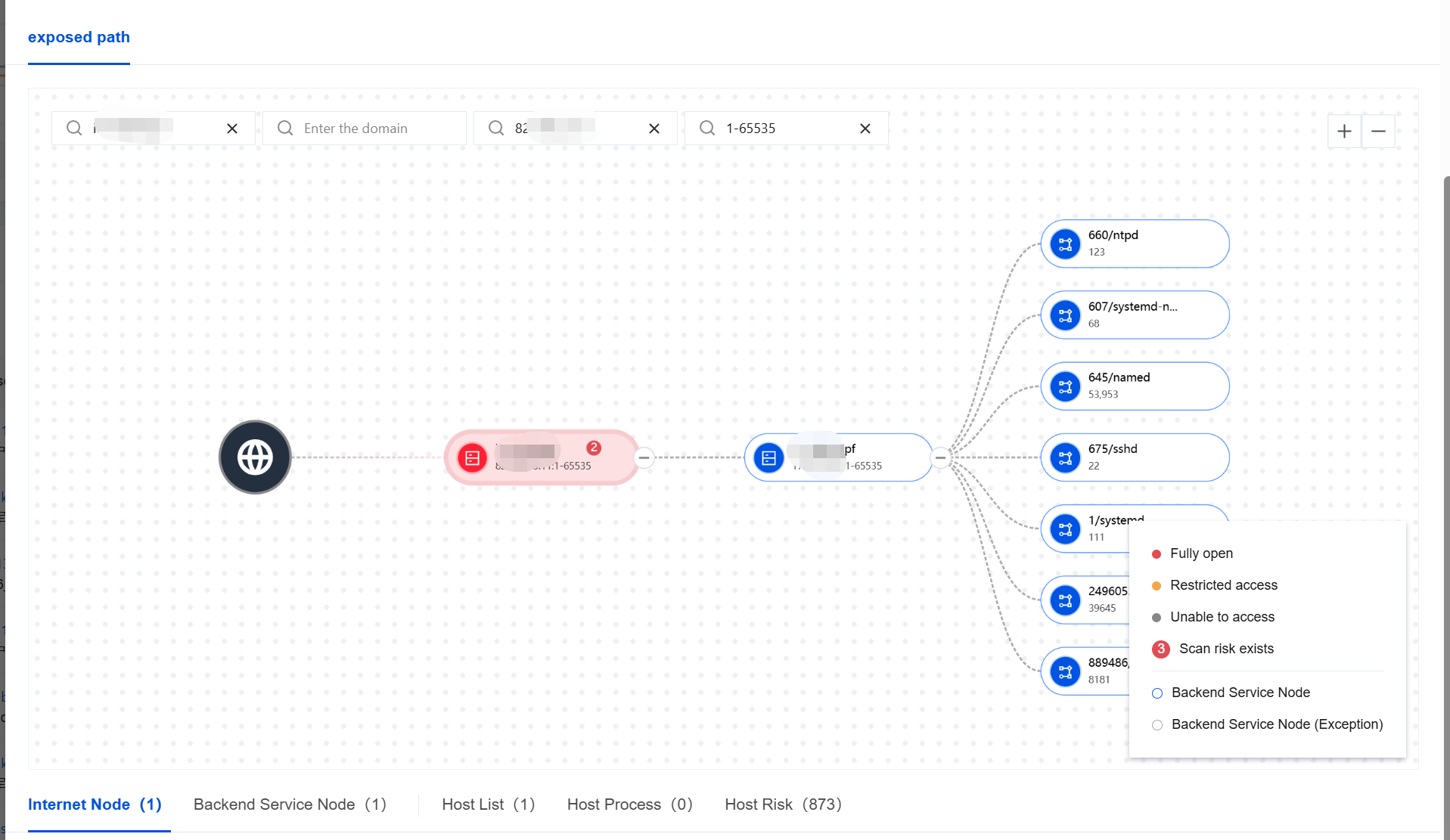
4. You can view the backend resource information of this public network asset in Exposure Paths below. For detailed information about the Exposure Paths feature, refer to the relevant documentation.
Help and Support
Was this page helpful?
You can also Contact sales or Submit a Ticket for help.
Help us improve! Rate your documentation experience in 5 mins.
Feedback