Determine the PAG export method (whether to enter the animation stage)
PS Static Frame Export: No need for animation effect, you can directly export a PNG in PS.
PNG size: 720*1280.
Click to select the layer you want to export, then click Menu File > Export > Format: PNG..
(Compress the PNG as much as possible)
AE Direct Export: The effect needs to be animated in AE, and PAG can be directly exported in AE.
Video size: 720*1280.
PAG parameter setting in AE (only need to set it before the first export, set as follows)
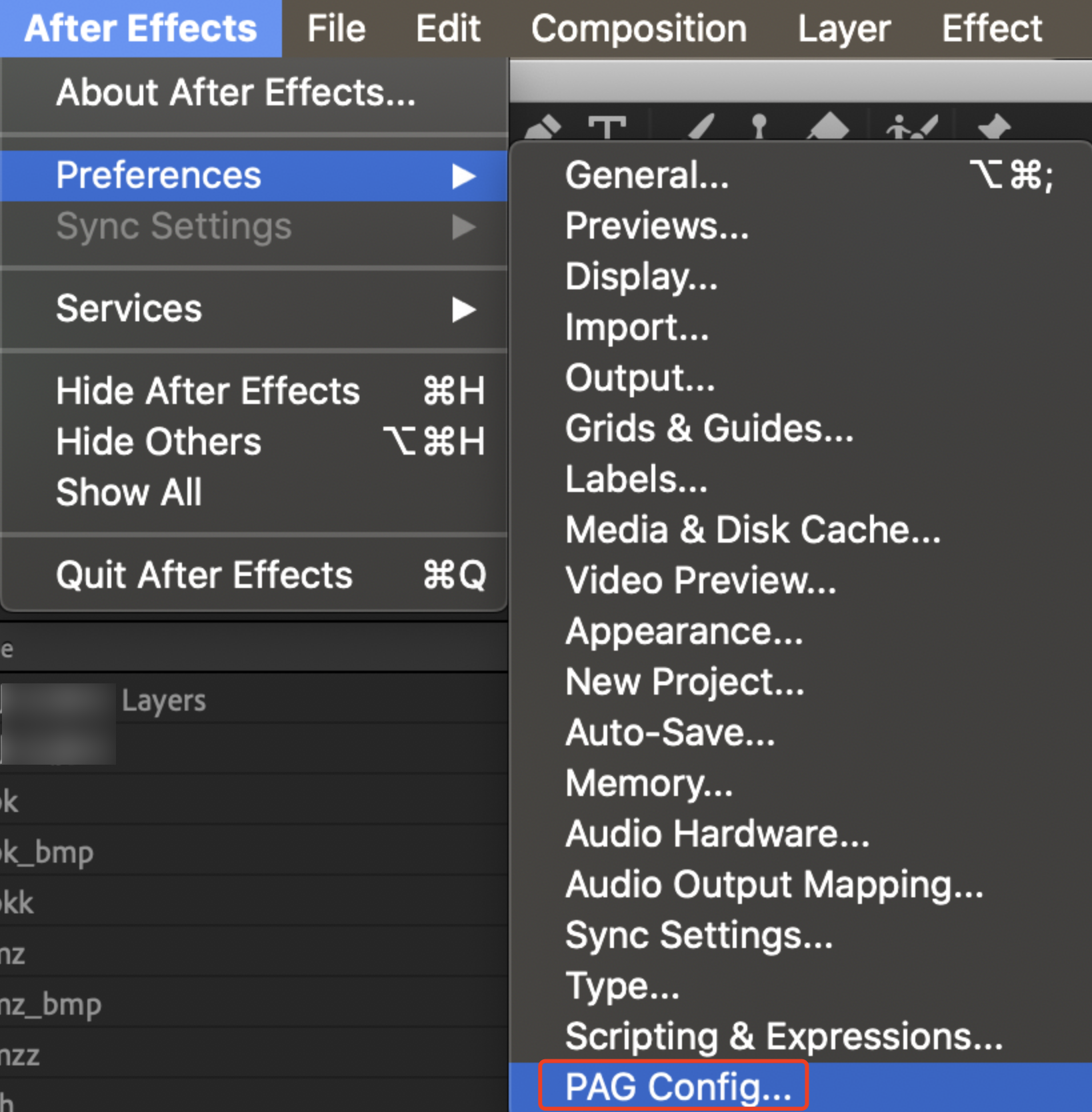
After Effects > Preferences > PAG Config...
Image compression quality parameter is set to default 80, which can be adjusted according to the final effect quality and package size.
Sequence Frame Type: Video Sequence Frame.
The default parameter for sequence frame image quality is 80, and the upper limit for export size is 720, which can be adjusted according to the actual situation.
PAG Export Before
When the exported effects support PAG, you can name them according to the material abbreviation for easy identification of the materials.
When you need to export effects that PAG does not support, you need to create a new composition for the corresponding layer or sub-composition, and add the _bmp suffix when naming the new composition.
Note:
When adding the "_bmp" suffix, it should be added to the composition naming, not the layer naming.
Please make sure that the duration of the exported composition is consistent with the actual duration of the material.
Different Scenarios PAG Export
PAG export scene types: Full-screen material, facial tracking material, with or without overlay mode.
Full-screen material (fixed on the screen, not following user movement): Directly export according to screen size (720*1280).
File > Export > PAG File
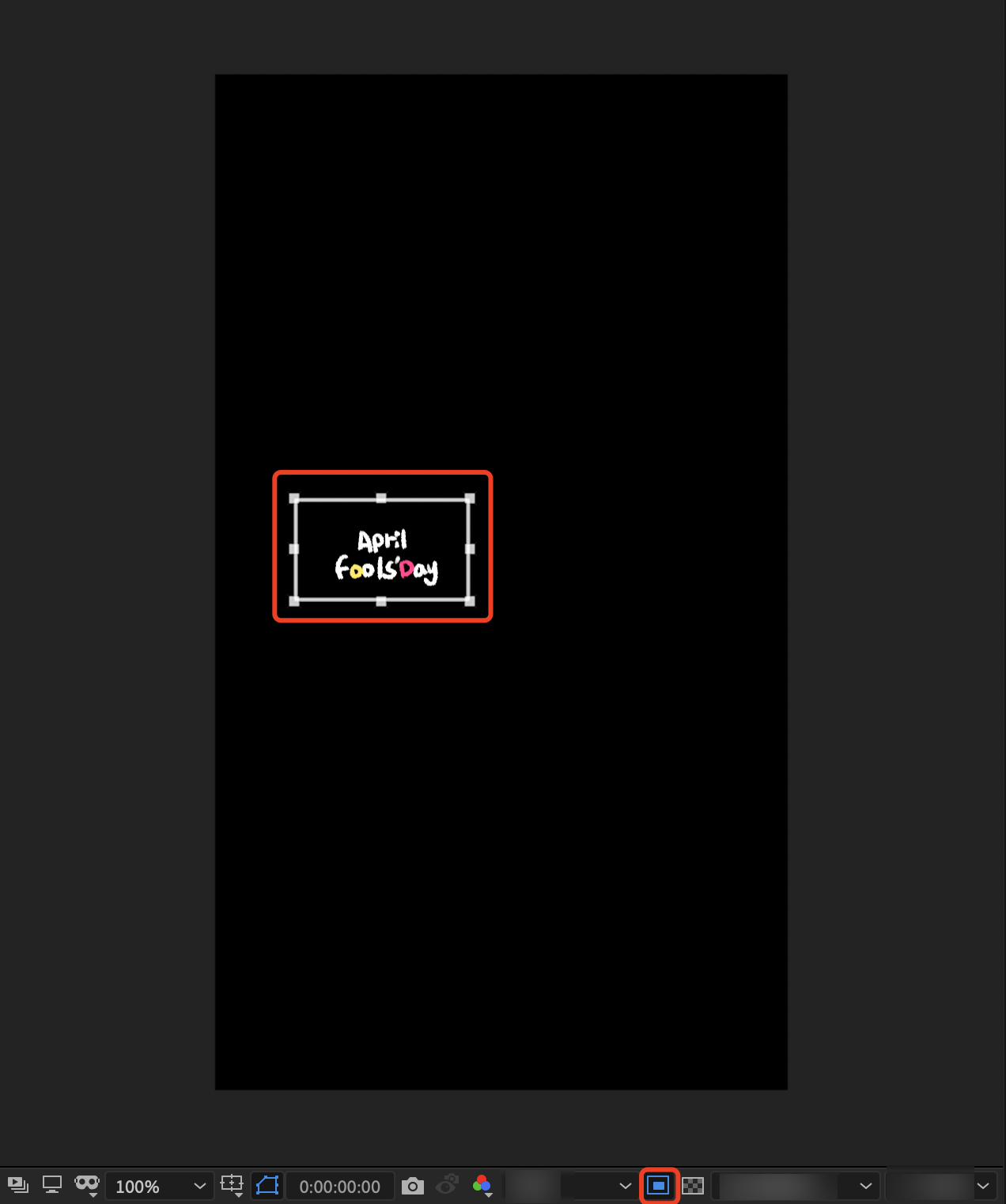
Facial tracking part: Facial tracking stickers (such as: Blush, Head stickers, Facial tracking stickers, etc.). Use the region of interest tool.
Use the region of interest to draw an appropriate size bounding box.
Cut out appropriate size, synthesize > crop and synthesize to target area.
Obtained after cutting.
Repeat direct export steps: File > Export > PAG File.
If there is an overlay method, export the corresponding PAG for the composites under the same overlay method.
After PAG export, you can directly preview it with PAGViewer.
Pag export size: The size of facial stickers depends on the sticker size; for panorama (foreground/background) dynamic stickers, it is recommended that the long side does not exceed 720px; for static stickers, also ensure that they are within 720px, and it is recommended to directly export a single png (within 720*1280) using Photoshop.
Pag frame rate: 24fps.
Pag duration: Basically around 5s, not exceeding 8s at the longest, unless in special cases (such as lyrics type), and pay attention to seamless looping.
Pag naming: It is recommended to use the english alphabet
Pag quantity: In a PAG package, it is best not to exceed 5 individual pags.
Pag package size: Control the total size of all individual pags within 5M.