Protection Object Group
Download
Focus Mode
Font Size
If your business involves multiple domain names or instance objects with common characteristics across different business logics and frameworks, you can create protected object groups in the batch protection feature of Tencent Cloud WAF and configure unified policies in batches for these protected objects. This allows you to efficiently deploy policies to all relevant protected objects, achieving centralized administration.
Before the protected object group feature is used, note the following limitations:
A single protected object group supports adding up to 500 domain names protected by SaaS WAF or instance objects.
Each protected object group supports the configuration of up to 1,000 batch protection rules by default.
The policy for a protected object group only applies to the domain names or objects currently added to the group. For newly added domain names or objects to take effect, they must be manually added to the corresponding protected object group.
Add Protected Object Group
1. Log in to WAF console, and at the top of the left sidebar, switch the console to the region where the instance is located (Chinese mainland/outside the Chinese mainland).
2. In the left sidebar, choose Bulk Protection > Protected object group.
3. On the protected object group page, click Add protected object group.
4. On the Add protected object group page, configure the relevant parameters and click OK.
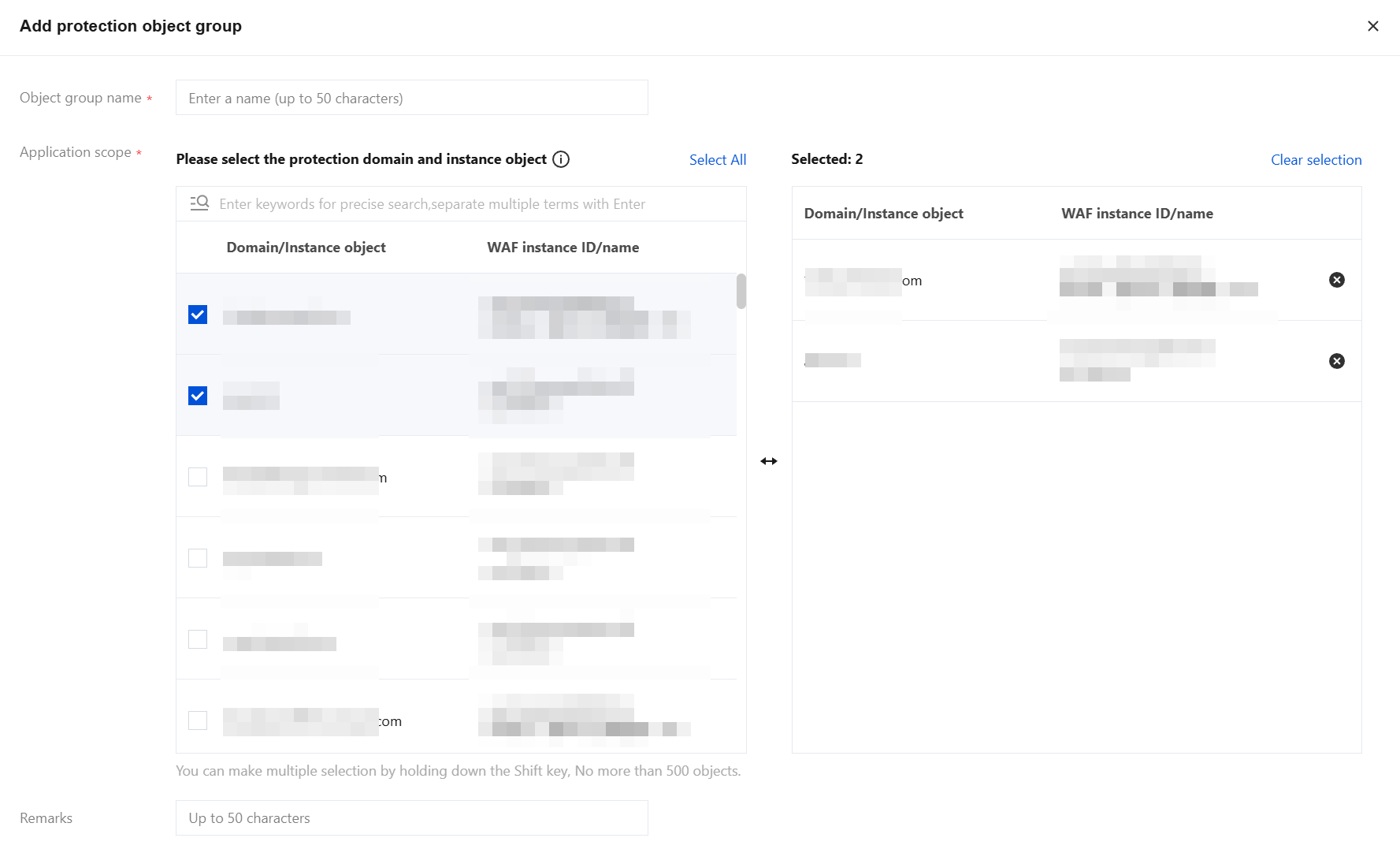
Field description:
Object group name: Custom, within 50 characters.
Application scope: Select the protected domain names and instance objects to be added to this protected object group. You can filter by domain name/object ID, WAF instance ID, or WAF instance name. Separate multiple keywords with a vertical bar "|", and separate multiple filter tags with line breaks. If the same domain name is deployed across multiple instances, it will be counted as a single domain name here, with a maximum of 500 objects.
Remarks: Custom, within 50 characters.
5. In addition to the above methods, when batch protection rules are set, a protected object group can be automatically generated for the accessed domain names or instance objects. For details, see Batch Protection Rule.
Manage Protected Object Group
On the protected object group page, you can select multiple resource attributes to query. In the corresponding Operation column, you can edit or delete the protected object group.
Note:
After deletion, all protected objects in the current protection group will be disassociated, and the configured rules will no longer take effect.
On the protected object group page, click Configure rules in the Operation column for a specific protected object group. The system will automatically redirect to the "Batch Protection Rules" page. For detailed operations on configuring batch protection rules, see Batch Protection Rule.

On the protected object group page, click the left side of a protected object group to view its application scope list. To unbind a domain name or instance object from its associated protected object group, click Unbind.
Note:
After unbinding, the configured rules of this protected object group will no longer take effect on the domain name/object.

Help and Support
Was this page helpful?
You can also Contact sales or Submit a Ticket for help.
Help us improve! Rate your documentation experience in 5 mins.
Feedback