TUICallKit has launched a new feature for virtual backgrounds, allowing users to set a blurry or image background during video calls. This hides the real calling environment, protects privacy, and makes the call more interesting. Next, this article will detail how to use this feature in the TUICallKit component.
Integration effect
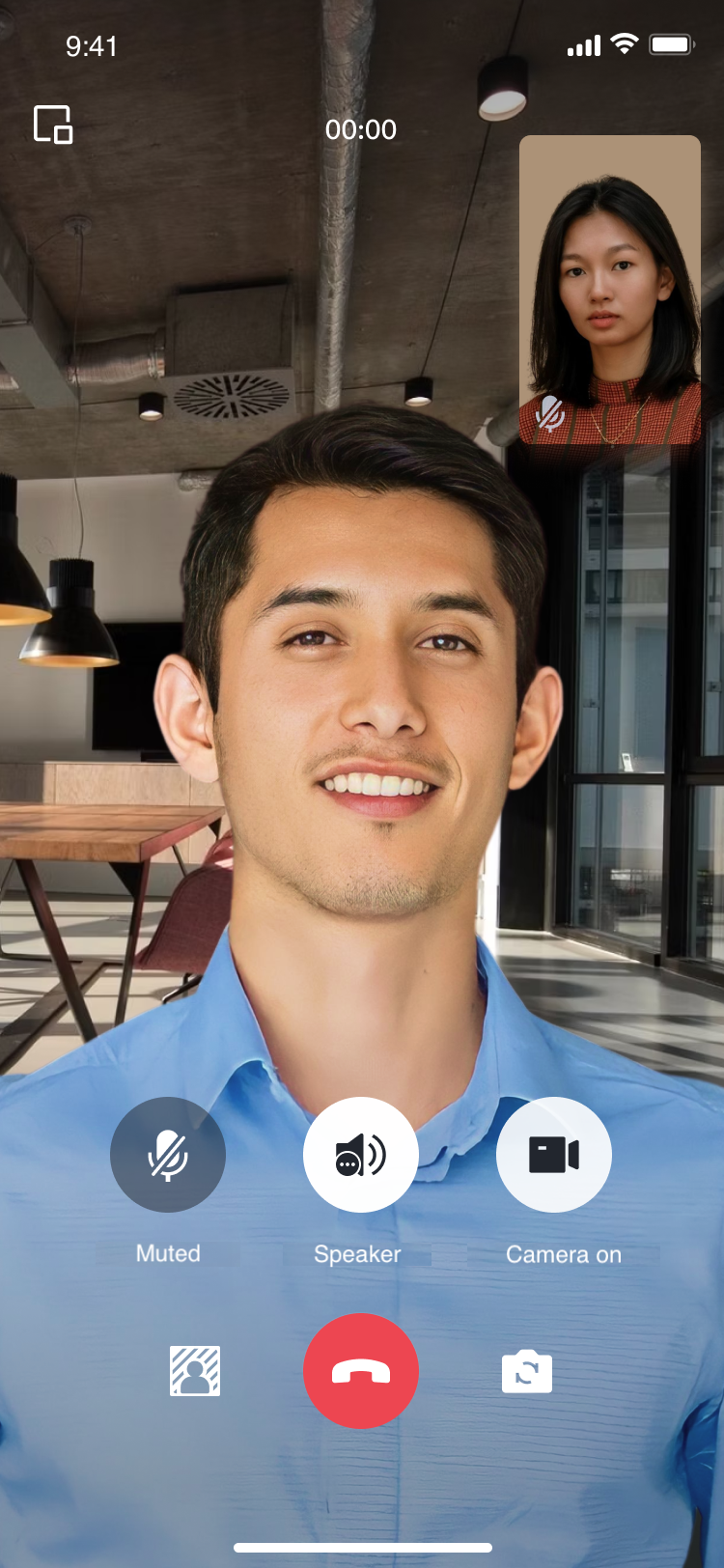
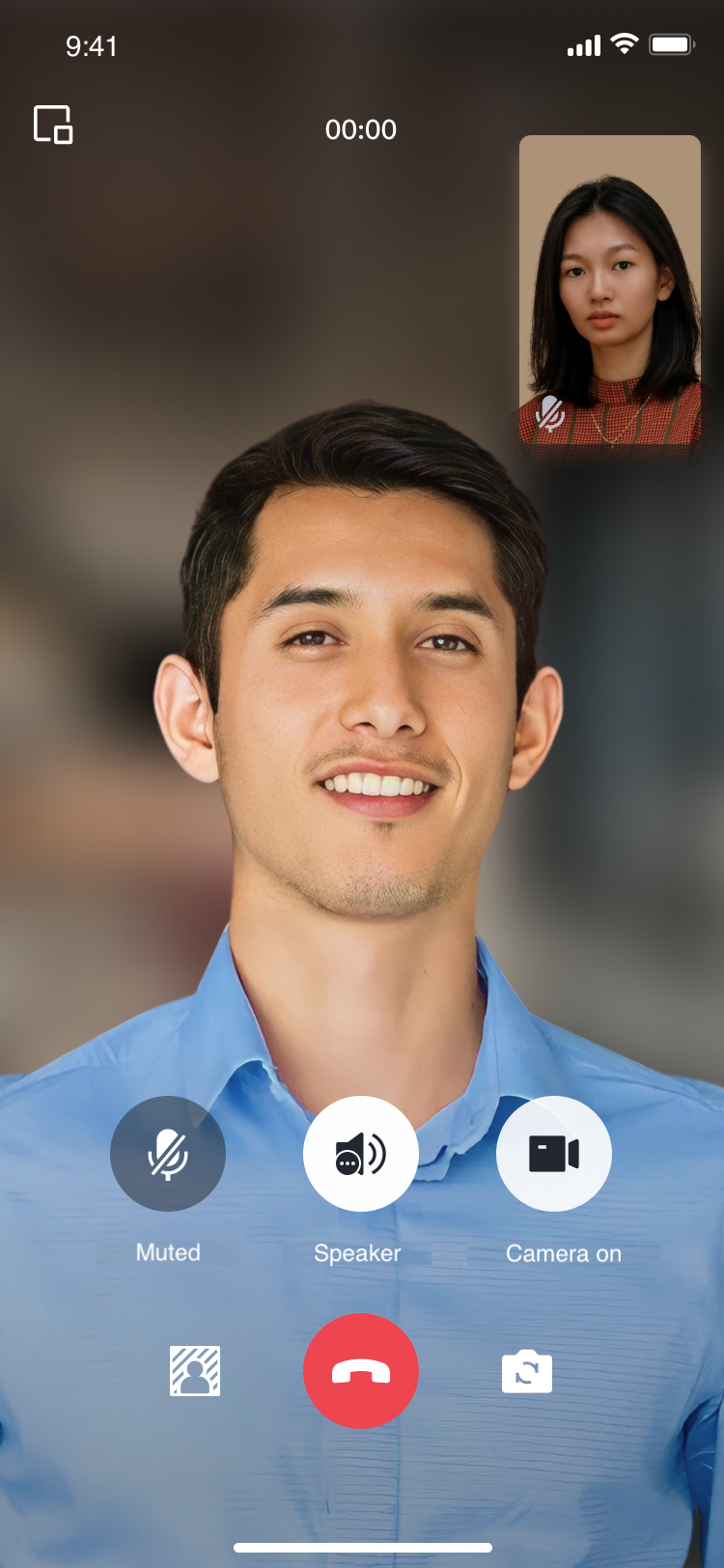
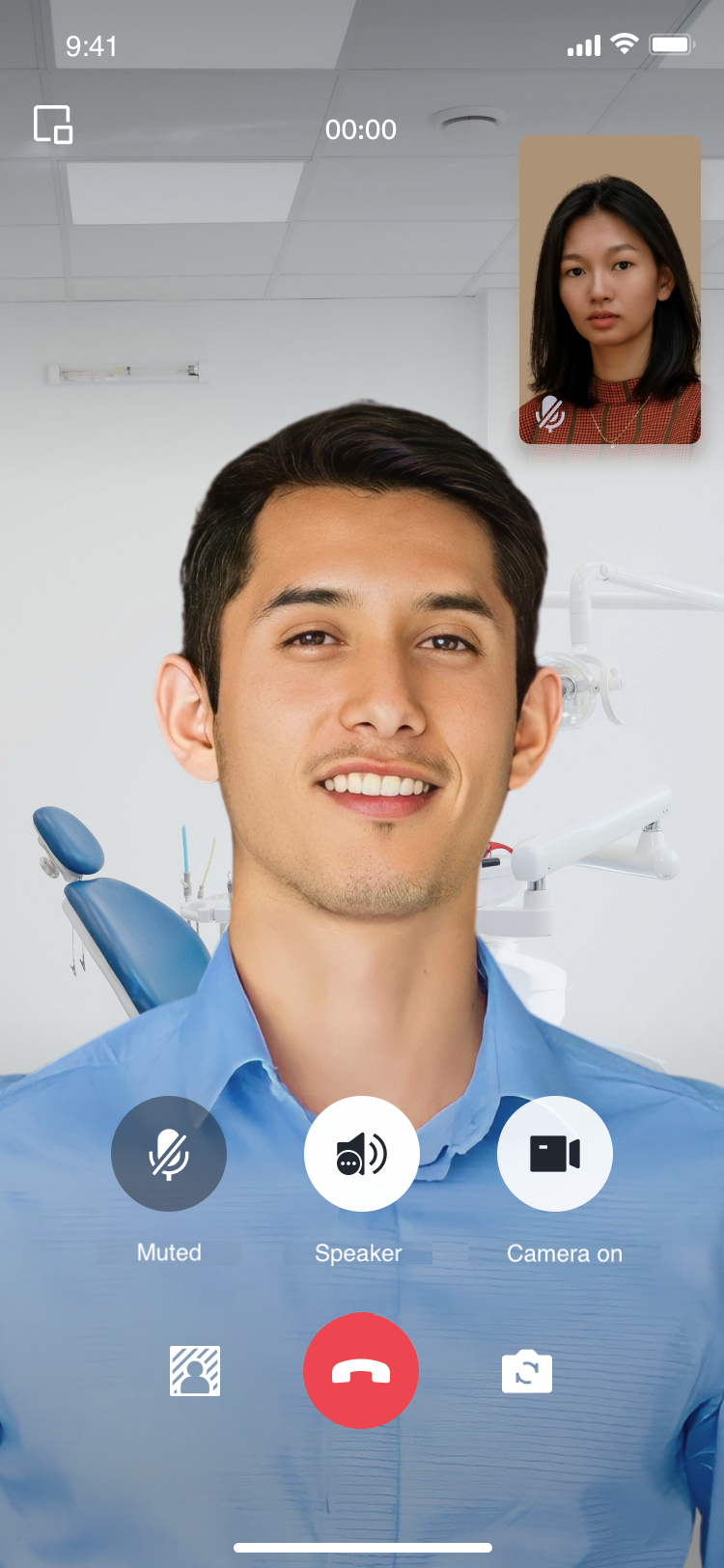
The display effect of the TUICallKit component after integrating the virtual background feature is as follows:
Original Camera
Blurry Background Effect
Image Background Effect
Preparation Requirements
1. Before using the Virtual Background feature provided by Tencent Cloud, you need to visit the Console to activate Audio and Video Services for your application and purchase the Group Call package. For specific steps, please see Activate Service.
2. Specify LiteAVSDK_Professional SDK version.
Virtual Background support starts from tencent_calls_uikit: 2.3.2 (LiteAVSDK_Professional 11.7.0.12001), different LiteAVSDK_Professional SDK versions require different model files.
Android
iOS
In the build.gradle file, specify the TXLiteAVSDK_Professional version, for example, set it to 11.8.0.14176, which can be modified according to needs and version iterations.
api "com.tencent.liteav:LiteAVSDK_Professional:11.8.0.14176"
Modify the dependencies in your Podfile to specify the TXLiteAVSDK_Professional version, for example, set it to 11.8.15669, which can be modified according to needs and version iterations.
pod 'TXLiteAVSDK_Professional', '11.8.15669'
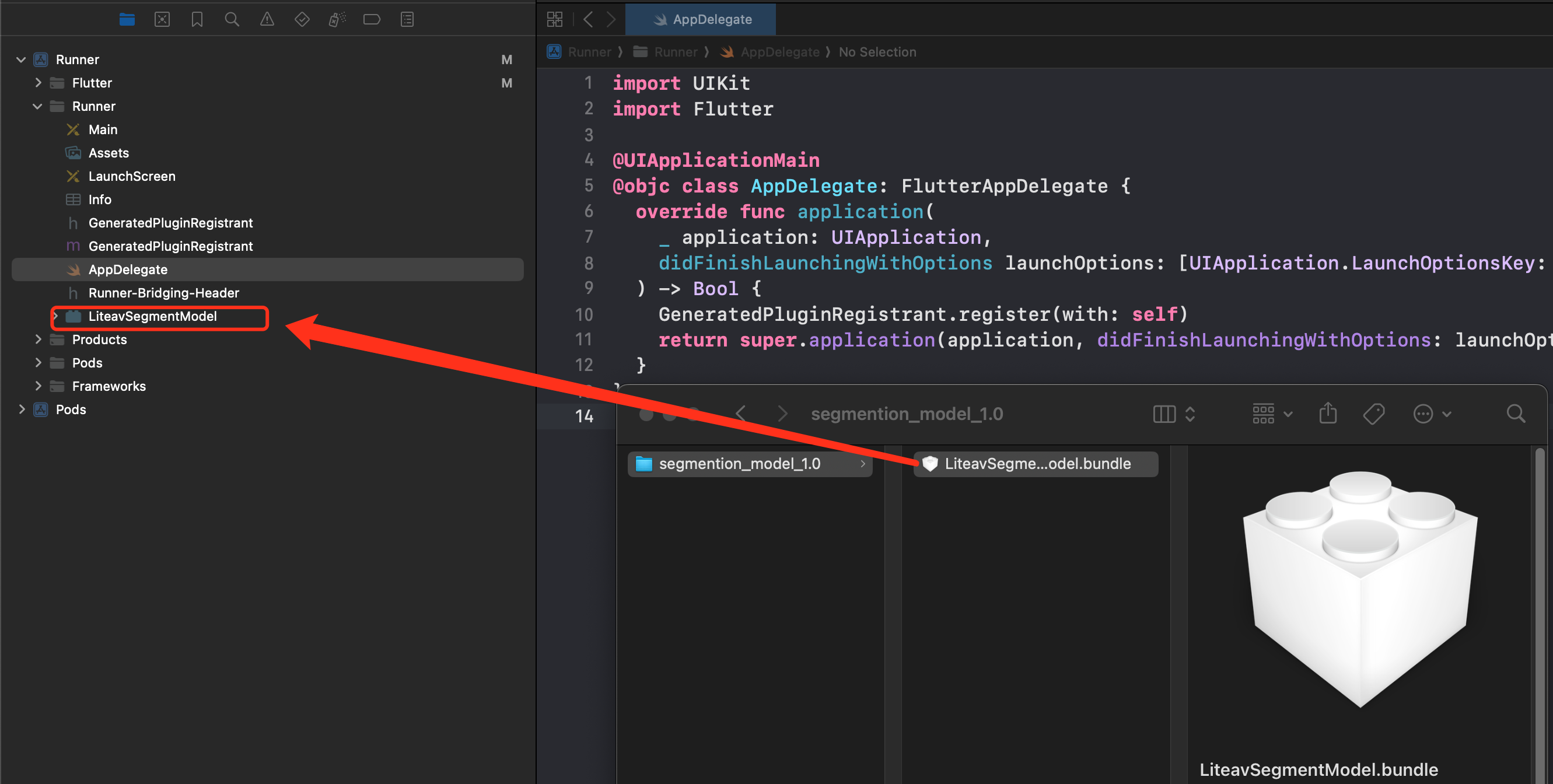
3. Download the model files according to the model file compatibility with SDK situation, and add them to the Android Studio and Xcode projects.
Android
iOS
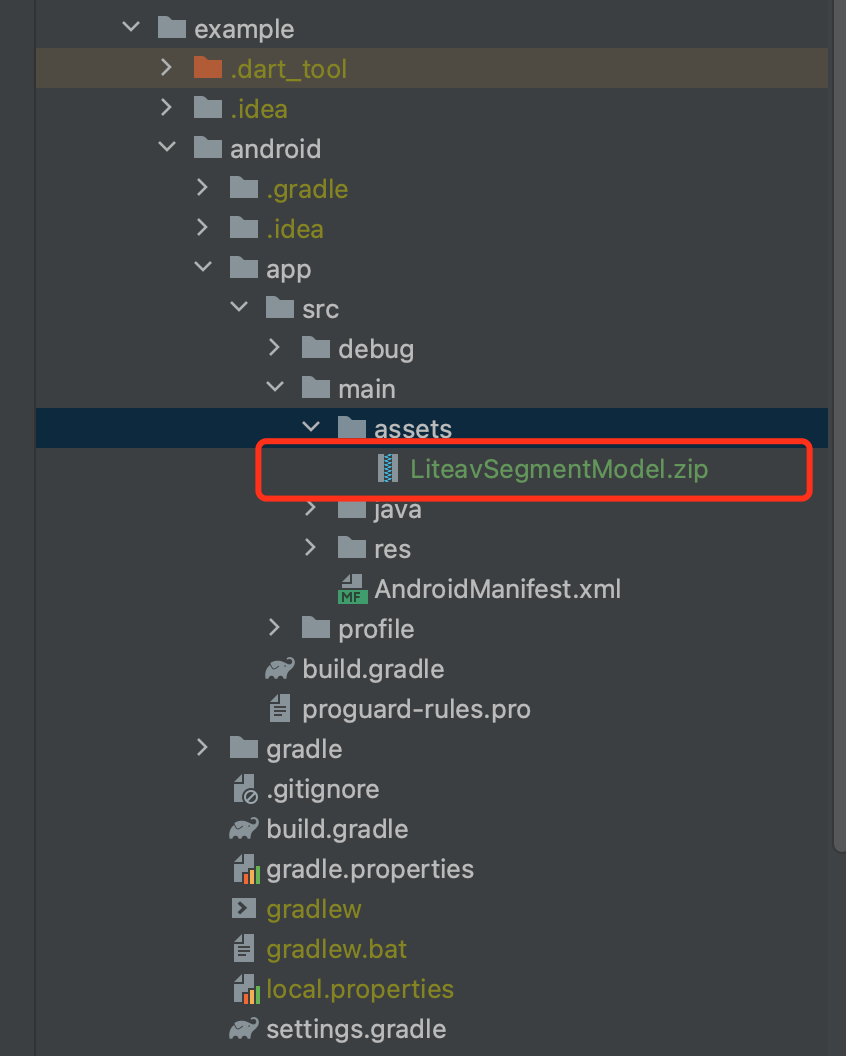
After decompressing, copy the LiteavSegmentModel.zip file to the assets directory in your Android project.
After decompression, drag and drop the LiteavSegmentModel.bundle file into your Xcode project.
Enable Blurry Background
TUICallKit's UI design supports setting a blurry background. By calling the following interface, you can display a feature button for the blurry background on the UI. Clicking the button will directly enable the blurry background feature.
The implementation of a picture background needs to be done by the user. Add the picture file to the Flutter project (you need to add resources in the pubspec.yaml file) and call the interface to set the background picture (currently, only local path pictures are supported, network pictures are not supported yet).
Ensure you have purchased the Group Call package, see Activate Service for more details.
Ensure the model file is downloaded to local.
If a model file is not added to the local path, when enabling the blurry background feature, the SDK will then download the model file. Under normal network conditions, the download takes 1~3s; the poorer the network, the longer it will take.
Check if the model file and SDK are a match.
How to match the model file with the SDK?
TUICallKit is a video and audio call scenario implemented based on the Chat SDK and TRTC SDK. The virtual background is a distinctive feature provided by TRTC SDK. It's important to note that the virtual background model file needs to match the version of the TRTC SDK; otherwise, the blurry background feature may not function properly. The table below lists the relationships between the model files and the TRTC SDK versions: