1. In the TBaaS Console, select Fabric > Blockchain Network in the left sidebar to enter the network card page. Click the corresponding card to enter the network details page.
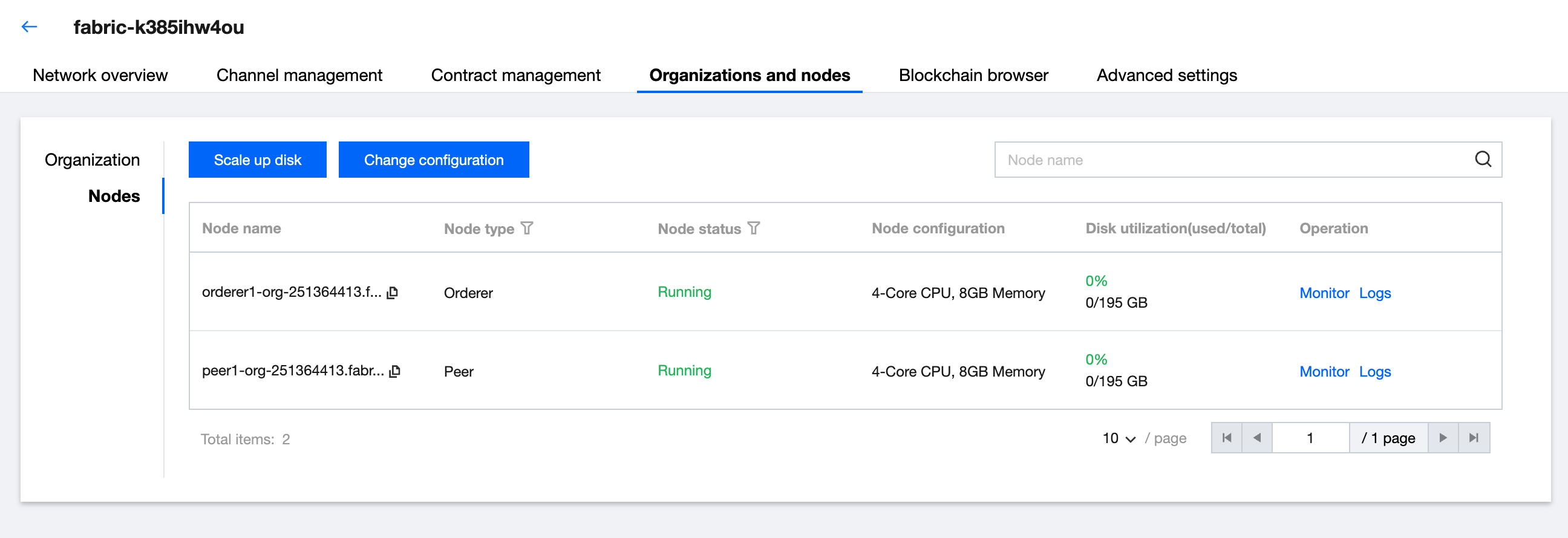
2. Select the Organization and Nodes > Node Management tab to enter the node list page. You can then view the information of all nodes belonging to the current organization, including node name, node type, and node status. As shown below:
Scaling Up Disk Capacity
1. On the node list page, click scale up disk in the upper left corner.
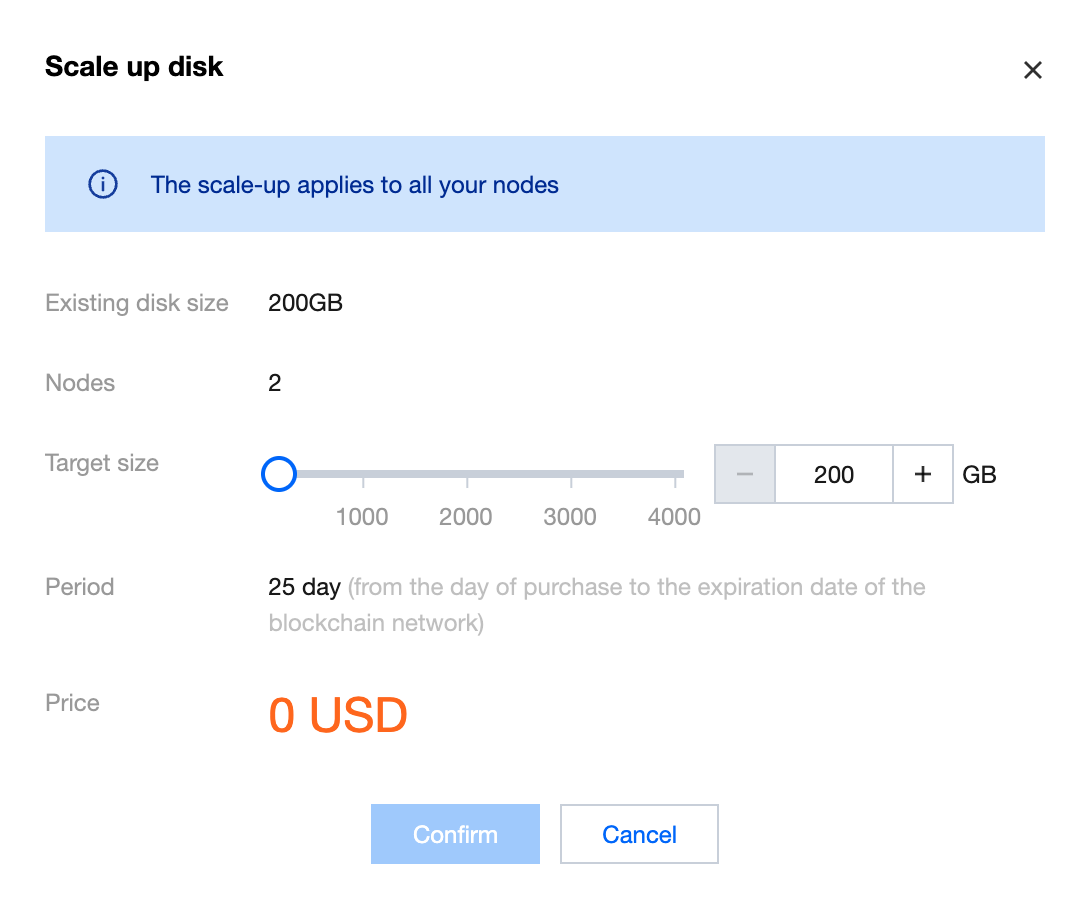
2. Select the target capacity size in scale up disk capacity to initiate the adjustment. The deployment process will start after procurement. The adjustment will take effect on all nodes belonging to you. As shown below:
Change Configuration
1. On the node list page, click in the upper left corner change configuration.
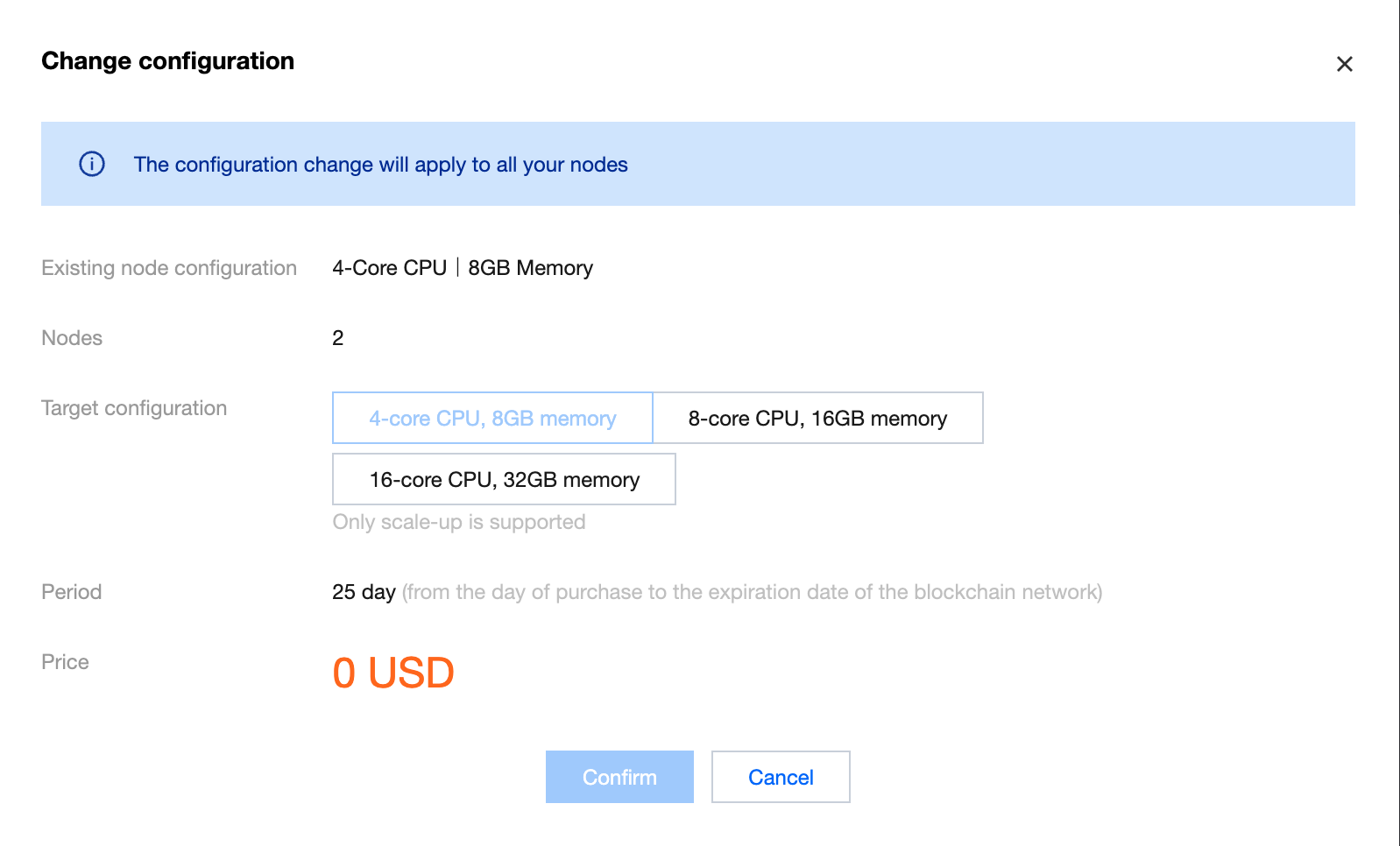
2. In Change Configuration, you can adjust the node specification size. Select the target configuration to initiate the adjustment. The deployment process will start after procurement. The adjustment will take effect on all nodes belonging to you. As shown below: