tencent cloud

Tencent Cloud Blockchain as a Service

Release Notes
Product Introduction
Overview
Product Features
Underlying Engine
Strengths
Scenarios
Basic Concepts
Purchase Guide
Purchase Page Description
Overdue Payment Instructions
Pricing and Specification Description
Getting Started
Hyperledger Fabric
Operation Guide
Consortium
Event Center
Network Overview
Connection Management
Contract Management
Organization Management
Node Management
Blockchain Browser
Certificate management
Audit Log
Node Monitoring and Logs
Development Guide
Hyperledger Fabric
Application System Integration
API Documentation
History
Introduction
API Category
Making API Requests
Hyperledger Fabric 2.3 APIs
Data Types
Error Codes
FAQs
Product Policy
Data Processing And Security Agreement
Contact Us

Blockchain Browser

PDF
포커스 모드
폰트 크기
마지막 업데이트 시간: 2025-04-10 00:40:56

Overview

This document guides users to view and perform operations on the blockchain browser in the Hyperledger Fabric Engine network.

Prerequisites

Logged in to the TBaaS Console.

Operation Steps

View Blockchain Browser

1. In the TBaaS Console, select Fabric > Blockchain Network in the left sidebar to enter the network card page. Click the corresponding card to enter the network details page.
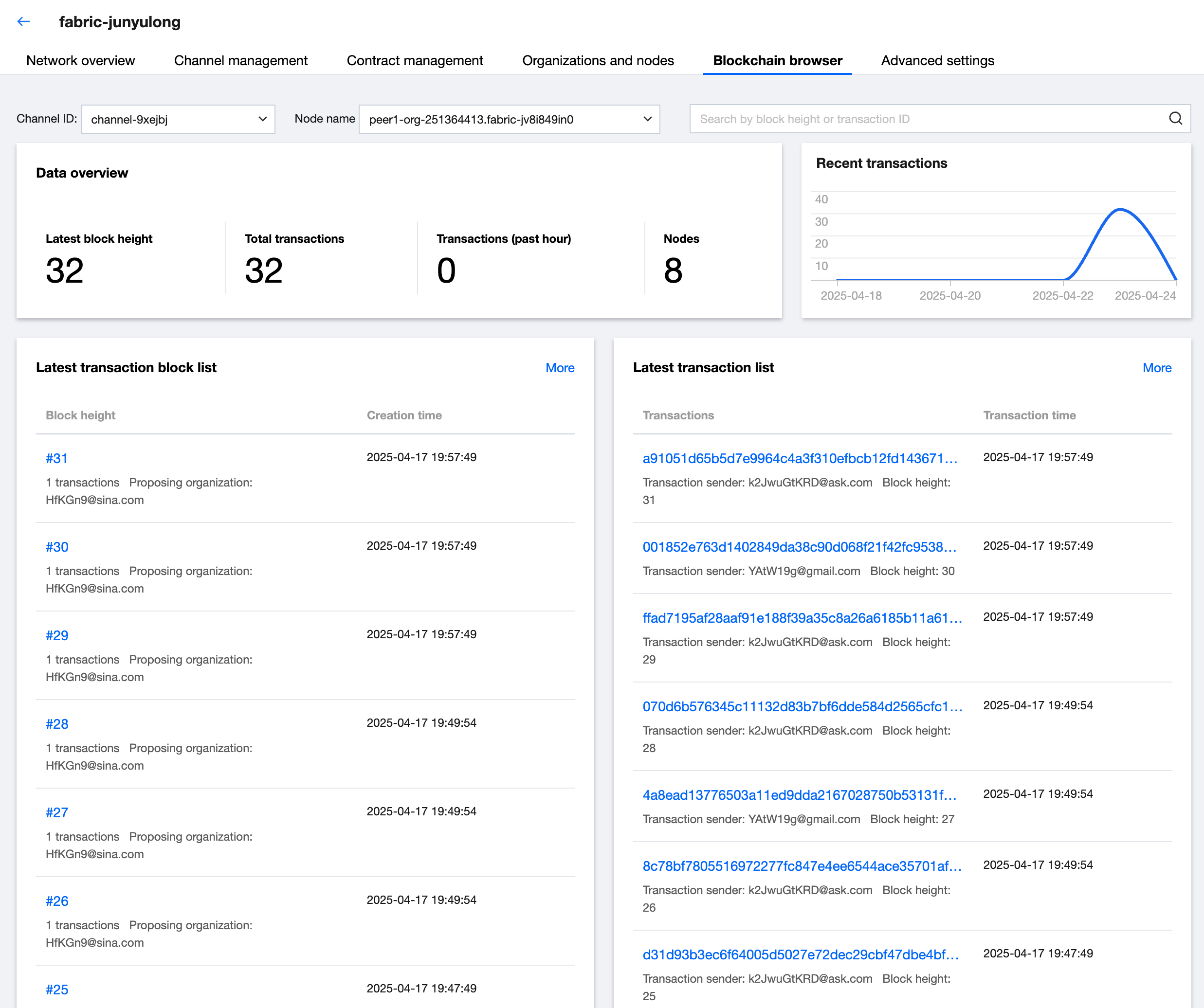
2. Select the Blockchain Browser tab to enter the browser page, where you can perform real-time retrieval or view the data on the chain. On the browser homepage, you can switch channels. After selecting a channel, the detailed information of each transaction in the channel will be displayed, including the transaction ID, creation time, transaction status, transaction data, etc. As shown below:


도움말 및 지원

문제 해결에 도움이 되었나요?

피드백