User Guide
Download
포커스 모드
폰트 크기
1. Basic of CBS
2. CBS Billing Modes
Tencent Cloud CBS supports the monthly subscription and pay-as-you-go billing modes. You need to understand the two billing modes to select an optimal billing solution. For more information, see Billing Overview.
3. Snapshots
Snapshots are convenient and efficient data protection methods. We recommend that you create snapshots for cloud disks before major business changes. If a business change fails, snapshots can be used to quickly restore the data. For more information, see Snapshot Overview.
4. Getting Started
4.1 Registration and authentication
Before using Tencent Cloud CBS, sign up for a Tencent Cloud account and complete identity verification.
4.2 Creating cloud disks
After registration and identity verification, you can select a cloud disk type, capacity, billing mode, retention period, automatic renewal, and expiration or in arrears protection based on the requirements of the availability zone where your CVM is located to create cloud disks. For more information, see Creating Cloud Disks.
4.3 Using cloud disks
After you create cloud disks, you need to mount separately purchased cloud disks to CVMs in the same availability zone and initialize the cloud disks. For more information, see the following documents:
4.4 Creating snapshots (optional)
After you create cloud disks, you can use snapshots to manually or periodically back up important business data to prevent data loss or damage caused by maloperations, attacks, viruses, or others. For more information, see Creating Snapshots and Scheduled Snapshot.
5. Console
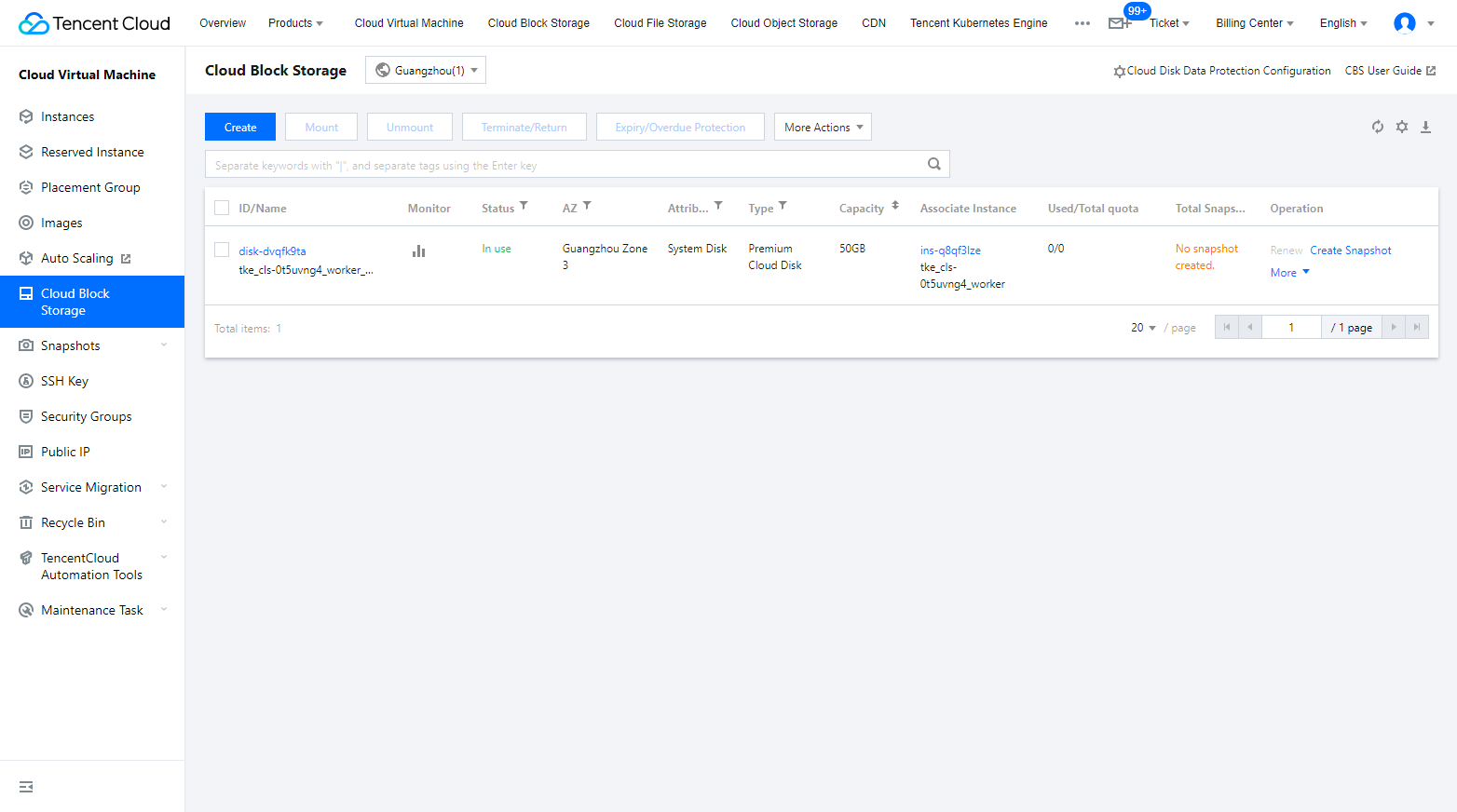
6. Overview of Console Features
Features | Reference |
Create cloud disks using different methods | |
Mount a cloud disk to a CVM in the same availability zone and set automatic cloud disk mounting | |
Initialize cloud disks based on actual requirements | |
Expand cloud disks to add storage space | |
Unmount cloud disks and mount them to other CVMs | |
Terminate or return a cloud disk | |
Create the snapshot of a cloud disk at a specific time point to save the cloud disk data at that time | |
Use a scheduled snapshot policy to flexibly back up data | |
Delete unnecessary snapshots | |
Rollback a cloud disk by using a snapshot, so as to restore the data at the snapshot creation time |
7. FAQs
Usage of CBS
Snapshot FAQs
8. Feedback and Suggestion
If you have any doubts or suggestions when using Tencent Cloud CBS products and services, you can submit your feedback through the following channels. Dedicated personnel will contact you to solve your problems.
If you have any questions regarding the product documentation, such as links, content, or APIs, click Send Feedback on the right of the document page.
If you encounter any problems when using the product, contact online support for assistance.
피드백