This document describes how to deliver security product logs from the log analysis module to CLS in real time, covering the complete configuration steps for both single-account and multi-account scenarios.
Feature Overview
The log delivery feature supports real-time delivery of security product logs to CLS (Log Service), meeting users' data flow requirements in scenarios such as log archiving, cross-platform collaborative analysis, and building a self-managed security operations system. It also supports configuration synchronization in multi-account scenarios, allowing administrators to synchronize delivery configurations to other member accounts with one click.
Prerequisites
1. An account that has purchased the Log Analysis Service.
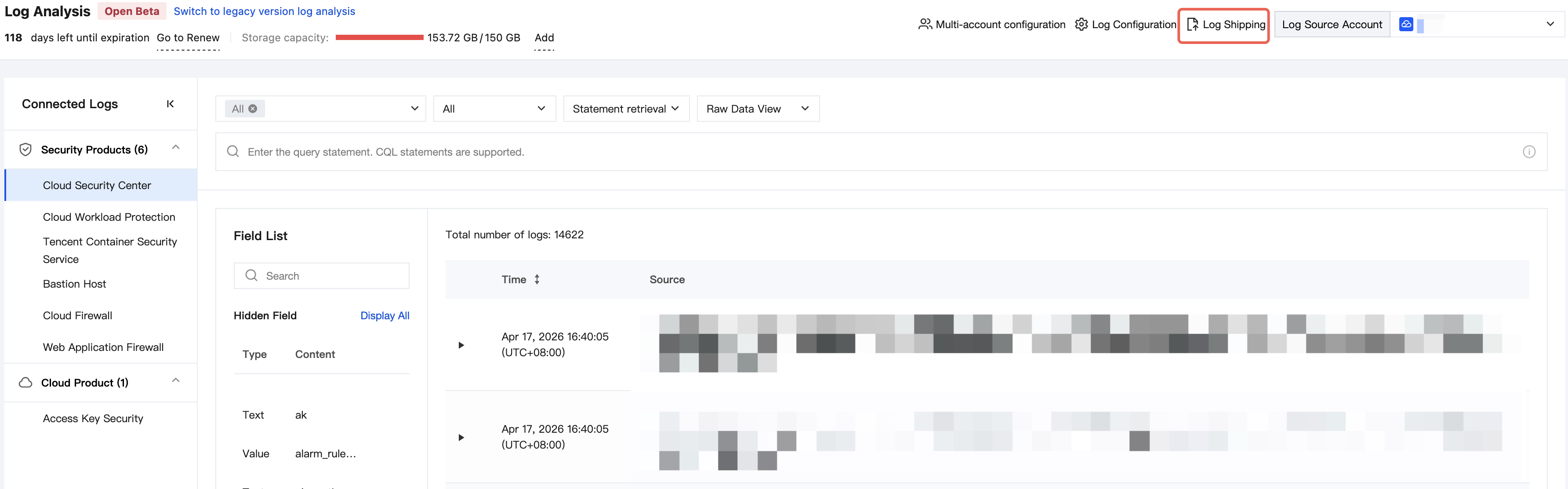
1. Log in to the CSC console. In the left-side navigation pane, click Log analysis.
2. On the Log Analysis page, click Log Shipping > Ship to CLS in the upper-right corner.
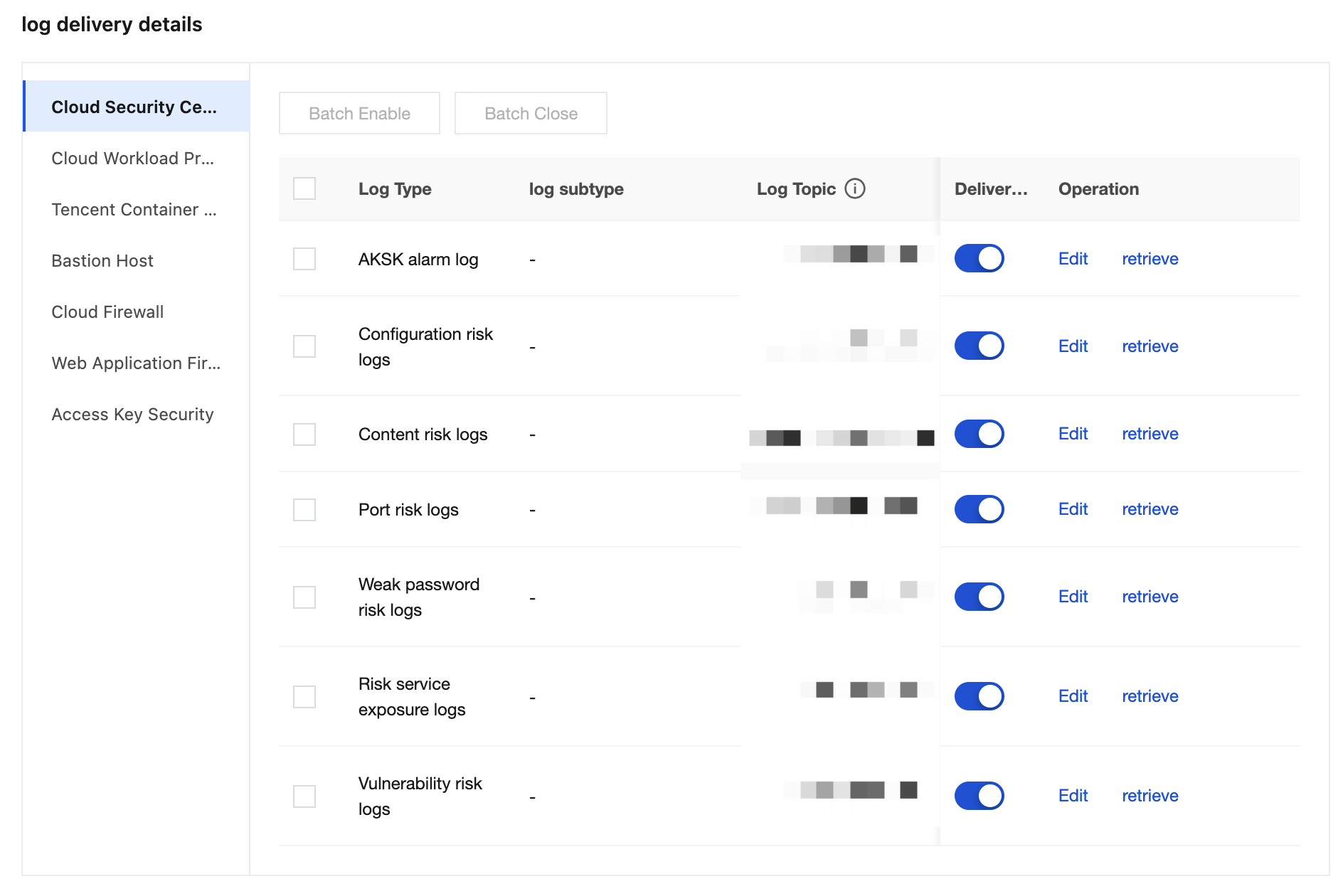
3. On the Deliver to CLS page, you can configure a delivery policy for each product.
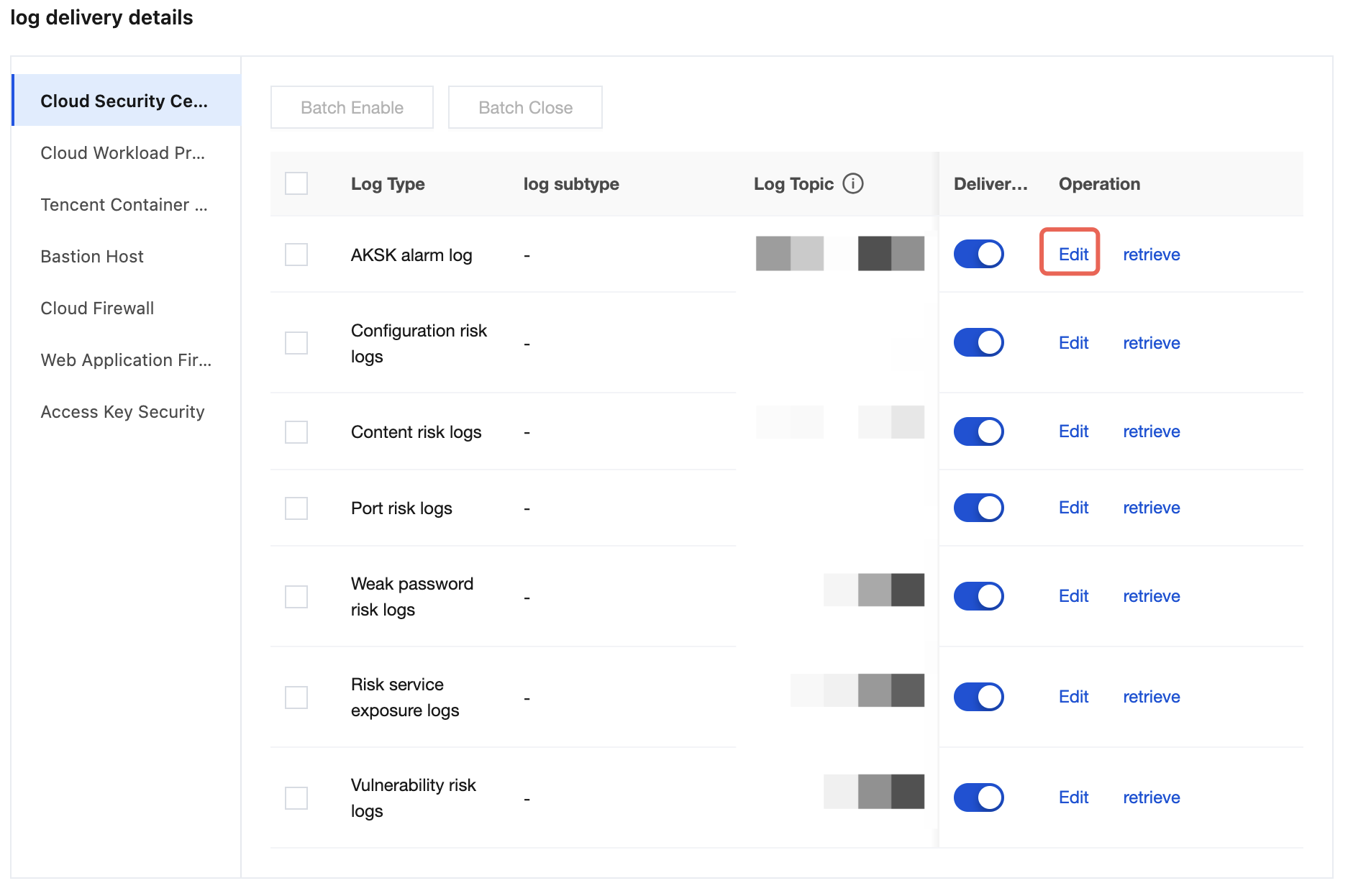
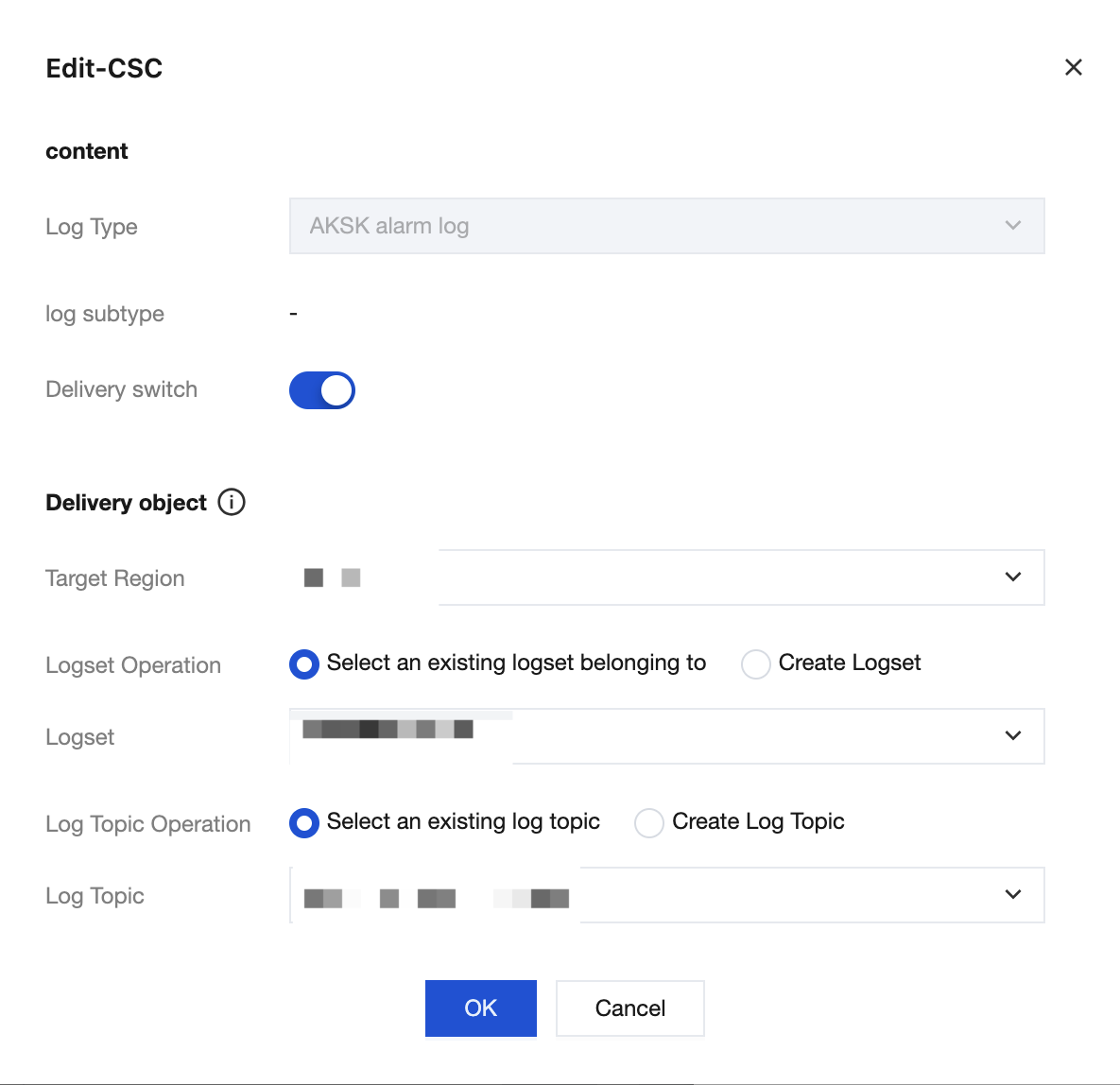
4. Select the product for which you want to configure a delivery policy. After clicking Edit, you can select a log topic as the delivery destination. You can choose an existing logset/log topic or create a new logset/log topic as the delivery target.
4.1 Select the log type you want to configure, and then click Edit.
4.2 Select the target logset/log topic for delivery, and then click OK.
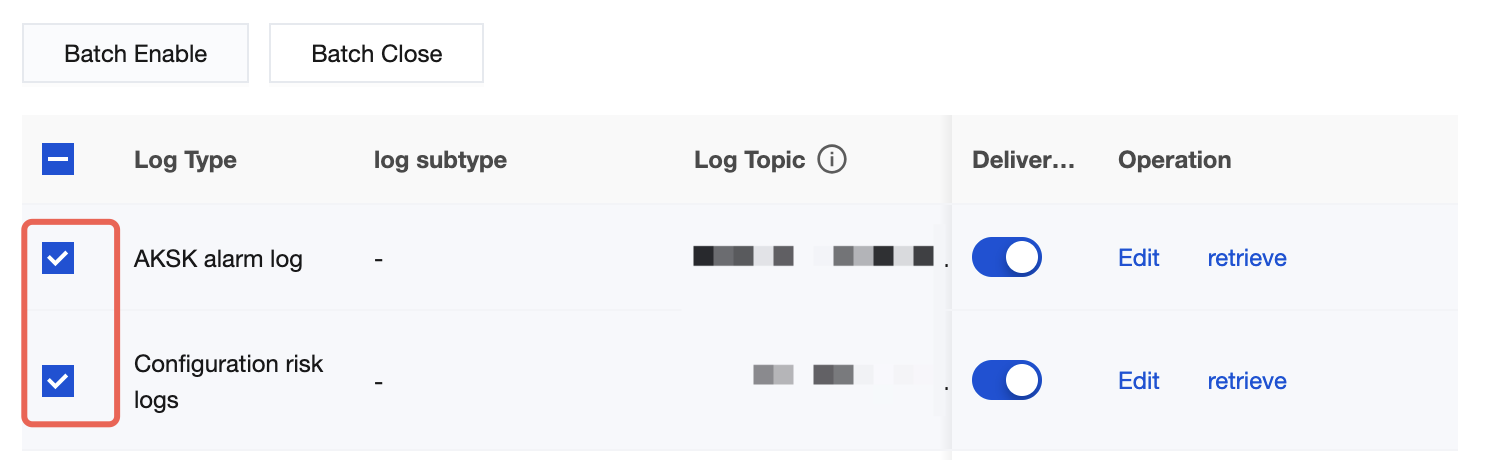
5. After editing is complete, enable the delivery switch to start delivery. The delivery is real-time, with no data or time delay.
6. The delivery switch supports batch operations, including batch enabling and batch disabling.
Multi-Account Scenario Overview
In a multi-account scenario, if you log in using an administrator account or a delegated administrator account, you can configure delivery policies for member accounts in the log delivery module. Unlike in a regular usage scenario, you need to pay special attention to the following configuration items:
Log Source Account (specifies the account to which the logs to be delivered belong)
Log Delivery Destination (specifies the CLS of the target account that receives the logs)
Note:
The target account must have the CLS service activated to use this feature.
1. Log in to the CSC console. In the left-side navigation pane, click Log analysis.
2. On the Log Analysis page, click Log Shipping > Ship to CLS in the upper-right corner.
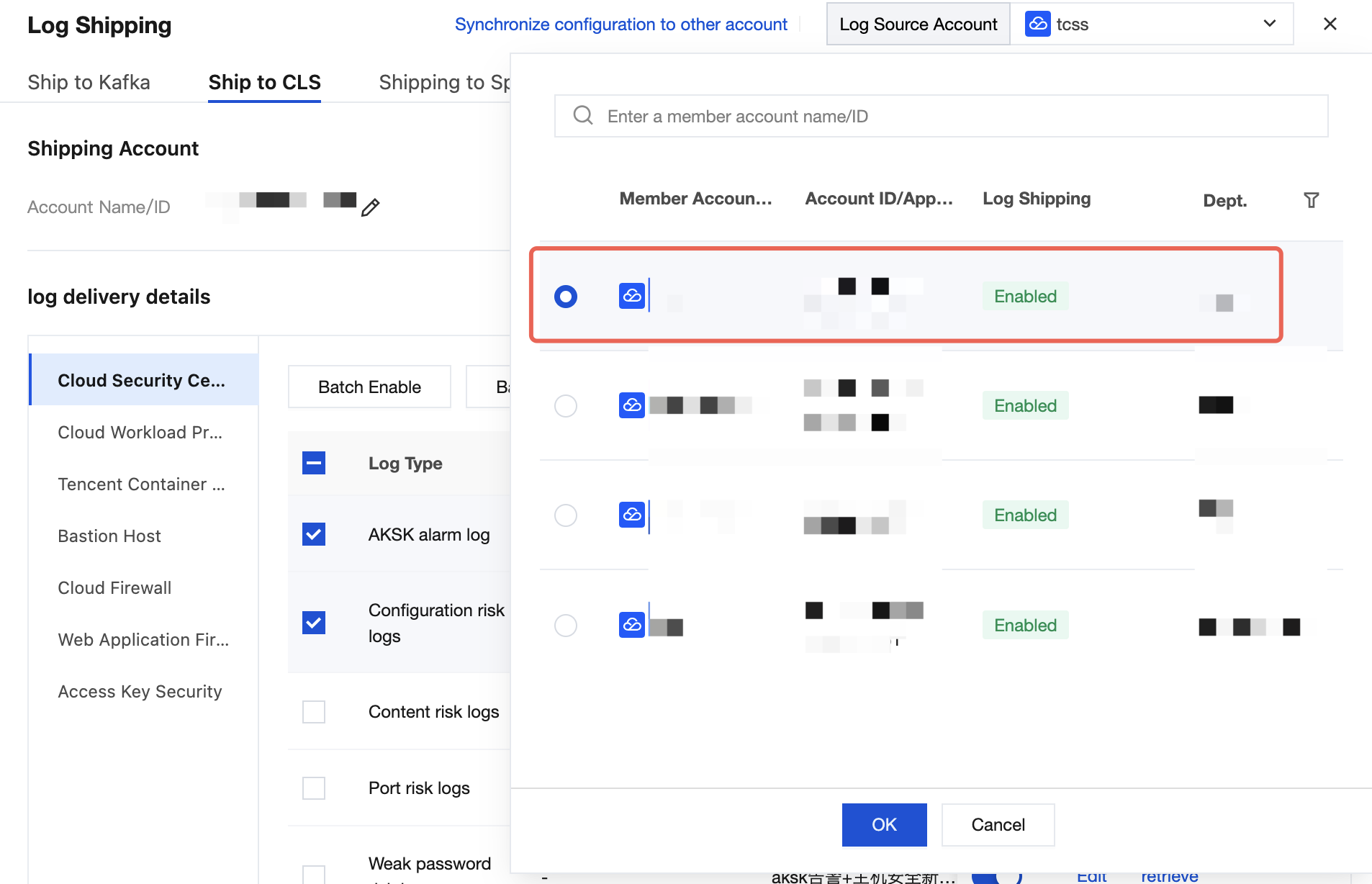
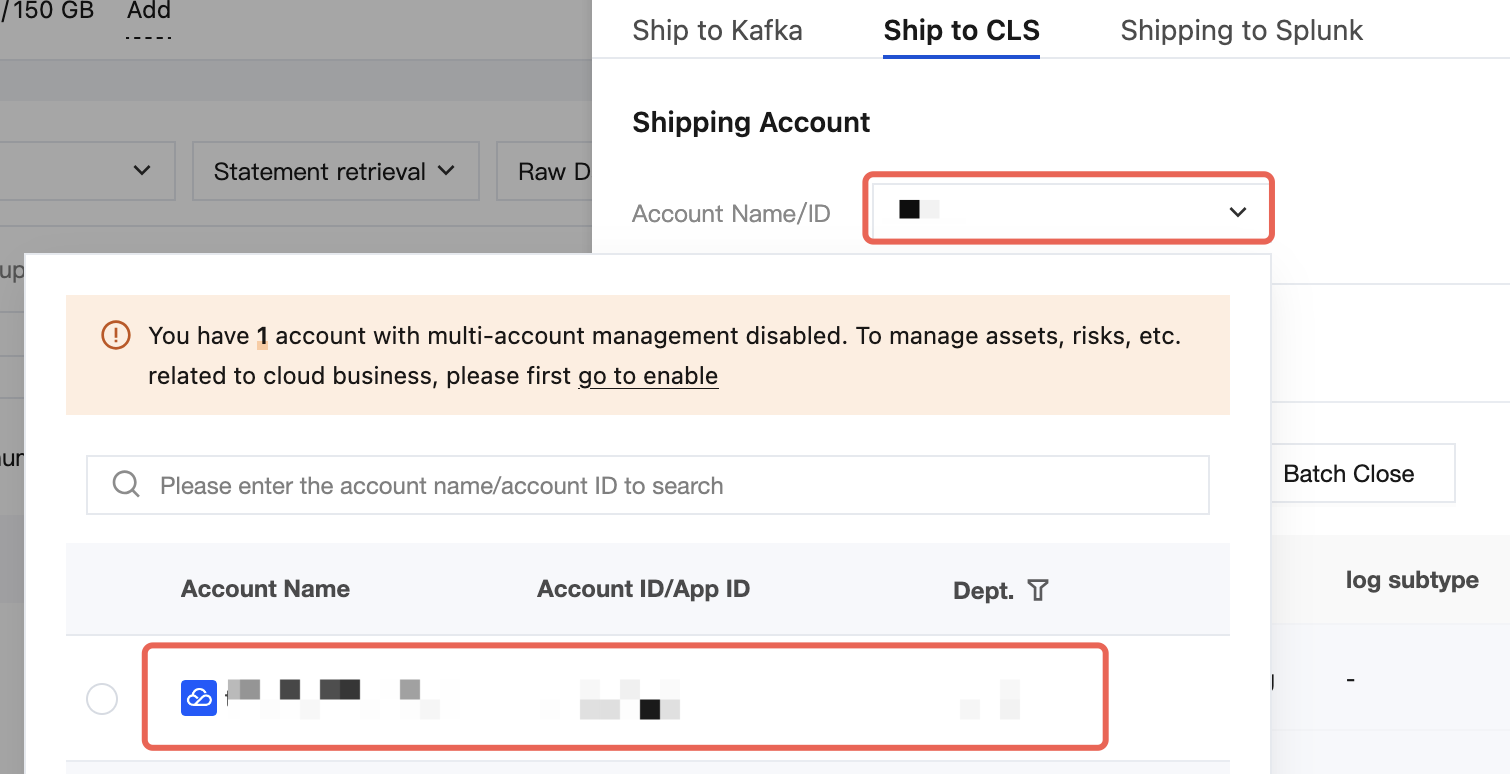
3. On the Log Delivery page, configure the log source account and the log delivery destination.
For the log source account, click Log Source Account in the upper-left corner, select the desired member, and then click OK to configure the delivery policy for the logs of the current member account.
Log Delivery Destination: Click the area to the right of Modify Account Name/ID
. Click to switch to the corresponding target account. The selected account must have the CLS service activated.
4. The procedure for configuring other log delivery settings is the same as in a regular operation scenario.