2. On the Environment page, select a deployment region and click View Details under the target environment block to go to the environment details page.
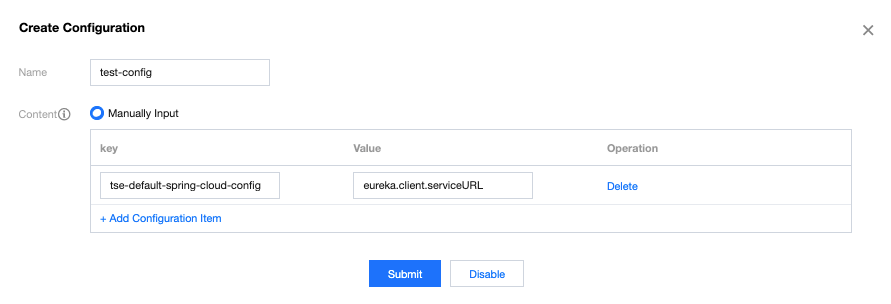
3. Select the Configuration Management tab at the top of the page, click Create, and enter configuration details.
Name: enter the name of the configuration file.
Content: enter the configured key-value pairs.
4. Click Submit to complete the creation.
Related Operations
Modifying a configuration item: click Edit in the Operation column of the target configuration item and modify the configuration in the pop-up window.
Deleting a configuration item: click Delete in the Operation column of the target configuration item and click OK in the pop-up window.
Note:
Before deleting a configuration that is associated with an application, you need to disassociate it from the application first.
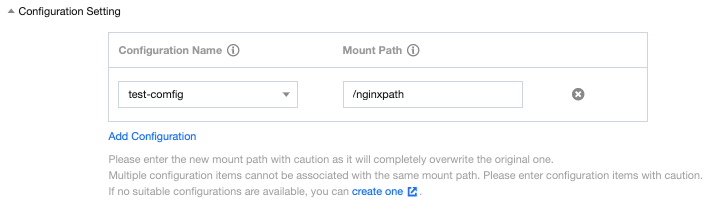
Associating a configuration with an application: go to the Deploy Application page, set the path to the container to which the configuration item is mounted in the Configuration Setting area. For operation details, please see Creating and Deploying Application.