Bulk Adding Private Domains
Overview
This document describes how to bulk add private domains.
Directions
1. Log in to the Private DNS console.
2. On the left sidebar, click Bulk Operation to enter the bulk operation management page.
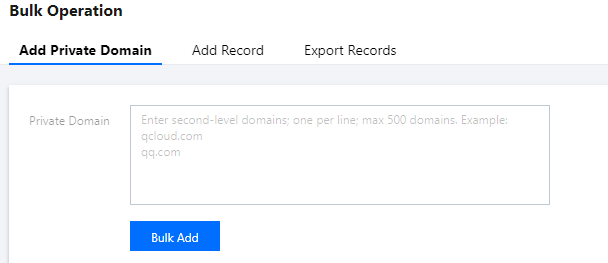
3. In the Add Private Domain tab, enter the private domains you need to add as shown below:
Note:
You can add up to 500 second-level private domains at a time.
You can only create standard TLD domains that comply with the IANA specifications.
4. Click Bulk Add.
Note:
After bulk adding private domains, you can add corresponding DNS records if needed as instructed in Bulk Adding DNS Records.
Help and Support
Was this page helpful?
You can also Contact sales or Submit a Ticket for help.
Help us improve! Rate your documentation experience in 5 mins.
Feedback