Unbinding Users
Download
Focus Mode
Font Size
Scenarios
After you unbind a Cloud Virtual Desktop (CVD) instance from a user, the status of the CVD instance changes to Unbound. You can then bind this CVD instance to another user or the original user.
Note:
The user unbinding operation can only be performed on CVD instances with an operation status of Running or In Use.
If the current operation status of the CVD instance is In Use, after the user is unbound, the CVD session that the current user is connected to will be logged out. Inform the user in advance to back up data.
After a CVD instance is unbound from a user, the original user can no longer log in to the CVD instance. Inform the user in advance to back up data.
Operation Steps
Unbinding a Single User
1. Log in to the CVD console.
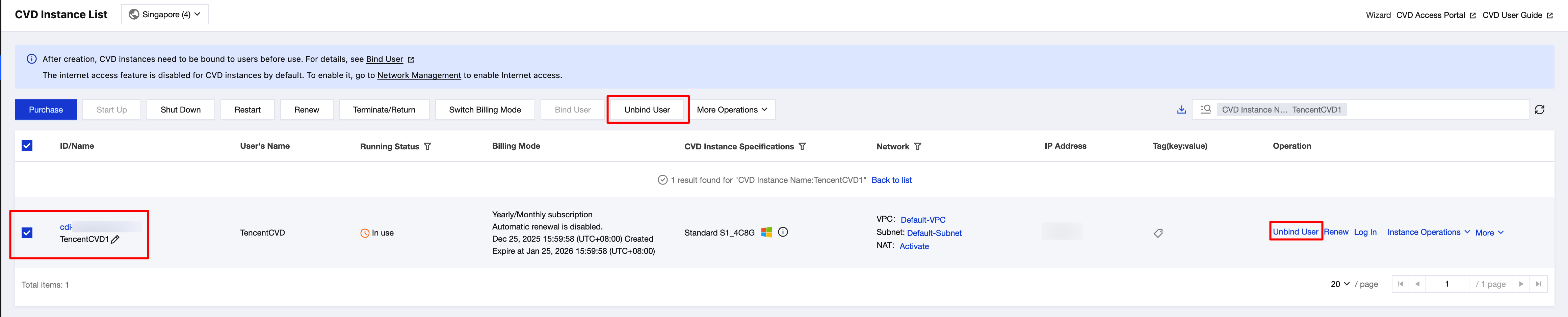
2. On the CVD Instance List page, select the CVD instance that you want to unbind, and click Unbind User in the operation bar at the top or the operation column on the right.
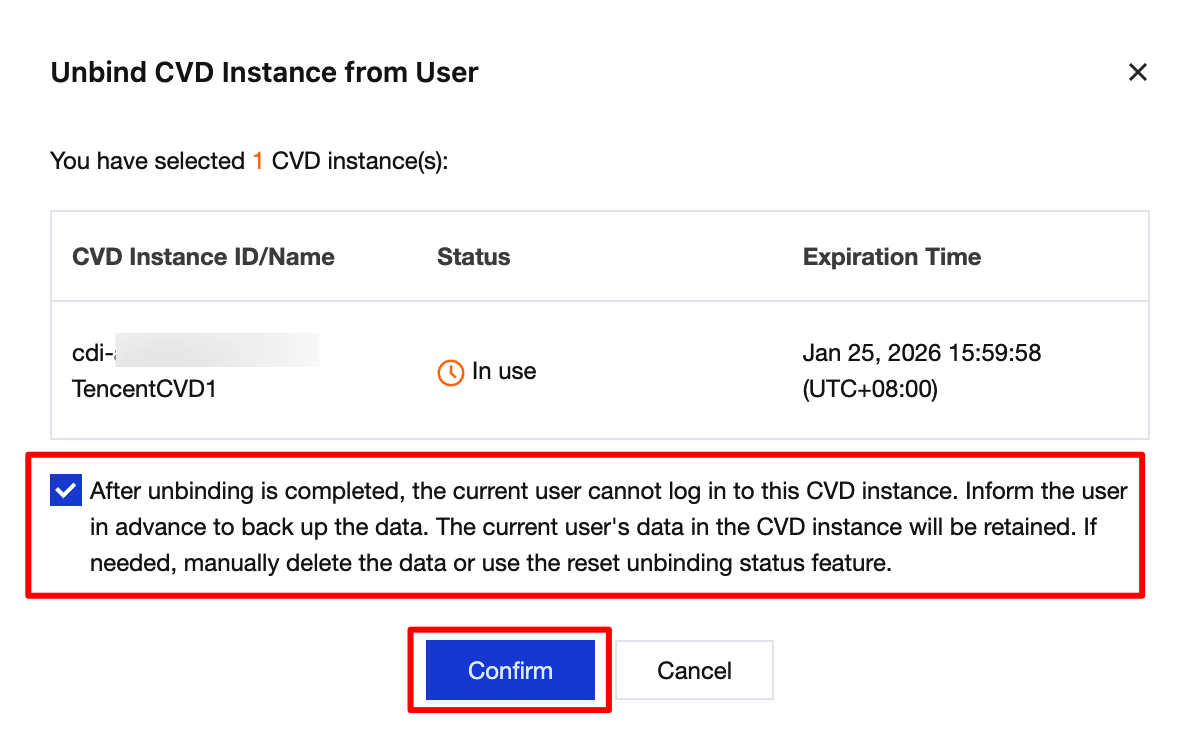
3. In the Unbind User pop-up window, confirm the CVD instance and the user to be unbound, read and check the prompt for risk warning, and then click Confirm to unbind the user.
Unbinding Users in Batches
1. Log in to the CVD console.
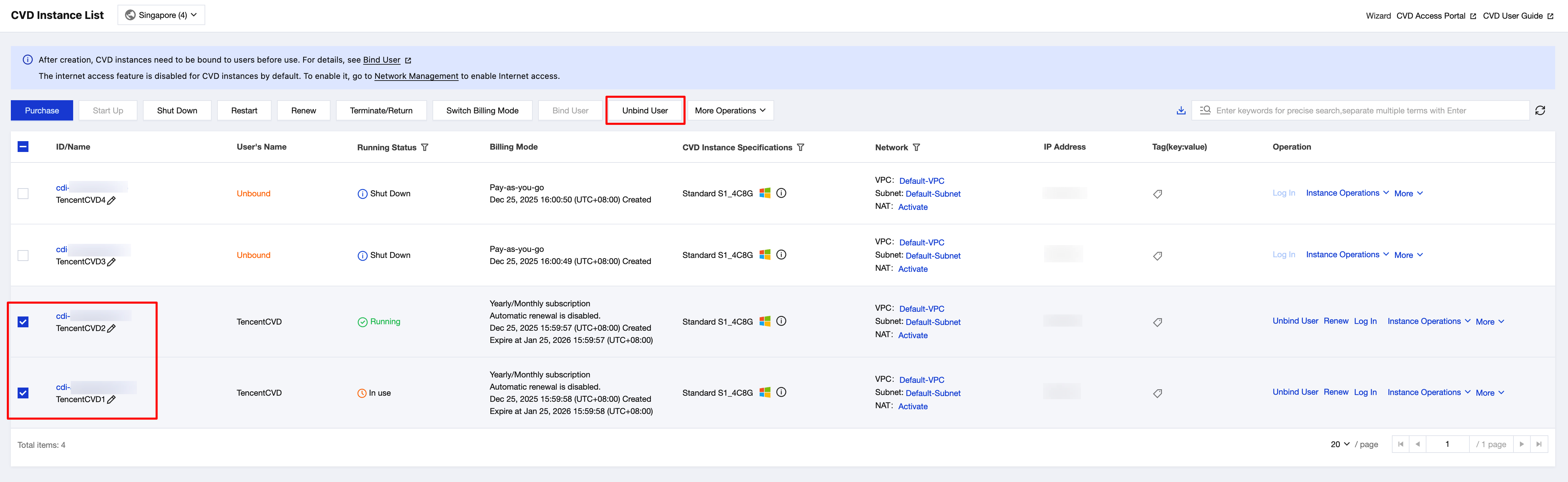
2. On the CVD Instance List page, select the CVD instances that you want to unbind, and click Unbind User in the operation bar at the top.
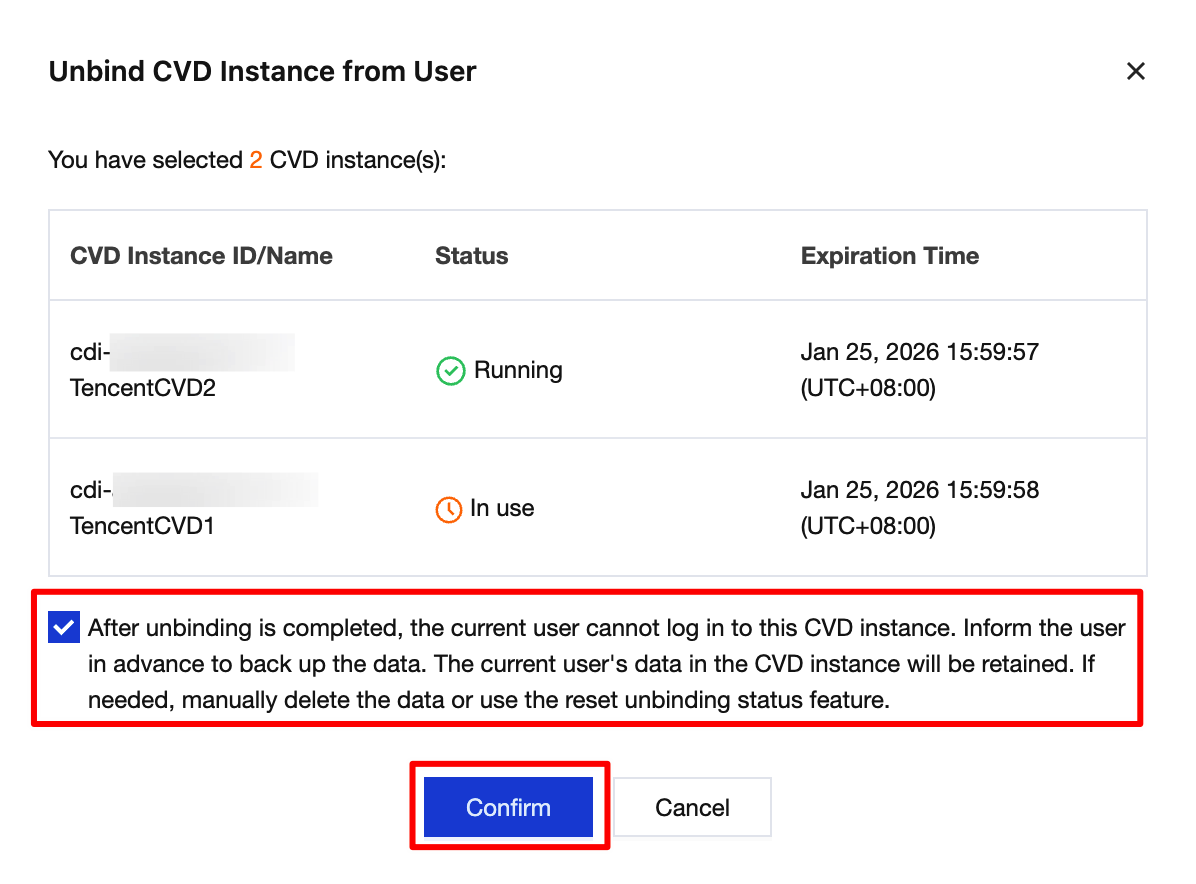
3. In the Unbind User pop-up window, confirm the CVD instances and users to be unbound, read and check the prompt for risk warning, and then click Confirm to unbind the users.
Help and Support
Was this page helpful?
You can also Contact sales or Submit a Ticket for help.
Help us improve! Rate your documentation experience in 5 mins.
Feedback