Renewing a CVD Instance
This document describes how to renew a Cloud Virtual Desktop (CVD) instance under the billing mode of yearly/monthly subscription.
Manual Renewal
1. Log in to the CVD console.
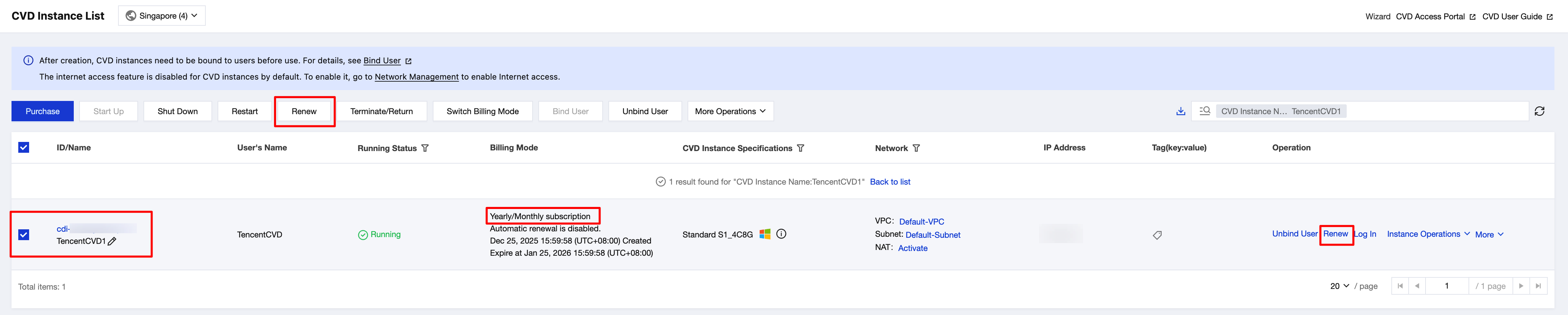
2. In CVD Instance List, select the yearly/monthly subscription CVD instance that you want to renew.
3. Click Renew in the operation bar at the top or in the operation column on the right.
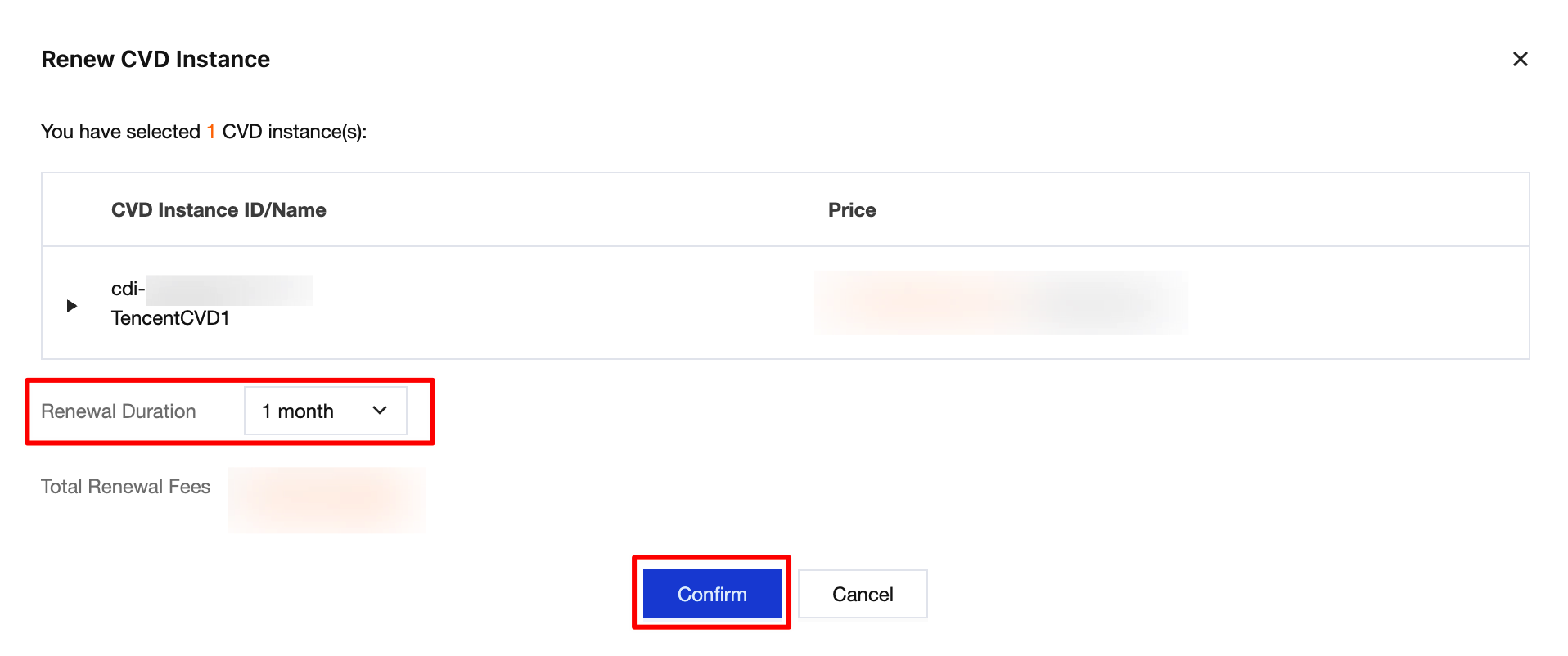
4. On the renewal page, select the renewal duration and click Confirm to renew the CVD instance.
Auto-Renewal
1. Log in to the CVD console.
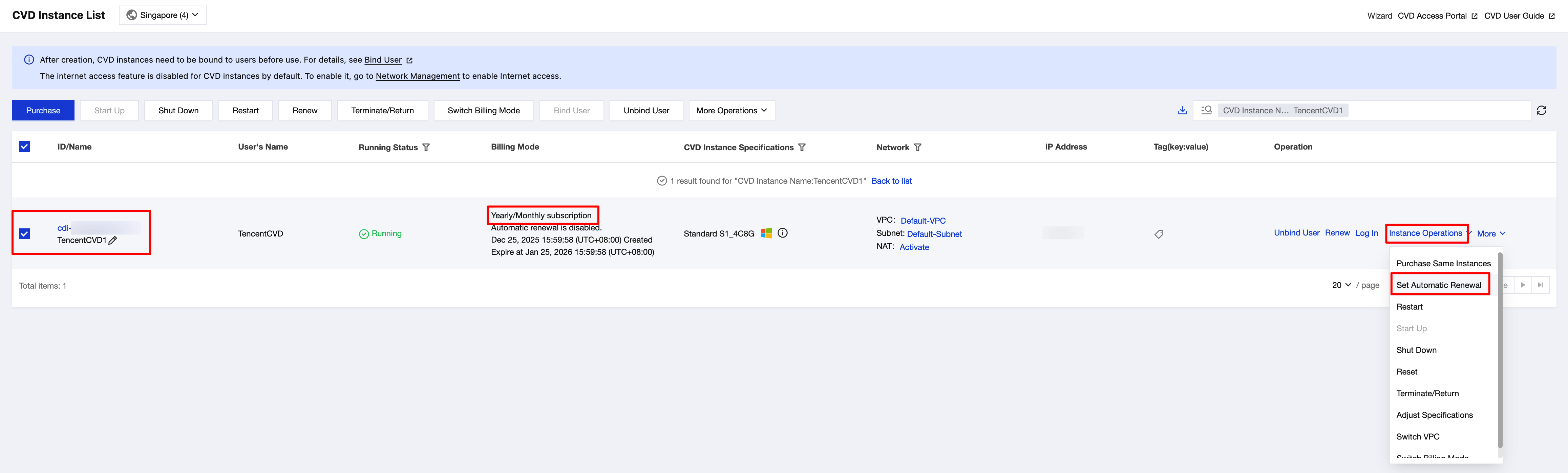
2. In CVD Instance List, select the CVD instance for which you want to enable auto-renewal.
3. In the operation column on the right, choose Instance Operations > Set Automatic Renewal.
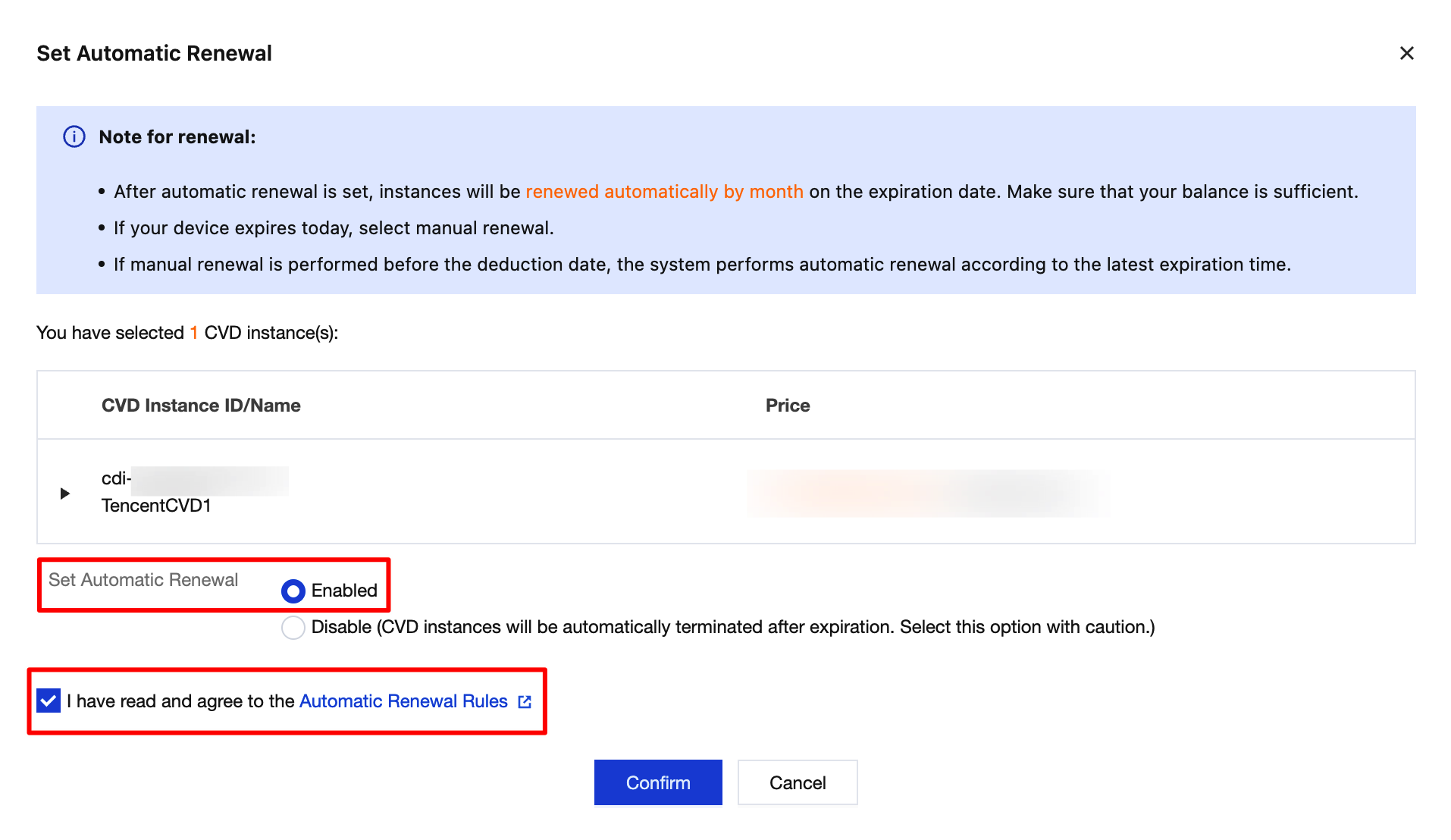
4. In the Set Auto-Renewal page, select Enabled, select the checkbox to agree to the auto-renewal rules, and then click Confirm to enable auto-renewal for the CVD instance.
Help and Support
Was this page helpful?
You can also Contact sales or Submit a Ticket for help.
Help us improve! Rate your documentation experience in 5 mins.
Feedback