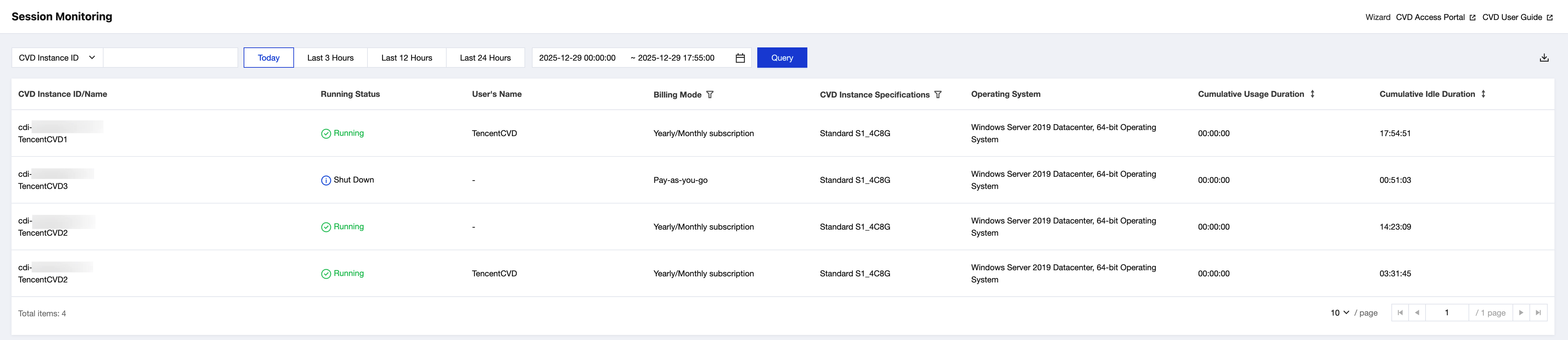
Cloud Virtual Desktop (CVD) allows administrators to view the usage status of CVD users through the session monitoring feature in the console. You can view and export the monitoring data on the Session Monitoring page of the CVD console.
If the billing mode of the CVD instance is pay-as-you-go, the CVD instance should have startup or usage records within the query range. If it has been in the Shut Down status with billing stopped, the data of this instance will not be returned in session monitoring.
Operation Steps
1. On the Session Monitoring page of the CVD console, view the usage status of CVD users.
By default, the session monitoring data for the current day (from 00:00:00 to the current time) is displayed. You can quickly adjust the view to show the data for the last 3 hours, 12 hours, or 24 hours.
You can query data using a custom time range. Data within the last 3 months can be queried, with a maximum single query span of 1 month.
You can search by CVD instance ID or user name to view the session details for a specific CVD instance or user.
2. You can use list fields to filter the query results.
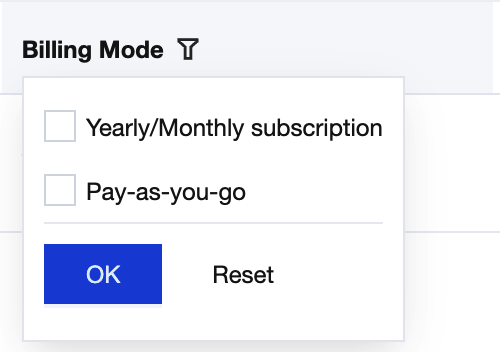
Filter by billing mode.
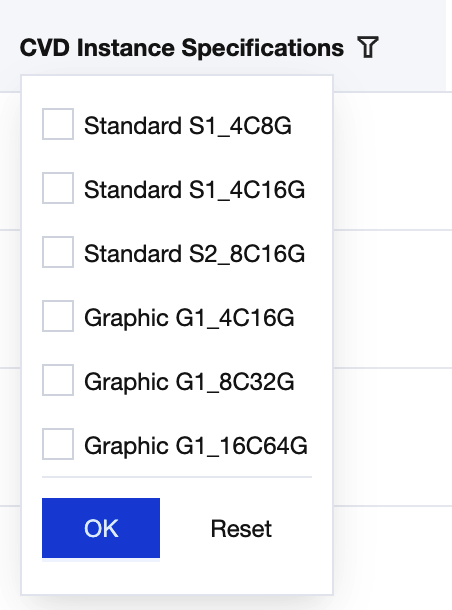
Filter by desktop specifications.
3. You can sort the query results by cumulative usage duration or cumulative idle duration.
4. After the required data is queried, click
in the upper-right corner of the list to export the query results in CSV format.