Editing Tag
This document describes how to edit the tags of an instance in the TMP console.
Directions
Edit tag for a single instance
1. Log in to the TMP console.
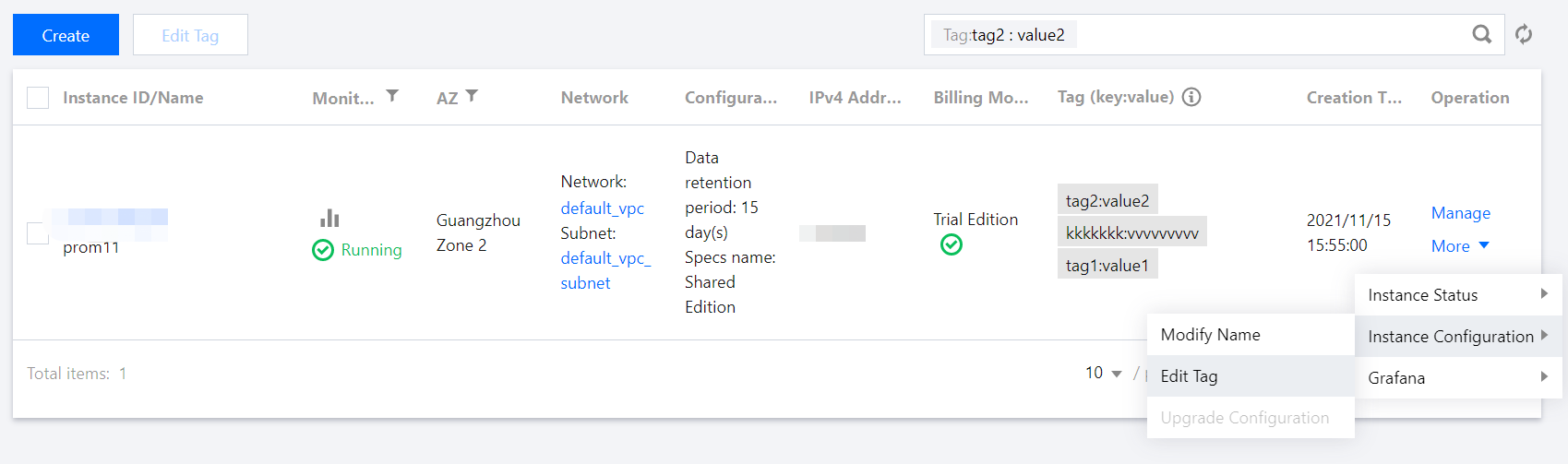
2. On the instance management page, select the instance for which to edit tags and click More > Instance Configuration > Edit Tag as shown below:
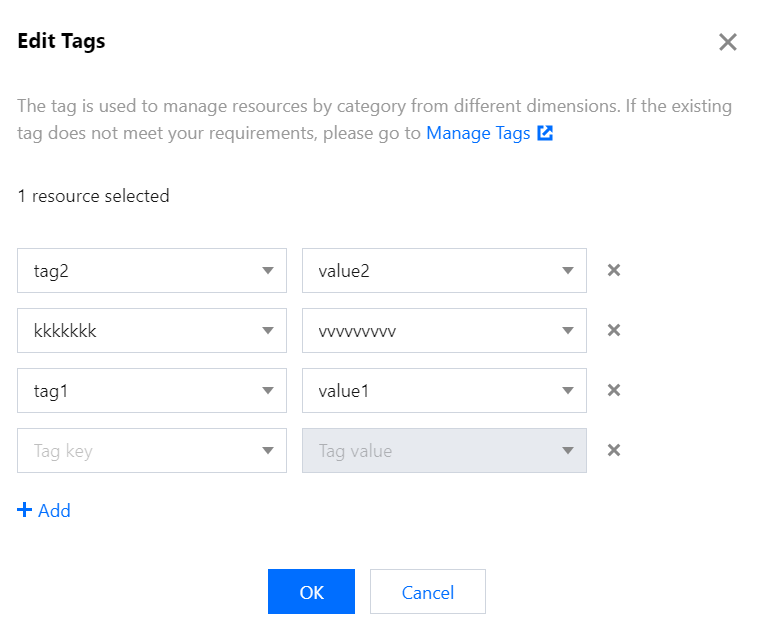
3. In the Selected 1 resource window that pops up, add, modify, or delete tags based on your actual needs.
Help and Support
Was this page helpful?
You can also Contact sales or Submit a Ticket for help.
Help us improve! Rate your documentation experience in 5 mins.
Feedback