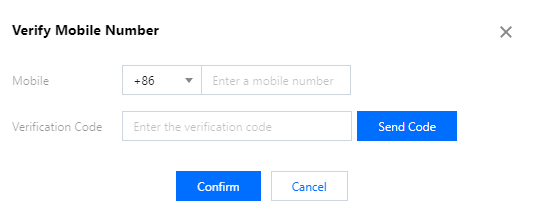
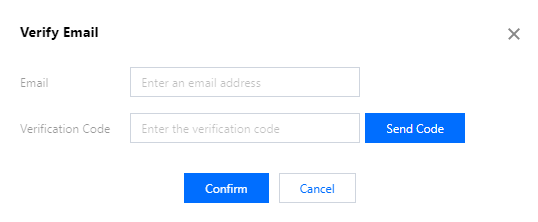
As required by security compliance and ICANN policies and in order to enhance the authentication of domain identity information and prevent information frauds, you must use verified mobile number and email address in the domain information and registrant profiles in Tencent Cloud Domains starting from September 30, 2021.
This document describes how to create, verify, and use a new mobile number and email address and provides FAQs.
3. In the Verify Email pop-up window, enter the target email address and the received verification code.
4. Click Confirm.
Subsequent Operations
After completing the previous steps, you can go to the Domains console and use the verified mobile number/email address to create your domain registrant profile. For more information, see Domain Registrant Profile.
FAQs
Why should I verify the mobile number/email address?
As required by security compliance and ICANN policies and in order to enhance domain identity verification, only a verified mobile number/email address can be used for domain identity verification to ensure contact information correctness.
What should I do if "Only a verified mobile number/email address is supported" is prompted?
If you see this system prompt during domain registration in the Domains console, it indicates that the mobile number or email address entered in the information of the current domain has not been verified. In this case, you cannot proceed to subsequent steps.
You need to modify the relevant domain information and registrant profile by changing the mobile number/email address to verified ones. You can also create a new registrant profile with a verified mobile number/email address. Then, you can proceed to subsequent steps.
How do I verify the information?
Go to the Mobile and Email Verification page, create a mobile number/email address, and verify them. After verification, you can select and use them in the domain information, identity verification, and registrant profile.
Can I skip verifying the mobile number/email address?
No. Unverified mobile numbers/email addresses cannot be used in domain information, identity verification, and registrant profile. To use them, you must create and verify them on the Mobile and Email Verification page first. In one single registrant profile, both the mobile number and email address must be verified.
What is the impact on domains that already passed identity verification?
Domains that already passed identity verification can be used normally with no impact, but if you want to modify the domain information, you must select a verified mobile number/email address as the contact information.
Can I continue using a registrant profile that already passed identity verification?
No. No matter what status it is in, an existing registrant profile cannot continue to be used if it contains an unverified mobile number or email address. Such profiles cannot be directly associated with domains or used in information modification. To use them, you must verify the mobile number/email address first. You can also create a new registrant profile with a verified mobile number/email address.
Do I need to verify the mobile number/email address in an existing registrant profile again?
The mobile number and email address in an existing registrant profile don't need to be verified again; however, a profile can be used only after the mobile number and email address are changed to verified ones. During the change, you only need to verify the new mobile number and email address but not the old ones.