This document describes how to modify domain registration information, such as the email address, mobile number, and registrant, for better domain protection.
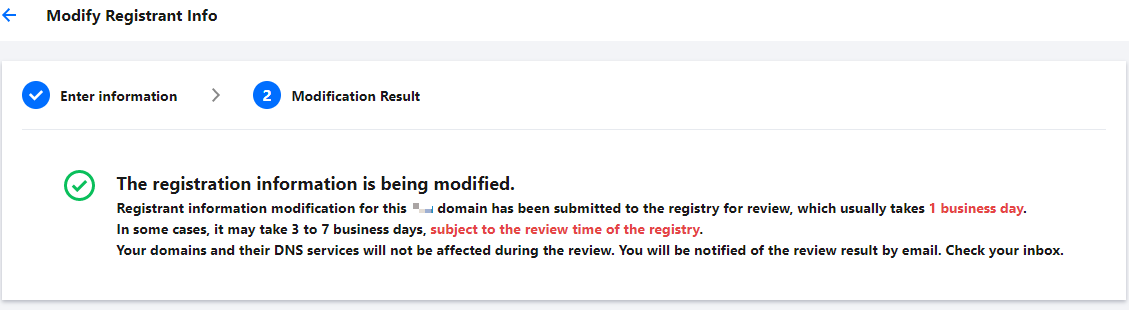
Registrant information modification needs to be submitted to the registry for review, which usually takes 1 business day (no more than 7 business days, subject to the review time of the registry). Your domains and their DNS services will not be affected during the review.
Directions
1. Log in to the Domains console and enter the My Domains page.
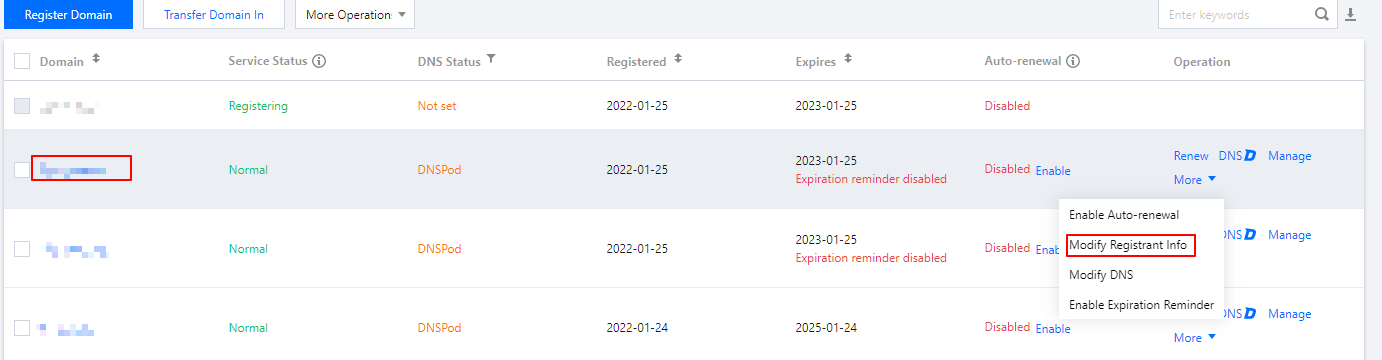
2. In the row of the domain whose information you want to modify, click More > Modify Registrant Info to enter the Registrant Information page. See the figure below:
Note:
You can enter the Registrant Information page by other means, for example, click Manage or click the corresponding domain name.
3. On the Registrant Information page, click Edit to enter the Modify Registrant Info process. See the figure below:
Note:
If the update prohibition lock is enabled, the domain information cannot be modified, and you need to disable it on the Domain Security tab before you modify the domain information.
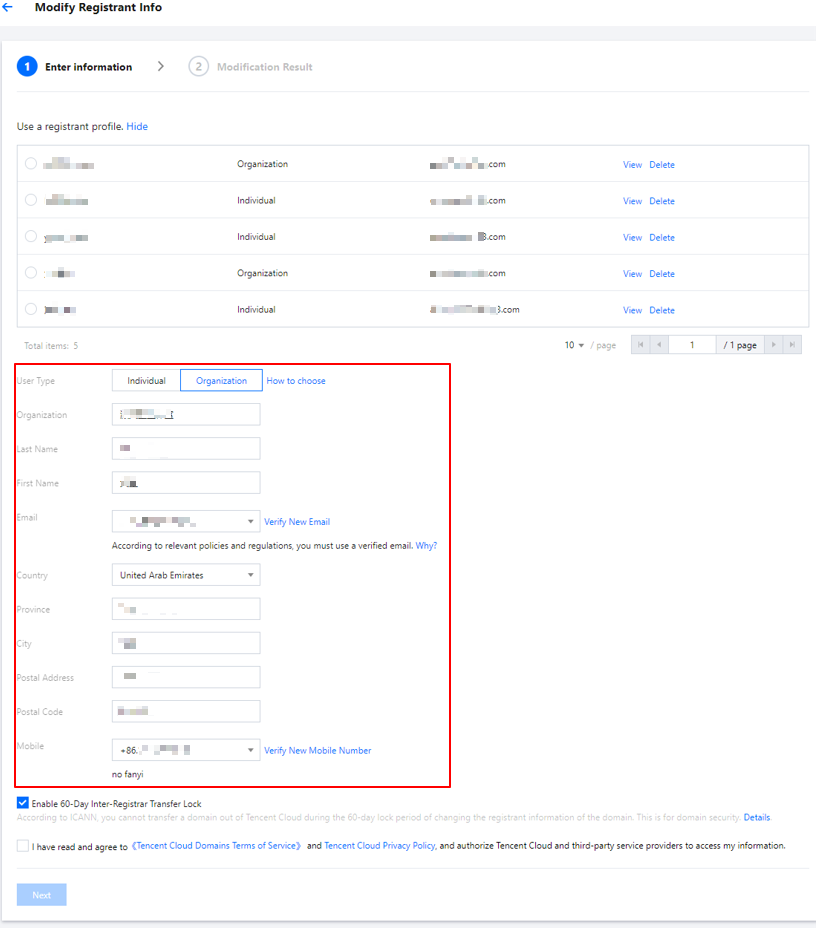
4. On the Modify Registrant Info page, you can modify your domain information. See the figure below:
Note:
You can also select an existing registrant profile to modify your domain information.
Note:
Enabling the 60-day inter-registrar transfer lock: according to ICANN policies, if you have enabled the 60-day inter-registrar transfer lock when modifying the information of a domain, the domain cannot be transferred out of Tencent Cloud within 60 days to protect the security of the domain. For more information, see Rules for 60-Day Inter-Registrar Transfer Lock.
5. After reading and agreeing to related agreements, click Next. If the account information is successfully verified, the modification enters the registry review process and the system will notify you of the estimated review time. See the figure below.
6. After the domain information is modified successfully, Tencent Cloud notifies you of the result via the Message Center, SMS, or email.