This document describes how to use cross-account domain transfer to transfer a domain under your account A to account B.
Note:
After a domain is successfully transferred, the target account will have its management permissions, such as information modification, domain transfer, and DNS management. To add DNS records for this domain under account B, see Domain Reclaim.
Cross-account domain transfer is to change the Tencent Cloud account of a domain while keeping its identity verification information and owner unchanged. You should note that this feature cannot be used for trade.
Cross-account transfer only supports Tencent Cloud root accounts but not collaborators and sub-users.
Directions
1. Log in to the Domains console, enter the My Domains page, and view the information of all purchased domains.
2. In the row of the domain to be transferred, click Manage as shown below:
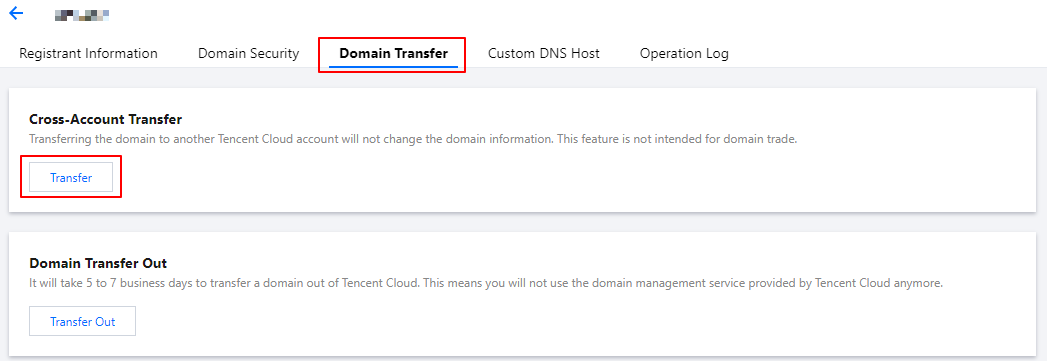
3. Enter the Domain Name Info page, select the Domain Transfer tab, and click Transfer after Cross-Account Transfer as shown below:
4. In the Identity Verification window that pops up, get and enter the SMS verification code, and then click Confirm as shown below:
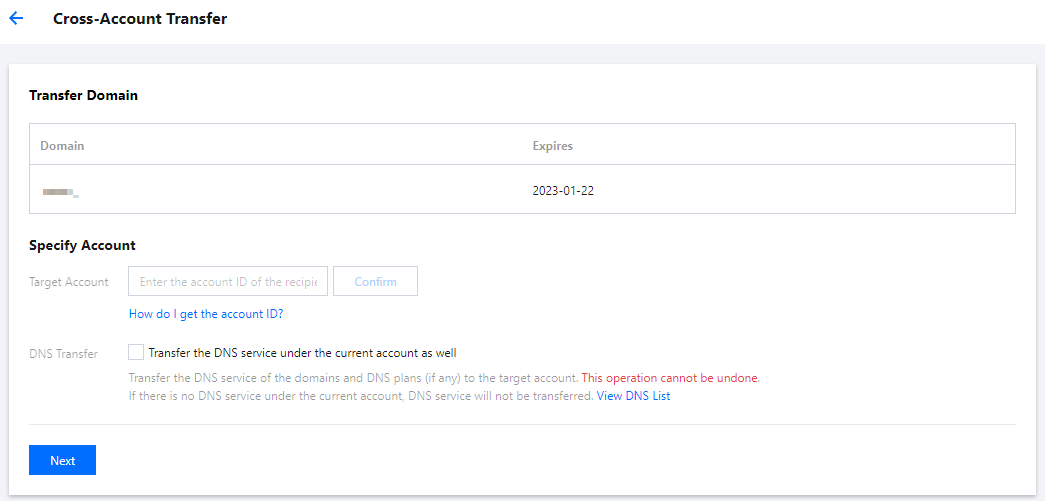
5. On the Cross-Account Transfer page, confirm the relevant information, enter the target account ID, and click Confirm > Next as shown below:
Transferred Domain: check whether the domain to be transferred is correct.
Specify Account:
Target Account: enter the account ID of the transfer recipient. You can get the account ID in the basic account information.
DNS Transfer: if you want to transfer the DNS records of the domain under the current account, select Transfer DNS Records.
Note:
After this option is selected, the corresponding DNS record management permissions will also be transferred to the target account. If there are any DNS plans, they will also be transferred.This operation cannot be undone.
If there are no DNS records under the current account, no transfer will be performed.
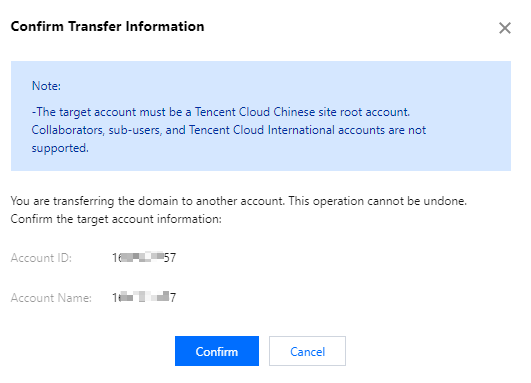
6. In the Confirm Transfer Information window that pops up, check the ID and alias of the target account and click Confirm as shown below: