Using CLB as Proxy for Cross-Account Database Migration
Download
フォーカスモード
フォントサイズ
最終更新日: 2024-12-25 14:58:30
Overview
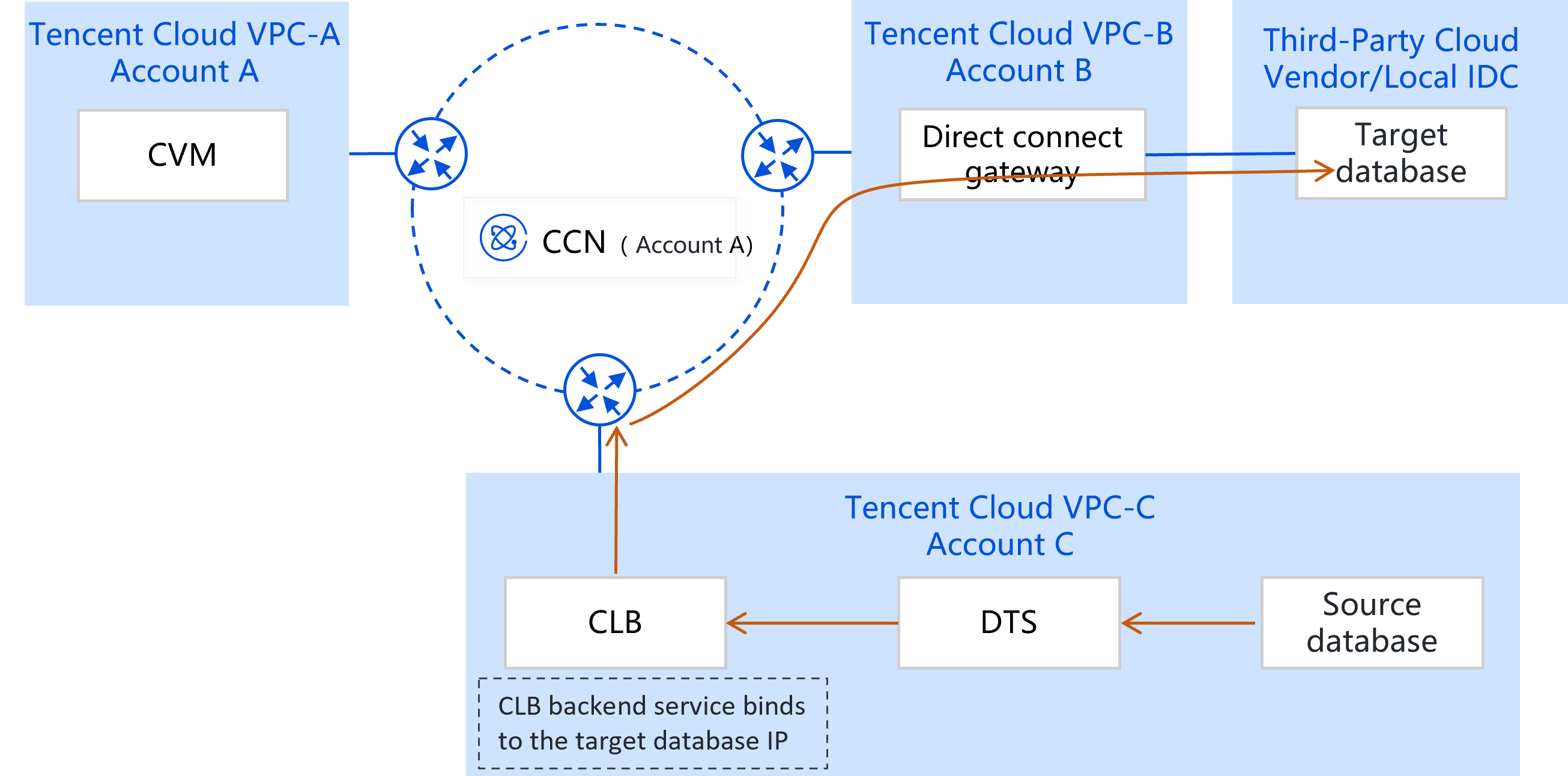
This document describes how to use CLB as a proxy service to establish a network connection between the source database and DTS. This is suitable for migrating/syncing IDC-based self-built databases or databases in another cloud associated with another Tencent Cloud account to the current account and running various tasks. Below is an example. (If you need to migrate/synchronize cloud database instances from another Tencent Cloud account to the current account, there is no need to follow the complex operations in this section. Instead, see Cross-Account Synchronization of Cloud Database Instances for guidance.)
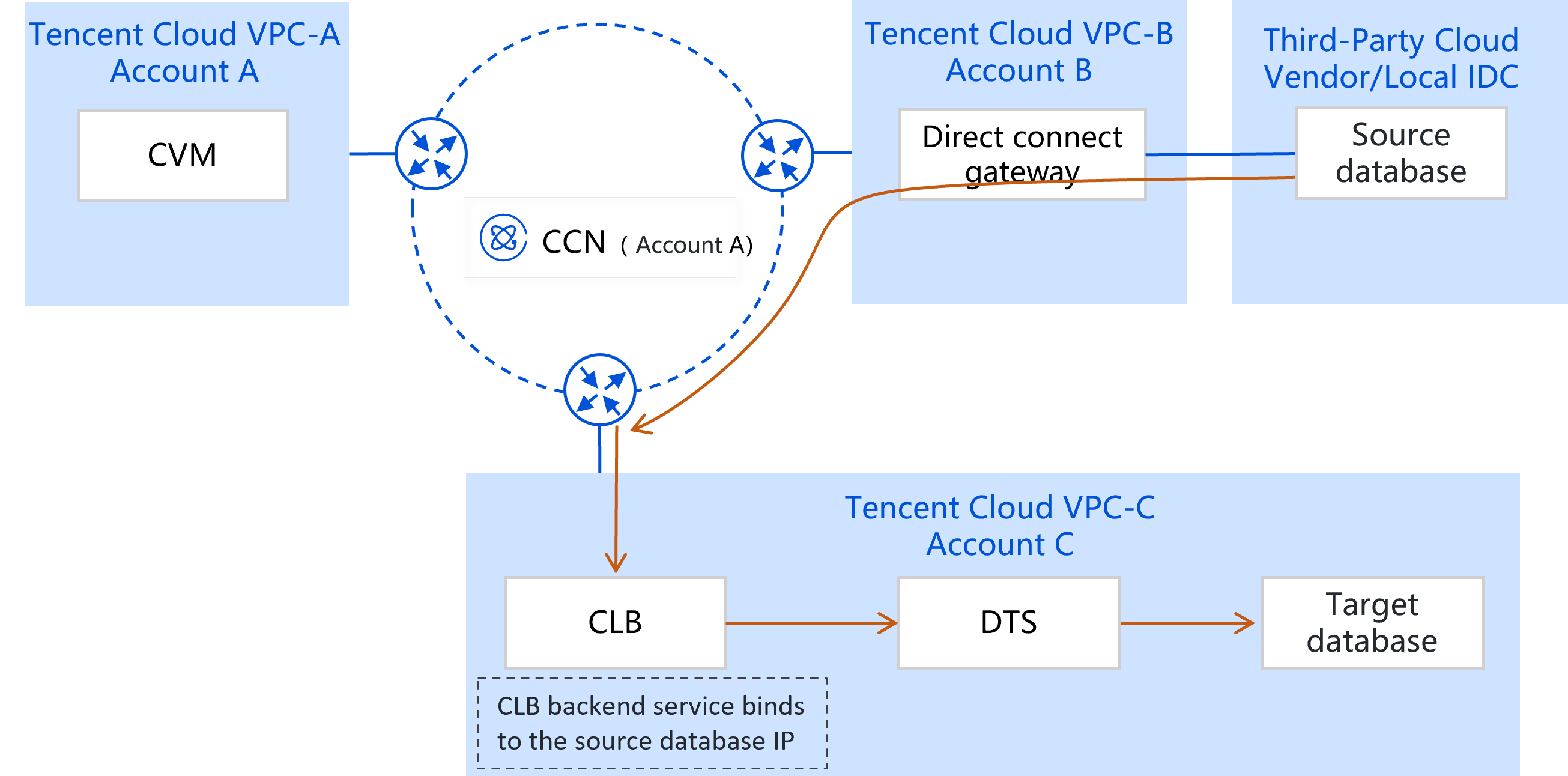
VPCs A and B are group company networks, VPC C is a subsidiary network, and account C has no permission to manipulate resources of A and B.
A Direct Connect line is established under account A to connect to the self-built IDC network or third-party cloud vendor network, and account B is connected to VPCs A, B, and C through CCN. Therefore, networks in the dotted box have been interconnected, and account C can access the source database.
Use account C for migration/sync through DTS.
For this scenario, you can associate the source database with a CLB instance. Because CLB can interconnect networks across accounts, you can use the CLB instance as a DTS proxy service for routing and forwarding. Key configuration principles are as follows:
1. Use account C to create a CLB instance.
2. Configure the real server in the CLB instance and bind the source database IP to the real server.
3. Create a migration/sync task and enter the CLB address and port as the IP address and port of the source database.
2. Configure CLB instance parameters and select the Pay as You Go billing mode and the Private Network type.
3. Return to the Instance Management page to view the VIP, which will be used in the subsequent DTS configuration.
Binding the source database IP to the CLB real server
Note:
The CLB operations in the following guidance are for reference only. If there are differences in the actual console interface, see CLB official documentation to submit a request. Similarly, any provided screenshots are for reference only. If there are discrepancies, follow the actual console interface.
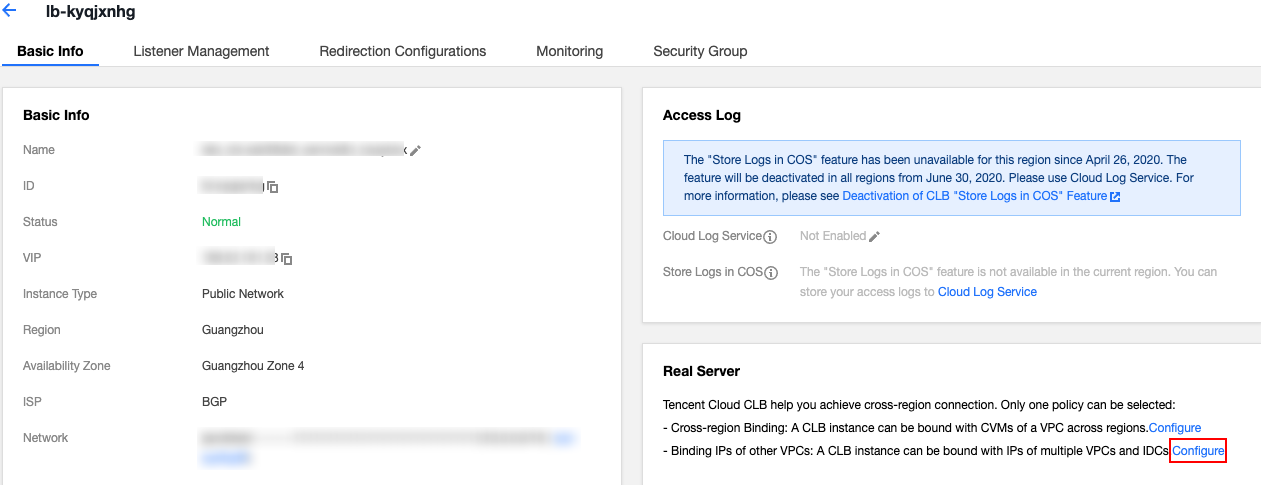
1. On the Instance Management page in the CLB console, click the ID of the CLB instance just purchased.
2. On the Basic Info page, click Configure for enabling the feature of binding IPs in another VPC in the Real Server section.
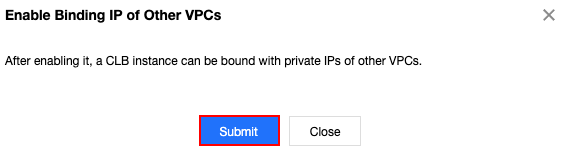
3. In the pop-up window, click Submit.
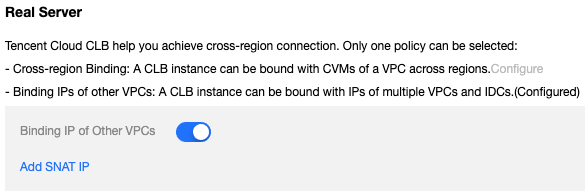
4. After enabling the feature, click Add SNAT IP newly displayed in the Real Server section.
5. In the pop-up window, select a subnet, click Add to assign an IP, and click Save.
6. After the SNAT IP is configured.
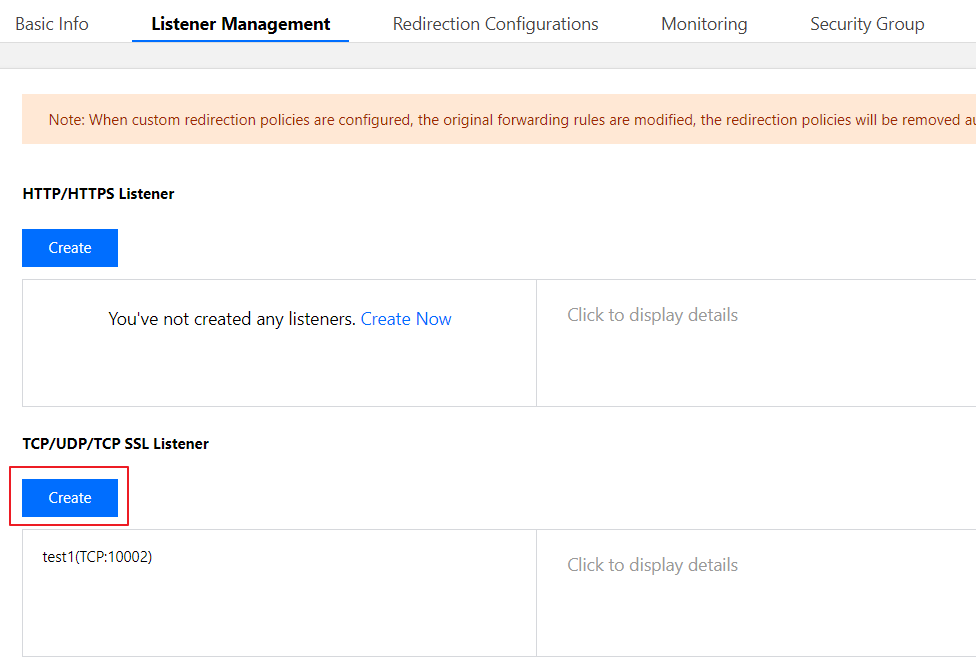
7. On the instance details page, click the Listener Management tab and click Create in the TCP/UDP/TCP SSL/QUIC Listeners section.
8. Configure a TCP listener in the pop-up window. You can choose whether to enable health check and session persistence as needed.
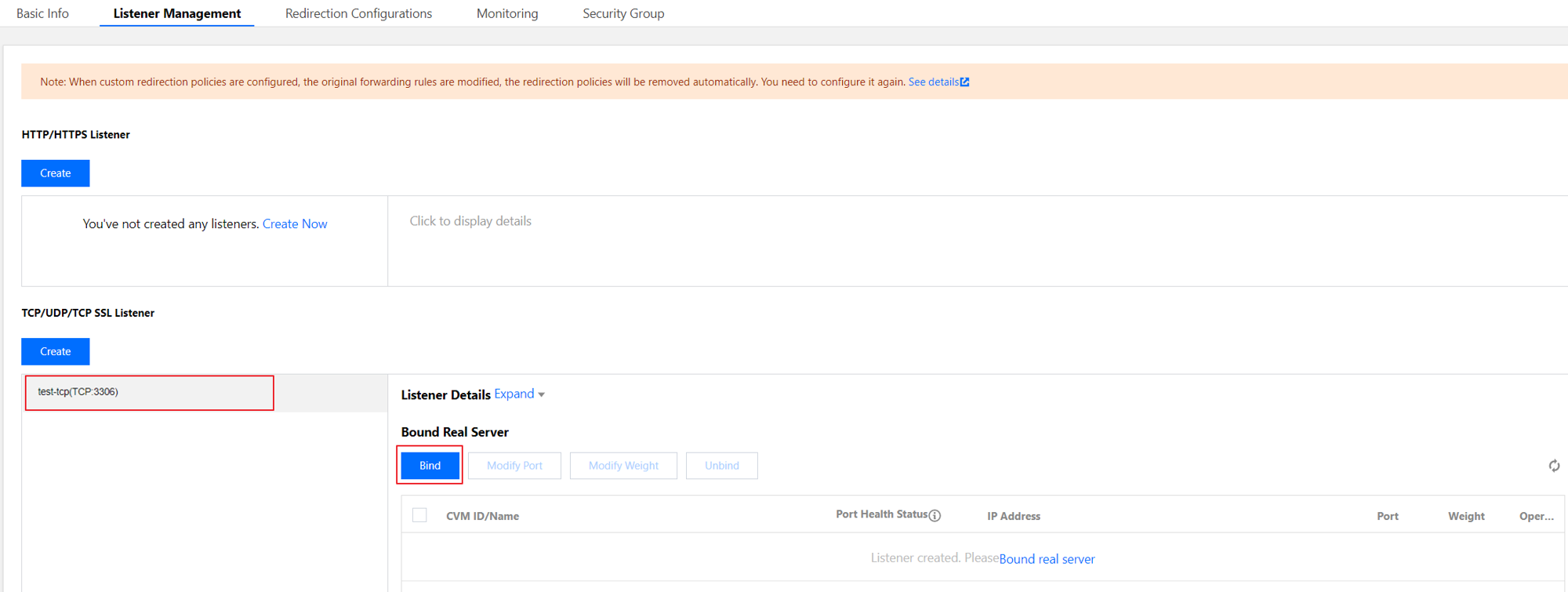
9. After configuring the listener, select it and click Bind on the right to bind the source database IP address.
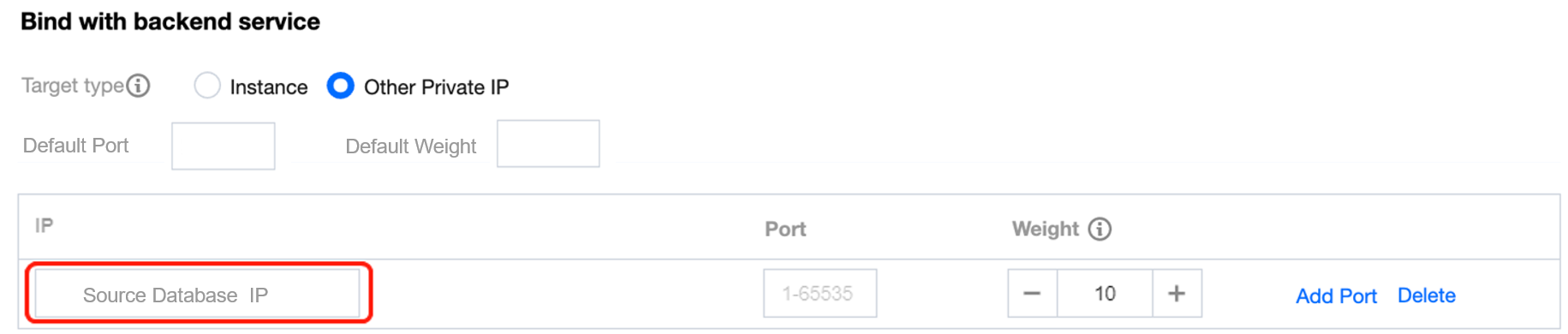
10. In the pop-up window, select Another private IP, enter the source database IP address and port to be bound, set the weight, and click OK.
11. Return to the Real Servers Bound section to view the bound source database IP.
Configuring a DTS task
The configuration steps for a DTS task with CLB as an proxy are basically the same as those described in Migration from MySQL to TencentDB for MySQL or sync from MySQL/MariaDB/Percona to MySQL, with only the following difference:
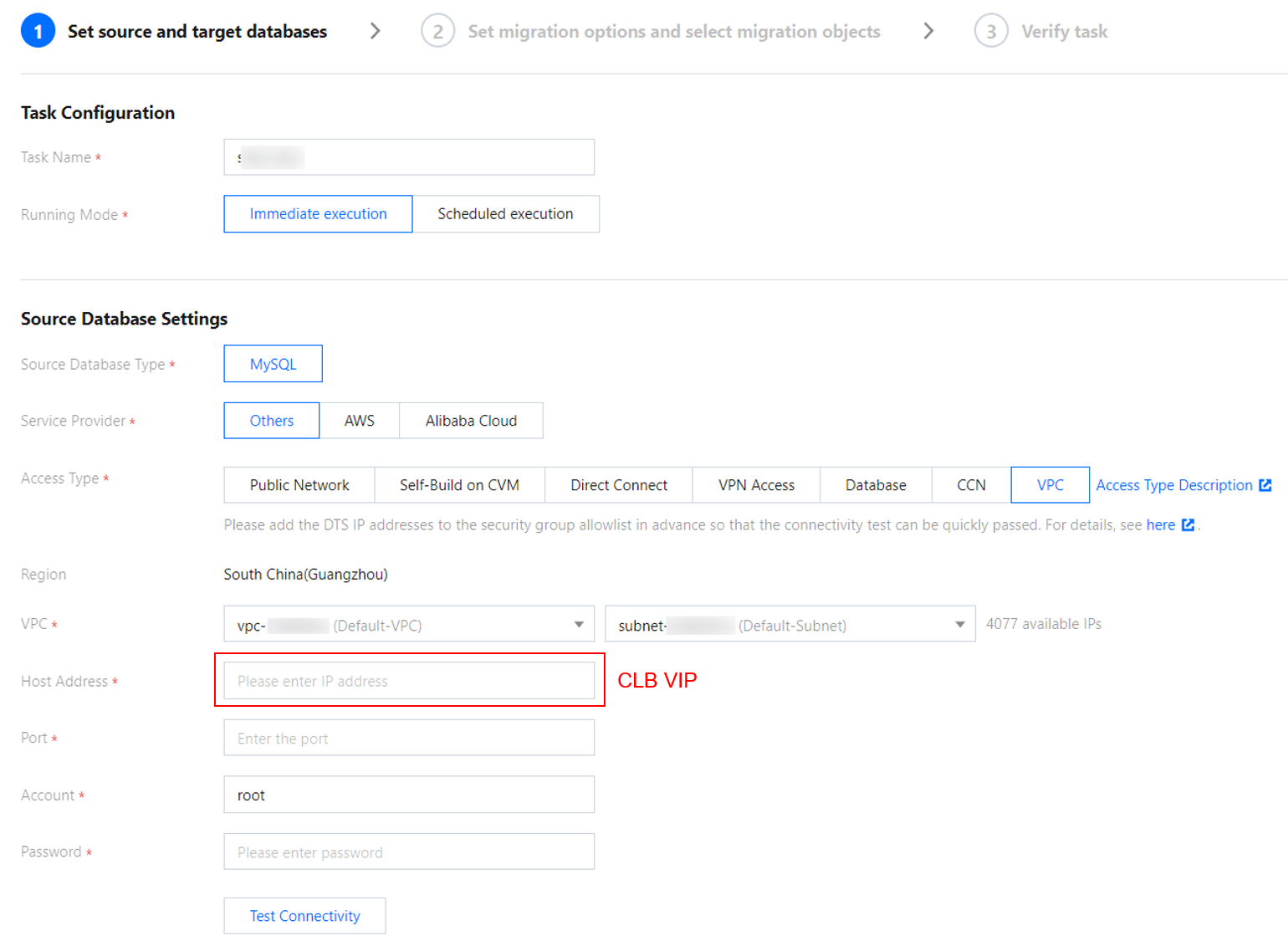
After purchasing a data migration/sync task with account C, in the Set source and target databases step, select VPC as the access method (you need to submit a ticket to enable this option), select the VPC and subnet of account C, and enter the VIP address of the CLB instance as the host address.
Similar Scenario
Compared with the above scenario, the following scenario is in the opposite migration/sync direction, that is, migrating/syncing databases under the current account to IDC-based self-built databases under other Tencent Cloud accounts or databases provided by third-party cloud vendors. Below are the differences.
1. Create a CLB instance with account C.
2. Configure the real server in the CLB instance and bind the target database IP to the real server.
3. Create a migration/sync task.
Select Database as the source database access method.
Select VPC as the target database access method. The host address is the same as the CLB address.