Canal Demo Description (Canal ProtoBuf/Canal JSON)
ダウンロード
フォーカスモード
フォントサイズ
Feature Description
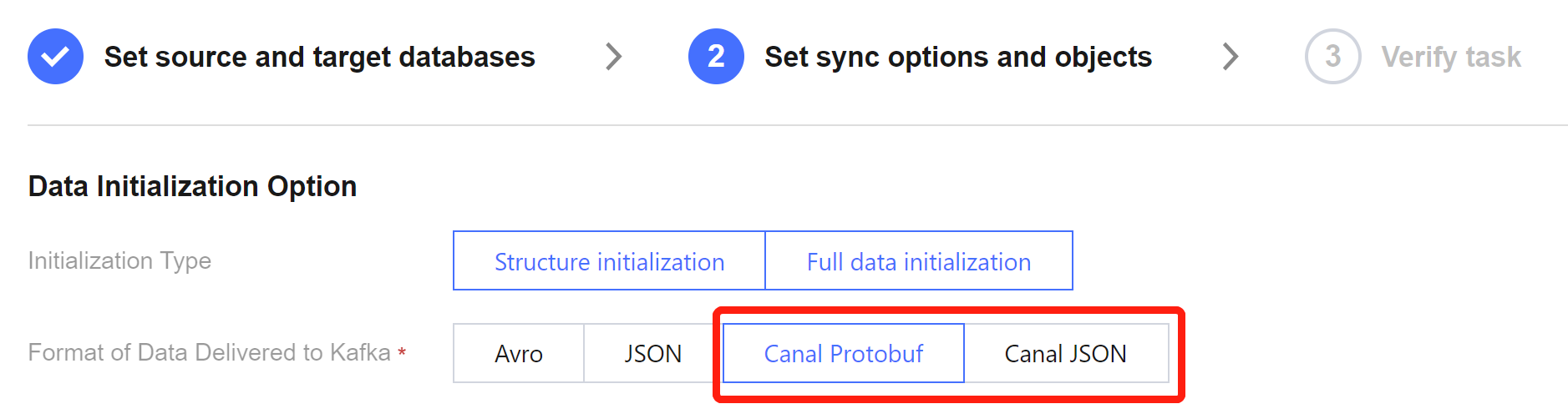
The sync data written to Kafka via DTS supports compatibility with the open-source tool in the Canal format, using the ProtoBuf or JSON serialization protocol. During the configuration of DTS sync tasks, you can choose the data format Canal ProtoBuf or Canal JSON, and then use the Consumer Demo for business adaptation, to connect the consumer data.
Scheme Comparison
Feature | DTS Sync to Kafka Scheme | Canal Sync Scheme |
Data Type | Full + increment | Increment only |
Data Format | Canal ProtoBuf, Canal JSON | ProtoBuf, JSON |
Cost | Purchase cloud resources, which basically require no subsequent maintenance once being configured initially. | Customers shall deploy and maintain by themselves. |
Canal JSON Format Compatibility Statement
Users can consume data using the consumption program from the previous Canal scheme. When consuming data in the Canal JSON format in the DTS scheme, the field names are consistent with those in the Canal scheme's JSON format, and only the following differences need to be noted.
1. In the source database, fields of binary-related types (including binary, varbinary, blob, tinyblob, mediumblob, longblob and geometry) will be converted into HexString after being synced to the target. Users should be aware of this when consuming data.
2. Fields of the Timestamp type in the source database will be converted to the 0 timezone (e.g., 2021-05-17 07:22:42 +00:00) when they are synced to the target. Users need to consider the timezone information when parsing and converting.
3. The JSON format of the Canal scheme defines the sqlType field, which is used in Java Database Connectivity (JDBC) to represent the SQL data type. Since Canal uses Java at the bottom layer, and DTS is implemented in Golang at the bottom layer, this field is left empty in the Canal JSON format provided by DTS.
Canal ProtoBuf Format Compatibility Statement
For consuming data in the Canal ProtoBuf format, it is necessary to use the protocol document provided by DTS, because this protocol document incorporates features such as full sync logic, which is included in the Consumer Demo. Therefore, users need to use the Consumer Demo provided by DTS, and adapt their own business logic based on this Demo in order to connect the consumer data.
When data is consumed in the Canal ProtoBuf format provided by DTS, the field names are consistent with the ProtoBuf format provided by the Canal scheme, and only the following differences need to be noted.
1. In the source database, fields of binary-related types (including binary, varbinary, blob, tinyblob, mediumblob, longblob and geometry) will be converted into HexString after being synced to the target. Users should be aware of this when consuming data.
2. Fields of the Timestamp type in the source database will be converted to the 0 timezone (e.g., 2021-05-17 07:22:42 +00:00) when being synced to the target. Users need to consider the timezone information when parsing and converting.
フィードバック